
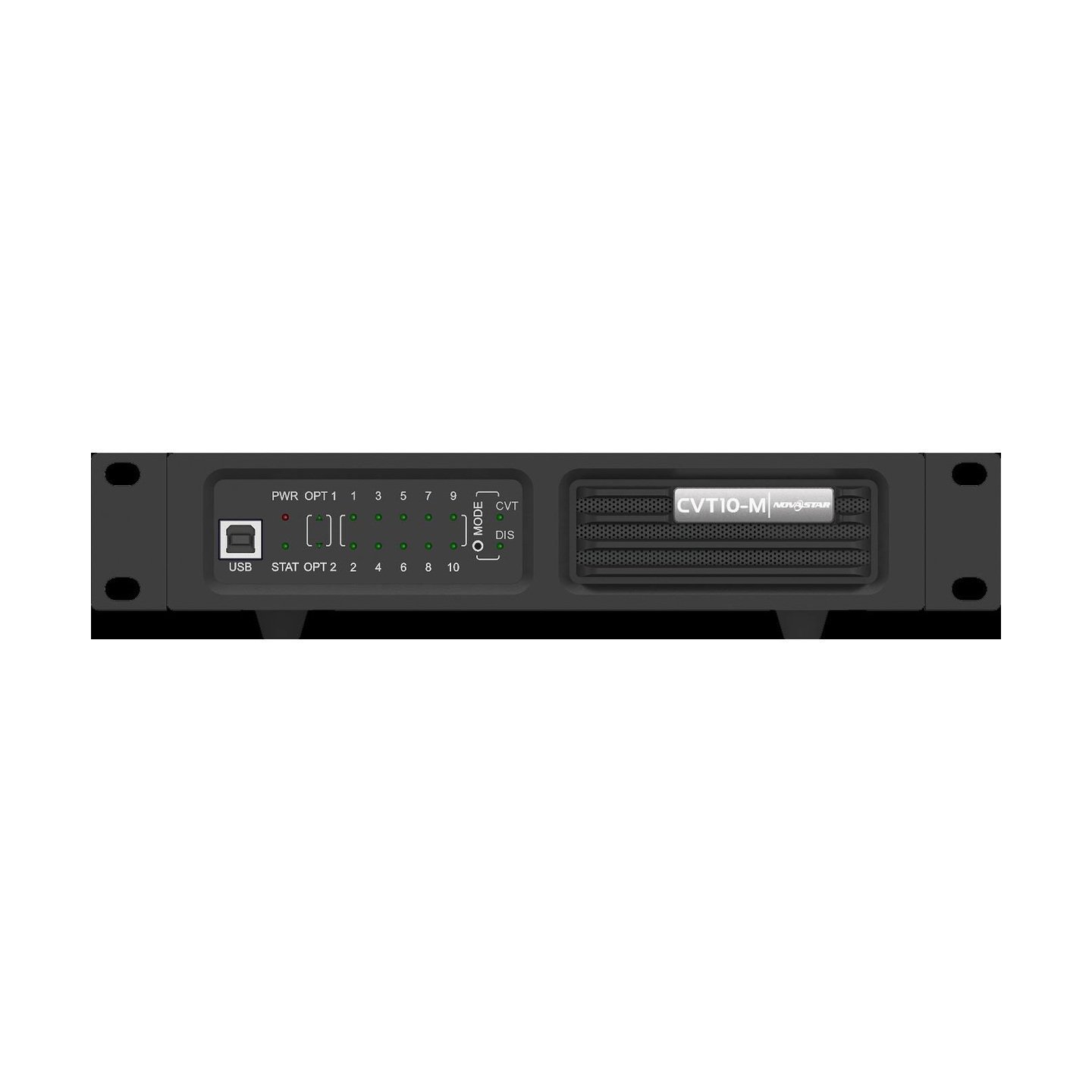
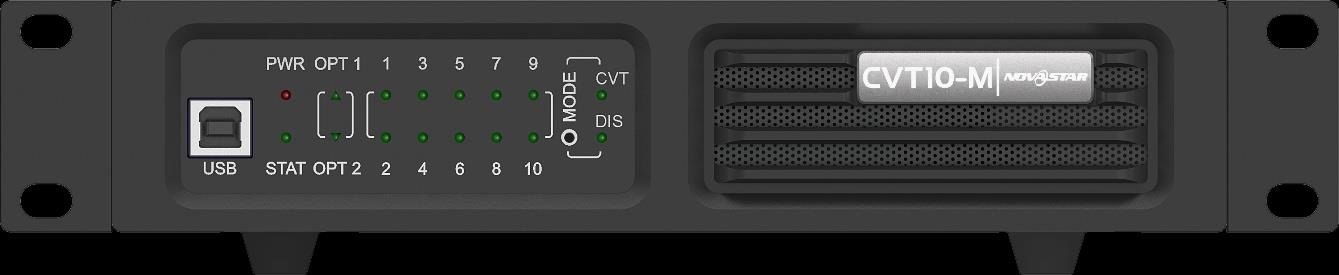
What is the NovaStar CVT10-M?
If your LED screen sits more than 100 m from the controller, a network cable will not reach it, and the NovaStar CVT10-M is how you cover that gap. It puts your signal onto multimode fiber for up to 300 m, then hands it back as ten Gigabit Ethernet ports beside the screen.
It works in both directions, so you can also send from the rack: Ethernet in and fiber out at your controller, fiber in and Ethernet out at the wall. Your control position stops having to sit within cable reach of the screen.
One thing to get right before you order: the -M is the multimode version. If the fiber in your building is single-mode you need the CVT10-S instead, and both ends of the same run have to carry the same letter.
Nothing about your picture changes. The CVT10-M carries the data your controller has already built and delivers it unchanged to your receiving cards. It does not process video, it does not address cabinets, and it does not replace your sending card.
CVT10-M key features
Ten Gigabit ports from one pair of fibers
Without fiber, a ten-port screen means pulling ten network cables the whole distance — ten to install, ten to test, and ten that can fail on you later. With a CVT10-M at each end you pull one fiber instead, and your ten short cables live in the rack beside the screen where you can reach them. One cable pull instead of ten.
OPT2 as the backup path
If you only run one fiber, one accident takes your whole screen down. The CVT10-M gives you a second optical port for exactly that: in CVT mode OPT1 is the master and OPT2 the backup, so you can leave a second fiber on a different route sitting ready. One route fails and your wall stays lit.
Do not plan on OPT2 as a second output, though. NovaStar documents it as the backup for OPT1, so if you are feeding a second wall you need another optical port upstream rather than the spare socket here.
Optical modules that change on site
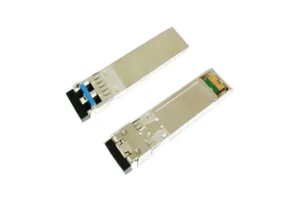
When an optical port stops passing light it looks exactly like a dead converter, and that is how a working unit ends up in your repair box. Both ports arrive with modules already fitted and NovaStar documents them as hot-swappable, so if you keep a 10G SFP Module-M on the shelf you fix it in two minutes instead of replacing the chassis.
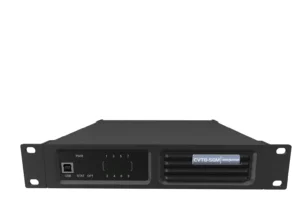
Half-rack width, with the joining plate in the box
If your control rack is already full, this one only asks for half a rack unit. You can bolt two of them side by side, or one plus the connecting piece that comes in the box, into a single 1U space using the supplied brackets and screws. There is nothing extra for you to order.
NovaStar CVT10-M specifications
Check these against the fiber you already have and the space left in your rack. The fiber row is the one your cabling contractor will ask you for.
| Ethernet ports | 10 × Gigabit RJ45 |
|---|---|
| Optical ports | 2 × 10G, LC. OPT1 is the master port and OPT2 the backup in CVT mode |
| Optical module | 850 nm, 9.95 Gbit/s to 11.3 Gbit/s, fitted at the factory, hot-swappable |
| Fiber to order | OM3 or OM4 multimode twin-core, 50/125 µm, LC connectors, insertion loss ≤ 0.2 dB, return loss ≥ 45 dB |
| Optical distance | 300 m |
| Control port | 1 × type-B USB, for program upgrades from NovaLCT V5.4.0 or later. It is not a cascade port |
| Working mode | CVT, the fiber converter mode. The DIS position is reserved and not currently supported |
| Power | 100–240 V~, 50/60 Hz, 0.6 A, PowerCON. Do not connect or disconnect it under power |
| Rated power consumption | 18 W |
| Operating environment | −20°C to +55°C, 0% to 80% RH, non-condensing |
| Dimensions and net weight | 254.3 × 50.6 × 290.0 mm, 2.1 kg |
| Supplied in the box | Power cord, USB cable, supporting brackets A and B, connecting piece, 12 × M3*8 screws, assembling diagram, certificate of approval |
Two of those rows cost you something elsewhere. The fiber row becomes your cable order, and the PowerCON row means you switch the unit off at its own rocker before touching the power connector rather than pulling it live.
How many CVT10-M units does a fiber run need?
You need one CVT10-M if the device in your equipment rack already has a 10G optical port, and two if it only has RJ45 outputs. In the second case one sits beside your controller to put the data onto fiber and the other sits at the screen to bring it back to copper.
That same port also decides how many of your ten Ethernet ports actually arrive with something on them. Two limits apply at once, and whichever is smaller is the one you get.
The first is on the CVT10 itself. Behind a 10G optical port using 8b/10b encoding you get ports 1 to 8 only; behind a 10.3125G port using 64b/66b encoding you get all ten.
The second is how much your upstream device puts on that port to begin with. An MCTRL R5 copies its Ethernet ports 1 to 8, so ports 9 and 10 at your screen have nothing to carry no matter what the encoding says.
Both limits only apply to the unit receiving the fiber. The one beside your controller works the other way round, taking Ethernet in and sending fiber out, and all ten of its ports are available in that direction.
| Device in the equipment rack | Optical ports | What NovaStar documents on one optical port | CVT10-M units for the run |
|---|---|---|---|
| MCTRL4K | 4 × 10G | OPT1 carries Ethernet ports 1 to 8 and OPT2 carries 9 to 16; OPT3 and OPT4 duplicate them | 1 |
| VX1000 and VX1000 Pro | 2 × 10G | OPT1 copies the output of all ten Ethernet ports; OPT2 copies or backs it up | 1 |
| MCTRL660 Pro | 2 × 10G | One optical port equals the load of six Gigabit Ethernet ports; OPT2 backs up OPT1 | 1 |
| MCTRL R5 | 2 × 10G | OPT1 copies and outputs Ethernet ports 1 to 8; OPT2 is its copy channel | 1 |
| MX_4 10G Fiber Output Card-M | 4 × 10G SFP+ at 10.3125 Gbps | One optical port equals the load of ten 1G Ethernet ports, and NovaStar names the CVT10 as the converter it works with | 1 |
| Controllers with RJ45 outputs only, such as the MCTRL660 or MX30 | None | — | 2 |
Treat that middle column as your ceiling rather than a fault. Behind an MCTRL660 Pro the converter runs perfectly well, but only six Gigabit ports’ worth of load will ever reach it. If your wall needs more, you change the device at the rack end, not the converter.
If your controller has no optical port, order two CVT10-M units and treat them as a pair. One takes its Ethernet outputs onto the fiber and the other returns them to RJ45 at your wall. Both have to be the multimode version, and both have to see the same OM3 or OM4 fiber.
CVT10-M or CVT10-S: which one does your fiber need?
Your fiber decides it, not the distance you would like to cover. A CVT10-M needs OM3 or OM4 multimode and gives you 300 m on it; the CVT10-S runs 1310 nm optics on OS1 or OS2 single-mode and gives you 10 km. A multimode module cannot light a single-mode link, so both ends of your run carry the same letter.
When you order the cable, ask for OM3 or OM4 twin-core with a 50/125 µm core, LC connectors, insertion loss of 0.2 dB or better and return loss of 45 dB or better. That is the whole specification your contractor needs.
NovaStar specifies OM3 or OM4 for this module. If what you already have is older OM1 or OM2, the 300 m no longer applies to you and the route is worth re-planning before you place the order.
The 300 m is the fiber alone. Your copper tails at each end add to the total without eating into it, so a 300 m run with a 90 m tail at the screen gives you a 390 m route, not an over-length link.
If your building is wired with single-mode fiber, order the CVT10-S instead. You get the same ten ports, the same chassis and the same mounting, with 10 km of reach. Nothing else between the two models changes.
Where a CVT10-M is used on an LED display system
These all start the same way for you. Your screen is further from the equipment rack than one copper run reaches, and your building already has multimode fiber in it.
Notice what none of these are about. This will not make your picture better or your controller faster; it removes a distance problem and a pile of copper, which is why the fiber you already have usually picks the model before anything else does.
If your fiber is single-mode, all four of these point at the CVT10-S instead. Same ten ports, same chassis, 10 km rather than 300 m.
CVT10-M vs CVT10 Pro-M and CVT8-5GM
All three put your data onto multimode fiber. What separates them is what the box has to survive where you are putting it, and how much load you are asking one fiber to carry.
| CVT10-M | CVT10 Pro-M | CVT8-5GM | |
|---|---|---|---|
| Ethernet output | 10 × 1G | 10 × 1G | 8 × 5G BaseT |
| Optical | 2 × 10G, LC | 2 × 10G, LC | 1 × 40G, MPO 8-core |
| Multimode reach | 300 m | 300 m | 100 m on OM3, 150 m on OM4 |
| Chassis | Half-1U, 2.1 kg | 1U, 5.9 kg, dustproof and waterproof, truss-clamp mounting | Half-1U, 2.26 kg |
| Rated power | 18 W | 22 W | 33 W |
| Price | $1,150 | $2,137 | $3,277 |
- Order the CVT10-M when the converter lives in a rack indoors and the wall runs on 1G receiving cards.
- Order the CVT10 Pro-M when the box hangs on truss or works outdoors. At $2,137 against $1,150 the money buys the sealed enclosure and the clamp mounting; the ten ports and the 300 m reach are identical.
- Order the CVT8-5GM only when the wall is built on 5G receiving cards behind an MX_1x40G Fiber Output Card. It is a different architecture rather than a larger CVT10, it terminates on MPO instead of LC, and its multimode reach is shorter.
NovaStar CVT10-M manual, datasheet and NovaLCT software
There is no cabinet configuration inside a CVT10-M, so if you swap one you put no screen map at risk and have nothing to save off the old unit first.
Two files are worth having before you order. The specification sheet gives your cabling contractor the fiber, connector and loss figures, and NovaLCT V5.4.0 or later is the software NovaStar names if you ever need to update the converter’s program over its USB port.
NovaStar CVT10-M FAQ
Do I need one CVT10-M or two?
One, if the device in your equipment rack already has a 10G optical port. Two if it does not, with one at each end of your fiber.
Can a CVT10-M work opposite a CVT10-S?
No. The CVT10-M uses 850 nm multimode optics and the CVT10-S uses 1310 nm single-mode, so they cannot light the same link. Both ends of your run need the same letter.
How far will a CVT10-M reach?
300 m on OM3 or OM4 multimode fiber. If your route is longer than that, the CVT10-S gives you 10 km on single-mode.
Do all ten Ethernet ports carry data?
Not always on the unit receiving your fiber. Behind a 10G optical port using 8b/10b encoding you get ports 1 to 8; behind a 10.3125G port using 64b/66b encoding you get all ten, provided your upstream device is mirroring that many. On the unit sending fiber, all ten are available.
Is OPT2 a second screen output?
No. NovaStar documents OPT2 as the backup for OPT1 in CVT mode. If you are feeding a second wall you need another optical port on your rack-end device.
Does the CVT10-M include the optical modules?
Yes, both ports arrive with modules already fitted, and NovaStar documents both as hot-swappable. Keep a multimode spare if your unit travels.
Can a single CVT10-M be rack mounted?
Yes. A single unit is half-1U wide, and the connecting piece in the box fills the other half so you can fix it into a standard rack with the supplied brackets and screws.
Does the CVT10-M need software to run?
No. It arrives in CVT mode and NovaStar states that is the only mode currently supported, so you have nothing to select. NovaLCT V5.4.0 or later is only there if you ever need a program upgrade over the type-B USB port.
What warranty covers a CVT10-M?
You get three years of serial-tracked manufacturer coverage, because these units come through our authorized US NovaStar channel.
Can I get volume pricing or Net 30 terms?
Yes. Send us the model and your quantity and we will come back with volume pricing. Purchase orders and Net 30 terms may be available if you are an approved school, government buyer, venue or established integrator.
How do I order a CVT10-M?
The price on this page is for one unit, and how many you need follows from your rack-end device. Orders placed before 3 PM ET on in-stock items ship the same business day. Contact us to confirm current availability.
Reviews
There are no reviews yet.