
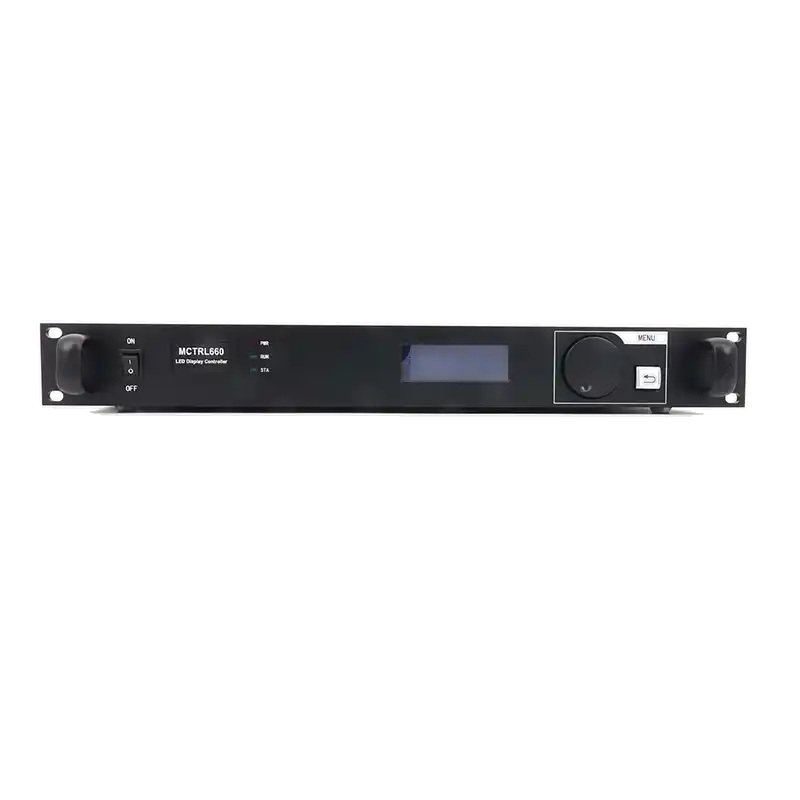
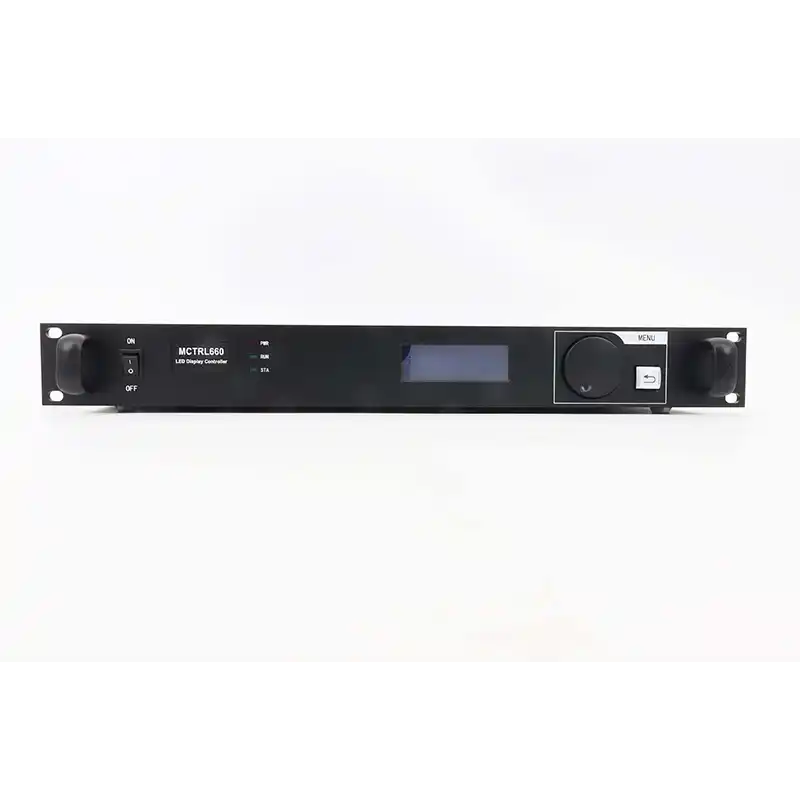
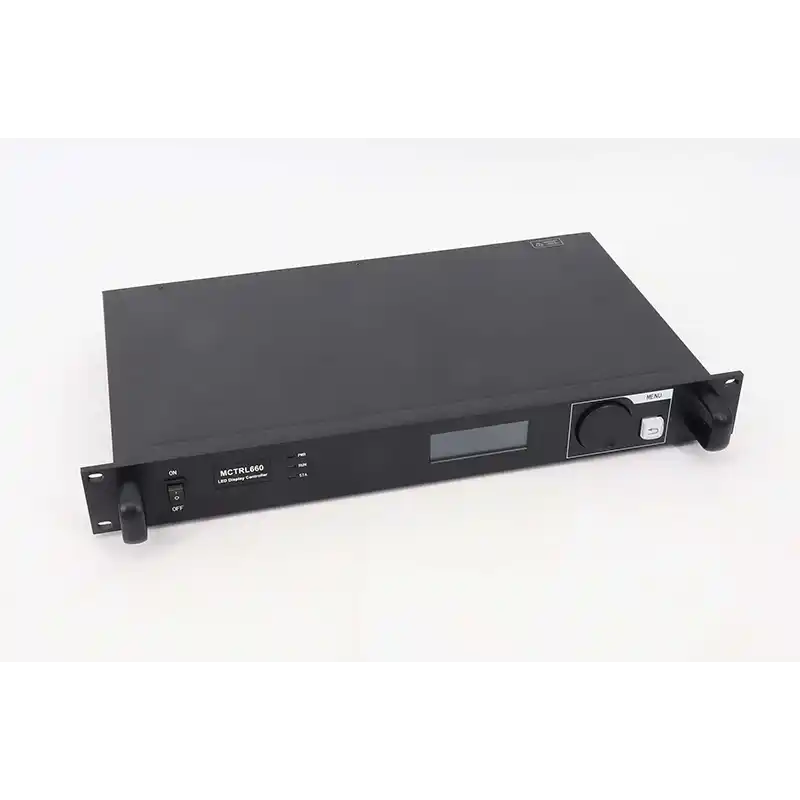
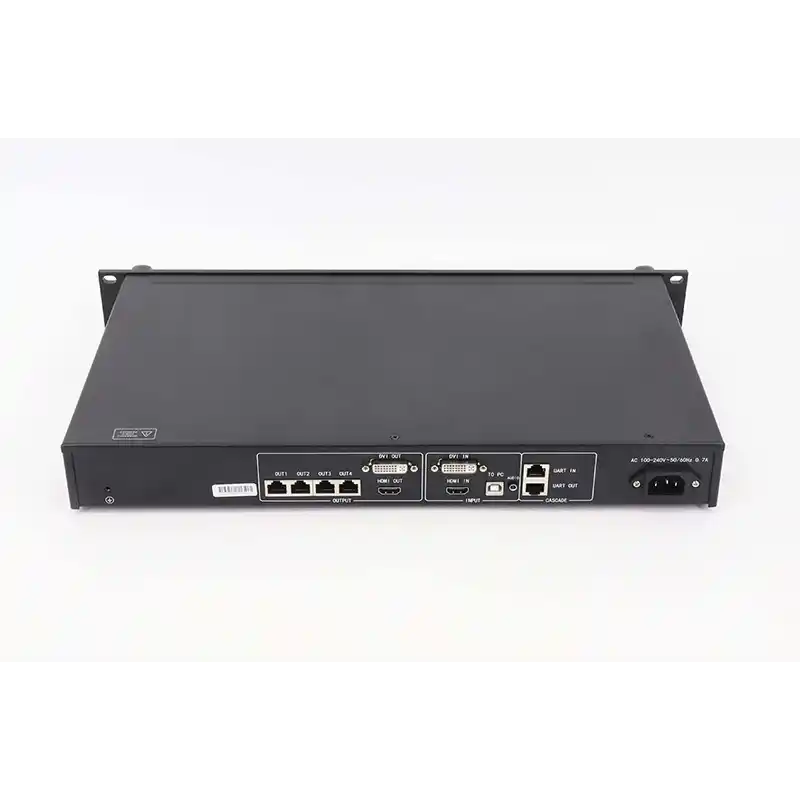
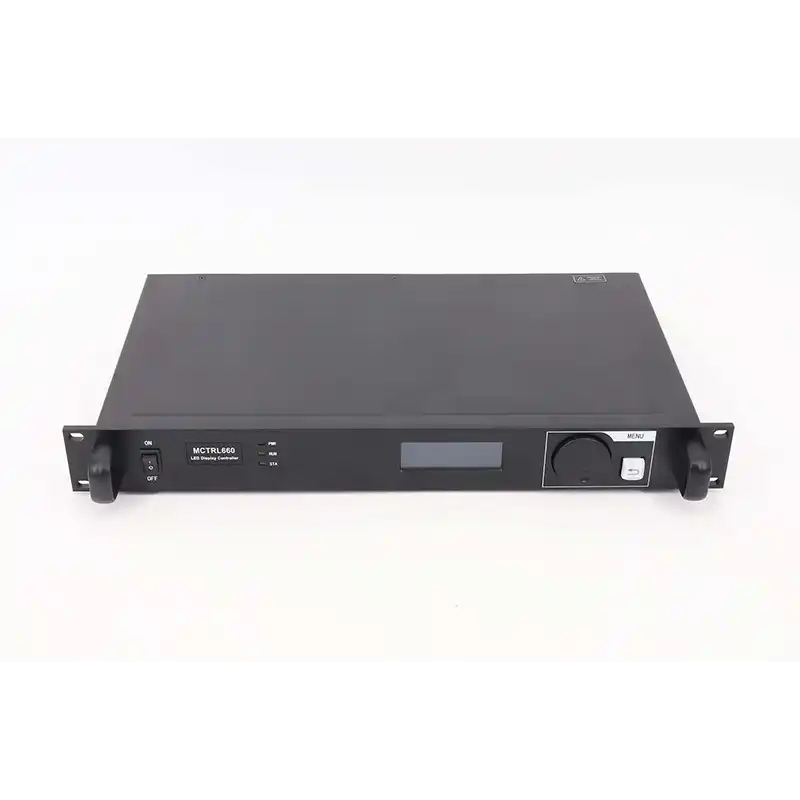
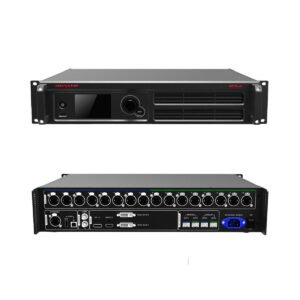
The NovaStar MCTRL660 is a four-output sending controller for HDMI- and DVI-based LED walls. It accepts a prepared video signal and maps that image across four Gigabit Ethernet outputs, with a total 8-bit input canvas up to 1920×1200@60Hz.
Its practical advantage is the front panel. A regular screen can be mapped and lit from the controller's LCD and knob, so a computer is not needed for every basic setup or brightness change. NovaLCT is still required when the wall is irregular, the receiving cards need the correct cabinet file, or the project needs deeper screen configuration.
What is the NovaStar MCTRL660?
The MCTRL660 sits between the video source and the receiving cards inside the LED cabinets. A media server, computer, camera system or upstream processor creates the final video canvas; the MCTRL660 divides that canvas across the Ethernet runs that feed the wall.
When the source does not match the LED canvas, processing must happen before the MCTRL660. NovaStar does not document this controller as a scaler or multi-layer video processor. Use a suitable video processor to resize, switch, crop or combine sources, then send the prepared image to the controller.
MCTRL660 specifications
The table shows the limits that affect controller selection. Exact environmental, packing and certification details remain available in the MCTRL660 datasheet.
| Specification | MCTRL660 |
|---|---|
| Product type | LED display sending controller |
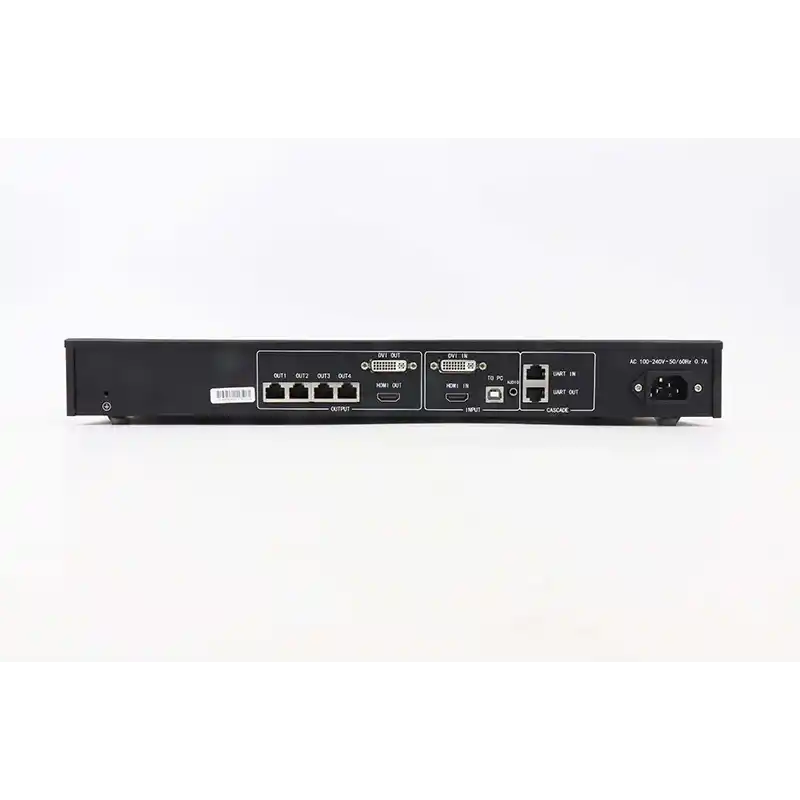
| Video inputs | 1× HDMI 1.3, 1× single-link DVI |
| Audio input | 1× audio connector |
| Video loop outputs | 1× HDMI 1.3 OUT, 1× single-link DVI OUT |
| LED outputs | 4× Gigabit Ethernet RJ45 |
| Maximum 8-bit input | 1920×1200@60Hz |
| Maximum 10/12-bit input timing | 1440×900@60Hz |
| Maximum custom width | 3840 pixels at 3840×600@60Hz |
| Maximum custom height | 3840 pixels at 500×3840@60Hz |
| Per-port map limit | Up to 650,000 pixels |
| Input formats | 8-bit, 10-bit and 12-bit |
| HDCP | HDMI supports HDCP 1.4 |
| Redundancy | Ethernet-port redundancy; controller master/redundancy mode |
| Control and cascade | USB Type-B; UART IN/OUT for up to 20 controllers |
| Power | 100–240 VAC, 50/60Hz; rated 16 W |
| Dimensions | 483.0 × 258.1 × 55.3 mm |
| Net weight | 3.6 kg |
MCTRL660 load capacity at 8, 10 and 12 bit
At 8-bit, the MCTRL660 supports an input canvas up to 1920×1200@60Hz, which equals 2,304,000 pixels. Each of its four Ethernet outputs can map up to 650,000 pixels, but the complete wall must stay within both limits: the controller's total canvas and the load assigned to every port.
This is why the four port limits should not simply be added together and advertised as a 2.6-million-pixel wall. A 1920×1080 canvas contains 2,073,600 pixels and fits within the published 8-bit total. A 3840×600 ribbon also reaches the documented 2,304,000-pixel ceiling, but its cabinet map still has to be divided so that no Ethernet output is overloaded.
High bit depth changes the plan. NovaStar lists 1440×900@60Hz as the maximum HDMI or DVI timing at 10-bit and 12-bit, and the user manual states that high-bit-depth input reduces loading capacity. Confirm bit depth before approving the canvas; a wall that fits at 8-bit may not fit when the source changes to 10-bit.
If you provide the finished canvas width and height, cabinet pixel size, cabinet count, bit depth and desired port split, LED Control Depot can perform a first-pass capacity check before the controller is ordered.
MCTRL660 HDMI, DVI and loop-through workflow
The MCTRL660 accepts HDMI 1.3 or single-link DVI, with progressive input up to the timing limits above. HDMI supports HDCP 1.4. Interlaced HDMI and DVI signals are not supported, so the source should be set to a compatible progressive timing.
HDMI OUT and DVI OUT pass the source to another device for monitoring or cascading. They do not create extra LED-data capacity. The four RJ45 ports remain the outputs that carry mapped screen data to the NovaStar receiving cards inside the cabinets.
For a single wall, the clean signal path is:
Video source or processor → MCTRL660 → receiving cards and LED cabinets
The source or processor prepares the final canvas. The MCTRL660 maps it to the four LED outputs. Receiving cards then drive the modules in the wall.
MCTRL660 setup without a computer
For a regular rectangular wall whose cabinets already contain the correct receiving-card file, the front panel can complete the basic setup. First select or enter the source timing. Then enter the cabinet rows and columns, the number of cabinets assigned to port 1, and the direction in which the signal runs through the cabinets.
The controller uses that information to build a regular screen map and light the complete source. Brightness can also be adjusted from the front panel, which is useful during load-in or routine operation when opening a computer is unnecessary.
Front-panel setup works only for a regular screen. If a cabinet is not displaying correctly, load the correct .rcfgx or .rcfg cabinet file before mapping the wall. If the screen is irregular, configure it in NovaLCT rather than forcing it into the front-panel row-and-column workflow.
MCTRL660 setup with NovaLCT and SmartLCT
NovaLCT is the main tool for a complete MCTRL660 screen configuration. Use it to confirm communication with the controller, back up the working receiving-card file, map cabinets across the four ports, configure redundancy, save the settings to hardware, and keep a recovery copy for the installation.
Start with the known-good cabinet file whenever possible. Reading and saving the working configuration before making changes gives the installer a way back if the wrong receiver settings are sent to the wall.
The MCTRL660 manual also documents NovaLCT for 10-bit gamma, source bit-depth settings and firmware updates. SmartLCT is listed as another firmware-update method. Do not assume both programs offer the same MCTRL660 controls; use NovaLCT for the main commissioning workflow and the current official firmware package for the exact model.
MCTRL660 Ethernet redundancy and controller cascading
Several rear-panel functions can look like one backup system, but they serve different jobs:
| Function | What it does | What it does not do |
|---|---|---|
| Ethernet-port redundancy | Protects selected cabinet runs by assigning primary and backup Ethernet paths | Does not add usable screen capacity |
| Controller master/redundancy mode | Lets a second controller take the backup role in a planned system | Does not work without the correct wiring and configuration |
| HDMI/DVI loop output | Passes the video source to another controller or monitor | Does not carry LED data to cabinets |
| UART IN/OUT cascade | Lets one computer control multiple MCTRL660 units; up to 20 are documented | Does not combine several units into one automatic pixel pool |
Start the redundancy plan with the cabinet map. The receiving cards, Ethernet routing, source distribution and backup controller must all match the intended failure path. The breathing RUN indicator shows when Ethernet redundancy has taken effect, but it is not a substitute for testing the actual backup route before the system goes live.
MCTRL660 manual, datasheet, software and firmware
For MCTRL660 firmware, use the current package from NovaStar's official MCTRL660 resource page. Back up the working system first, match the package to the exact model, and avoid presenting an unverified mirror as the latest release.
Firmware download: MCTRL660 firmware package. Match it to the exact hardware version, save the working configuration and read the release notes before updating.
Direct PDF links: MCTRL660 User Manual PDF · MCTRL660 Datasheet PDF
MCTRL660 applications and system fit
The MCTRL660 fits a regular HDMI- or DVI-fed LED wall that stays within four Ethernet outputs and benefits from local setup controls. Typical uses include:
Rental LED walls: front-panel mapping and brightness changes help with repeatable regular screens during load-in.
Fixed installations: four-port walls in auditoriums, retail, corporate, worship or monitoring spaces can keep a saved configuration for recovery.
Wide or tall canvases: a custom timing can support ribbon or portrait layouts within the published width, height, total-canvas and per-port limits.
Redundant systems: port redundancy and a planned backup controller can protect systems where a dark cabinet run is not acceptable.
Use the MCTRL660 when its HDMI/DVI inputs, four outputs and front-panel controls match the system. If the job needs 3G-SDI, external Genlock, six Ethernet outputs or 10G optical transmission, consider the MCTRL660 Pro. If arbitrary-angle rotation or a larger 4.15-million-pixel canvas is central to the design, compare the MCTRL R5.
If the source needs scaling, seamless switching, multiple layers or content playback, keep the MCTRL660 in the sending role and place a suitable processor before it, or choose an all-in-one model from the video processors category.
MCTRL660 vs MCTRL600, MCTRL660 Pro and MCTRL R5
Choose by signal chain and operating workflow, not by model number alone.
| Model | Best fit | Move to another model when… |
|---|---|---|
| MCTRL600 | A four-output HDMI/DVI wall is configured from a computer and a light-sensor connector matters | Front-panel screen setup and direct local brightness control are important |
| MCTRL660 | A four-output HDMI/DVI wall needs an LCD, quick regular-screen setup, loop-through and redundancy options | The project requires SDI, Genlock, fiber, rotation or more capacity |
| MCTRL660 Pro | A professional workflow needs 3G-SDI, Genlock, six Ethernet outputs, 10G optical transmission or conditional low latency | The wall needs arbitrary-angle rotation or more than the controller-level 2.3M canvas |
| MCTRL R5 | Rotation, eight Ethernet outputs and a canvas up to 3840×1080@60Hz are the deciding needs | The source requires 4K60, built-in scaling, switching or layers |
The MCTRL600 and MCTRL660 now have very similar source and output limits in their current specifications. Choose the MCTRL660 for its front-panel workflow, not for a larger canvas. The Pro and R5 become relevant when the project needs professional source, sync or fiber features, rotation, or higher capacity.
MCTRL660 frequently asked questions
How many pixels can the MCTRL660 control?
At 8-bit, NovaStar documents a total input canvas up to 1920×1200@60Hz, or 2,304,000 pixels. Each Ethernet output can map up to 650,000 pixels, so both total canvas and per-port assignments must be checked.
Is the MCTRL660 a 2.6-million-pixel controller?
No total-canvas claim should be based only on four ports multiplied by 650,000 pixels. The current official specification states a controller-level maximum input of 1920×1200@60Hz. Treat 2,304,000 pixels as the 8-bit total ceiling and use the 650,000-pixel figure for each port's map.
Does the MCTRL660 scale video?
NovaStar does not document the MCTRL660 as a scaler or multi-layer video processor. The source or an upstream processor should provide the finished canvas at a supported progressive timing.
Can the MCTRL660 be set up without a computer?
Yes, a regular screen can be mapped from the front panel when the cabinets already have the correct receiving-card configuration. Use NovaLCT for irregular screens, cabinet-file loading, complete port mapping, backups and deeper settings.
Can the MCTRL660 accept 10-bit or 12-bit video?
Yes, but capacity is lower than at 8-bit. NovaStar lists 1440×900@60Hz as the maximum HDMI or DVI timing for 10-bit and 12-bit input.
Can the MCTRL660 accept a 4K source?
It does not accept a standard 3840×2160@60Hz 4K canvas. It supports certain custom wide or tall timings, such as 3840×600@60Hz, as long as the total canvas and port loads remain within the official limits.
What software works with the MCTRL660?
NovaLCT is the main software for screen and receiving-card configuration. The current user manual also documents firmware updating through NovaLCT or SmartLCT.
Is the MCTRL660 compatible with my LED cabinets?
The MCTRL660 is designed for NovaStar receiving-card systems, but a cabinet brand name alone is not enough to confirm compatibility. Check the receiving-card model, working cabinet file, cabinet pixel dimensions, firmware level and port map before replacing a controller.
Confirm your MCTRL660 system before ordering
For a pre-order check, provide the finished LED canvas width and height, refresh rate, source connector and timing, required bit depth, cabinet pixel dimensions, cabinet quantity, receiving-card model, expected cabinets per Ethernet port, working cabinet-file status, and whether port or controller redundancy is required. LED Control Depot can then confirm whether the MCTRL660 fits the existing signal chain or point to the nearest better-matched controller.
Reviews
There are no reviews yet.