
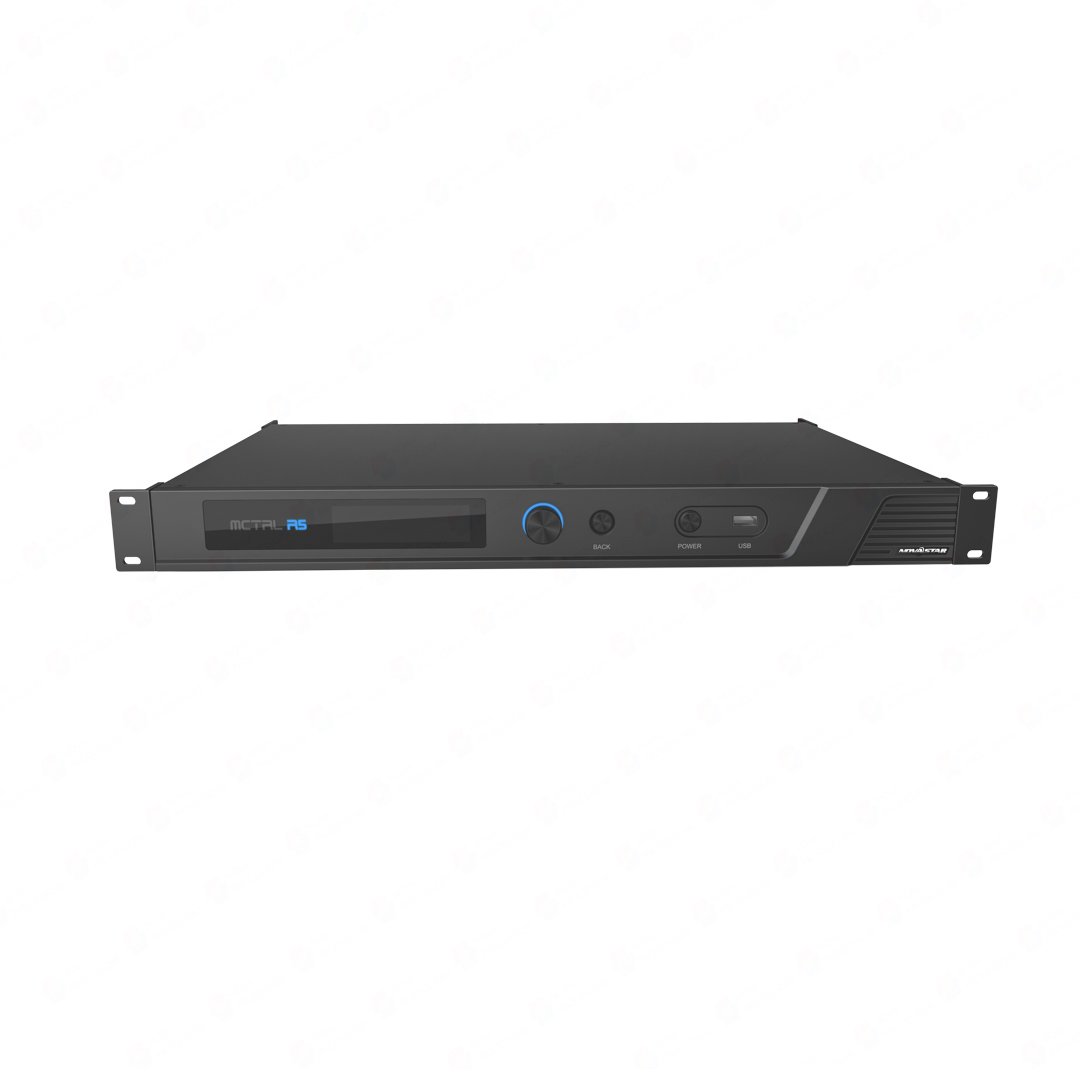
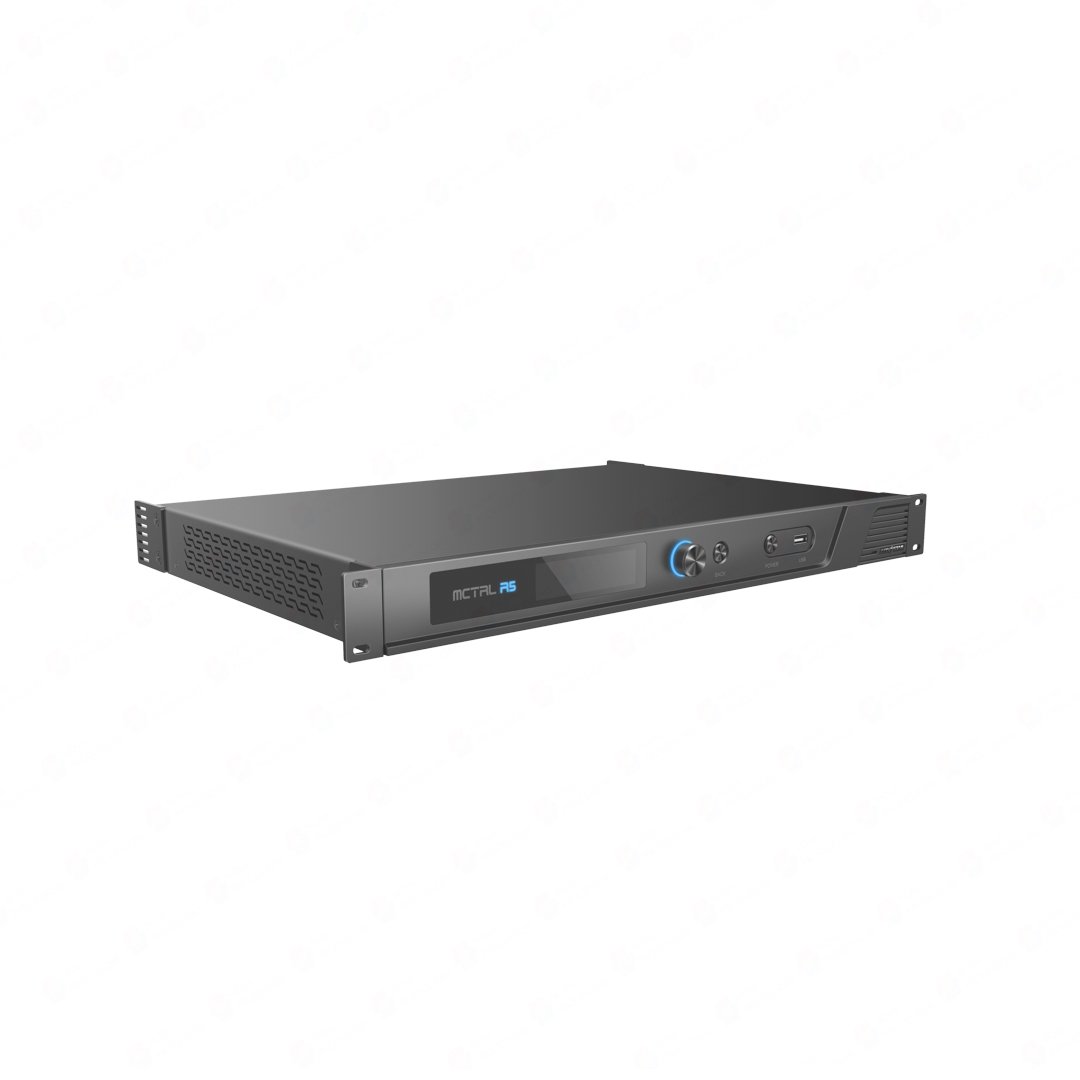
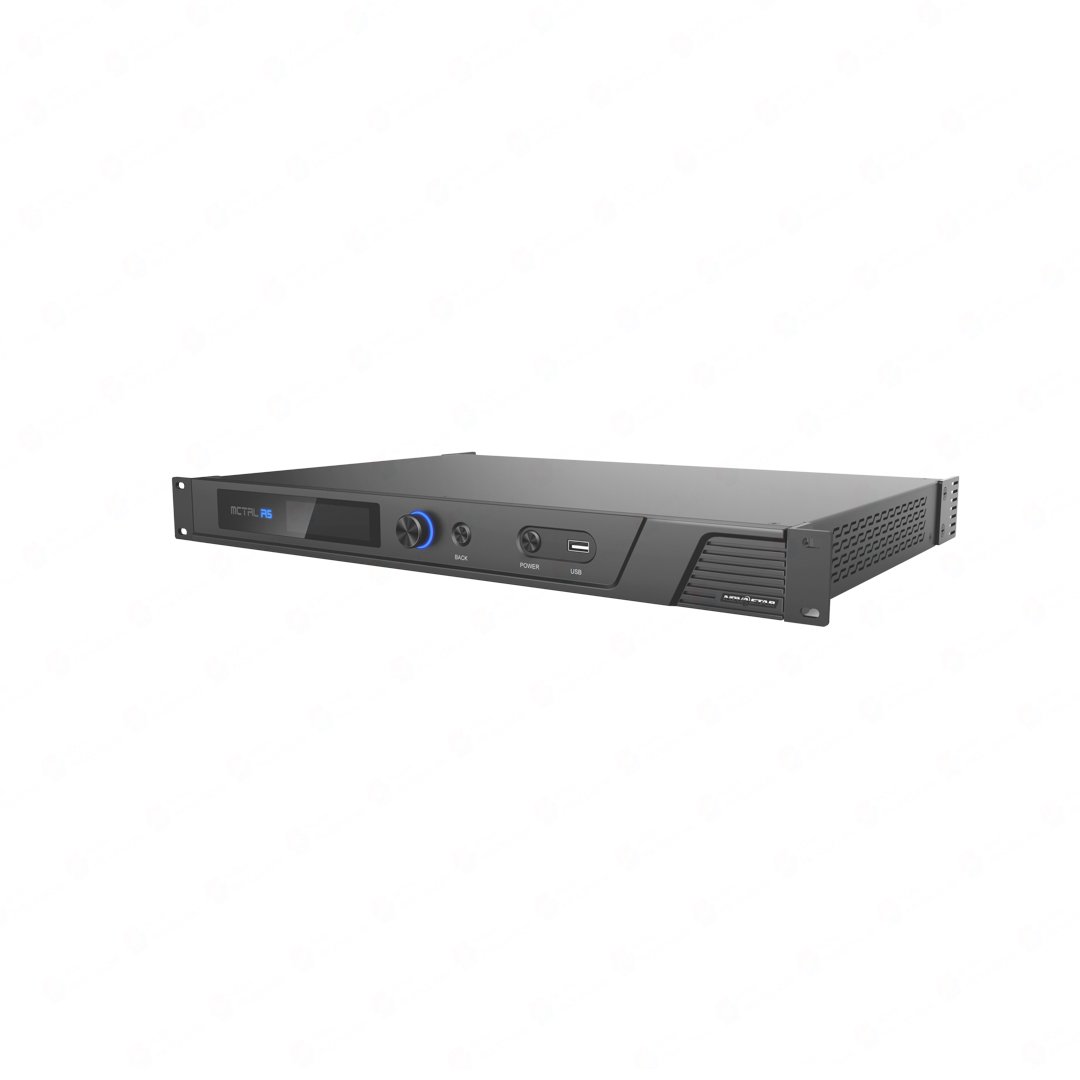
What is the NovaStar MCTRL R5?
The NovaStar MCTRL R5 is an LED display controller designed for ultra-wide, ultra-tall and creatively shaped screens. A single unit maps up to 3840×1080@60Hz across eight Gigabit Ethernet outputs and can rotate individual port loads or the complete screen when used with compatible receiving cards and SmartLCT. It focuses on sending and mapping the finished video signal to the LED display. This makes it especially useful when a project already has the right source or video processing in place and needs flexible screen orientation, custom dimensions and dependable LED data distribution.
What makes the MCTRL R5 different?
- Rotate the entire screen or the cabinets assigned to individual Ethernet ports for angled and creatively shaped layouts.
- Use custom HDMI or dual-link DVI resolutions up to 3840 pixels on either axis, as long as the complete canvas stays within 4,147,200 pixels.
- Keep multi-controller systems aligned with Genlock IN/LOOP for Bi-Level, Tri-Level and Black burst references.
- Protect the LED data path with Ethernet-port redundancy and a backup optical feed through OPT2.
NovaStar MCTRL R5 specifications
The core capacity, format and connection limits to check before adding the R5 to a system.
| Load Capacity | Up to 3840×1080@60Hz per unit; any custom resolution within capacity |
|---|---|
| Video Inputs | 1x 6G-SDI, 1x HDMI 1.4, 1x dual-link DVI |
| Max Input Resolution | 3840×1080@60Hz; minimum 800×600@24Hz (HDMI/DVI) |
| 10-bit Input (HDMI) | Up to 2048×1152@60Hz |
| Sampling Formats (HDMI) | RGB 4:4:4, YCbCr 4:4:4, YCbCr 4:2:2 (8-bit) |
| Custom Resolutions | Max width 3840 px (3840×1080@60Hz); max height 3840 px (800×3840@60Hz) |
| HDCP | HDCP 1.4 supported (HDMI input) |
| Ethernet Outputs | 8x RJ45 Gigabit Ethernet; 650,000 px/port at 8-bit, 325,000 px/port at 10-bit |
| Optical Outputs | 2x 10G optical; OPT1 copies Ethernet ports 1-8, OPT2 is the copy channel of OPT1 |
| Port Redundancy | Redundancy between Ethernet ports supported |
| Image Rotation | Any angle with A8s or A10s Pro receiving card + SmartLCT (8-bit input only) |
| Genlock | IN + LOOP pair; Bi-Level, Tri-Level, and Black burst |
| Control Ports | 1x Ethernet (PC); USB IN (Type-B 2.0) / USB OUT (Type-A 2.0) |
| Cascading | Up to 8 devices via USB IN/OUT |
| Front USB | USB port for firmware update via USB drive |
| Input Voltage | AC 100V~240V-50/60Hz |
| Rated Power Consumption | 25 W |
| Operating Temperature | -20C to +60C (storage -20C to +70C) |
| Operating Humidity | 10% RH to 90% RH, non-condensing |
| Dimensions | 482.6 mm x 334.6 mm x 52.0 mm |
| Weight | 4.3 kg |
| Certifications | FCC, RoHS, UL&CUL, CE, CB, IC |
| Accessories | 1x power cord, 1x Ethernet cable, 1x USB cable, 1x HDMI cable, 1x DVI cable |
Specifications verified against the official NovaStar MCTRL R5 Specifications V1.0.5. For port limits, rotation requirements and detailed setup instructions, see the MCTRL R5 datasheet and MCTRL R5 user manual.
How the MCTRL R5 fits into a complete LED system
The R5 is often searched as a NovaStar LED processor, but its primary job is sending and mapping a prepared video signal. When the source needs scaling, switching or multiple layers, place a suitable video processor or media server before the R5.
Video source or processor
Creates the final screen resolution and handles scaling, switching or layers when the production requires them.
NovaStar MCTRL R5
Maps the prepared canvas across the LED outputs, with supported rotation, synchronization and redundancy.
Receiving cards and LED cabinets
Receive the mapped data and drive the LED modules that form the finished screen.
On the display side, the receiving card must match the LED module, hub and driver IC. A8s and A10s Pro receiving cards support the R5 rotation workflow when they also suit the cabinet hardware. For a long single-mode fiber run, a CVT4K-S fiber converter can change the optical feed back to Ethernet near the screen. Check the optical modules, wavelength and installed fiber before ordering the link.
Can the MCTRL R5 drive your LED wall?
A single R5 supports a total canvas up to 3840×1080@60Hz, or 4,147,200 pixels. At 8-bit, each Gigabit Ethernet output can carry up to 650,000 pixels; at 10-bit, that per-port limit drops to 325,000 pixels. A workable design has to stay within the total capacity and the limit of every individual port.
| Example canvas | Pixels | Initial fit check |
|---|---|---|
| 3840×1080 | 4,147,200 | Uses the full controller capacity. Each Ethernet port still needs a workable cabinet load. |
| 3200×1200 | 3,840,000 | Fits the total capacity. Check that the source can output this custom resolution and that no port is overloaded. |
| 800×3840 portrait | 3,072,000 | Fits the total capacity and 3840-pixel axis limit. Check the cabinet path and source EDID. |
Eight ports at 650,000 pixels each would add up to more than 4.15 million pixels, but the R5 cannot use that larger sum as one canvas. Its overall capacity remains 3840×1080@60Hz, so both the total canvas and every port load must stay within their own limits.
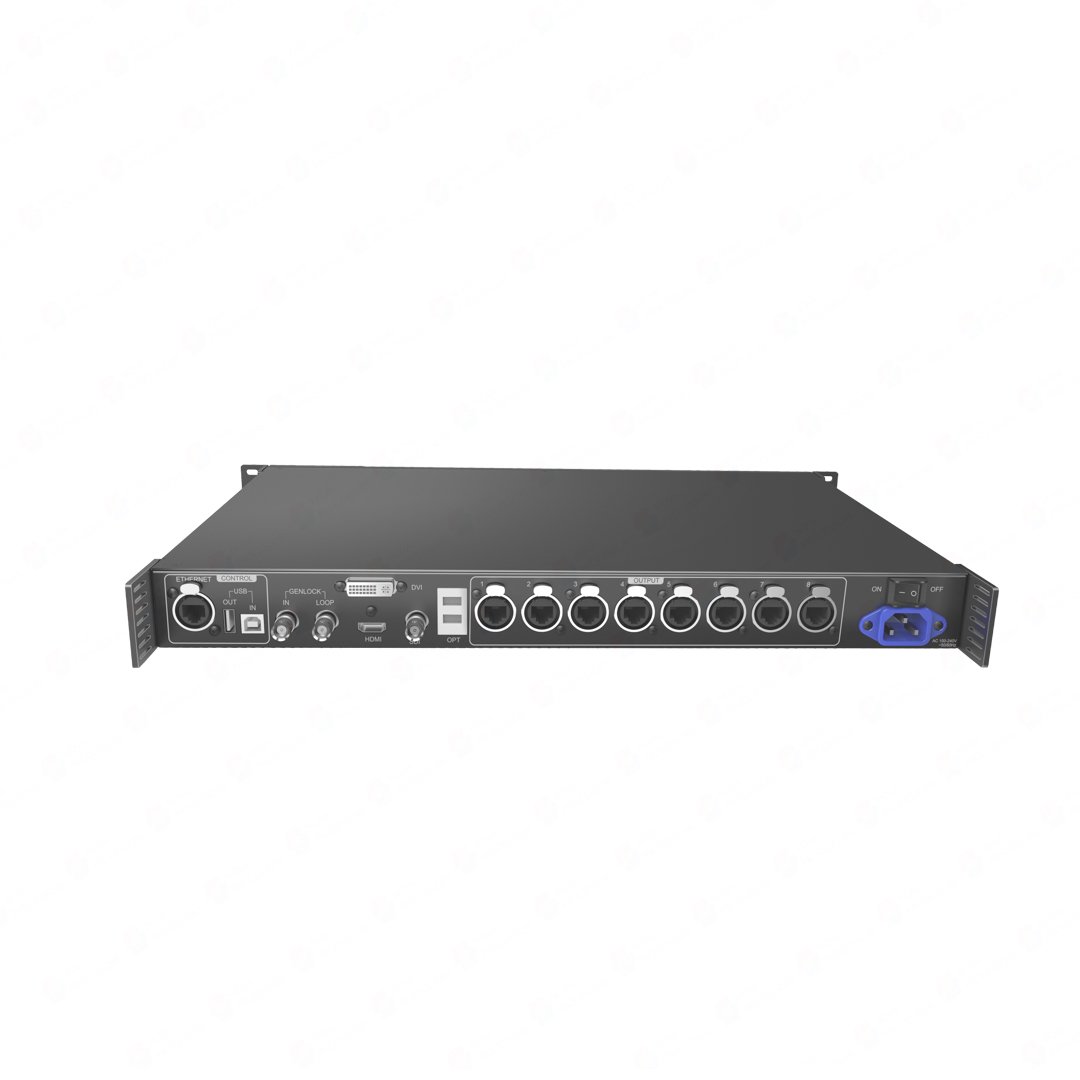
MCTRL R5 inputs and outputs explained
See what each connector carries and where it fits in a real signal chain.
| Connection | What matters in practice |
|---|---|
| HDMI 1.4 | Up to 3840×1080@60Hz at 8-bit with custom resolutions; 10-bit input is supported only up to 2048×1152@60Hz. |
| Dual-link DVI | Up to 3840×1080@60Hz with custom-resolution support; useful for pixel-mapped media-server and legacy production workflows. |
| 6G-SDI | Up to 3840×1080@60Hz, progressive only. The R5 does not provide SDI input-resolution or bit-depth adjustment. |
| 8× Gigabit Ethernet | Direct LED-data outputs with per-port load limits and supported redundancy between ports. |
| OPT1 / OPT2 | OPT1 copies Ethernet ports 1–8. OPT2 is the backup copy of OPT1 and does not create a second independent eight-port canvas. |
| Genlock IN / LOOP | Locks cascaded systems to an external Bi-Level, Tri-Level or Black burst timing reference. |
| USB IN / OUT | PC communication and cascading for control of up to eight R5 units. |
MCTRL R5 applications
Creative stages
Tilted cabinets, rotated scenic elements and irregular stage layouts that need image rotation.
Ultra-wide LED ribbons
Long, shallow canvases sent pixel for pixel from a media server or upstream scaler.
Portrait displays
Tall architectural screens that use custom source resolutions and carefully planned cabinet mapping.
Synchronized systems
Live events, broadcast backdrops and fixed installations where several controllers must share the same timing reference.
MCTRL R5 setup and compatibility
Before installing the R5, make sure the LED wall can be driven within the controller’s limits: the screen resolution, source signal, receiving cards and cabinet file all need to match the actual display. For a standard screen, the controller and receiving cards are configured in NovaLCT. If the project uses the R5’s rotation feature or an irregular screen layout, plan that part in SmartLCT.
- Confirm the final LED canvas, source resolution, refresh rate and input bit depth.
- Check that the receiving cards and cabinet file match the LED modules and driver hardware.
- Map cabinet rows, columns and Ethernet-port data flow inside the R5 capacity limits.
- When rotation is required, finish the screen configuration first, then apply the angle in SmartLCT.
- Test port loads, redundancy, Genlock and any optical path with the real source signal.
MCTRL R5 manual, datasheet and software
☰MANUALMCTRL R5 user manualSetup steps, wiring notes, rotation rules and cascading details.
⌘SOFTWARENovaLCTStandard controller, screen and receiving-card configuration.
⌘SOFTWARESmartLCTCreative layouts and the R5 arbitrary-angle rotation workflow.
Firmware download: MCTRL R5 firmware package. Match it to the exact hardware version, save the working configuration and read the release notes before updating.
Direct PDF links: MCTRL R5 User Manual PDF · MCTRL R5 Datasheet PDF
MCTRL R5 rotation requirements and limitations
The R5 can rotate the whole screen or the cabinets assigned to individual output ports, but the rotation workflow depends on the rest of the control chain. Use compatible A8s or A10s Pro receiving cards, build the screen layout first, then apply the rotation in SmartLCT.
The main limitation is bit depth: R5 rotation is for an 8-bit workflow. It is not available with a 10-bit input, and it cannot be used at the same time as calibration. For a rotated screen, test the exact source signal and receiving-card setup before the cabinets go on site.
Is the MCTRL R5 right for your system?
The R5 works well with angled cabinets, portrait structures, ultra-wide ribbons and creative stage layouts, provided the finished canvas stays within its 4.15-million-pixel capacity.
If your system requires HDMI 2.0 or 4K60, HDR, 12-bit input, built-in scaling, seamless source switching or multiple video layers, the R5 may not be the best option on its own. The NovaStar MCTRL4K is a better match for higher source bandwidth, HDR and larger capacity. For a smaller conventional wall where rotation is not required, the more affordable MCTRL660 Pro may be sufficient.
MCTRL R5 vs MCTRL660 Pro vs MCTRL4K
Compare the three controllers by capacity, source bandwidth, rotation support and budget.
| Buying question | MCTRL660 Pro | MCTRL R5 | MCTRL4K |
|---|---|---|---|
| Best fit | Conventional smaller walls, loop outputs and lower budget | Rotation, creative geometry and 4.15M-pixel ultra-wide/portrait canvases | 4K60 sources, HDR, 12-bit and much larger systems |
| Documented load | 1920×1200@60Hz at 8-bit | 3840×1080@60Hz | Up to 8.8M pixels via HDMI/DP |
| LED outputs | 6× RJ45 + 2× 10G optical | 8× RJ45 + 2× 10G optical | 16× RJ45 + 4× 10G optical |
| Modern source bandwidth | Up to HDMI 1.4a / 3G-SDI class | HDMI 1.4 / 6G-SDI / DL-DVI | HDMI 2.0 / DP 1.2 / DL-DVI |
| High bit depth | 8/10/12-bit | 8/10-bit; rotation requires 8-bit | 8/10/12-bit plus HDR10/HLG |
| Best reason to choose it | Cost and conventional I/O matter more than rotation | Rotation or an unusual screen shape is the requirement | 4K60, HDR or maximum capacity is the requirement |
MCTRL R5 frequently asked questions
Is the MCTRL R5 an LED processor?
It is commonly searched for as an LED processor, but technically the R5 is a sending/display controller. It maps one prepared video canvas to the LED screen and does not provide built-in scaling, source switching or multi-layer composition.
Can the MCTRL R5 rotate an image with a 10-bit input?
No. The R5 supports 10-bit HDMI input up to 2048×1152@60Hz, but the documented rotation function is unavailable with a 10-bit source. Plan an 8-bit workflow when rotation is required.
Which receiving cards are required for MCTRL R5 rotation?
NovaStar documents the rotation workflow with A8s or A10s Pro receiving cards and SmartLCT. The exact card must also match the LED module, hub, driver IC and cabinet design.
What is the MCTRL R5 maximum resolution?
A single R5 loads up to 3840×1080@60Hz, or 4,147,200 pixels. Custom resolutions are supported within the total load, with a documented maximum width or height of 3840 pixels for HDMI and dual-link DVI workflows.
Can the MCTRL R5 accept 4K at 60Hz?
No conventional 3840×2160@60Hz input is supported. The R5's defining input/canvas format is up to 3840×1080@60Hz. Choose a newer controller such as the MCTRL4K when the source workflow requires 4K60.
What do OPT1 and OPT2 carry?
OPT1 copies the data mapped to Ethernet ports 1–8. OPT2 is the backup copy of OPT1; it is not a second independent set of eight LED outputs.
How many MCTRL R5 controllers can be cascaded?
The current MCTRL R5 documentation supports cascading up to eight devices through USB IN/OUT for unified control.
Do I need a video processor or media server with the MCTRL R5?
You need upstream processing whenever the source must be scaled, switched, layered or converted into the final custom LED canvas. A source that already outputs the correct pixel canvas can feed the R5 directly.
Where can I download the MCTRL R5 manual and datasheet?
Use the product-specific download links above for the MCTRL R5 User Manual PDF and MCTRL R5 Datasheet/Specifications V1.0.5. The separate pages provide crawlable summaries and the hosted PDF files.
Before you order the MCTRL R5
Send us your screen resolution, cabinet layout, source connection, receiving-card model and fiber requirements. We will check whether the R5 fits the complete system and help identify any additional processing or transport components.
Reviews
There are no reviews yet.