
What is the NovaStar KU20 for?
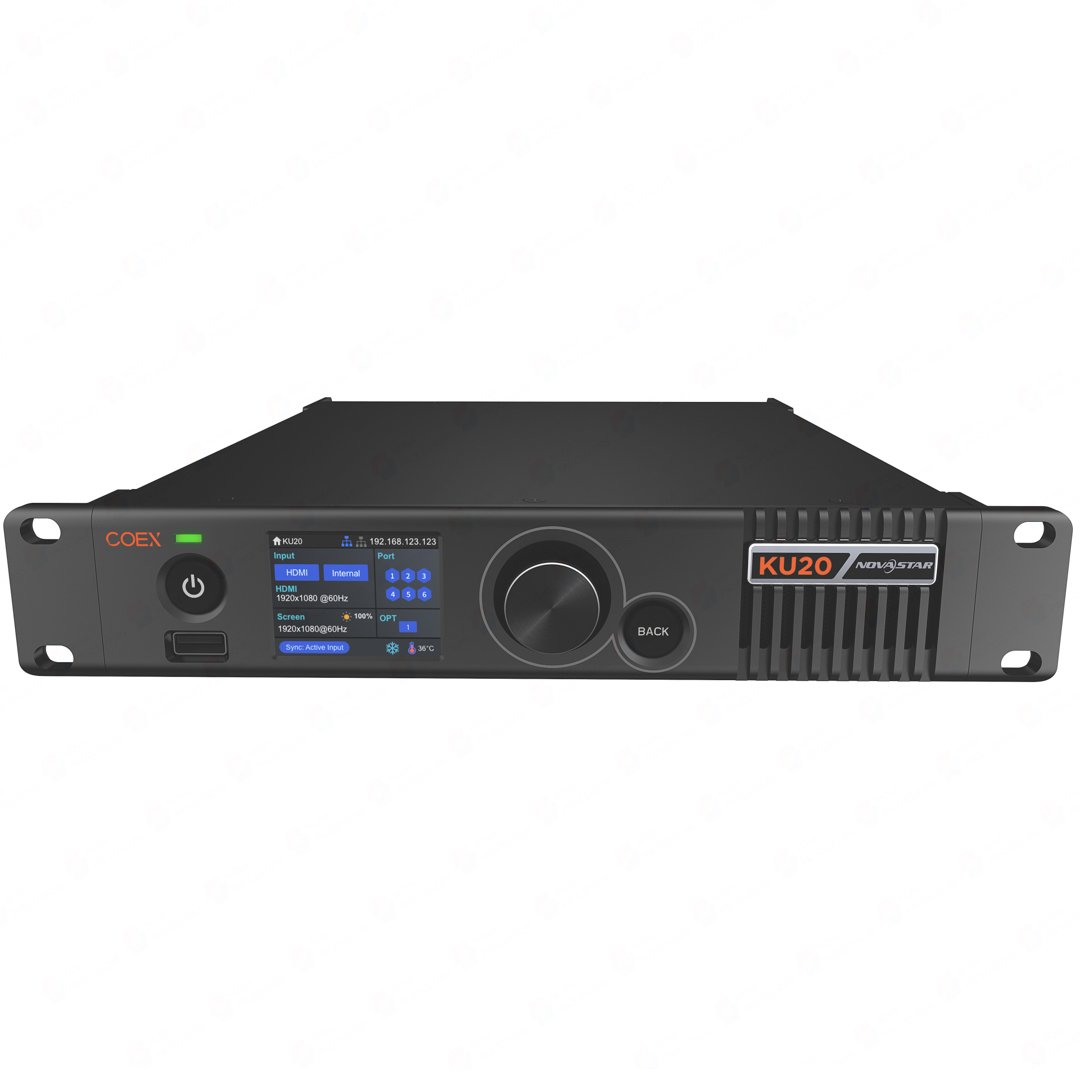
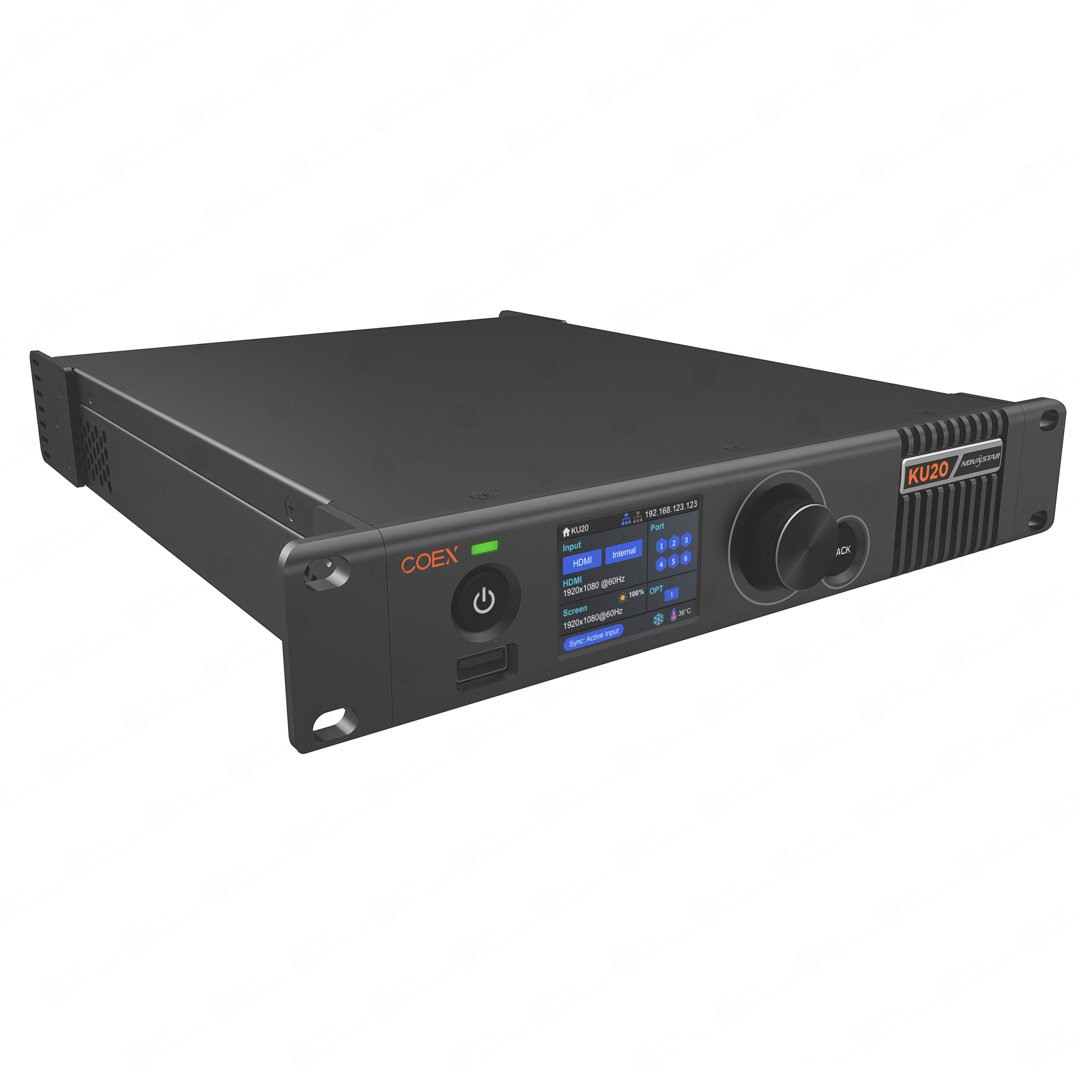
The NovaStar KU20 is a compact COEX LED display controller for a wall that starts with one HDMI source. It prepares that source for one LED layer, sends cabinet data through six Gigabit Ethernet paths, and can carry the same path over its 10G optical output when the controller and wall are in different locations.
That makes KU20 a practical fit for a straightforward playback wall, meeting-room display or fixed installation that stays within 3.9 million pixels. It is not a multi-source production processor: a project that needs several live inputs, 3G-SDI or Genlock should be evaluated against the MX20 instead.
KU20 key specifications
Use this table to check the source, LED load, output path and physical installation before you compare features. The 3.9 million pixel figure is the total controller load; it does not replace a per-port cabinet map or the source-resolution check below.
| Product type | COEX LED display controller; one layer; half-1U chassis |
|---|---|
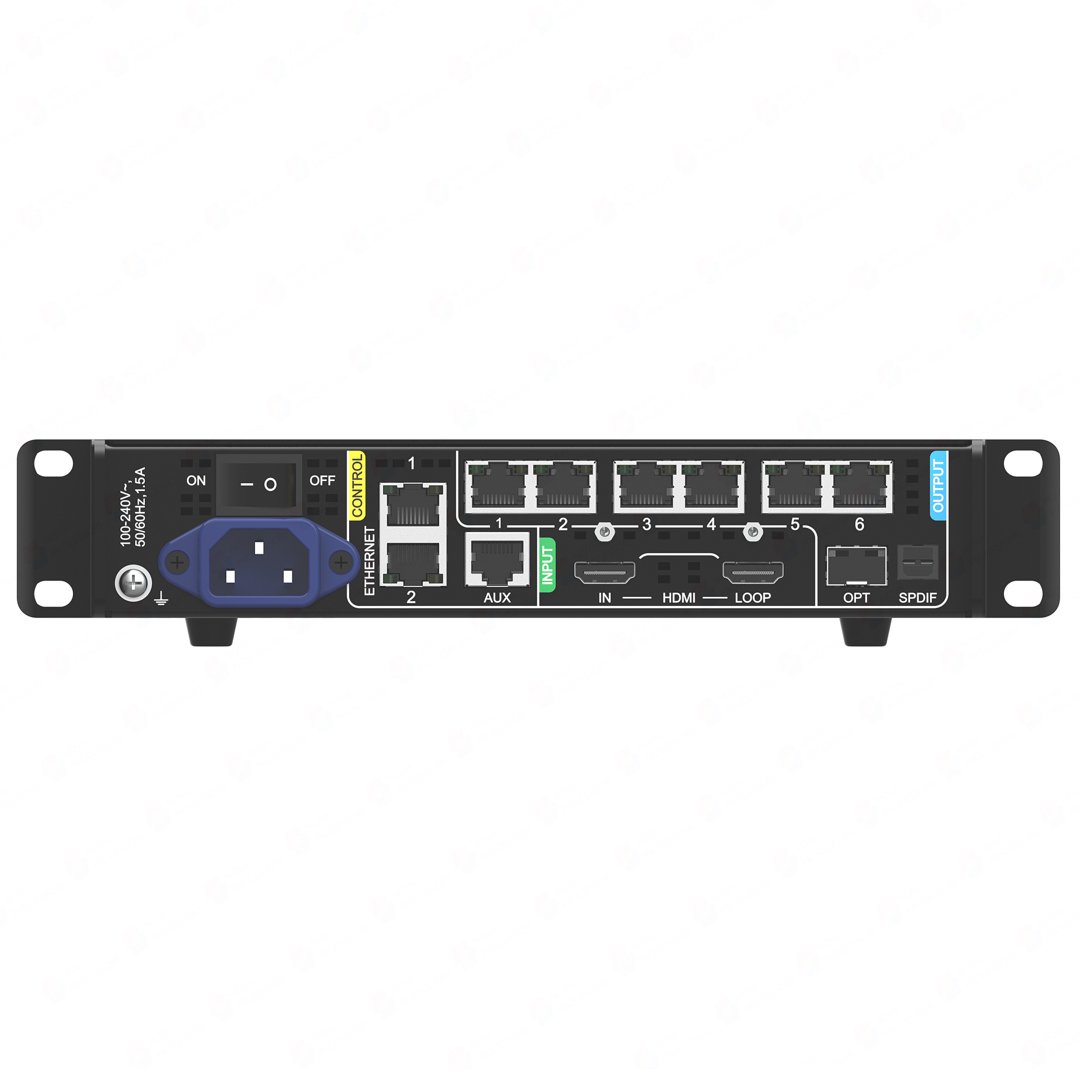
| Video input | 1 x HDMI 1.3 with loop through; standard maximum 1920 x 1200 at 60 Hz |
| Custom input timing | Up to 3840 x 600 or 800 x 2560 where the source timing is configured accordingly |
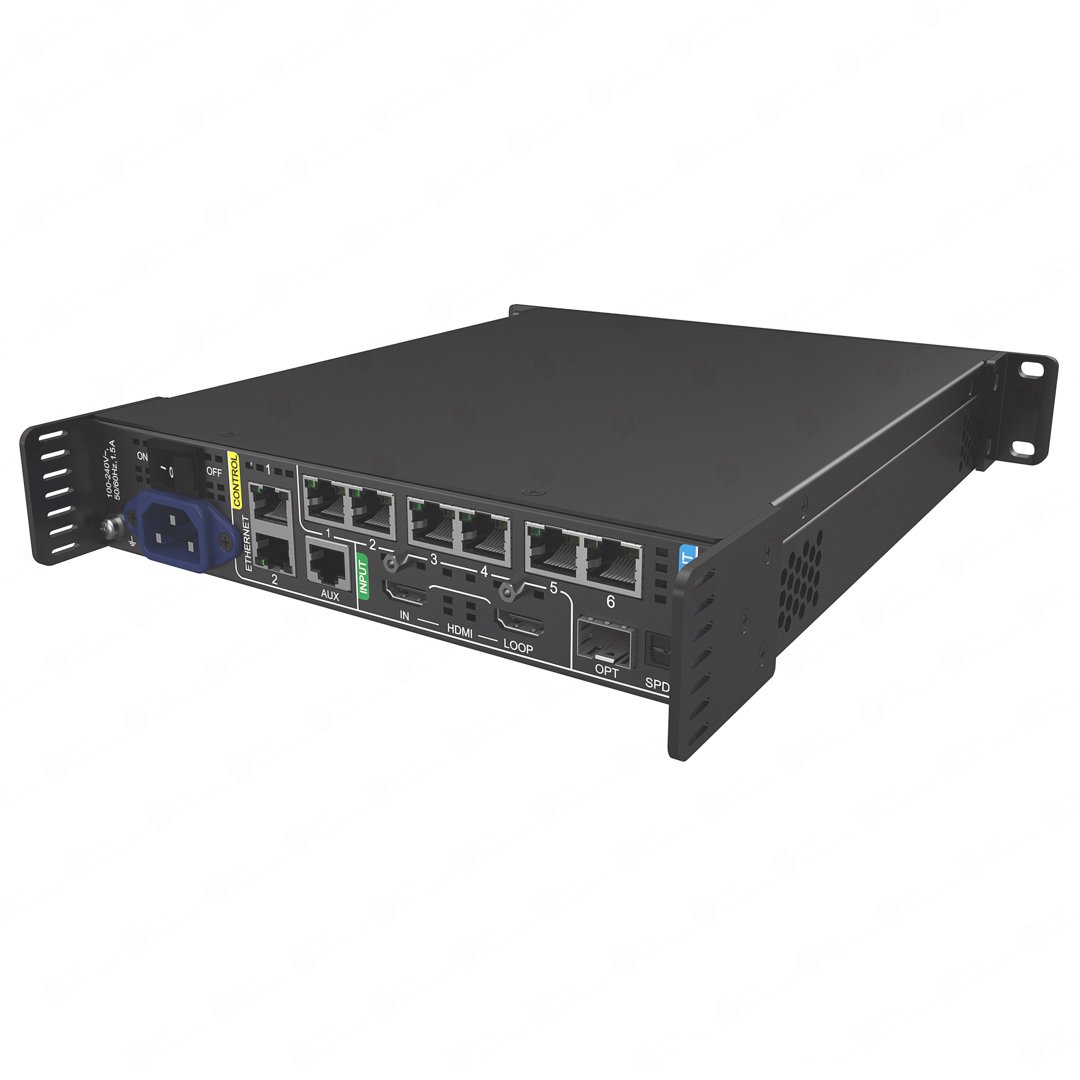
| LED outputs | 6 x Gigabit Ethernet; one 10G optical output for a remote transport path |
| Other connectors | HDMI loop through and SPDIF digital audio output |
| Maximum LED load | 3.9 million pixels total |
| Per-port reference | Up to 659,722 pixels per port at 8-bit and 60 Hz; recalculate for other modes |
| Working modes | All-In-One Controller and Send-Only Controller |
| Latency | Send-Only: 0 frame; All-In-One: 1 frame |
| Frame Rate Adaptive | 23.98 to 480 Hz, subject to the receiving-card, driver IC and NCP requirements |
| Control | 2.0-inch LCD and knob, VMP software, and up to 20-unit cascading where the system plan supports it |
| Power and size | AC 100-240 V, 50/60 Hz; maximum 25 W; 254.3 x 50.6 x 290.0 mm; 2.1 kg net |
Standard KU20 output is 8-bit. NovaStar documents 10-bit output only for a customized program used with an A10s Pro receiving card, so do not treat 10-bit input support as ordinary 10-bit LED output.
Can KU20 drive your LED wall?
Yes, if the total wall and every cabinet route fit the KU20 limits. Check the screen in this order: first confirm the full canvas is below 3.9 million pixels, then assign the cabinets across the six Ethernet ports. At 8-bit and 60 Hz, the reference limit is 659,722 pixels per port. A total that fits can still fail when one port is overloaded.
| Source check | One HDMI 1.3 source enters the KU20. The standard maximum is 1920 x 1200 at 60 Hz, so a larger LED wall may need the source scaled or split before it reaches the controller. |
|---|---|
| Regular cabinet wall | Use the front panel for a quick configuration only when the cabinets are consistent and the data flow is easy to document. |
| Curved, stepped or irregular wall | Use VMP to map the actual cabinet route. Blank canvas areas do not count toward the stated load, but every assigned cabinet still has to fit its port budget. |
| Remote wall | The 10G optical output transports the six-port route to a remote endpoint; it does not add six more local cabinet chains. |
For a high-frame-rate or non-standard bit-depth installation, do not reuse the 8-bit/60 Hz number. Recount the port map using the selected receiving cards, output mode and frame rate before ordering.
KU20 compatibility: VMP and supported receiving cards
Use NovaStar VMP for the COEX screen map, cabinet wiring, presets, color adjustment and device control. The front-panel LCD is useful for status and basic operations; VMP is where the installer creates or changes the screen layout.
NovaStar lists the following receiving cards for KU20: the Armor A-series, including A10s Pro, A8s Pro, A8s, A8s-N, A7s Plus and A5s Plus, plus the B6s.
Feature compatibility has extra conditions. Frame Rate Adaptive requires the supported receiving-card hardware, driver IC and NCP file. Full-Grayscale Calibration also requires an A10s Pro or A8s Pro family card, CC3 and a CC60 or C3200 camera. If KU20 replaces a legacy NovaLCT/MRV controller, identify the installed cards and save the working cabinet configuration first; changing the controller alone does not convert the system to a ready-to-run COEX/VMP setup.
What should you know before installing KU20?
KU20 is most useful when the LED wall is simple enough to plan as one source and one layer, but the installation still has a real constraint such as a remote rack, a fast-response playback path or a tight cabinet map. These examples show what each feature changes on site.
| The rack is in a control room and the LED wall is remote | Use the 10G optical output as a transport path for the KU20 data route. Confirm the optical module, fiber type, receiving-side endpoint and cabinet breakout before ordering. The optical port does not create six extra local cabinet outputs. |
|---|---|
| A rendered playback source must reach the wall with the shortest controller path | Use Send-Only mode for 0-frame controller processing. Do not expect the All-In-One layer and scaling workflow in the same mode; All-In-One is 1 frame. |
| The wall has a curve, step or uneven cabinet route | Build the actual cabinet map in VMP instead of relying only on a front-panel quick setup. Check the total 3.9M-pixel limit and the load assigned to each Ethernet port, including narrow port regions that can reduce usable capacity. |
| Two small walls must share one 19-inch rack | Use the half-1U format to mount two KU20 units, or one KU20 with its connecting piece, as a 1U-wide assembly. This suits two independent simple walls; it does not add multi-source switching or extra layers. |
| The wall needs calibration or Frame Rate Adaptive | Check the receiving card, driver IC, NCP file and calibration hardware before purchase. Full-Grayscale Calibration also requires an A10s Pro or A8s Pro family card, CC3 and a CC60 or C3200 camera; KU20 alone cannot provide that result. |
KU20 has no listed Genlock connector. If the production needs a reference-synced multi-device chain, compare the MX20 before choosing the controller.
When to choose KU20 instead of MX20, MX30, VX600 or VX1000
| Choose KU20 | One HDMI source, one layer, six 1G cabinet paths and a wall within 3.9M pixels. It is the focused choice for a simple compact COEX wall. |
|---|---|
| Choose MX20 | The wall needs two HDMI sources, 3G-SDI, three VMP layers or Genlock. MX20 keeps the 3.9M six-port tier but changes the production workflow. |
| Choose MX30 | The source plan needs 4K HDMI, DisplayPort, HDR, two 3G-SDI feeds, ten 1G outputs or up to 6.5M pixels. |
| Choose VX600 | The order must stay on the legacy VX platform for its documented HDMI/DVI/SDI inputs, three-layer workflow, NovaLCT/V-Can operation or an existing fleet. |
| Choose VX1000 | The system needs the older VX1000’s larger 6.5M, ten-port class or a like-for-like replacement. For a new COEX/VMP system with one HDMI source, KU20 is the more direct fit. |
Do not choose KU20 only because it has a 10G optical port. Source count, input timing, layer needs, control software, receiving-card features and the real cabinet map decide the model.
NovaStar KU20 Manual, PDF and Software
Use the KU20 manual for setup and operating limits, the KU20 datasheet PDF for connector and capacity facts, and NovaStar VMP software for the COEX workflow. Use the protocol PDF only when a third-party control system is being integrated.
Direct PDF links: KU20 Datasheet PDF · KU20 User Manual PDF.
KU20 buying and setup FAQs
Can KU20 drive my LED wall?
Yes, when the full wall is within 3.9 million pixels and every one of the six Ethernet ports stays inside its own 8-bit load. Make the cabinet map after checking the total canvas.
What is the maximum HDMI input resolution?
The standard maximum is 1920 x 1200 at 60 Hz. Custom timing can reach 3840 x 600 or 800 x 2560, but the source still has to match the documented timing before the LED wall is mapped.
Does KU20 support 10-bit output?
Not as a standard KU20 output mode. NovaStar documents 10-bit output only for a customized program used with an A10s Pro receiving card, so verify that requirement before purchase.
Does KU20 use NovaLCT or VMP?
Use VMP for the COEX workflow. If this is a replacement for a NovaLCT-based wall, identify the receiving cards and back up the current cabinet configuration first.
Which receiving cards does KU20 support?
NovaStar lists the Armor A-series cards A10s Pro, A8s Pro, A8s, A8s-N, A7s Plus and A5s Plus, plus B6s. Feature-specific functions still require the documented card, driver IC, NCP file and calibration hardware.
Does the 10G port give KU20 more cabinet outputs?
No. It transports the KU20’s six-port LED data route over fiber to a remote endpoint; it does not create another six local cabinet chains.
Is KU20 always a 0-frame controller?
No. Send-Only mode is 0-frame controller processing, while All-In-One mode is 1 frame. Choose the mode around the operation the wall needs.
Can KU20 use Genlock?
No Genlock connector is listed for KU20. Choose MX20 when the production requires a reference input and loop for a synchronized multi-device chain.
KU20 order check
Before choosing KU20, confirm that this is a one-source COEX workflow and that the real cabinet map fits its six 1G paths:
- The HDMI source and required timing fit the KU20 input, rather than a multi-source or 4K production workflow.
- The complete LED canvas is within 3.9M pixels and every Ethernet port fits the chosen 8-bit loading plan.
- The installed receiving-card model, driver IC and cabinet file are known before a replacement is ordered.
- Any Frame Rate Adaptive or full-grayscale workflow includes its required card family, NCP file and calibration hardware.
- The 10G fiber endpoint, optical modules, fiber type and cabinet breakout are documented if the wall is remote.
- The VMP, controller and receiving-card versions are checked before any software or firmware update.
Once you have confirmed the screen map, sources, receiving cards, fiber route and software versions, feel free to contact us. For volume pricing, we will make sure to give you a favorable bulk-purchase quote.
Reviews
There are no reviews yet.