
What is the NovaStar MX20 for?
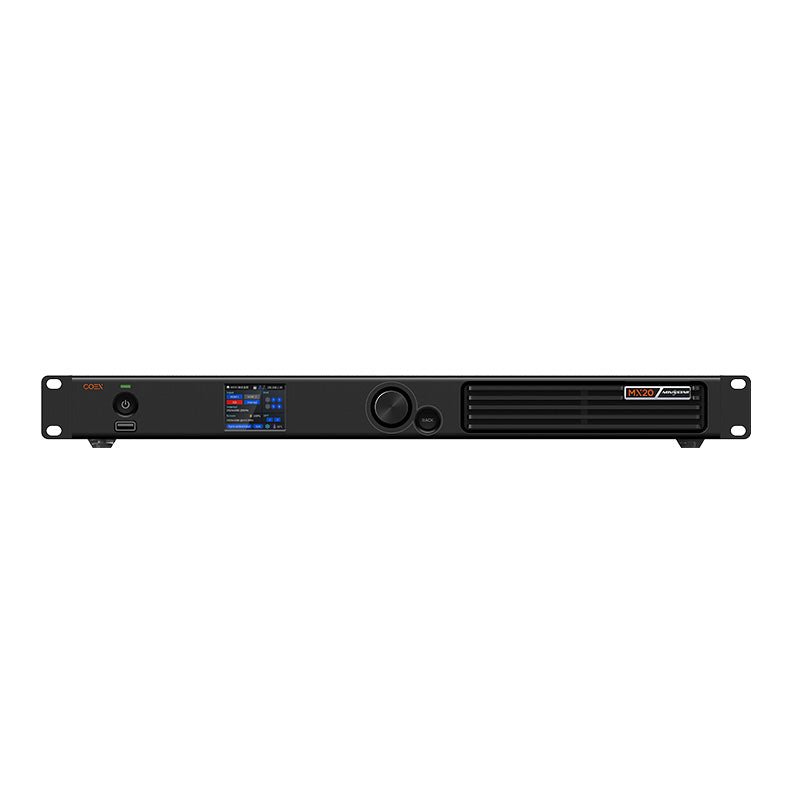
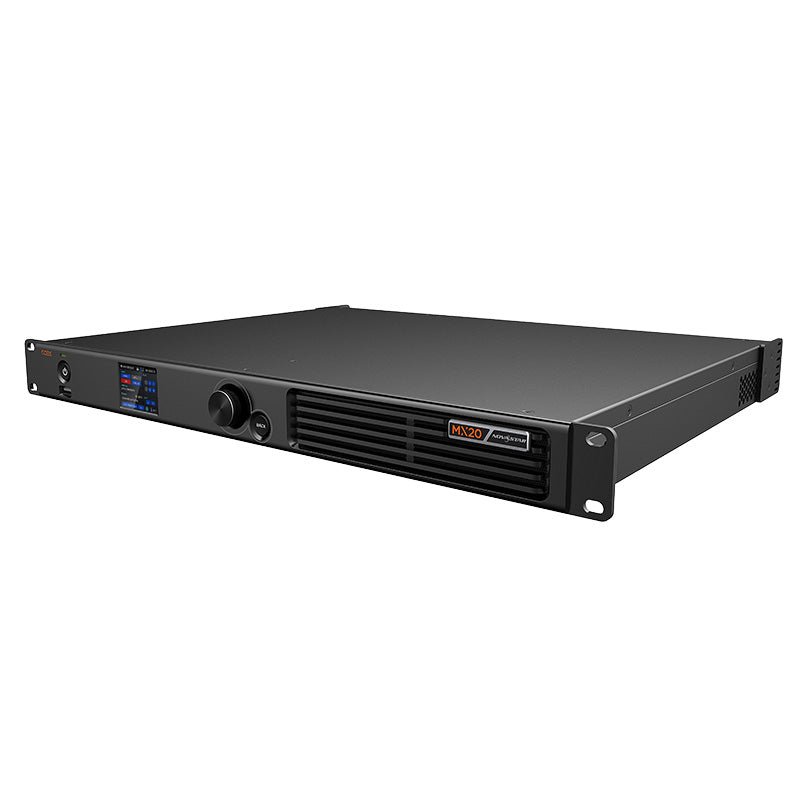
The NovaStar MX20 is a compact all-in-one COEX controller for a wall that needs more than one source. It brings two HDMI inputs, one 3G-SDI input, three independent VMP layers and Genlock into a 1U system while keeping the same 3.9M-pixel, six-port LED tier as KU20.
That makes it practical for a small studio, live presentation or event wall where an HD camera/switcher feed and two graphics or playback sources must share one LED canvas. It is not the model for 4K/HDR sources; move to the MX30 when that is the requirement.
NovaStar MX20 inputs and three-layer setup
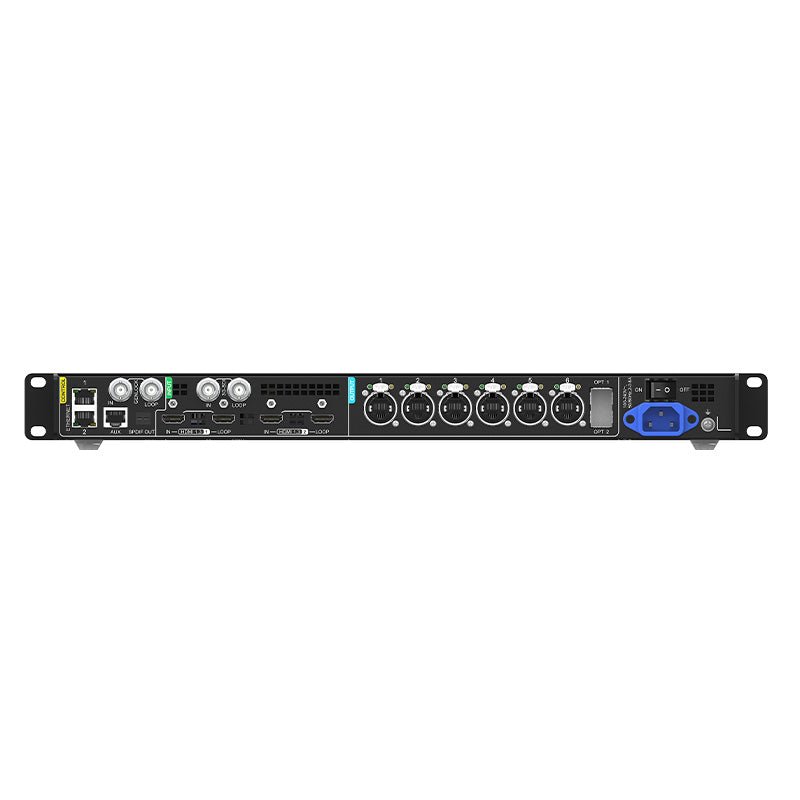
A useful MX20 layout starts with the actual show inputs: a presenter computer can enter HDMI 1, a playback system can enter HDMI 2, and an HD camera or switcher can enter 3G-SDI. In All-In-One mode, VMP places up to three independent layers, chooses their size and crop, and sets their order on the LED canvas.
| HDMI 1.3 inputs | Use for HD/2K computer or playback sources. They have loop outputs for onward routing when required. |
|---|---|
| 3G-SDI input | Use for an HD broadcast/camera/switcher signal. It supports the listed 3G/HD standards and has a loop output. |
| Three layers | They are independent VMP composition areas, not three extra LED-output groups. The front panel displays their parameters; VMP creates and changes them. |
This is the source-and-layout decision. The six-port cabinet wiring and receiving-card compatibility are separate checks below.
NovaStar MX20 Genlock vs low-latency operation
MX20 has Genlock IN and LOOP for Bi-Level, Tri-Level and Blackburst reference signals from 23.98 to 60 Hz. In a reference-synced studio or multi-controller system, the source, cameras, MX20 and reference generator all need a complete compatible timing path.
For the fastest controller path, Send-Only mode is 0 frame, or less than 1 ms; All-In-One mode is 1 frame. Low latency cannot be enabled at the same time as Genlock, so the installer must choose the production result instead of trying to enable both. Low-latency cabinet loading should be vertical and share Y=0 across ports; a free-form map can reduce usable load.
NovaStar MX20 3.9M pixel capacity and 1G output limits
The complete MX20 wall can load up to 3.9 million pixels across six Gigabit Ethernet outputs. A cabinet map is still required because the number assigned to each output changes with bit depth, frame rate and receiving-card family.
| 8-bit at 60 Hz | Up to 659,722 pixels per Ethernet port. |
|---|---|
| 10-bit at 60 Hz with A10s Pro/A8s Pro family | Up to 494,791 pixels per port. |
| 10-bit at 60 Hz with other supported Armor cards | Up to 329,861 pixels per port. |
| Narrow port regions | Rectangular load areas under 128 pixels wide lose capacity, so a visually small section of a shaped wall can still affect the design. |
First confirm the full canvas stays below 3.9M. Then assign actual cabinets to each port for the selected card and video mode.
NovaStar MX20 10G fiber output and copy path
MX20 has two 10G optical outputs, but they do not create two independent six-port LED systems. OPT 1 carries the data from Ethernet ports 1 through 6, and OPT 2 is the copy channel of OPT 1.
That is useful when the controller is in a control position and the wall is at a remote endpoint: document the primary route, copy/backup route, compatible optical modules, fiber type and receiving-side breakout. The optical modules are not included by default. Treat the second optical path as a resilience decision, not a doubled capacity claim.
NovaStar MX20 VMP software and receiving-card compatibility
VMP is the COEX software for mapping, group settings, layers, presets, color adjustment and device control. It is also where free screen configuration belongs when the cabinet route is not a regular wall. Use the front-panel LCD for on-site status and basic operations, not as a replacement for VMP layer programming.
MX20 supports the listed Armor receiving-card families, including A10s Pro and A8s Pro. Their feature roles differ: A10s Pro/A8s Pro families enable the higher documented 10-bit port figure and Full-Grayscale Calibration eligibility; Frame Rate Adaptive also needs A10s Pro-family hardware, the supported driver IC and an NCP file. Full-grayscale work additionally needs CC3 with a CC60/C3200 camera.
Before a controller replacement or update, keep the existing cabinet file, identify the exact receiving-card hardware and check controller, VMP and card versions together.
NovaStar MX20 vs KU20 and MX30
| KU20 | Choose for one HDMI source, one layer and a simple six-port COEX wall. It has the same 3.9M total but no listed Genlock or SDI input. |
|---|---|
| MX20 | Choose for two HDMI sources plus 3G-SDI, three VMP layers and a Genlock-capable 3.9M six-port system. |
| MX30 | Choose when the project needs 4K HDMI input, HDR10/HLG, DisplayPort, two 3G-SDI sources, ten 1G cabinet paths or up to 6.5M pixels. |
MX20 is the right upgrade when the workflow changes, not when the wall merely needs more than 3.9M pixels. A larger canvas needs MX30 or a higher COEX tier.
NovaStar MX20 Manual, PDF and Software
Find the MX20 manual, MX20 datasheet PDF and NovaStar VMP software here. Save the current configuration and verify the version relationship before changing firmware or VMP.
Direct PDF links: MX20 Datasheet PDF · MX20 User Manual PDF.
MX20 buying and setup FAQs
Is MX20 a 4K or HDR controller?
No. The MX20 official input list is two HDMI 1.3 inputs and one 3G-SDI input; it does not list 4K or HDR support. Choose MX30 when those are project requirements.
Can I use Genlock and low latency together on MX20?
No. Choose Genlock for a reference-synced chain or choose the low-latency path; NovaStar documents that both modes cannot be enabled together.
Does the second MX20 optical port double the LED capacity?
No. OPT 2 copies OPT 1, while OPT 1 carries the data from Ethernet ports 1 through 6. Use it as a primary/copy route, not as a second six-port wall.
What do the three MX20 layers mean?
They are three independent composition areas in VMP. VMP creates, sizes, positions and prioritizes them; the MX20 front panel only shows their parameters.
Which cards give MX20 the higher 10-bit port load?
Use an A10s Pro or A8s Pro family card for the documented 494,791-pixel 10-bit/60 Hz port limit. Other supported Armor cards have a lower 10-bit figure, so map the actual cabinet load.
What should I save before replacing an MX20?
Save the working cabinet configuration and record the receiving-card model and firmware first. VMP controller discovery and feature availability depend on the COEX version relationship as well as the network path.
MX20 order check
Before ordering MX20, confirm the source workflow, timing choice and six-port cabinet plan as one COEX system:
- The required sources are two HDMI 1.3 inputs and/or one 3G-SDI input, rather than a 4K/HDR source workflow.
- The operator needs up to three VMP layers and understands that VMP, not the LCD, creates the composition.
- The timing plan chooses Genlock or the low-latency path, with a complete reference chain when Genlock is used.
- The full wall is within 3.9M pixels and the per-port cabinet map fits the selected bit depth and receiving-card family.
- The primary/copy fiber route, optical modules, fiber type and remote breakout are specified if 10G transport is used.
- The receiving cards, cabinet configuration, VMP release and controller/card firmware versions are confirmed before commissioning.
Once you have confirmed the screen map, sources, receiving cards, fiber route and software versions, feel free to contact us. For volume pricing, we will make sure to give you a favorable bulk-purchase quote.
Reviews
There are no reviews yet.