
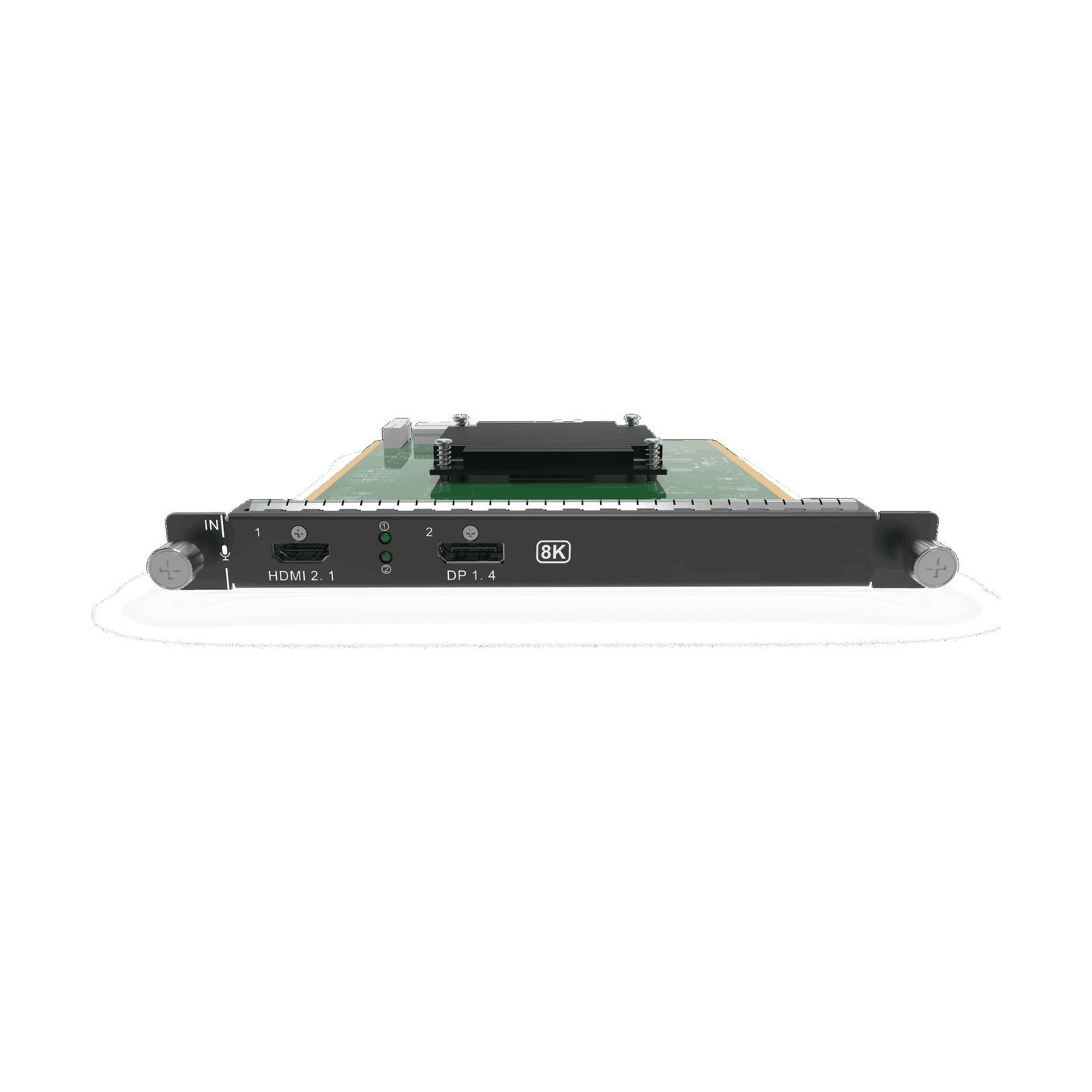
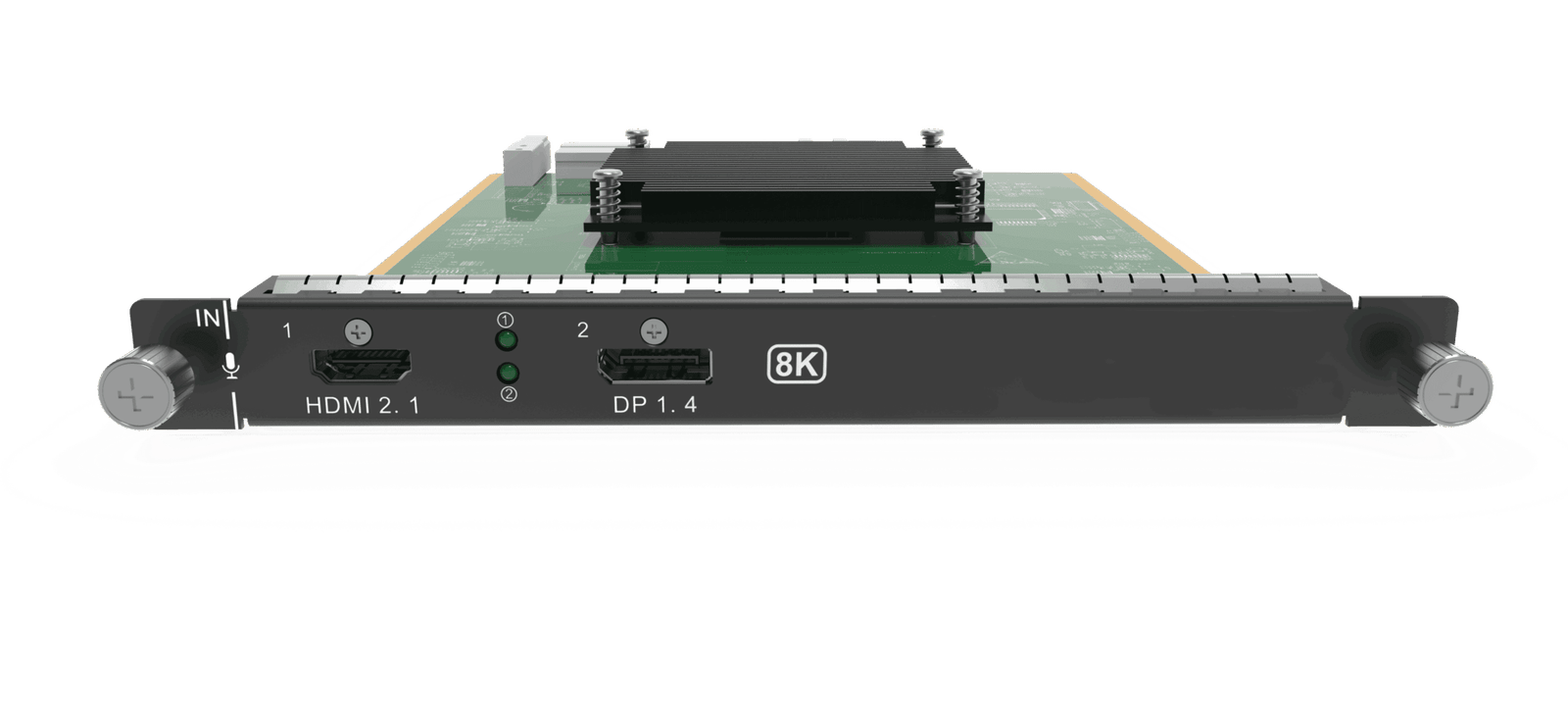
What is NovaStar H_1xHDMI2.1+1xDP1.4 (8K@30Hz) input card?
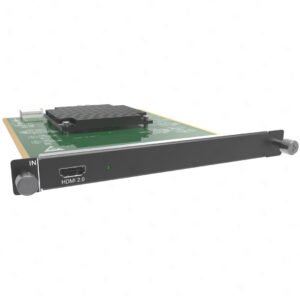
The NovaStar™ H Series 1x HDMI 2.1 + 1x DP1.4 Input Card brings one selected high-bandwidth source into a compatible H Series chassis. Its two sockets give a professional rack a choice of HDMI 2.1 or DisplayPort 1.4 for that source; they are not two channels that can both be live at once.
It works by receiving the chosen picture, including a published source up to 8192 × 4320@30. The H Series chassis arranges the picture with the other planned content, and separately selected LED output cards carry the completed layout to the cabinets. The card is the source entrance, not the video wall splicer and not the LED cabinet output.
Request H_1xHDMI2.1+1xDP1.4 Input Card bulk pricing →
For confirmed multi-card or project quantities. Direct checkout is appropriate when the source connector, source mode and H Series input-card slot are already specified.
NovaStar H_1xHDMI2.1+1xDP1.4 (8K@30Hz) input card key features: what makes it different?
- It gives one H Series source position an 8K30 class of input: both HDMI 2.1 and DP1.4 have a published maximum of 8192 × 4320@30. This is useful when a media server or workstation has prepared one exceptionally large canvas before it reaches the system.
- It keeps the source connection native: use HDMI 2.1 when that is the confirmed source output, or DP1.4 when that is the workstation/media-server connection. Both reside on one card, yet only one is selected at a time.
- It supports source-side high-refresh planning: the official specification lists 144 Hz input support. Confirm the actual source mode and complete system rather than assuming every high-refresh source format is interchangeable.
- It makes the 8K installation condition visible early: NovaStar recommends certified HDMI 2.1 or DP1.4 video cables for stable 8K ultra-HD transmission. Source timing and the real cable run belong in the equipment plan.
- It draws a hard line around source format: interlaced video is not supported. The SL/DL/4K/8K connector-capacity setting does not make a second source active.
NovaStar H_1xHDMI2.1+1xDP1.4 (8K@30Hz) input card specifications
These are source-side card facts. They do not define how many LED cabinets the system can drive or the final physical size of the LED wall.
When is NovaStar H_1xHDMI2.1+1xDP1.4 (8K@30Hz) input card the right choice?
Start with the picture that will actually enter the rack. 8K in the product name is valuable only when the specified source, connector, cable and complete H Series design need that source class.
How NovaStar H_1xHDMI2.1+1xDP1.4 input card fits into an H Series LED system
The card has one clear role in this sequence: it brings the selected high-bandwidth picture into the chassis. The chassis builds the layout, then the selected cabinet-output path delivers the finished picture to the LED wall.
Connect the planned HDMI 2.1 or DP1.4 source
The workstation, media server or other prepared source sends one progressive signal through its native connector.
Select the one active connector
Choose HDMI 2.1 or DP1.4 in the H Series interface and verify that the card is accessing the intended source normally.
Arrange the source in the required LED layout
The chassis crops, scales and places the source with the other planned content; the source resolution does not bypass the layout design.
Deliver the finished layout to LED cabinets
The selected H_16xRJ45+2xFiber Output Card carries cabinet data. NovaStar receiving cards, cabinet files and port mapping are configured on the cabinet side in NovaLCT.
NovaStar H_1xHDMI2.1+1xDP1.4 input card compatibility and setup checks
- Specify the real source mode, not just “8K”: record the connector, progressive resolution, frame rate and source behavior. The detailed supported color/bit-depth combination must match the official source-mode documentation.
- Use the correct cable class for 8K: NovaStar recommends certified HDMI 2.1/DP1.4 video cables for stable 8K. Treat the source device and actual cable run as part of the test plan.
- Reserve one compatible input-card position: current H2, H5, H9, H15, H20 specifications list the card, but the actual chassis needs the right free slot. Confirm the full plan through the H Series category.
- Separate source setup from cabinet setup: select HDMI or DP in H Series for this source, then use NovaLCT with the actual output card, receiving-card model, cabinet file and cable order for the LED side.
H_1xHDMI2.1+1xDP1.4 input card vs H_1xHDMI2.0+1xDP1.2 input card
The useful distinction is source class, not a vague claim that newer is always better. Buy the card whose published input and physical connector match the source that is already in the project plan.
Neither card sends LED cabinet data. If the source connection is permanently fixed, compare the dedicated H_1x HDMI2.0 Input Card or H_1x DP1.2 Input Card before paying for connector flexibility.
Where to use NovaStar H_1xHDMI2.1+1xDP1.4 input card
These are situations where a single selected HDMI 2.1 or DP1.4 source brings a real benefit to a complete H Series LED system.
An 8K30 visual canvas prepared by a media server
The media server delivers one confirmed 8192 × 4320@30 source to the H Series chassis. The source is exceptionally detailed; the chassis still decides how the picture is arranged and the separate output cards still carry cabinet data.
A control-room or showroom wall with a high-end workstation
A graphics workstation provides its native HDMI 2.1 or DP1.4 signal. The system keeps that source connection at the input stage instead of forcing a connector conversion into the card plan.
A high-refresh source specified as part of the show design
The card supports 144 Hz input, making it suitable when frame rate is a defined source-side requirement. Confirm the source mode and full downstream design before treating high refresh as a finished-wall promise.
A modular H Series rack with one premium source position
A project assigns one input-card slot to a single high-bandwidth source, while keeping HDMI or DP available as the selected physical connection. It is a clean choice for a known system drawing, not a two-source substitute.
NovaStar H_1xHDMI2.1+1xDP1.4 input card manual, datasheet and H Series firmware
NovaStar documents this input card in current H Series specifications rather than in a separate public card-only PDF. The resource titles identify that scope accurately.
H_1x HDMI2.1+1xDP1.4 Input Card specifications in H20 PDF (V1.8.0)
Official H20 specification that documents the HDMI 2.1/DP1.4 card: one-source selection, 8K30 limits, source features, dimensions and cable recommendation.
NovaStar H Series user manual (PDF, V1.15.0)
H Series family manual for installation, card configuration and operating procedures; not an H_1x HDMI2.1+1xDP1.4-only manual.
NovaStar H Series firmware (ZIP, V2.2.0.0)
Verified H Series family firmware package, not H_1x HDMI2.1+1xDP1.4 Input Card-only firmware.
NovaStar H Series firmware release notes (TXT, V2.2.0.0)
Version changes and update notes for the verified H Series family firmware package.
NovaStar H_1xHDMI2.1+1xDP1.4 input card FAQs
What is NovaStar H_1xHDMI2.1+1xDP1.4 (8K@30Hz) Input Card?
It is a one-source H Series input card. It accepts one selected HDMI 2.1 or DP1.4 source into a compatible chassis; it is not the video wall splicer and it does not carry LED cabinet data.
Can HDMI 2.1 and DP1.4 be used at the same time?
No. NovaStar states that only one connector can be used at a time. Choose HDMI 2.1 or DP1.4 in the H Series Web interface; DP1.4 is the documented default.
Does 8K input mean the LED wall runs at 8K?
No. 8192 × 4320@30 is the card’s published incoming source maximum. The chassis layout, installed LED output cards, receiving cards, cabinet files and cable map determine the LED side.
What is the maximum source input?
NovaStar lists both HDMI 2.1 and DP1.4 at up to 8192 × 4320@30, with a minimum of 800 × 600@59.94. Match the actual connector and progressive source timing.
Does the card support high-refresh input?
The current official specification says it supports 144 Hz input. That source-side support is not a blanket claim about every resolution, color format, bit depth or finished LED-wall operating mode.
Which cables should be used for an 8K source?
NovaStar recommends HDMI 2.1 or DP1.4 certified video cables to help ensure stable 8K ultra-HD transmission. Confirm the source device and actual cable run before commissioning.
Does the card accept older HDMI or DP sources?
Yes. HDMI is backward-compatible with HDMI 2.0, 1.4 and 1.3, while DP is backward-compatible with DP1.2 and DP1.1. The actual progressive source timing still needs to fit the published limits.
Does it accept interlaced video?
No. The official specification says interlaced signal input is not supported.
Does embedded audio make it an audio-output card?
No. The selected source can bring embedded 48 kHz audio into the card, but the product remains a video source-input card. Plan the installation’s required audio path separately.
Which H Series chassis can use it?
Current H2, H5, H9, H15 and H20 specifications list it. Confirm the actual chassis, a free compatible input-card slot and the full card plan through the H Series category before ordering.
Reviews
There are no reviews yet.