
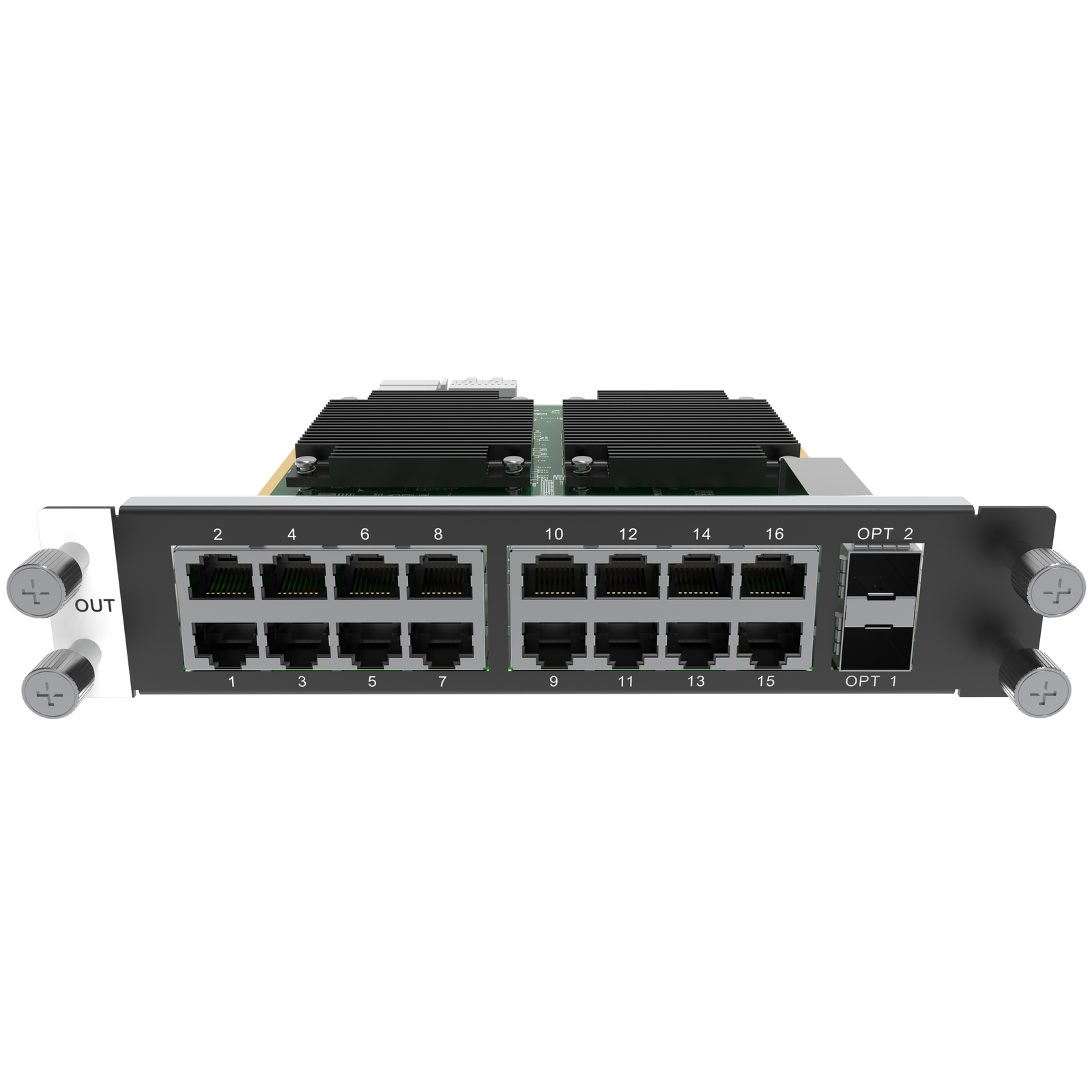
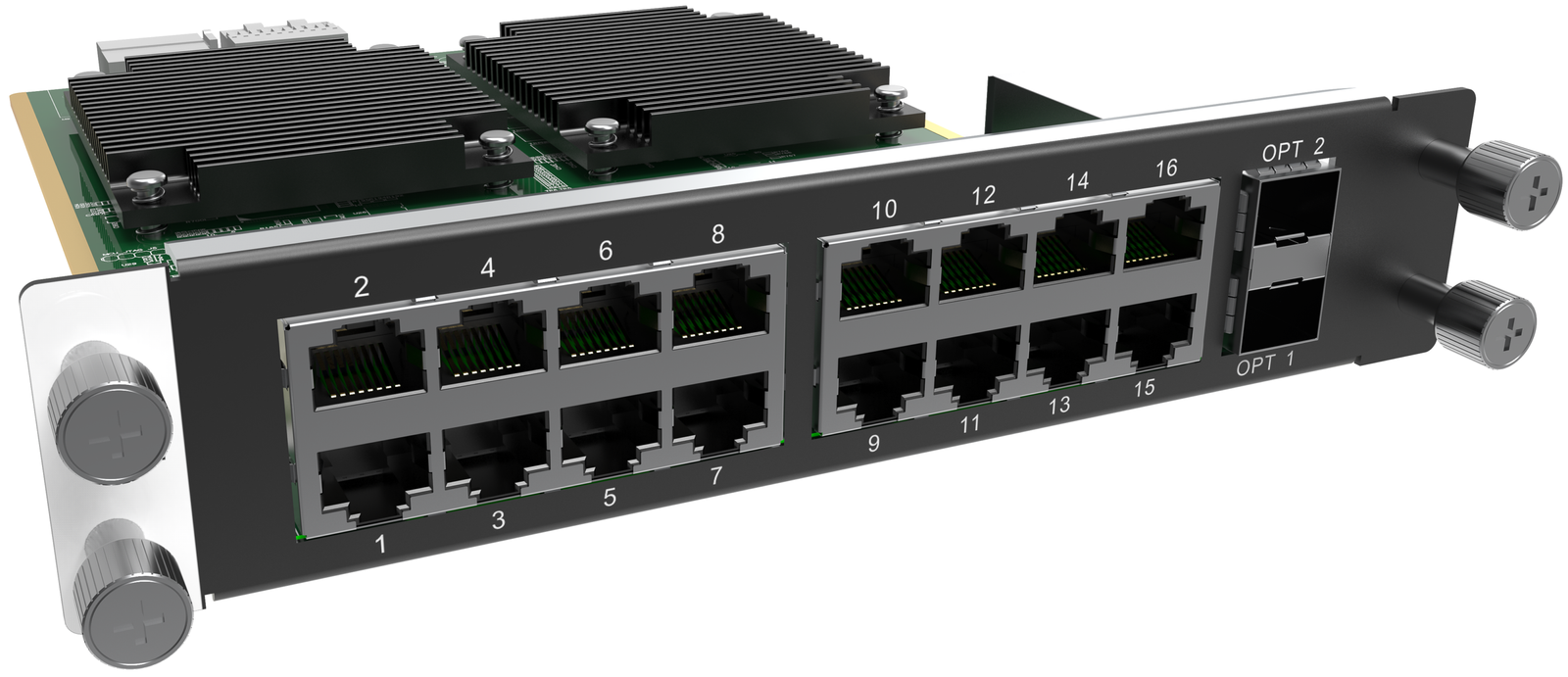
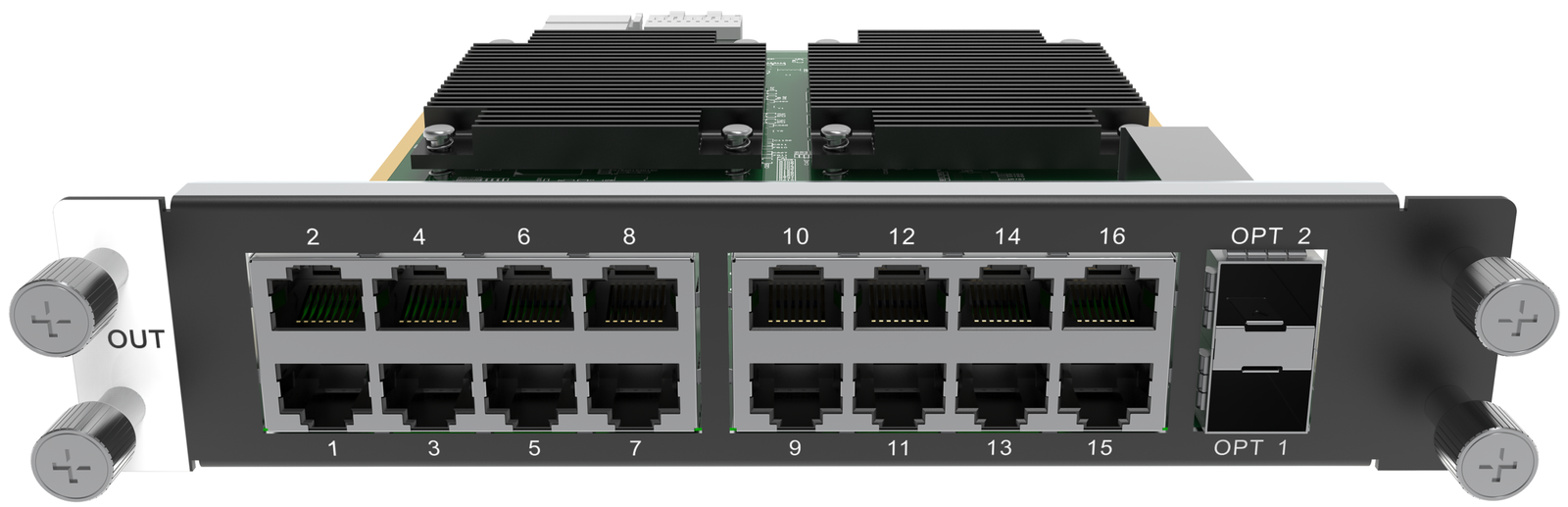
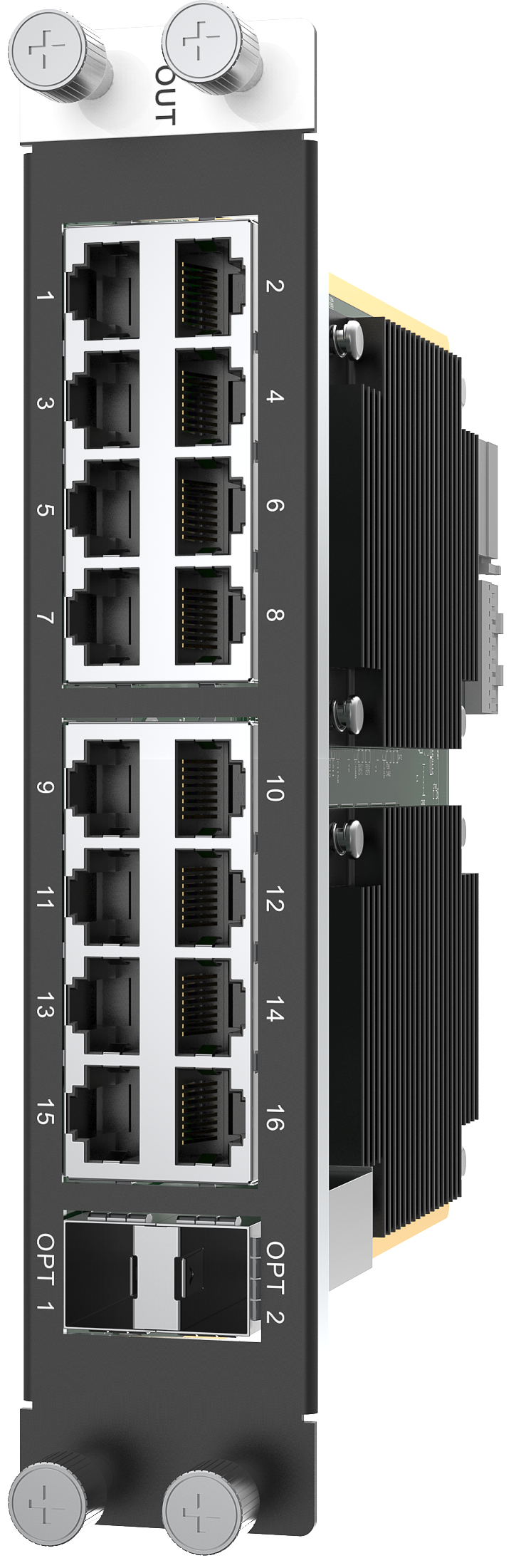
What is NovaStar H_16xRJ45+2xFiber output card?
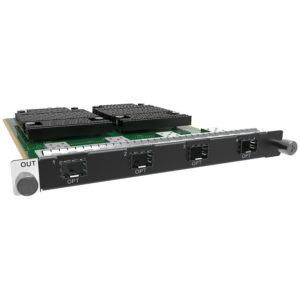
The NovaStar™ H Series 16x RJ45 + 2x Fiber Output Card (H_16xRJ45+2xFiber) is a two-slot LED output card—NovaStar also calls it a sending card—for a compatible H Series chassis. It works after the chassis has arranged the video sources into the LED layout: the card carries that finished image through 16 RJ45 cabinet paths.
Its two OPT ports serve one specific cabling decision. OPT 1 copies the cabinet data already assigned to ports 1–8, and OPT 2 copies ports 9–16, so either planned group can travel by fiber through its optical route. They do not add two more independent cabinet outputs. Choose H16 when the cabinet drawing needs that copied fiber route; if it simply needs 17–20 direct RJ45 paths, the H_20xRJ45 Output Card is the better fit.
Request H_16xRJ45+2xFiber bulk pricing →
For confirmed multi-card or project quantities. Direct checkout makes sense when the chassis slots, cabinet groups, optical route and pixel plan are already specified.
NovaStar H_16xRJ45+2xFiber output card key features
- Sixteen independent cabinet paths: each RJ45 output carries an assigned part of the finished LED layout to its mapped cabinet chain. The two OPT connectors do not increase that independent path count.
- Fiber transport for a planned cabinet group, not more outputs: OPT 1 carries the output already assigned to ports 1–8, while OPT 2 carries ports 9–16. This is useful when part of the wall needs its planned cabinet data to leave the rack over fiber instead of directly by RJ45.
- Make the port map match the image: the card supports up to 10.4 million pixels total. Each RJ45 path supports up to 650,000 pixels at 8-bit or 325,000 pixels at 10-bit, so bit depth can change the number of cabinet paths a screen needs.
- Support a carefully planned high-refresh or backup-aware wall: NovaStar specifies backup between Ethernet ports and output up to 144 Hz. Those capabilities matter only when the complete screen, cabinet and refresh-rate plan has been set in advance.
NovaStar H_16xRJ45+2xFiber output card specifications
Use these figures to check one card against the cabinet drawing. The final LED screen also depends on its H Series chassis, selected bit depth, receiving-card setup and physical cabinet connection map.
Choosing NovaStar H_16xRJ45+2xFiber for a fiber cabinet route
H16 earns its place when a cabinet group must reach a display zone through fiber while remaining part of the same H Series screen map. It gives you 16 direct RJ45 cabinet paths and, when needed, a copy of ports 1–8 or 9–16 on an OPT route. It is not the card to choose merely because two fiber ports sound like two new output groups.
Before ordering: reserve two compatible output-card slots. Optical modules are purchased separately; NovaStar recommends a CVT Series converter on an OPT route. Use the fiber converter options only after the actual cabinet group and optical route are confirmed.
How NovaStar H_16xRJ45+2xFiber maps LED cabinets through RJ45 and OPT
- Start with the cabinet groups and pixel load: decide which cabinets are assigned to ports 1–8 and which are assigned to ports 9–16, then confirm both the total load and the load on each RJ45 path at the planned bit depth.
- Set the planned LED output in H Series: set the required output resolution and frame rate before building the LED-screen assignment in the chassis.
- Map the physical cabinets in NovaLCT: select the installed card in left-to-right order, enter the receiving-card loading size and cabinet rows and columns, draw each port’s physical connection order, then send and save the configuration.
- Install the route already shown on the drawing: connect local groups directly by RJ45. When a group needs fiber transport, take the matching 1–8 group through OPT 1 or the 9–16 group through OPT 2, with the selected optical module and fiber-converter route.
NovaStar H_16xRJ45+2xFiber vs H_20xRJ45: fiber copies or four more direct paths?
Both cards use two H Series output-card slots. The choice is physical: buy H16 when a planned cabinet group needs one of its defined OPT copies; buy H20 when the drawing needs 17–20 direct RJ45 paths from one card. Neither card is a video source input or the screen-layout processor.
H16 and H20 can be configured on the same LED screen when they use the same frame rate. See the H_20xRJ45 Output Card for its 20-path selection details.
NovaStar H_16xRJ45+2xFiber output card applications
Each example begins with a real reason to choose H16: part of a 16-path cabinet map needs fiber transport. The H Series chassis still decides the visible screen layout, and NovaLCT still maps the receiving cards and cabinet order.
Auditorium screen from a rear equipment room
An auditorium can keep the H Series chassis in a rear equipment room while a planned eight-port cabinet group follows OPT 1 or OPT 2 through the selected fiber route toward the LED screen.
One wide wall with a remote cabinet group
A wide LED wall can have cabinets near the rack and a second planned group carried on the optical route. Both groups remain part of the same screen; the fiber copy does not create a second show output.
Control rooms with fixed cabinet groups
When the cabinet drawing has already separated a primary wall into the documented 1–8 and 9–16 groups, H16 lets the integrator choose the appropriate direct or copied transport route for each group.
LED walls with a documented backup plan
For an installed display that needs a defined recovery path, the card’s Ethernet-port backup capability can be included in the cabinet topology before the configuration is sent to the hardware.
NovaStar H_16xRJ45+2xFiber manual, specifications and H Series firmware
The first document contains the official H16 output-card section. The manual, firmware and release notes are verified H Series family resources, not files that apply only to this one output card.
NovaStar H_16xRJ45+2xFiber specifications (PDF, H20 V1.8.0)
Official H20 V1.8 document, including the H16 output-card section with paths, OPT copies, capacity and physical details.
NovaStar H Series user manual (PDF, V1.15.0)
Verified family guide for H Series output settings and NovaLCT cabinet mapping.
NovaStar H Series firmware (ZIP, V2.2.0.0)
Verified V2.2.0.0 family firmware package; not H16-only firmware.
NovaStar H Series release notes (TXT, V2.2.0.0)
Version changes and update notes for the same H Series family package.
NovaStar H_16xRJ45+2xFiber output card FAQs
Is H_16xRJ45+2xFiber a video wall splicer?
No. It is an output card installed in a compatible H Series chassis. The chassis creates the screen layout; H16 carries its assigned parts to LED cabinet paths.
Do the two OPT ports add 16 more cabinet outputs?
No. OPT 1 copies the group assigned to RJ45 ports 1–8, and OPT 2 copies the group assigned to ports 9–16. They change the transport route for those groups; they do not add independent port capacity or pixels.
Are optical modules included with the card?
No. The optical module for an OPT route is ordered separately. Confirm the intended optical route and converter equipment before ordering the module.
When should I choose H16 instead of H20?
Choose H16 when a planned cabinet group needs one of its two copied OPT routes. Choose H20 when the design needs 17–20 direct RJ45 cabinet paths from one card and does not need the H16 copy route.
What is the pixel capacity of one H16 card?
Up to 10.4 million pixels total, with maximum width or height of 10,240 pixels. Each direct RJ45 path must also remain within 650,000 pixels at 8-bit or 325,000 pixels at 10-bit.
Can H16 and H20 load the same LED screen?
Yes, when both cards use the same frame rate. Confirm the complete screen configuration before commissioning.
Can H16 load one screen with H_4xFiber?
No. NovaStar’s H Series documentation does not allow the H_4xFiber sending-card family to load the same LED screen with H16 or H20.
How are cabinets mapped to H16 ports?
Use NovaLCT after the H Series screen is assigned. Select the installed card, enter the receiving-card loading size and cabinet layout, draw the physical connection order, then send and save the configuration.
Reviews
There are no reviews yet.