
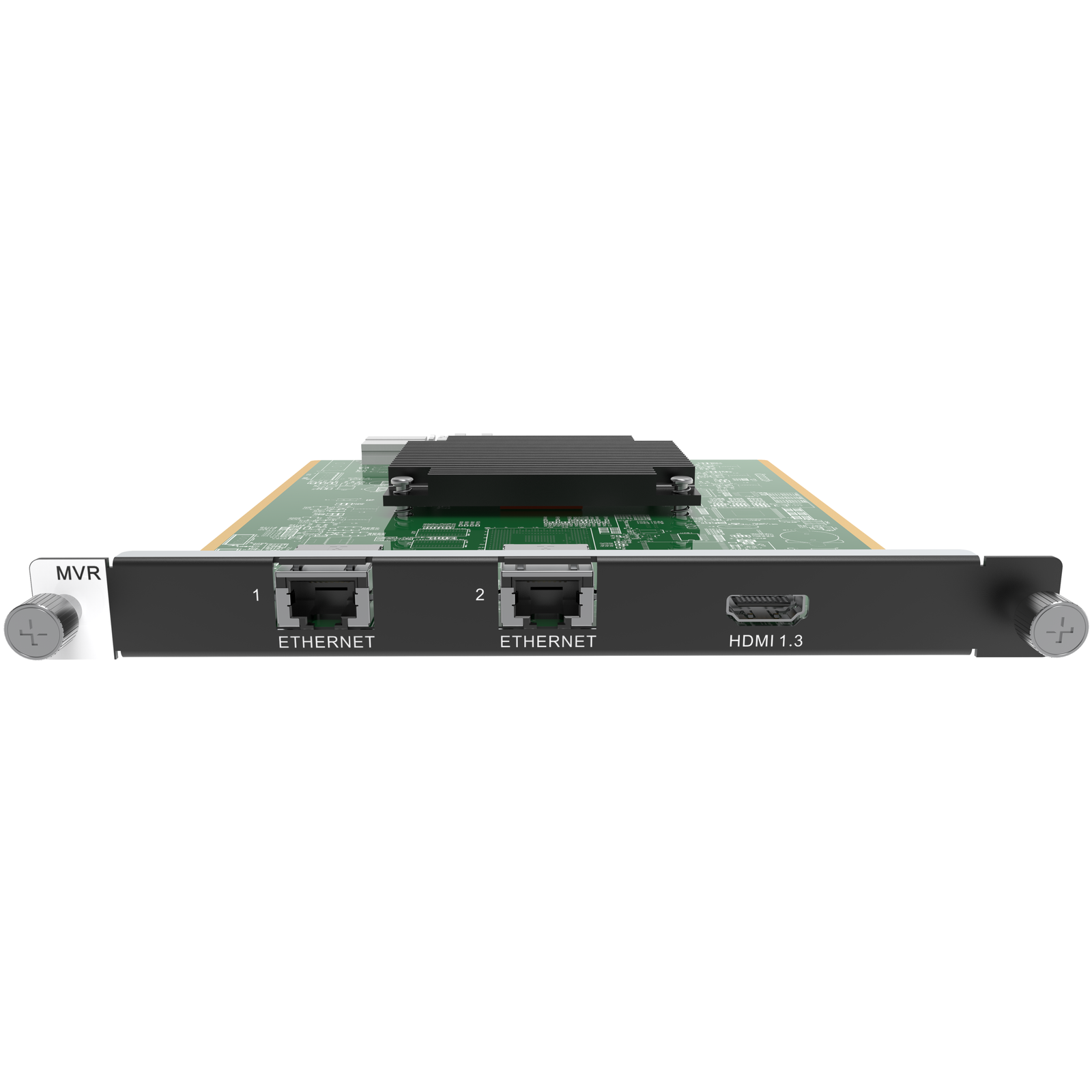
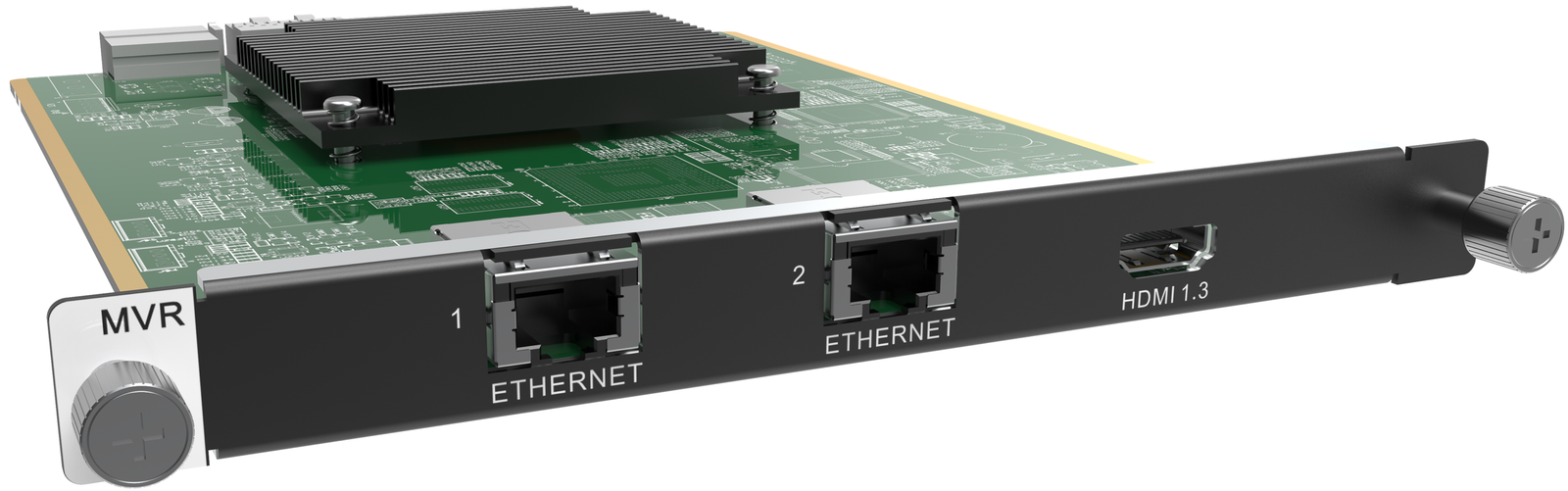
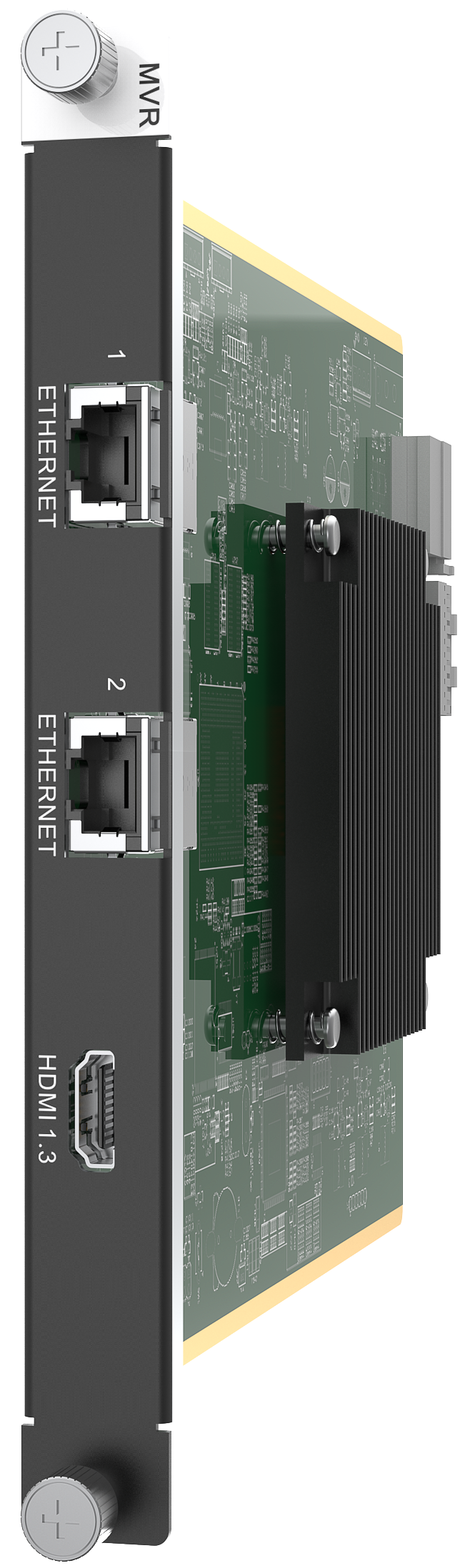
What is NovaStar H_2xRJ45+1xHDMI1.3 preview card (MVR)?
The NovaStar H_2xRJ45+1xHDMI1.3 Preview Card (MVR) is an H Series monitoring card for operators who need to confirm what the system is receiving and what it is sending to the screen. It works two ways: the HDMI connector feeds monitoring information to a nearby display, while the RJ45 connections support monitoring through the H Series web interface.
It is useful when a rehearsal, rack test or daily operation needs a clear view before someone starts changing source equipment or cabinet wiring. The card does not bring video into the chassis, drive LED cabinets or create display capacity.
Request H_2xRJ45+1xHDMI1.3 Preview Card bulk pricing →
For confirmed multi-card or project quantities. Direct checkout remains available when the chassis preview/MVR position and monitoring connection plan are already specified.
NovaStar H_2xRJ45+1xHDMI1.3 preview card key features: what makes it different?
- See input and screen information before troubleshooting the LED wall: the H Series Multiviewer is built for monitoring selected inputs and screens, so an operator can confirm the intended state before changing a source, layout or cabinet connection.
- Choose a nearby HDMI display for an at-rack check: the HDMI 1.3 connector sends monitoring information to a local monitor, which is useful while a rack is being commissioned or during a live rehearsal.
- Use the monitoring network for a browser-based view: connect one Preview Card Ethernet port and the H Series control-card Ethernet port to the same switch for documented web monitoring.
- Reserve the right card position for the right purpose: these ports do not replace an LED sending card, cabinet route or source-input card. Confirm the approved preview/MVR position in the actual chassis before ordering.
NovaStar H_2xRJ45+1xHDMI1.3 preview card specifications
These are monitoring-card facts. They do not define source resolution, LED load, cabinet routing or display-output capacity.
How NovaStar H_2xRJ45+1xHDMI1.3 preview card supports local and browser monitoring
The HDMI and RJ45 connectors serve different viewing situations. Select the connection that matches where the operator needs to see the H Series system.
Selection rule: use HDMI for a local monitoring display. Use the preview-card Ethernet connection when monitoring through the H Series web interface is required. Neither choice sends LED data to cabinets.
A three-step monitoring setup for NovaStar H_2xRJ45+1xHDMI1.3 preview card
- Install the card in the approved preview position: confirm the actual chassis’ MVR or approved input/preview card position before the rack is wired.
- Choose the monitoring path: connect a local monitor to HDMI, or connect a preview-card Ethernet port and the H Series control card to the same switch for web monitoring.
- Use monitoring to confirm the intended system state: check the input and output information before changing cabinet wiring, source equipment or the screen layout.
What NovaStar H_2xRJ45+1xHDMI1.3 preview card does not replace
The Preview Card is an operator-monitoring route. It does not accept an HDMI source, send an HDMI program output, carry LED data to cabinets, create LED pixel capacity or replace the H Series control card. Select the actual input cards, LED output cards and control interfaces separately for their own system roles.
NovaStar H_2xRJ45+1xHDMI1.3 preview card applications
Each situation needs the visibility this card adds; none turns it into video processing or LED cabinet-output hardware.
Show rehearsal and cue check
At the operator desk, use the local monitor to verify the H Series monitoring view before presentation content, camera feeds or a show cue reaches the LED wall.
Control-room source confirmation
When the control computer and Preview Card share a switch, browser monitoring helps the team check input and screen state without mistaking an LED cabinet port for a monitor path.
Rack commissioning
Keep a local monitor at the rack while the input cards, screen layout and LED output cards are tested. The monitoring view helps isolate the source or layout before cabinet wiring is changed.
Shared operator network
Use the browser path when a control team needs H Series monitoring from the same switched network as the control connection. Confirm access and the approved card position first.
NovaStar H_2xRJ45+1xHDMI1.3 preview card compatibility and setup
- Check the real chassis position first: use the chassis manual and slot markings to locate the MVR or approved input/preview-card position. Do not assume every spare card position accepts this card.
- Plan the network monitoring connection: connect the Preview Card and control-card Ethernet ports to the same switch when using web monitoring.
- Connect a local monitor only when it serves the operating plan: the HDMI connector is for monitoring information at the local display.
- Keep monitoring separate from the LED route: selected sending/output cards still carry the finished H Series layout to LED cabinets. The H Series category shows the related chassis and modular cards; NovaStar H2, NovaStar H5, NovaStar H9 and NovaStar H20 are examples that need their own position check.
NovaStar H_2xRJ45+1xHDMI1.3 preview card manual, specifications and H Series firmware
The first PDF contains the current official card facts. The manual, firmware and release notes are verified H Series family resources and are labelled with their actual scope.
NovaStar H_2xRJ45+1xHDMI1.3 Preview Card specifications (PDF, H20 V1.8.0)
Official card details within NovaStar’s H20 specification: monitoring connectors, physical dimensions and power.
NovaStar H Series user manual (PDF, V1.15.0)
Verified H Series family manual for preview-card connections and web/local monitoring; it is not a card-only manual.
NovaStar H Series firmware (ZIP, V2.2.0.0)
Verified H Series family firmware package, not presented as preview-card-only firmware.
NovaStar H Series firmware release notes (TXT, V2.2.0.0)
Version changes and update notes for the same verified H Series family firmware package.
NovaStar H_2xRJ45+1xHDMI1.3 preview card FAQs
What is NovaStar H_2xRJ45+1xHDMI1.3 Preview Card (MVR)?
It is a monitoring card for an installed H Series system. Its two RJ45 ports connect to the monitoring network, while its HDMI connector connects a local monitor. It is not the H Series chassis, an LED sending/output card or a source-input card.
Do the two RJ45 ports connect LED cabinets?
No. NovaStar labels them Gigabit Ethernet outputs for network monitoring of inputs and outputs. The LED cabinet route uses the separately selected LED sending/output card.
What does the HDMI connector do?
It connects to a monitor for displaying monitoring information. It is a local operator-monitor connection, not an HDMI source input or a program-display output.
How does browser monitoring connect?
Connect one Ethernet port on the preview card and the Ethernet port on the H Series control card to the same network switch. The system can then be monitored through its web interface when the network is configured correctly.
Does every free H Series card slot accept the Preview Card?
No. Check the actual chassis marking and manual before ordering. Some chassis designate an MVR position for the preview card, while H2 has indicated positions that may accept an input or preview card.
Does the Preview Card add LED pixel capacity?
No. It is for monitoring. LED pixel capacity and cabinet paths depend on the selected LED sending/output cards and the chassis configuration.
Do I need an H_STD I/O Card for the Preview Card?
No. The Preview Card does not need H_STD I/O simply to provide monitoring. H_STD I/O adds external-control interfaces, while the Preview Card supplies network and local-monitor visibility; select each only when the installed system needs that separate function.
Can I order the card directly?
Yes, when the approved preview/MVR position, monitoring network plan and local-monitor need are already specified. For multi-card or project quantities, use the bulk-pricing link above.
Can the preview HDMI connector be used as a second program output?
No. NovaStar specifies that connector for a monitor displaying monitoring information. It does not replace an H Series HDMI display-output card or create another independently programmed screen.
Can the H Series monitoring view include more than one input or screen?
The H Series Multiviewer is for monitoring selected inputs and screens, and the manual includes monitoring-playlist settings. The Preview Card supplies the local or network monitoring connection; it does not create additional LED outputs.
Reviews
There are no reviews yet.