
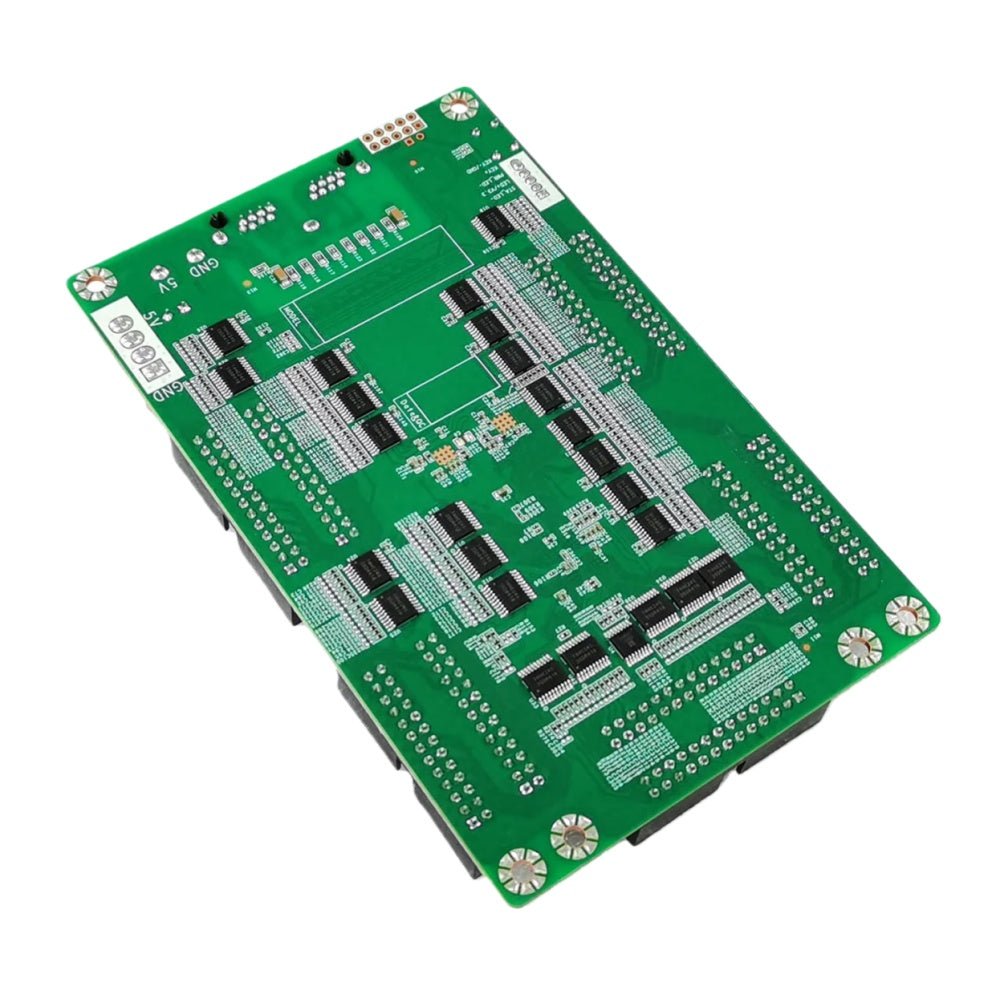
What is the NovaStar MRV532 receiving card?
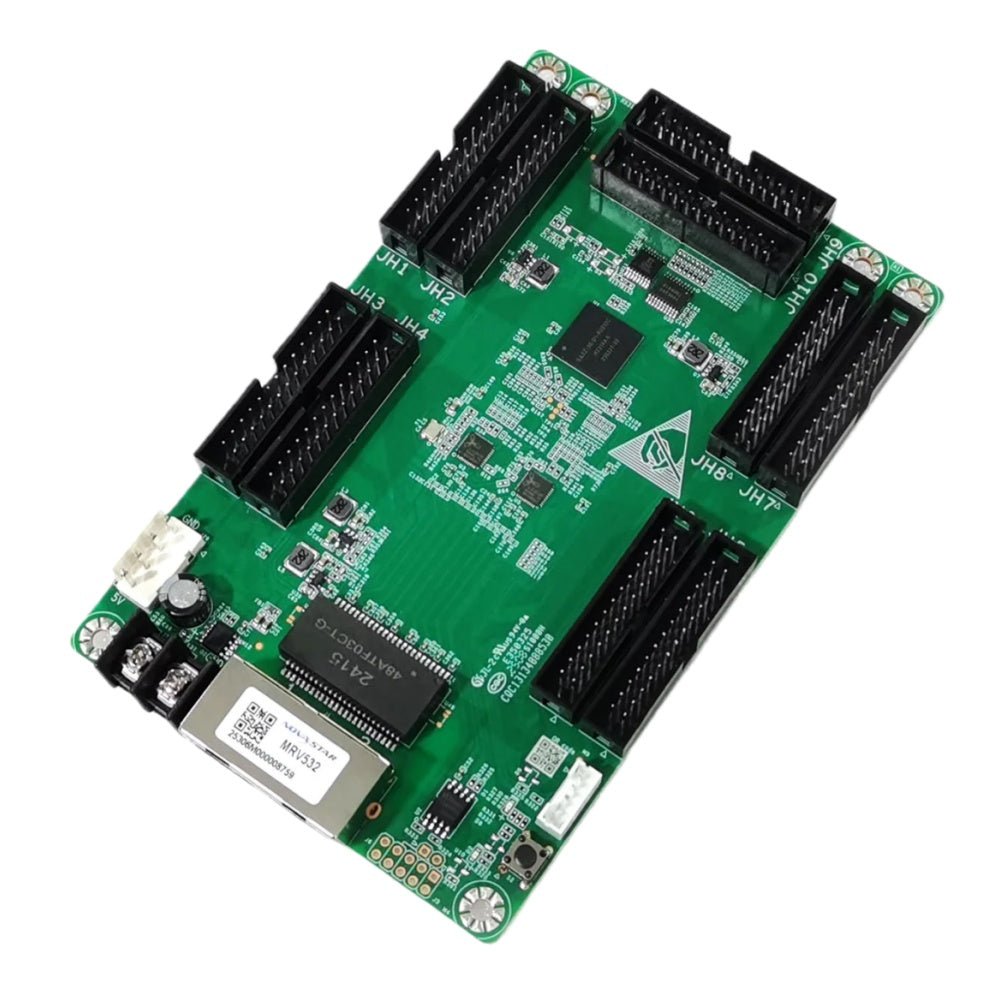
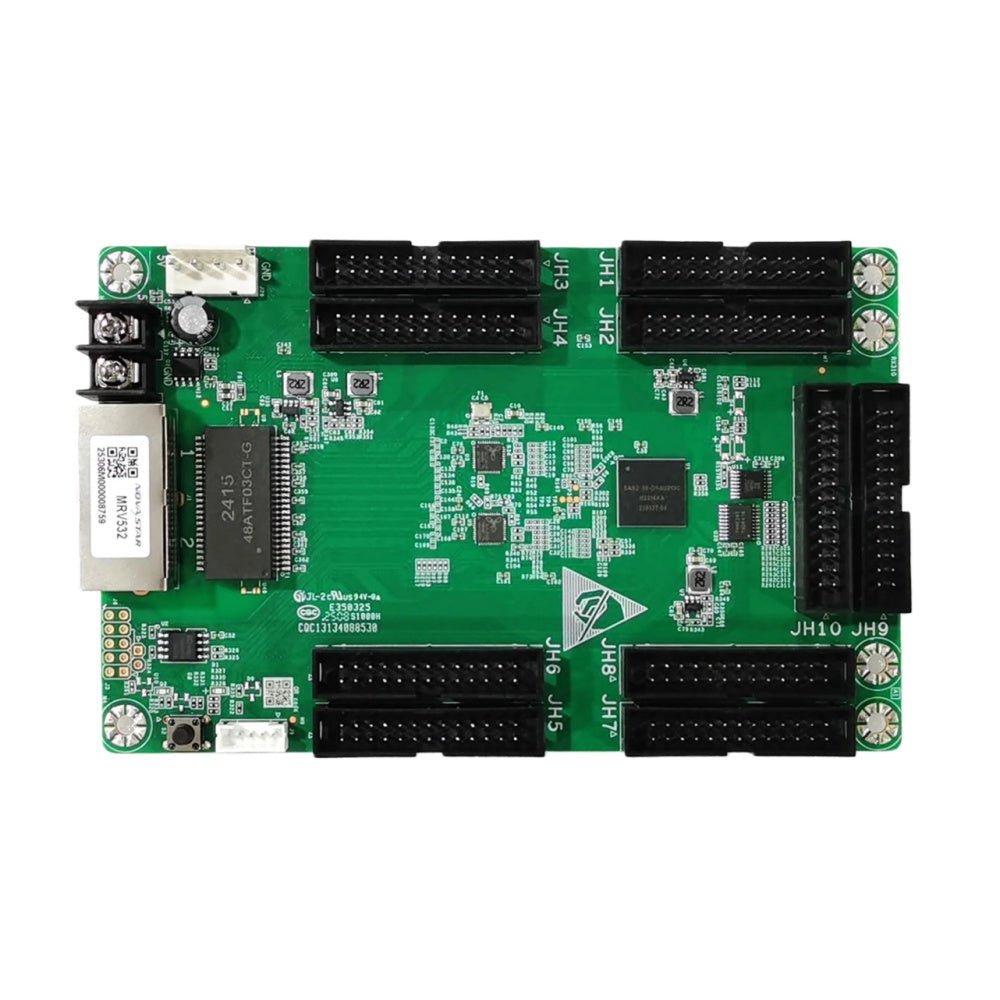
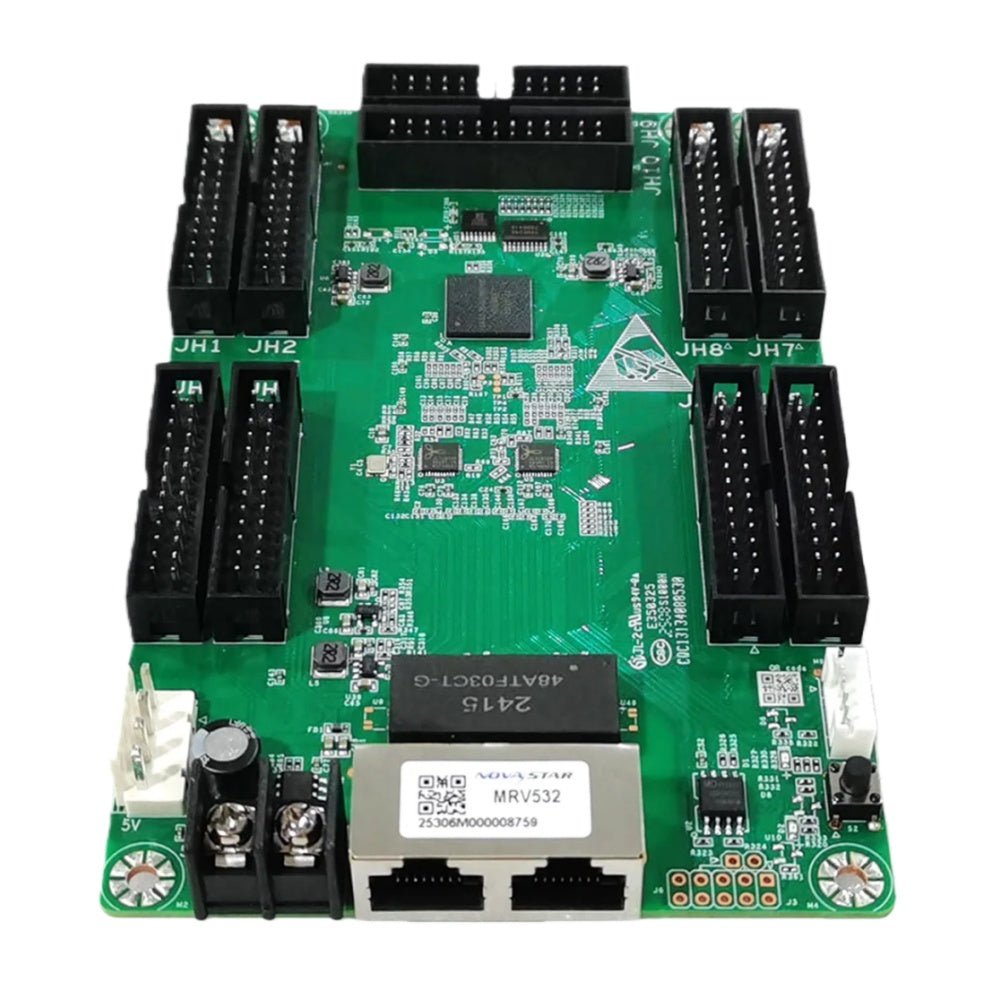
The NovaStar MRV532 is a current LED receiving card for cabinets that use its ten HUB320F module connections. It receives mapped screen data from the controller path and sends the correct signals to the modules in that cabinet. It fits a new cabinet specified for MRV532 or a like-for-like replacement where the board label, hub layout, module type and cabinet file all match.
The important number is not simply “512 × 512.” The amount one MRV532 can load changes with the module driver and the video bit depth. A PWM cabinet at 8-bit can reach that larger canvas; a common-driver or 10/12-bit build cannot assume the same one-card plan. Confirm those two facts before treating this as an easy replacement or a one-card design.
MRV532 key features
- Ten HUB320F connections and up to 40 RGB groups: suited to a dense cabinet layout, provided the existing hub board and module ribbons are made for this board.
- Four current capacity conditions: the driver type and 8/10/12-bit source determine whether one card can cover the cabinet.
- Low-brightness image tools: 18bit+, colour management, calibration, multi-batch adjustment and individual RGB gamma offer a correction path for rough dark gradients, color drift or a visibly different replacement cabinet when the supported system data is available.
- Conditional live and creative features: one-frame receiver-end latency needs modules with built-in-RAM driver ICs; free rotation needs an MCTRL R5 and SmartLCT.
- Cabinet service safeguards: configuration/program readback, module-flash functions, mapping and monitoring help preserve a known-good cabinet and locate one bad cable, module or receiver.
NovaStar MRV532 specifications
These V1.2.0 values decide cabinet fit, card count and feature eligibility. They replace the conflicting capacity figures found in older MRV532 documents and reseller listings.
| Check | MRV532 V1.2.0 value | Buying consequence |
|---|---|---|
| Module interface | 10 standard HUB320F; up to 40 RGB real-pixel groups | Count and match the actual module connections and hub layout; an older eight- or twelve-output cabinet is not automatically compatible. |
| PWM driver load | 512 × 512 at 60 Hz, 8-bit; 512 × 256 at 60 Hz, 10/12-bit | A PWM 512 × 512 cabinet uses one card only with an 8-bit source; at 10/12-bit it needs another approved plan. |
| Common-driver load | 512 × 384 at 60 Hz, 8-bit; 256 × 256 at 60 Hz, 10/12-bit | Common-driver cabinets reach a lower ceiling, so capacity must be checked before a one-card order. |
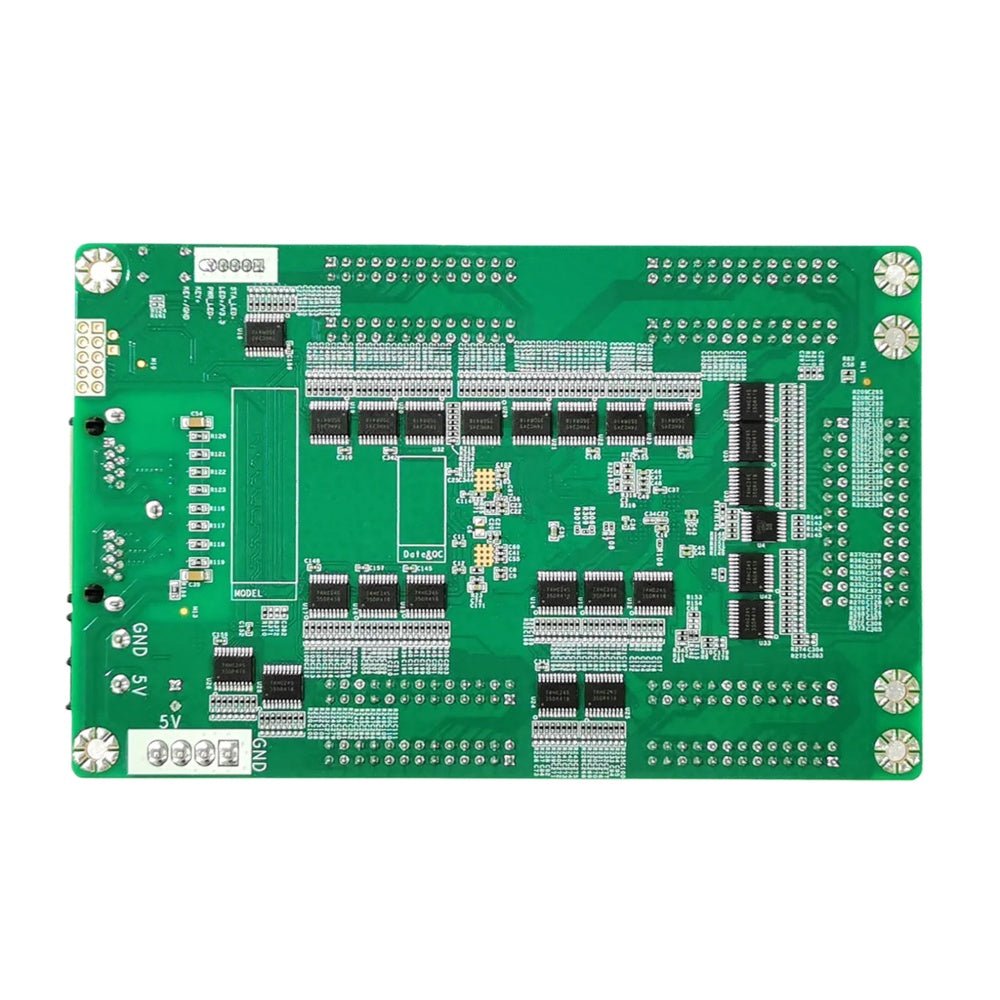
| Power and size | DC 3.8–5.5 V; 0.5 A; 2.5 W; 146.0 × 91.5 × 19.3 mm | Check the rail, mounting holes and cabinet clearance for a replacement. |
| Certifications | RoHS; EMC Class A | Use the card document for procurement, while confirming the finished cabinet’s local requirement separately. |
Can one MRV532 run your LED cabinet?
Start with the finished cabinet canvas, the module driver and the bit depth delivered by the control system. At 60 Hz, a 512 × 512 PWM cabinet fits one MRV532 only at 8-bit. Switch that same PWM cabinet to 10- or 12-bit and the published single-card limit becomes 512 × 256, so the cabinet needs a different approved card layout.
For common-driver modules, the 8-bit ceiling is 512 × 384 and the 10/12-bit ceiling is 256 × 256. The ten HUB320F connectors distribute the cabinet image but do not create ten separate capacities. Keep margin for the final module map; folded ribbons, scan arrangement and the approved configuration can reduce what a practical cabinet design can carry.
MRV532 image quality, low latency and rotation conditions
On a dim indoor wall, a replacement cabinet can give itself away through stepped dark gradients, a color cast or a bright line at a cabinet join. MRV532 supports 18bit+, colour management, calibration, multi-batch adjustment, quick line correction and individual RGB gamma, giving the system ways to correct those visible problems. They depend on the connected controller, NovaLCT and valid calibration data; the card alone cannot recreate coefficients that were never saved.
One-frame latency at the receiving-card end is a live-camera requirement, not a default benefit. It works only with modules whose driver IC has built-in RAM. Free image rotation is similarly specific: it requires the MCTRL R5 controller and SmartLCT. Standard 90-degree rotation is available in 0°, 90°, 180° and 270° steps, but rotation cannot repair a wrong cabinet map or ribbon order.
MRV532 replacement and calibrated cabinet recovery
Before removing a working MRV532, use NovaLCT to save the receiving-card program and the cabinet configuration. Keep the files with the cabinet location, and photograph the board label and HUB320F ribbon order. That lets a replacement return to the cabinet’s known module scan and pixel map instead of being configured from a similar-looking wall.
The program and configuration are different records. The program supports the receiving-card/module-driver relationship; the configuration stores the cabinet wiring and pixel map. For modules with flash memory, MRV532 can also retain module IDs and calibration coefficients, allowing a newly fitted compatible module to restore its stored coefficients at power-on. That protects uniformity only when the module, saved data and firmware path are the correct ones.
Restore and test one cabinet before copying settings across the wall. If it remains dark or differs from its neighbors, check its power, Ethernet path, module connection and saved configuration before assuming the new card is defective.
MRV532 vs MRV412 and MRV416
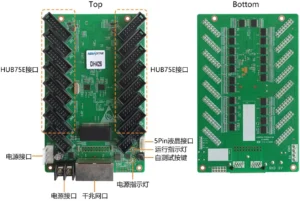
MRV532 is the relevant choice for a cabinet designed around ten HUB320F connections and its V1.2.0 capacity limits. MRV412 uses a different twelve-HUB75E cabinet layout, while MRV416 uses sixteen HUB75E connections and a different standard-card capacity profile. Connector count, hub board and approved cabinet file come before headline resolution when replacing an existing card.
If the installed cabinet is already labelled MRV532, use the same model after checking the board footprint, module driver and file. If it carries another receiver label, retain the original model unless the cabinet maker has approved a tested conversion. A higher capacity number cannot make a different hub layout plug in correctly.
MRV532 datasheet, firmware and NovaLCT
The MRV532 datasheet page and direct MRV532 Datasheet PDF provide the current V1.2.0 limits, board dimensions and feature conditions. Use that current document when a legacy listing gives a different capacity number.
NovaLCT reads and restores a cabinet configuration. Firmware is separate: it has to match the MRV532 PCB and the module driver/decoding combination. No exact downloadable MRV532 firmware package has been independently verified for this store, so no plausible ZIP is offered. Preserve the known-good program and use the NovaStar download center to verify an exact package before changing a working screen.
NovaStar MRV532 FAQ
What does the MRV532 do?
MRV532 is the board inside an LED cabinet that receives mapped screen data and sends the matching signals to the cabinet’s LED modules.
Can one MRV532 run a 512 × 512 cabinet?
Yes only for a PWM-driver cabinet at 60 Hz with an 8-bit video source, provided the approved module map fits. Other driver/bit-depth combinations use lower documented limits.
What are the common-driver limits?
V1.2.0 documents 512 × 384 at 60 Hz with an 8-bit source and 256 × 256 with a 10- or 12-bit source.
Does MRV532 give every LED wall one-frame latency?
No. One-frame receiver-end latency requires LED modules whose driver ICs contain built-in RAM.
What is needed for free image rotation?
Free-angle rotation requires an MCTRL R5 controller and SmartLCT. The card also supports rotation in 90-degree steps.
Can MRV532 replace MRV412 or MRV416?
Do not assume that it can. The cards have different module-connector counts, cabinet layouts and approved configurations. Match the installed board and hub design.
What should I save before replacing MRV532?
Save the working receiving-card program and cabinet configuration in NovaLCT, then photograph the label and module ribbon order.
Should I update firmware during a normal replacement?
Not automatically. Update only when an exact package matches the card and module hardware and solves a confirmed need.
Reviews
There are no reviews yet.