
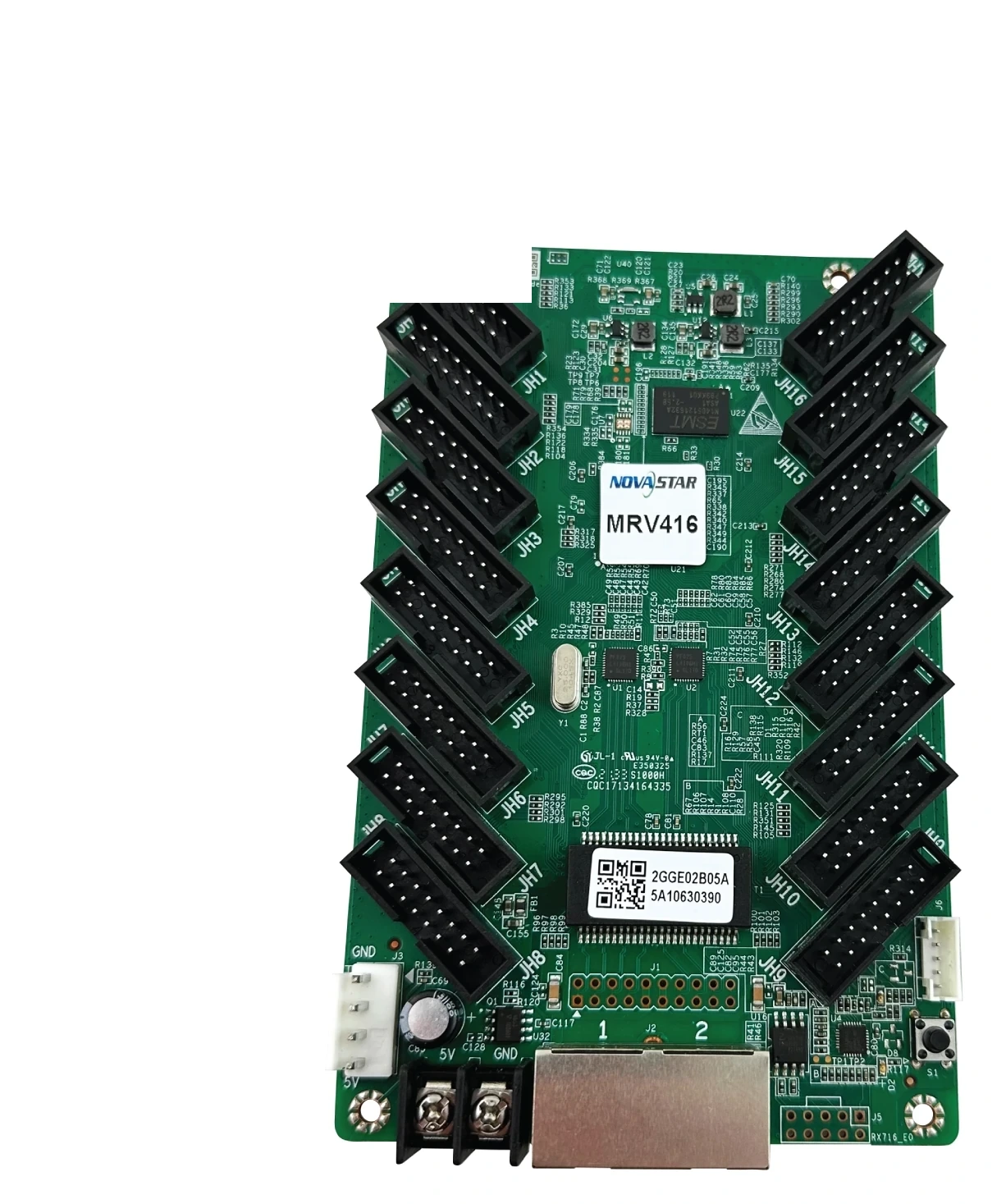
What is the NovaStar MRV416 receiving card?
The NovaStar MRV416 is a 16-output receiving card that sits inside an LED cabinet. It receives the image data sent by the controller or the cabinet before it, then passes the correct row and column signals to the cabinet’s LED modules through sixteen standard HUB75E connectors. It is a sensible choice for a cabinet built for that layout, or for a working MRV416 cabinet that needs the same card again.
The number that decides whether one card is enough is not the connector count. At 60 Hz, NovaStar rates one complete MRV416 at 512 × 384 with PWM driver ICs and 384 × 384 with common driver ICs. A cabinet using common-driver modules can therefore need two cards even when its drawing looks close to the higher PWM figure.
MRV416 key features
- Sixteen standard HUB75E connections: the card can distribute data to a cabinet with many module ribbons, provided the hub board, ribbon order and module interface match the original cabinet design.
- Two capacity limits, not one headline number: PWM driver ICs allow up to 512 × 384 at 60 Hz; common driver ICs allow 384 × 384. That difference changes the card count before it changes the picture.
- Tools for a visible mismatch: brightness calibration, individual RGB gamma and dark or bright line adjustment give a technician ways to correct uneven batches or a cabinet seam when the required NovaStar software, controller and calibration data are present.
- Useful fault clues in the cabinet: Mapping, voltage and temperature monitoring, Ethernet bit-error reporting and the cabinet LCD connection help identify a single troublesome cabinet instead of tracing the whole wall by hand.
- A recoverable replacement path: firmware and configuration readback let a working cabinet’s known-good settings be saved before a spare card is installed.
NovaStar MRV416 specifications
These are the facts that change cabinet fit and card count. The module driver, scan and finished wiring plan still decide whether the maximum is usable.
| Check | MRV416 value | Why it matters before ordering |
|---|---|---|
| PWM-driver load | 512 × 384 at 60 Hz | This is the whole-card limit for a PWM-module cabinet, not a limit for each connector. |
| Common-driver load | 384 × 384 at 60 Hz | A cabinet above this needs another card or a different approved design. |
| Module interface | 16 HUB75E connectors; up to 32 parallel RGB groups | Ribbon count alone is not enough; the cabinet’s data-group requirement must also fit. |
| Power | DC 3.8–5.5 V; 0.5 A rated; 2.5 W rated | Check the cabinet power rail before connecting a replacement card. |
| Card size | 145.7 × 91.5 × 18.4 mm | Use the drawing and the actual cabinet to confirm mounting and door clearance. |
| Software and compliance | NovaLCT V5.3.0 or later; RoHS and EMC Class A | The complete cabinet and installation may have requirements beyond the card itself. |
MRV416 load capacity for PWM and common driver ICs
The 512 × 384 PWM figure and 384 × 384 common-driver figure apply to one entire MRV416. The sixteen HUB75E connectors split that one data budget across the modules; they do not give each ribbon its own 512 × 384 allowance.
A 384 × 384 cabinet contains 147,456 pixels, so it falls within either documented limit at 60 Hz. A 512 × 384 PWM cabinet reaches the higher limit and can still use one card. The same 512 × 384 canvas exceeds the common-driver limit, so a common-driver design needs a second approved card path. Confirm the driver IC from the module label or cabinet build record before selecting a one-card cabinet.
Scan settings, folded ribbons and custom module mapping can impose tighter limits. Leave room for the approved final map instead of ordering against an optimistic pixel calculation.
MRV416 HUB75E outputs and LED cabinet fit
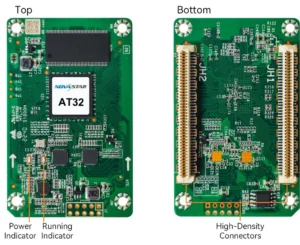
MRV416 fits a cabinet that was designed for its sixteen standard HUB75E outputs, power connection and board footprint. That makes it different from a receiving card with a similar pixel capacity but a different hub board or a dense board-to-board connection. The printed model name and the cabinet interface matter more than a close-looking product photo.
For a replacement, match the complete MRV416 label, power rail, connector layout and module ribbon order. Photograph one healthy cabinet before removing the old board. If the replacement powers up with repeated rows, swapped colours or a mirrored module, the board may be healthy while the ribbon order or saved cabinet map is wrong.
For a new cabinet, choose MRV416 only after the module supplier confirms the driver type, scan, HUB75E routing and number of parallel RGB groups. Sixteen outputs are useful only when the cabinet is actually wired to use them.
MRV416 cabinet configuration and image adjustment
A working cabinet is the best source for its replacement settings. Before removing a live MRV416, use NovaLCT to read and save the receiving-card program and the cabinet configuration file. The program tells the card how to operate with its driver and decoding ICs. The RCFGX file holds the cabinet’s scan, wiring and pixel map. One does not replace the other.
Those files matter when a new card appears to be defective but the cabinet is actually mapped incorrectly. A generic file from a similar screen can turn a good cabinet into a scrambled one. Keep the original file with the cabinet location, then test the first repaired cabinet before touching the rest of the wall.
MRV416 also supports calibration, individual RGB gamma and quick dark or bright line adjustment. Use those functions when the screen has a specific visible fault such as a seam or uneven batch; they are not a substitute for a correctly matched module, configuration and signal path.
MRV416 vs MRV416-N and MRV412
MRV416-N looks close because it also uses sixteen HUB75E connectors, but it is a separately documented model with different load conditions and newer feature support. If an installed cabinet is marked MRV416, buy the same model unless the cabinet maker has approved a tested change. A larger published limit does not prove that the hub board, configuration and module drivers will accept a new card.
MRV412 has twelve HUB75E outputs, so it belongs in a cabinet designed around a different ribbon count and layout. If your cabinet needs a 16-output standard HUB75E card and its driver matches the documented MRV416 limit, choose MRV416. If it already has an MRV412, keep the original model and check that page’s own capacity conditions.
| Model | Choose it when | Do not assume |
|---|---|---|
| MRV416 | The cabinet is built for the standard 16-HUB75E card and remains within its PWM or common-driver limit. | That an N-series card is a drop-in upgrade. |
| MRV416-N | A new or verified cabinet was specified for the N model and its documented feature conditions. | Same connector count means the same cabinet file or firmware. |
| MRV412 | The existing cabinet and ribbon plan were designed for twelve outputs. | A different ribbon count can be fixed in software. |
MRV416 datasheet, firmware and NovaLCT
The MRV416 datasheet page and direct MRV416 Datasheet PDF contain the approved dimensions, capacity conditions and connector information. Use them before a new cabinet build or any non-like-for-like replacement.
NovaLCT reads and restores a working cabinet’s configuration. Firmware is different: it must match the card PCB and the module driver and decoding ICs. No direct MRV416 firmware file is linked here because no exact package has been independently verified. Use the NovaStar download center to identify a matching package before changing a wall that already works.
NovaStar MRV416 FAQ
What does the MRV416 do?
The MRV416 sits inside one LED cabinet. It receives mapped image data from the NovaStar control path and sends the correct data to that cabinet’s LED modules.
Is 512 × 384 the limit for every MRV416 connector?
No. It is the maximum for one complete MRV416 card at 60 Hz with PWM driver ICs. The sixteen HUB75E outputs share that total.
What is the MRV416 capacity with common driver ICs?
NovaStar documents 384 × 384 at 60 Hz. Confirm the module driver before deciding that one MRV416 is enough for the cabinet.
Does a 16-HUB75E cabinet automatically fit MRV416?
No. Match the hub board, ribbon layout, module data groups, power rail and mounting layout as well as the connector count.
Can MRV416-N replace MRV416?
Do not assume it can. The cards have separate official documents. Use the original MRV416 for an installed MRV416 cabinet unless the cabinet maker has approved a tested change.
What should I save before replacing an MRV416?
Save the receiving-card program and the cabinet configuration file from a working cabinet in NovaLCT, then keep them with the cabinet location and photos of the ribbon order.
Why does a replacement cabinet look scrambled or mirrored?
Check the ribbon order and the restored cabinet map before condemning the new card. A wrong scan or wiring map can make a healthy card show a bad image.
Should I update MRV416 firmware during a normal repair?
Only when an exact package matches the board and module drivers and solves a specific problem. Keep the known-good program before any update.
Can you help verify a quantity order?
Yes. Send the card count, cabinet resolution, module driver type and a clear photo of the existing board or hub connection. That lets us check whether MRV416 is the right order before the cabinets are opened.
Reviews
There are no reviews yet.