
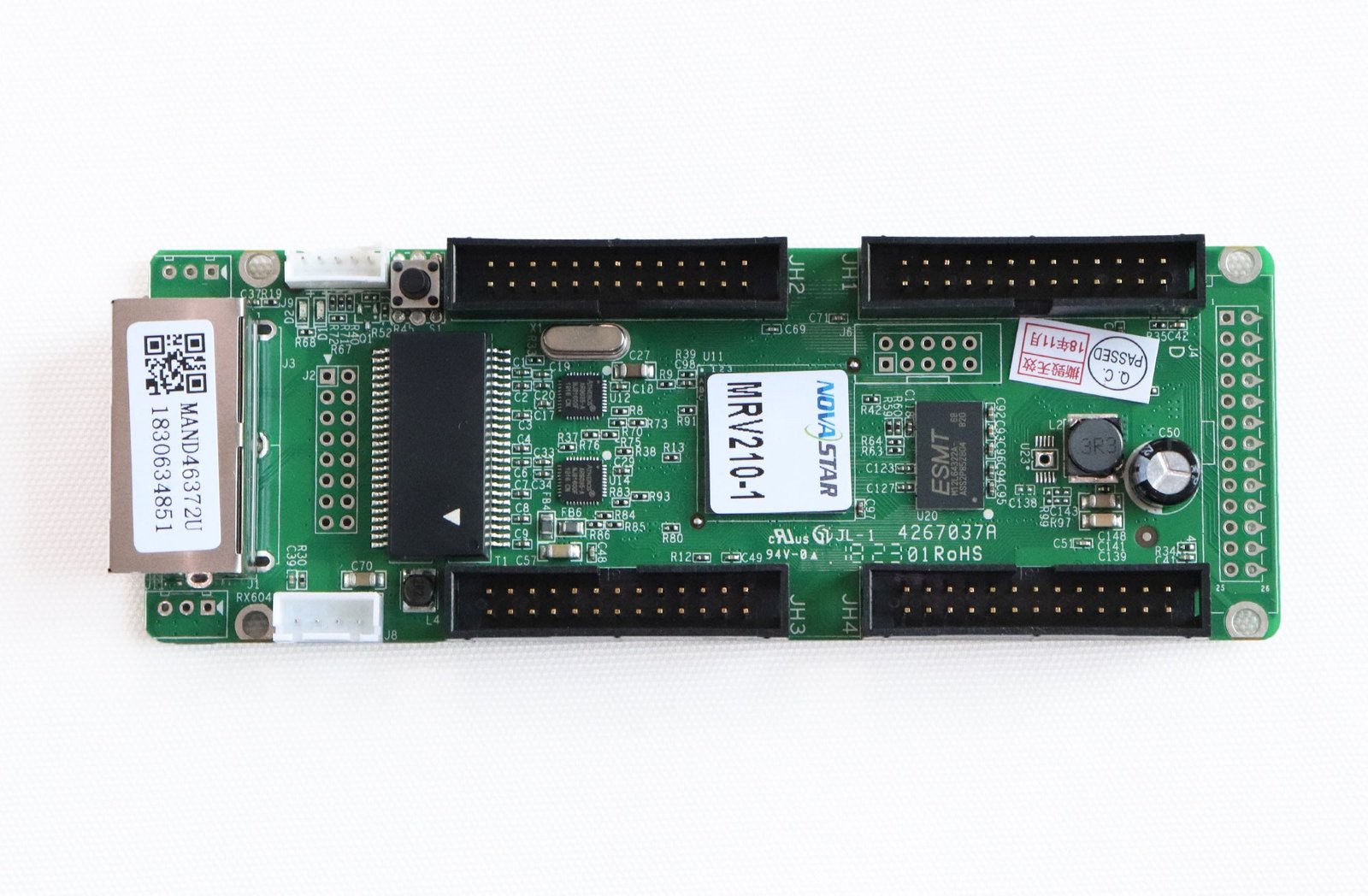
What is the NovaStar MRV210-1 receiving card?
The NovaStar MRV210-1 is the top-side male-connector version of the MRV210 receiving-card family. In a compatible LED cabinet, it receives that cabinet’s portion of the image and sends it to the LED modules through four hub connections.
If the old board says MRV210-1 and has the same top-side male connector arrangement, this is the like-for-like spare to consider. The other MRV210 versions place their connectors differently or use female connections, so a close family name and a matching pixel figure do not prove that the card will plug into the same hub board.
MRV210-1 key features
Made for the matching cabinet connection
The four hubs feed the module paths in a compatible cabinet. For an MRV210-1 order, the important detail is the top-side male arrangement that mates with the existing hub board, not simply four hubs on a board of the same size.
Save the setup that already works
The card can report temperature and voltage, show operating information on a compatible cabinet LCD and read back its configuration. This helps preserve a working cabinet’s identity before a failed card is removed instead of rebuilding the screen from guesses.
Keep a signal fault from leaving a black gap
A stored image can be set for start-up, missing video or a disconnected Ethernet cable. It will not repair the source path, but it can stop one cabinet from going black while the cable, sender or receiving-card connection is checked.
Use the backup path already present in the screen
MRV210-1 supports loop backup when the sender and cabinets already have both main and backup signal paths. A spare card does not create redundancy by itself, but it can continue using the protection built into a properly wired screen.
NovaStar MRV210-1 specifications
Use these values to rule out an obvious mismatch. A complete replacement match also needs the right connector layout, module scan and saved cabinet configuration.
| Maximum load | Up to 256 × 256 pixels per receiving card |
|---|---|
| Hub connections | Four; MRV210-1 uses the top-side male connector form |
| Parallel module data | 16 groups of RGBR’, 20 groups of RGB or 24 groups of RGB, depending on scan mode |
| Serial module data | Up to 64 groups |
| Input and power | DC 3.3–5.5 V; 0.5 A rated current; 2.5 W rated power |
| Board size | 138.9 × 47.9 × 17.5 mm |
Is the MRV210-1 the right replacement for your cabinet?
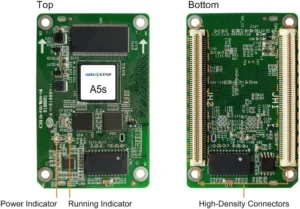
Start with two photos: the front and back of the old card, plus the cabinet’s hub board. For MRV210-1, all four hub connections must be male and sit on the top side. That physical match comes before capacity; a card that cannot mate with the cabinet is not a usable spare.
| MRV210 version | Hub connector arrangement | What it means for an MRV210-1 replacement |
|---|---|---|
| MRV210-1 | Male, top side | Match this exact arrangement before treating it as a like-for-like spare. |
| MRV210-2 | Male, bottom side | The connector gender matches, but the board side can still prevent it from mating. |
| MRV210-3 | Female, top side | The side matches, but the connection itself is different. |
| MRV210-4 | Female, bottom side | Both connector gender and side differ. |
After the physical card matches, check the module data path. The current MRV210 specification assigns 16 parallel RGBR’ groups to 1/32 scan, 20 parallel RGB groups to 1/16 scan and 24 parallel RGB groups to 1/4 scan. The 256 by 256 figure is for the card as a whole; it does not confirm that every module scan or cabinet map will work unchanged.
Before removing a working card, use NovaLCT to save the cabinet configuration. It holds the module scan, wiring and pixel map. Restore that known-good file to one replacement cabinet first, then check for a complete, correctly ordered image before replacing more cards. Stripes, scrambled modules or a partly lit cabinet usually point to the cabinet match or configuration rather than a lack of pixel capacity.
MRV210-1 datasheet, firmware and NovaLCT downloads
Start with the MRV210-1 datasheet to confirm the card-wide load, board size and family data modes. Use NovaLCT to save the cabinet configuration before removing a working card, then restore that file to one replacement cabinet first. Firmware is a separate program for the receiving card; keep the working version unless the exact board and module electronics have been checked against a verified package. A newer file cannot replace the cabinet’s configuration.
NovaStar MRV210-1 FAQ
What does the MRV210-1 receiving card do?
It sits inside a compatible LED cabinet, receives image data from the sender or previous cabinet and supplies the assigned pixel data to that cabinet’s LED modules through its matching hub connections.
Is MRV210-1 the same as MRV210-2?
No. Both use male hub connectors, but MRV210-1 places them on the top side while MRV210-2 places them on the bottom side. Match the installed board and the cabinet mating board before ordering.
Can MRV210-1 replace MRV210-3?
Not as a direct assumption. Both are top-side forms, but MRV210-1 has male connectors and MRV210-3 has female connectors. The different mating arrangement can prevent installation.
Is the MRV210-1 capacity 256 by 256 for each hub connector?
No. The current NovaStar specification gives up to 256 by 256 pixels for the receiving card as a whole. The four hubs share the cabinet’s module data path.
Why does an installed replacement MRV210-1 show a scrambled image?
First confirm the physical suffix, then restore the saved cabinet configuration and check the module scan/data mode. A card can communicate normally while the pixel map still belongs to another cabinet or module layout.
What should I save before changing an MRV210-1?
Use NovaLCT to save the receiving-card configuration, and record the full card label and working firmware version. The configuration preserves the cabinet’s scan, wiring and pixel map; it is not the same thing as firmware.
Should I update MRV210-1 firmware during every replacement?
No. Start with the known-good firmware and configuration when the original cabinet worked. Update only when the firmware package is verified for the exact card and module electronics and there is a defined reason to change it.
Does MRV210-1 support loop backup?
It supports loop backup when the sending device and cabinet chain are already wired with main and backup lines. Replacing one card does not create a redundant signal path.
Can MRV210-1 work with a newer COEX or VMP controller?
Do not assume compatibility from the NovaStar name alone. MRV210-1 is a legacy receiving-card family; confirm the exact controller and receiving-card support path before changing the control system.
Can I request MRV210-1 volume pricing, Net 30 terms or a suffix check?
Yes. Send clear photos of the old card and the cabinet hub board, the required spare quantity and any saved configuration file. We can help check the exact physical form, prepare a project quote and review eligible Net 30 terms before you order.
How is MRV210-1 warranty coverage handled?
MRV210-1 cards supplied through our authorized US NovaStar channel include three years of serial-tracked manufacturer coverage. Keep the card serial record with the saved cabinet configuration so a future service call starts with the right hardware and file history.
Reviews
There are no reviews yet.