
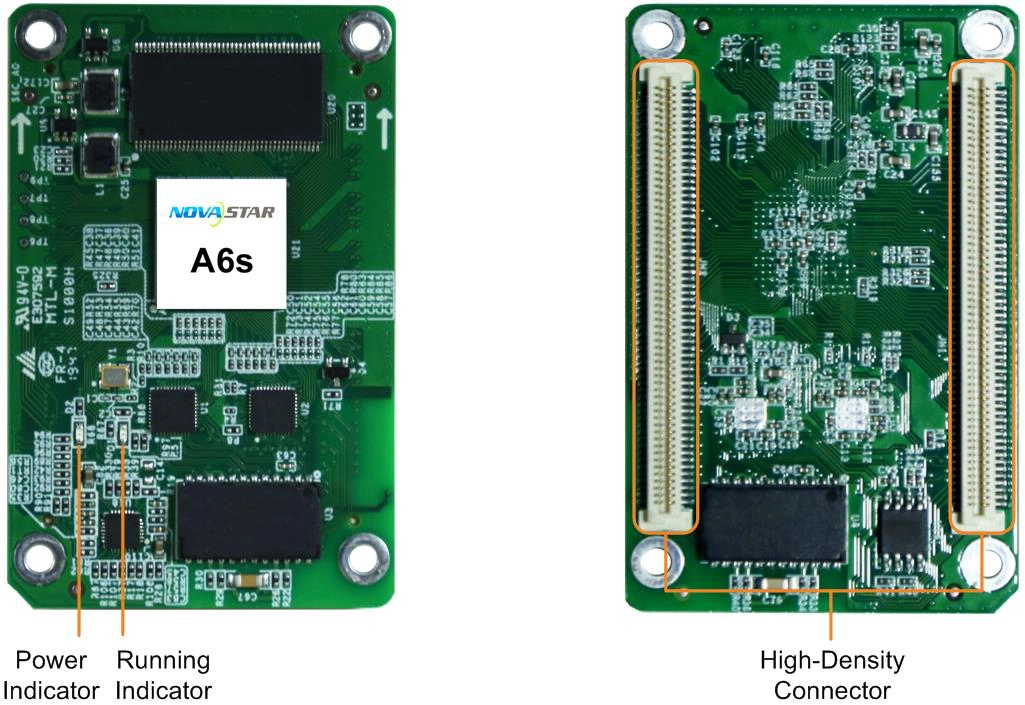
What is the NovaStar A6s receiving card?
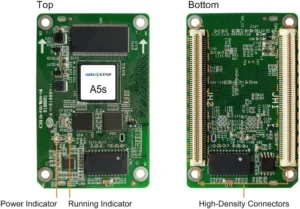
The NovaStar A6s is the receiving card inside a compatible LED cabinet. It receives the image data mapped by the sender and supplies the signals that cabinet’s LED modules use. For a working A6s wall, choose the card that keeps the existing cabinet, hub board and saved configuration working together.
It belongs in a cabinet whose module driver IC, scan, board interface and saved configuration match the A6s. Capacity and data-group limits matter when planning a cabinet; for a repair, the original card label and the known-good cabinet file are the safer evidence.
A6s key features
Smoother fades when the wall is dim
At low brightness, a gradient can break into visible steps and a fade can look rough before the rest of the screen looks wrong. When 18bit+ is enabled in NovaLCT, the A6s increases the available grayscale steps fourfold. It gives a compatible wall more room to hold a smooth dim image; it does not correct modules that are wired or calibrated incorrectly.
Less receiver-end delay for a live image
For a live camera or a performer watching a confidence monitor, delay becomes obvious when the wall trails the action. The A6s can reduce latency at the receiving-card end to one frame, but only with modules whose driver IC has built-in RAM. That condition belongs in the cabinet specification before anyone promises a low-delay result.
A replacement module that can blend into the wall
A newly replaced module can look lighter or carry a different colour cast than the panels around it. A6s supports pixel-level brightness and chroma calibration with compatible NovaStar tools, helping a correctly matched cabinet bring that replacement back into the rest of the wall. The result depends on the available module coefficients and the calibration path, not on the card alone.
Portrait output without changing module wiring
The A6s can rotate the display image in 90-degree steps for a cabinet layout designed for portrait. Rotation changes the map sent to the modules; it does not turn a differently scanned or differently wired cabinet into an A6s match. Confirm the installed configuration before changing the screen orientation.
NovaStar A6s specifications
These values narrow down the physical and electrical fit. Read the cabinet-fit section for the part of the decision that a headline capacity cannot answer.
| Maximum load | Up to 512 × 256 pixels per card |
|---|---|
| Module data | Up to 32 parallel RGB groups or 64 serial groups, expandable to 128 |
| Input voltage | DC 3.3 V to 5.5 V |
| Rated power | 2.5 W |
| Dimensions | 70.0 × 45.0 × 8.0 mm |
| Fitted hub-board spacing | 5.0 mm connector spacing |
| Operating environment | −20°C to +70°C; 10% to 90% RH, non-condensing |
| Certifications | RoHS and EMC Class B |
A6s 18bit+ and low latency: choose the right improvement
These two A6s features are often listed together, but they solve different problems. Choose 18bit+ when the screen spends time at low brightness and slow fades show visible steps. Choose the low-latency path when the concern is the delay between a live source and the cabinet. One improves the look of a dim image; the other reduces delay at the receiving-card end.
There is an important limit on the latency claim: the A6s reaches its documented one-frame receiving-card result only with modules whose driver IC has built-in RAM. It does not describe the delay of the entire camera, processor, controller and LED system. Before a live-event or camera-facing installation is promised as low latency, confirm the module driver IC and test the completed signal path on an actual cabinet.
That distinction helps avoid the wrong purchase. A lobby wall that only fades gently may benefit from smoother low-gray steps, while a stage screen showing a live feed may need the module-and-system check first. Neither feature turns a mismatched cabinet or a bad configuration into a working A6s installation.
A6s cabinet planning: 512 × 256 and 32 RGB groups
A 512 by 256 cabinet can begin as a one-card A6s design, but the resolution is only the first answer. Its modules must also stay within 32 parallel RGB data groups, and the hub board, scan and cabinet configuration must match the card. A cabinet that exceeds either capacity or the data path needs another card, a different data arrangement or a different cabinet design.
| Cabinet check | A6s limit | What changes if it is exceeded |
|---|---|---|
| Pixel map | Up to 512 × 256 per card | The cabinet needs another receiving card or a smaller map. |
| Parallel RGB data | Up to 32 groups | The module data path needs a higher-group card or a different cabinet design. |
| Serial data | 64 groups; expandable to 128 | Confirm how the installed hub board and modules use the serial path before changing cards. |
Do not use the pixel number alone as a replacement test. Two cabinets can both be 512 by 256 while using different scans, driver ICs or hub boards. The original card label and saved configuration tell you more about a safe spare than a matching resolution does.
A6s datasheet, firmware and NovaLCT downloads
Use the A6s datasheet to confirm its capacity and board dimensions. If you are replacing a card in a working cabinet, use NovaLCT before the old card is removed to save the receiving-card program and cabinet parameters. The program operates the card with its matched electronics; the cabinet file records the screen’s scan, wiring and pixel map. You need both.
The specification lists a firmware version, but that is not a reason to update a working wall. Select firmware only after the A6s PCB and module driver electronics have been confirmed, then test the changed card or file on one cabinet first.
NovaStar A6s FAQ
What does the A6s receiving card do?
The A6s sits inside a compatible LED cabinet, receives image data from the controller and sends the assigned pixel data to that cabinet’s modules.
What is the A6s load capacity?
The documented maximum is 512 by 256 pixels per card. The cabinet must also remain within the A6s data-group, scan, hub-board and configuration limits.
Can one A6s run a 512 by 256 cabinet?
It can run one cabinet when that cabinet also fits the 32 parallel RGB data-group limit and has the matching scan, hub board and configuration.
Does every A6s cabinet get one-frame latency?
No. The A6s can reduce receiving-card-end latency to one frame only when the modules use driver ICs with built-in RAM.
What does A6s 18bit+ do?
When enabled in NovaLCT, 18bit+ increases the available grayscale steps fourfold to help a compatible display hold smoother images at low brightness.
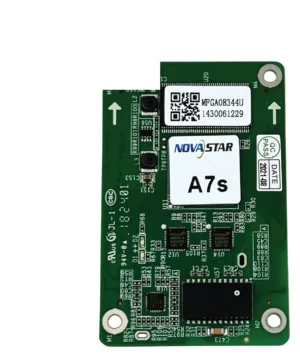
Can A7s Plus replace an A6s?
Not as an automatic swap. Confirm the hub board, module driver IC, scan, module data groups and cabinet configuration before changing receiving-card models.
What should I save before replacing an A6s?
Save the working receiving-card program and cabinet parameters in NovaLCT. They preserve the card settings and cabinet map for a matching replacement.
Does A6s support a portrait LED cabinet?
It supports image rotation in 90-degree steps when the cabinet’s configuration and module layout are prepared for that orientation.
Can I order A6s spares with volume pricing or Net 30?
Yes. Send the cabinet count and spare quantity for volume pricing or eligible Net 30 terms. Include the cabinet model if the order is a replacement.
How is an A6s warranty handled?
Cards from our authorized US NovaStar channel have three years of manufacturer coverage tracked to the card serial number. Keep the purchase record with the cabinet configuration so a later service request can identify the exact part.
Reviews
There are no reviews yet.