
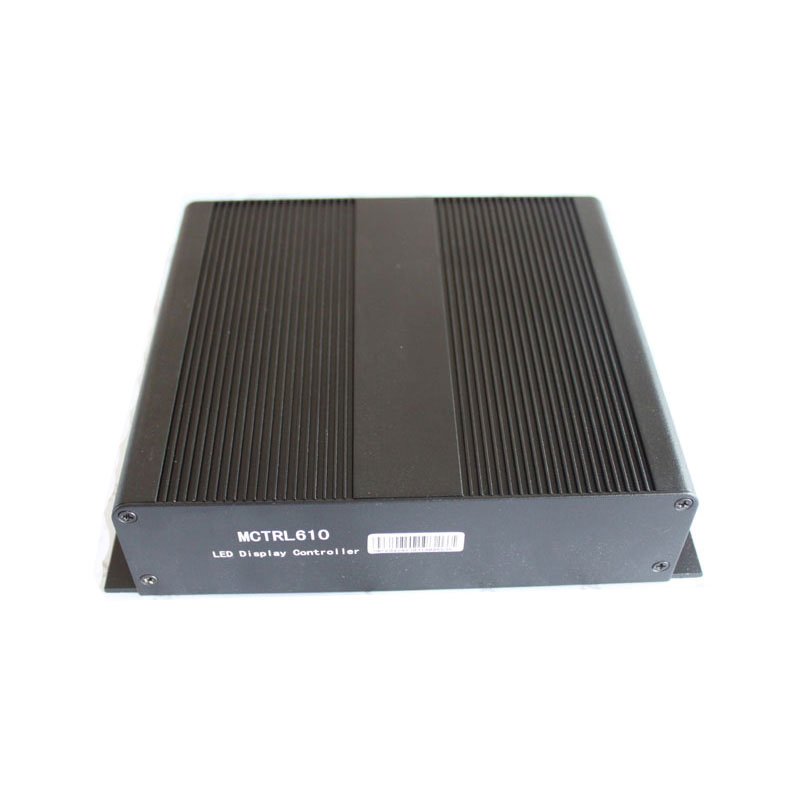
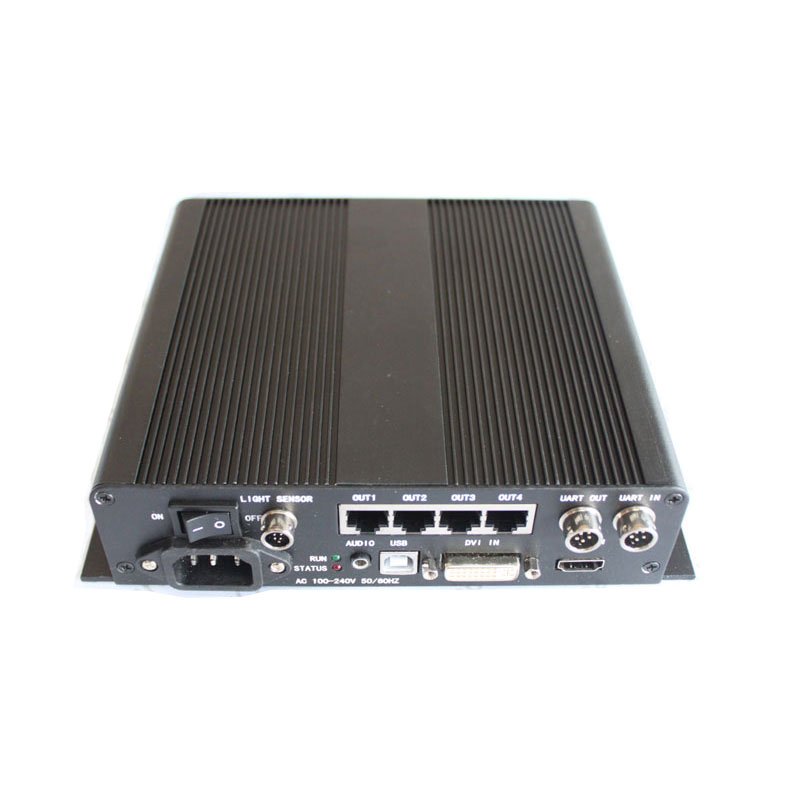
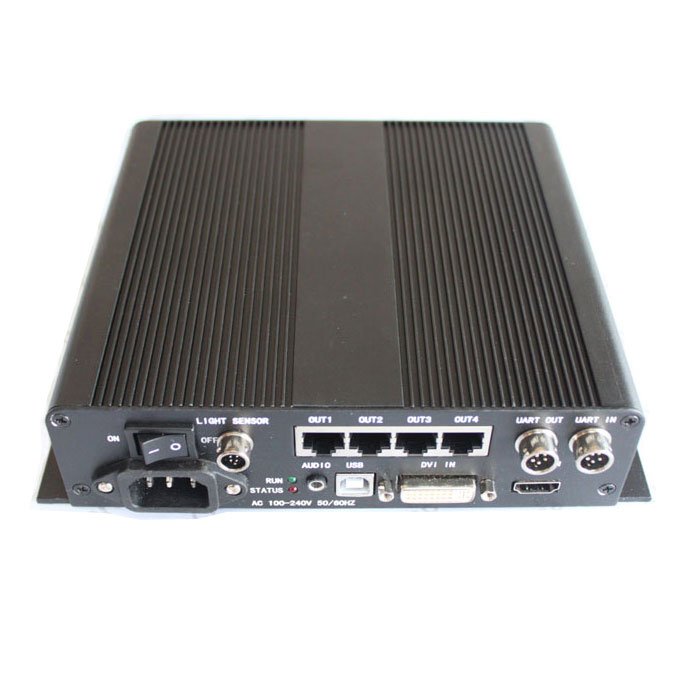
The NovaStar MCTRL610 is a compact legacy sending controller for LED displays. It accepts a prepared HDMI or DVI video source, maps that image to four LED data outputs, and uses USB for configuration and UART for controller cascading. The source must already be at the resolution the wall needs because the archived MCTRL610 specification does not list scaling, seamless switching or video layers.
The MCTRL610 is most useful as a replacement in a system that already depends on this exact model. For a new four-port HDMI/DVI system, the MCTRL600 offers a clearer current documentation and support path.
What is the NovaStar MCTRL610?
The MCTRL610 sits between the video source and the LED receiving cards. A computer, media server or upstream video processor prepares the final canvas, the MCTRL610 sends it through four RJ45 outputs, and the receiving cards distribute that data inside the cabinets.
Its archived 2014 specification lists HDMI/DVI input, external or HDMI audio, 8-bit/10-bit/12-bit sources, a light-sensor connector and device cascading. That feature set suits a straightforward sending workflow, but it does not turn the controller into a scaler or multi-source production switcher.
Is the MCTRL610 discontinued?
The MCTRL610 should be treated as a legacy, out-of-production model. Several current distributors mark it EOL, discontinued, out of production or out of stock, and it no longer appears in the current NovaStar controller listings reviewed for this page. We did not find an official NovaStar bulletin that gives an EOL date or names one official successor.
An available unit may therefore be used equipment or new-old stock, and its value depends on the condition, firmware, accessories and saved screen configuration. Confirm those details before presenting a price, warranty or in-stock offer.
An exact MCTRL610 can still be the safest choice when a working rack, spare pool or cabinet map depends on the same hardware. A new installation should normally start with a current controller instead.
MCTRL610 load capacity and supported resolutions
The archived MCTRL610 specification lists three larger source timings rather than one exact total-pixel limit. It also identifies 1440×900 for 10-bit/12-bit video.
| Listed source timing | Total pixels | Initial check |
|---|---|---|
| 1920×1200 | 2,304,000 | Listed in the archived specification |
| 2048×1152 | 2,359,296 | Listed in the archived specification |
| 2560×960 | 2,457,600 | Highest named pixel total in the archived specification |
| 1440×900 | 1,296,000 | Specifically listed for 10-bit/12-bit input |
This is why “2.3 million pixels” should be read as a rough product class, not the complete capacity rule. The document also does not support a blanket 2.6-million-pixel claim. Before reusing an old canvas, confirm the source timing, bit depth and port map in the actual configuration.
NovaStar MCTRL610 specifications
The values below come from the archived V2.0.1 specification and the photographed MCTRL610 rear panel. Items that remain unclear are labeled instead of being filled with data from a nearby model.
| Specification | MCTRL610 |
|---|---|
| Product type | Legacy LED display sending controller |
| Video input | HDMI and DVI listed |
| Audio input | HDMI audio or external audio listed |
| Source bit depth | 8-bit, 10-bit and 12-bit listed |
| Named source resolutions | 2048×1152, 1920×1200, 2560×960 |
| Confirmed 10-/12-bit resolution | 1440×900 |
| Video formats | RGB plus 4:2:2 and 4:4:4 YCrCb |
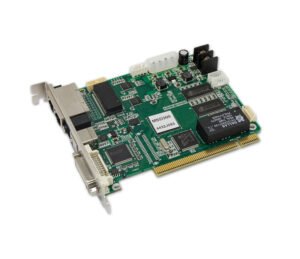
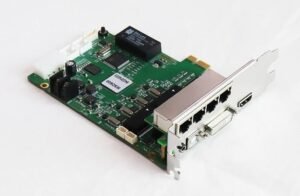
| LED data outputs | 4× RJ45, labeled OUT1–OUT4 on original hardware |
| USB control | 1× Type-B USB |
| Controller cascading | UART IN and UART OUT |
| Brightness sensor | 1× light-sensor connector |
| Grayscale processing | 18-bit grayscale processing and presentation |
| AC input range | 100–240 V listed |
| Operating temperature | –20°C to +60°C |
| Operating humidity | 10%–90% RH |
| Listed weight / net weight | 1.75 kg / 1.05 kg |
| Scaling, switching and layers | Not documented |
| Optical output | Old table says “RJ45/Fiber-optic,” but no onboard optical connector is identified on the pictured unit; verify the exact hardware path |
| Current lifecycle | Legacy/out of production based on current distributor evidence; no official EOL bulletin located |
When the checked PDF is added to the site, link the words MCTRL610 datasheet here rather than sending buyers to a generic download index.
MCTRL610 inputs, outputs and control connections explained
HDMI and DVI bring the prepared video into the controller. Use a source timing that the MCTRL610 already supports; if the production needs scaling, format conversion, seamless switching or layers, handle that work before the signal reaches the controller.
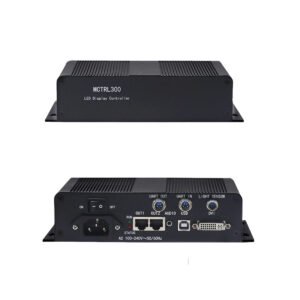
OUT1 through OUT4 carry LED display data to the receiving-card chains. They use RJ45 connectors, but they are not normal office-network ports and should not be routed through an ordinary Ethernet switch.
The Type-B USB port connects the configuration computer. UART IN and UART OUT link the control of multiple units; they do not carry the video image or add more LED output capacity. The light-sensor connector can support automatic brightness when the matching sensor and software configuration are present.
The archived table also uses the phrase “RJ45/Fiber-optic” for signal output. Because the original rear-panel images do not show a labeled optical connector, do not promise onboard fiber from that phrase alone. Photograph the exact unit and identify every external converter or receiver before replacing a fiber-based system.
MCTRL610 setup with NovaLCT-Mars
Start by protecting the working system. Save the receiving-card file, screen-connection map and any known-good configuration before unplugging the old controller. Photograph the rear-panel cable order and record the source resolution and bit depth.
Connect the prepared HDMI or DVI source, then connect the four LED output chains in their documented cabinet order. Use USB to connect the service computer and confirm that the selected NovaLCT version detects the MCTRL610 before changing any settings. The archived M3 NovaLCT-Mars manual names the MCTRL610 and includes model-specific HDMI settings, but that does not guarantee support in every current NovaLCT release.
After the controller is detected, load the correct receiving-card file, rebuild or verify the cabinet map, send the configuration and test the full wall. Check every data chain, source timing, brightness setting and cascaded unit before saving changes to hardware.
Do not update firmware during a routine replacement unless the exact MCTRL610 package and release notes have been verified. A working legacy configuration is more valuable than an untested software update.
MCTRL610 applications in existing LED systems
Exact replacement in an older control rack
Use the same model when the source timing, four output chains, UART control and saved cabinet map are already known to work.
Tested spare for a legacy rental fleet
An MCTRL610 can remain useful as a labeled spare when every unit uses the same firmware, configuration process and cabling.
Existing fixed LED installation
Replacing only the failed controller may cost less and carry less commissioning risk than redesigning a stable wall. Verify source and receiving-card compatibility first.
Migration from a legacy four-port system
When the old source, software or controller stock has become difficult to support, plan a controlled move to the MCTRL600 or another current controller rather than waiting for an emergency swap.
MCTRL610 manual, datasheet and software resources
The available exact-model document is the archived Nova M3 MCTRL610 Controller Specifications V2.0.1. It covers the main functions, interface diagram, connection diagram and specification table. The complete PDF could not be retrieved reliably from the archived source, so no datasheet button is shown. It will be added only after the full file has been downloaded, checked and published.
The MCTRL610 setup manual hosts the genuine archived Nova M3 system manual. It names the MCTRL610 and includes an HDMI-settings section for the model. The download page identifies it as a system manual rather than pretending it is a standalone hardware manual.
NovaLCT is the relevant configuration-software family, but confirm the version with the physical controller before changing a working system. No verified MCTRL610 firmware package is provided here. Confirm the exact model, hardware revision, package and release notes before updating a working unit.
Firmware path: no public MCTRL610 firmware ZIP was verified in the current NovaStar and Google-indexed download results. Use the MCTRL610 setup manual and NovaLCT for configuration changes, and keep the existing firmware unless NovaStar supplies a package for your hardware revision. If the unit cannot be recovered, compare a current MCTRL600 or MCTRL660 replacement before ordering.
Direct PDF links: MCTRL610 User Manual PDF
MCTRL610 replacement: MCTRL600 vs MCTRL660 Pro
There is no evidence that NovaStar named one official successor to the MCTRL610. Choose the replacement from the system requirements.
| System need | Better path | Why |
|---|---|---|
| Exact spare for a known MCTRL610 rack | MCTRL610, if condition and firmware are verified | Lowest change to a proven legacy system |
| New or rebuilt four-port wall with HDMI/DVI input | MCTRL600 | Closest current four-port workflow, with official current documentation and NovaLCT support |
| Existing system needs front-panel operation or a different control workflow | MCTRL660 after feature verification | Similar resolution class, but not a guaranteed drop-in replacement |
| Production needs SDI, Genlock, optical transport, redundancy or other professional control features | MCTRL660 Pro after a full system check | Adds workflow options that may justify moving beyond a simple four-port replacement |
| Source needs scaling, seamless switching or layers | Video processor before the controller, or an all-in-one video controller | These functions are not documented on the MCTRL610 |
The MCTRL600 is the first comparison for most new four-port systems, but it is not automatically a drop-in replacement. Check the source timing, cabinet file, receiving cards, output order, sensor, controller cascade and software before changing hardware.
Is the MCTRL610 right for your LED system?
The MCTRL610 still makes sense when the goal is to preserve a known installation and a verified unit is available. It is strongest as an exact spare, not as the default controller for a new wall.
For a new build, choose a current controller when you need current documentation, easier stock replacement and a software path that can be tested before installation. Move beyond the MCTRL600 only when the system genuinely needs extra inputs, synchronization, optical transport, redundancy or processing.
Before ordering any replacement, confirm the old model label, rear-panel connections, source timing and bit depth, screen resolution, receiving-card model, saved configuration, output order, NovaLCT version, UART cascade and any fiber hardware in the signal path.
MCTRL610 frequently asked questions
Is the NovaStar MCTRL610 discontinued?
Current distributors commonly list it as discontinued, EOL, out of production or out of stock, and it is absent from the current NovaStar controller listings reviewed here. No official NovaStar EOL bulletin was found, so state the practical legacy status without inventing an official date.
What is the maximum resolution of the MCTRL610?
The archived specification lists 2048×1152, 1920×1200 and 2560×960. The highest named pixel total is 2,457,600 at 2560×960. The indexed source does not show a refresh rate beside those timings.
Does the MCTRL610 support 10-bit and 12-bit video?
Yes. The document lists 8-bit, 10-bit and 12-bit sources and specifically lists 1440×900 for 10-bit/12-bit input. Confirm the timing and port map before approving a high-bit-depth canvas.
How many Ethernet outputs does the MCTRL610 have?
Original product images show four RJ45 LED outputs labeled OUT1 through OUT4.
Does the MCTRL610 have fiber outputs?
The old specification table says “RJ45/Fiber-optic,” but the photographed unit does not show an identified onboard optical connector. Verify the exact unit and any external fiber hardware instead of promising fiber from the table wording alone.
Can the MCTRL610 scale or switch video sources?
Scaling, seamless source switching, PIP and layers are not documented. Prepare the final canvas in the source or an upstream processor.
Which software configures the MCTRL610?
The model is documented in the M3 NovaLCT-Mars system. Verify that the selected NovaLCT version detects the physical controller, and save the current configuration before making changes.
Is the MCTRL600 a direct replacement for the MCTRL610?
It is the closest current comparison for a four-port HDMI/DVI system, but it is not automatically a drop-in replacement. Confirm the source, receiving cards, cabinet file, port order, sensor and software first.
Is MCTRL610 firmware available?
No exact firmware package was verified for this draft. Do not install nearby-model firmware or publish a download until the file and release notes are confirmed for MCTRL610.
Confirm the old MCTRL610 system before replacing it
Send clear photos of the model label and rear panel, the source resolution and bit depth, total LED canvas, receiving-card model, saved RCFG/RCFGX file, output-to-cabinet order, current NovaLCT version, firmware if readable, UART-cascaded unit count and every converter or fiber device in the path. LED Control Depot can then check whether an exact MCTRL610 is appropriate or whether the MCTRL600 or a more capable controller is the safer replacement.
Reviews
There are no reviews yet.