
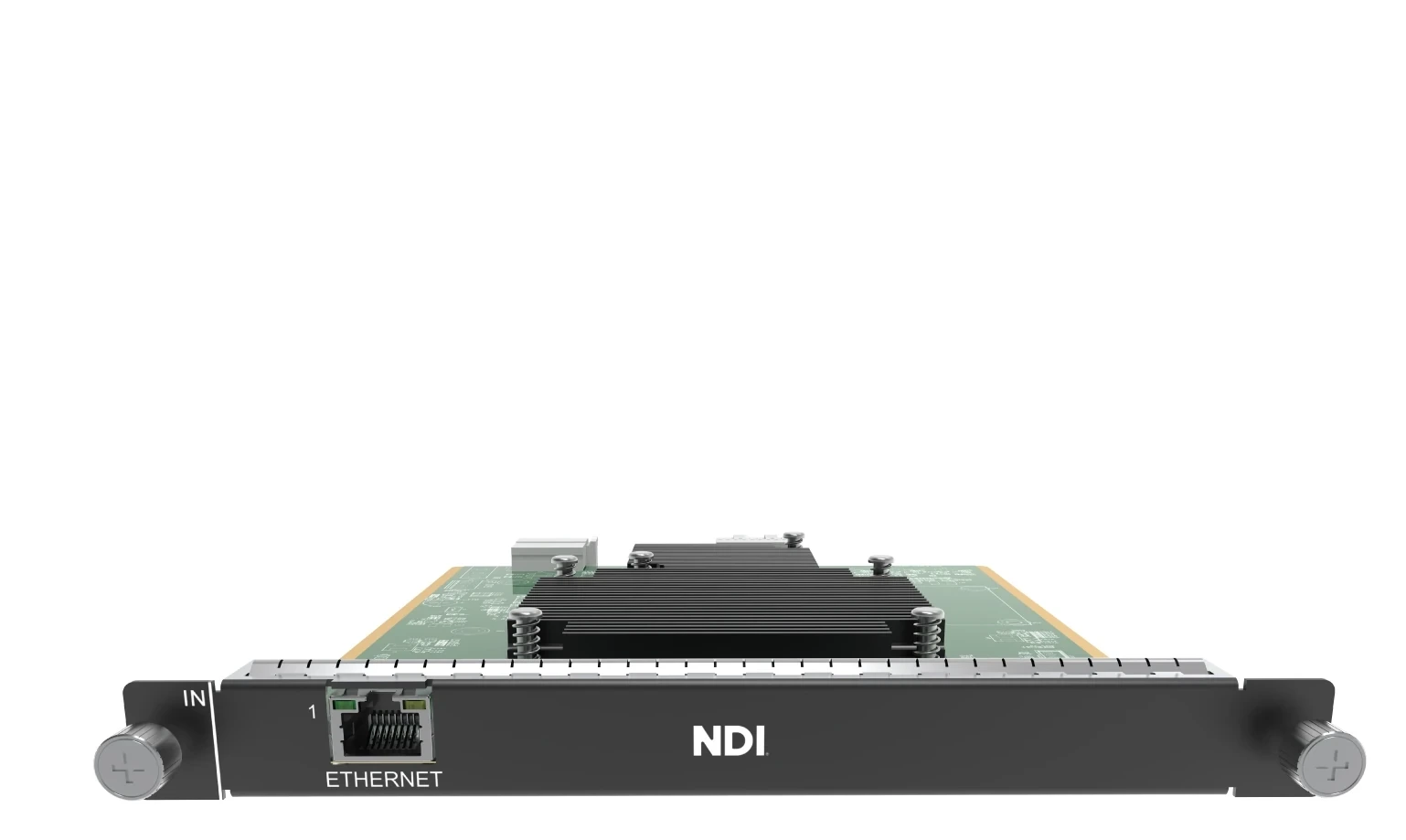
What is NovaStar H_1x NDI input card?
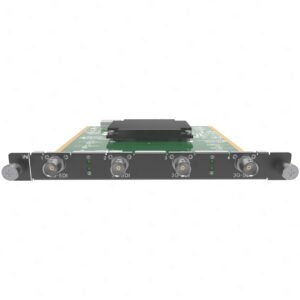
The NovaStar™ H Series 1x NDI Input Card (H_1xNDI) is a source-input card for a compatible H Series video wall splicer. It works by receiving Full NDI video through one Gigabit Ethernet connection, so the chassis can use those sources in the chosen LED layout. Choose it for a production system whose cameras, graphics or playback engine already deliver Full NDI on the local network.
The card brings sources into the chassis; it does not send data to LED cabinets. The chassis builds the layout, and separately selected LED output cards carry the finished picture to cabinet receiving cards.
Before ordering, confirm the source path: the source is Full NDI and reachable on the intended local network; its width is a multiple of 64 pixels and its height a multiple of 2 pixels; an appropriate H Series input-card slot is open; and the source mix fits one published decoding alternative. H Series cannot assign NDI sources an input-backup relationship, so plan any required source-path resilience upstream.
Request H_1x NDI Input Card bulk pricing →
For confirmed multi-card H Series or project quantities. Direct checkout is appropriate when the NDI source type, network path, open slot and capacity choice are already specified.
NovaStar H_1x NDI input card key features: what makes it different?
- Keep a Full NDI source on the production network: one Gigabit Ethernet connection brings the planned NDI source path into the H Series chassis without converting it to HDMI or SDI simply to fill this input position.
- Choose capacity by the real source mix: One card can handle one 4K×2K@60 feed, two 4K×1K@60 feeds or four 2K×1K@60 feeds. Those are alternative plans, so the connector count does not replace source-capacity planning. The source width must be a multiple of 64 pixels and its height a multiple of 2 pixels.
- Add planned sources with a clear network check: after the card joins the source LAN and its decode mode is selected, the H Series can search automatically or accept a manual NDI ID/IP entry.
- Keep networked sources usable in one layout: Once accepted by the card, an NDI source can sit beside the other planned H Series sources on the same LED canvas.
- Know the resilience boundary before a show: NovaStar does not allow a backup relationship for NDI sources. If the source path needs resilience, plan it outside this input card.
NovaStar H_1x NDI input card specifications
These are source-input limits for the card. They do not describe LED output-card capacity, cabinet wiring or the physical LED wall.
How many NDI sources can NovaStar H_1x NDI input card decode?
Use this table as a source-size choice, not a port-count checklist. The three published headline figures describe alternative ways to use one card.
How NovaStar H_1x NDI input card brings Full NDI sources into an H Series LED system
Follow the source in order. The NDI card makes Full NDI available to the chassis; it does not take over LED output or cabinet mapping.
- Connect the card to the NDI source network. The card’s Gigabit Ethernet connector joins the local network that carries the selected Full NDI source.
- Add the source and use it in the H Series layout. Set the decoding choice, then add the source automatically or manually and place it where the LED canvas needs it.
- Send the completed layout to the cabinets. The installed H_16xRJ45+2xFiber Output Card sends cabinet data; NovaStar receiving cards, the cabinet file and physical port map are configured on the cabinet side through NovaLCT.
NovaStar H_1x NDI input card setup and source checks
- Start with the actual source protocol: this card is for Full NDI. If the source is an RTSP, GB28181 or ONVIF camera/encoder stream, the H_2x IP Input Card is the documented H Series alternative.
- Put the card on the source LAN before adding feeds: the H Series manual requires the NDI connector to join the local NDI network and the decoding setting to be selected before source creation.
- Choose network addressing deliberately: DHCP is supported. The manual also documents manual IP address, subnet mask and gateway configuration when the installation requires it.
- Add and name only the planned sources: source creation can use automatic search or manual NDI ID/IP entry and a signal name. Confirm the actual source mix stays within the selected card capacity before the event.
- Do not plan a custom timing control or input backup here: standard/custom source-resolution settings are not supported, and NDI sources cannot have a backup relationship set in H Series.
- Keep cabinet work on the output side: reserve the right H Series input slot, then configure the output card, receiver model, cabinet file and cable map in NovaLCT. The NDI input card does not replace those steps.
NovaStar H_1x NDI input card vs H_2x IP input card
Both cards use Ethernet, but they receive different source workflows. Choose by the protocol already used by the production or camera system, not by which front panel happens to have more network connectors.
NovaStar H_1x NDI input card applications
These are working situations where a known NDI source path and a modular H Series LED layout make the card a practical choice.
A live studio LED backdrop
A program feed, camera or graphics source already travels as NDI on the production LAN. The card makes that selected source available to the H Series layout without changing it into a local HDMI or SDI handoff first.
A corporate or worship program with networked graphics
An operator can place planned NDI graphics and presentation feeds beside the other H Series sources on the LED canvas, while keeping the source network and cabinet wiring as separate responsibilities.
A technical rack serving a nearby production LAN
The input card takes Full NDI through its one Gigabit Ethernet port when the source is reachable on the local network. The capacity plan still determines how many feeds fit on that card.
An H Series system adding one NDI source position
A modular H Series chassis can add this card when the source format changes to NDI. The selected LED output card and receiving-card setup stay in place for the cabinet side.
NovaStar H_1x NDI input card manual, specifications and H Series firmware
NovaStar documents this card in current H Series chassis specifications and in the family manual rather than in a separate public H_1xNDI PDF. The resource labels make that scope clear.
NovaStar H_1x NDI Input Card specifications (PDF, H20 V1.8.0)
Official H20 specification with the H_1xNDI connector, Full NDI, source-size, capacity, network and electrical details.
NovaStar H Series user manual (PDF, V1.15.0)
H Series family manual for NDI card network settings and source creation; not an H_1x NDI Input Card-only manual.
NovaStar H Series firmware (ZIP, V2.2.0.0)
Verified H Series family firmware package, not H_1x NDI Input Card-only firmware.
NovaStar H Series firmware release notes (TXT, V2.2.0.0)
Version changes and update notes for the same verified H Series family firmware package.
NovaStar H_1x NDI input card FAQs
What is NovaStar H_1x NDI Input Card?
It is a modular source-input card for a compatible H Series chassis. It receives Full NDI video through its Gigabit Ethernet connector; the chassis then uses the source in the LED layout.
Does the card support Full NDI?
Yes. NovaStar’s current H Series specification states that the card supports video decoding in Full NDI format. Confirm the actual source protocol and its required settings before ordering.
How many NDI sources can one card decode?
The published alternatives are one 4K×2K@60 source, two 4K×1K@60 sources, or four 2K×1K@60 sources. They are alternative card-capacity plans, not figures to add together.
Does one Ethernet port mean one NDI source?
No. One RJ45 connector is the card’s network connection. The number and size of source feeds are limited by the selected published decoding plan.
Can the H Series system find NDI sources automatically?
The H Series user manual documents automatic source search after the NDI connector joins the local source network and the decoding specification is set. It also documents manual source creation by NDI ID or IP address and source name.
Can I set a custom source resolution on the card?
No. NovaStar states that standard and custom resolution settings for the NDI input source are not supported. Use a Full NDI source whose width is a multiple of 64 pixels and height a multiple of 2 pixels, then match it to the documented decoding capacity.
Does H_1x NDI Input Card provide NDI source backup?
No. The current H Series specification says that a backup relationship cannot be set for NDI or IPC sources. Plan resilience upstream if the source path requires it.
Should I choose H_1x NDI or H_2x IP Input Card?
Choose this card when the source is Full NDI. Choose the H_2x IP Input Card when the actual source uses its documented RTSP, GB28181 or ONVIF camera/encoder workflow.
Does the NDI card configure the LED cabinets?
No. It brings a source into H Series. The selected output card, NovaStar receiving cards, cabinet file and physical port map are set on the cabinet side in NovaLCT.
Reviews
There are no reviews yet.