
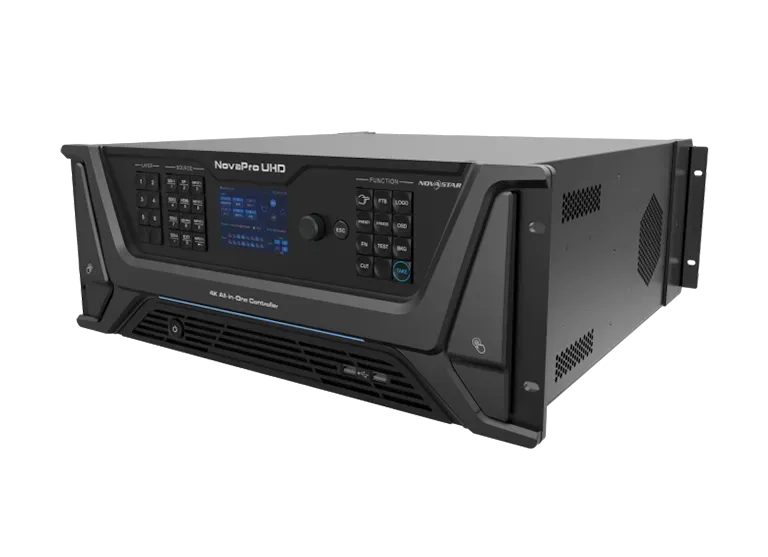
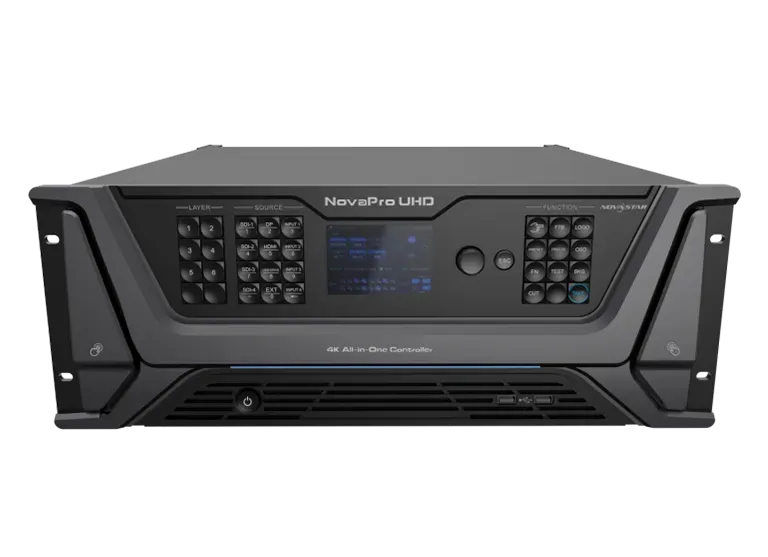
What is the NovaStar NovaPro UHD all-in-one LED controller?
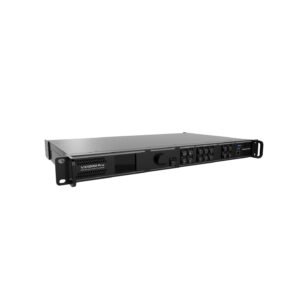
The NovaPro UHD combines video processing, LED sending and screen configuration in one controller. It suits a production rack with professional source inputs, a large sixteen-port LED output plan and an operator position at the rack.
Its central difference is Master VI, the built-in control platform. Connect a monitor, mouse and keyboard, then use it to see the screen layout, place layers and adjust settings without relying on a separate control computer for every change. The receiving-card data and physical cable map still come first; Master VI helps the operator work with a system that has already been mapped correctly.
NovaPro UHD key features
- Master VI at the rack: connect a monitor, mouse and keyboard to work with screens, layers and settings where the operator is standing.
- Four 12G-SDI paths: bring planned camera or switcher feeds into a large LED system without making every source change depend on an external scaler.
- Six layers with Multiviewer and AUX: build a main wall image while keeping a useful preview or auxiliary feed for the production position.
- Sixteen mapped LED outputs: split a large wall into two eight-port banks and test the primary and backup fiber routes before the show.
NovaPro UHD specifications
| LED load and outputs | Up to 10.4 million pixels through 16 Neutrik Gigabit Ethernet outputs. |
|---|---|
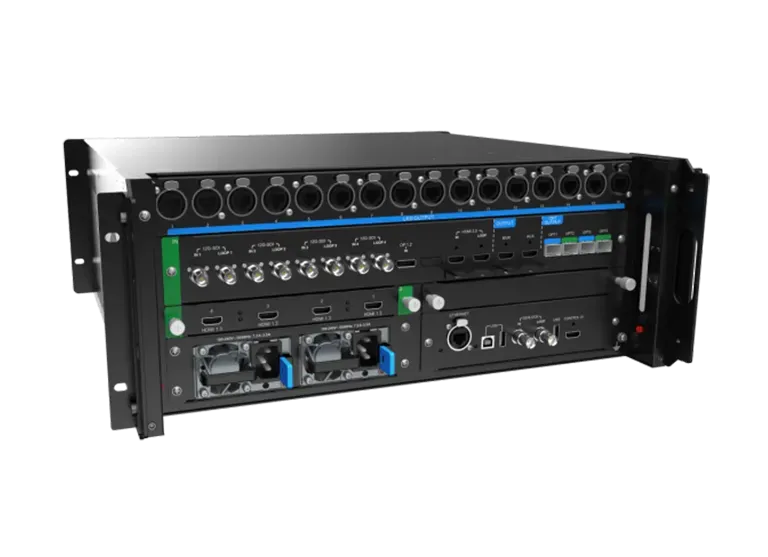
| Production inputs | 4× 12G-SDI IN/LOOP, HDMI 2.0 IN/LOOP, DP 1.2 and four HDMI 1.3 source positions. |
| Live composition | Six layer resources, Multiviewer monitoring and an AUX output. |
| Rack control | Built-in Master VI for screen, layer and settings work. |
NovaPro UHD 12G-SDI, 4K and 8K×1K source planning
The NovaPro UHD provides four 12G-SDI IN/LOOP inputs, one HDMI 2.0 IN/LOOP, one DP 1.2 and four HDMI 1.3 source positions. The HDMI 2.0 and DP 1.2 paths support 4K×2K@60Hz and 8K×1K@60Hz within the documented formats. The HDMI input-card positions can be changed to a supported D-series input card when the existing source rack requires it.
Plan the source and cable path before deciding the LED canvas. For example, a 12G-SDI camera or switcher feed needs the documented cable treatment; it should not be treated like any arbitrary long SDI cable. A wide 8K×1K source still needs an output and cabinet plan that fits the controller.
NovaPro UHD Master VI: configure the wall at the rack
Master VI is built into the controller. With a connected monitor, mouse and keyboard, its Home, Screen, Layer and Settings modules let an operator see configured screens, work with a selected device, build layers and adjust system settings without making a separate configuration computer the centre of every small change.
That does not remove the need for correct cabinet data. Start with the receiving-card file and physical Ethernet map, then use Master VI to build the layer layout and save the operating state. The result is easier handoff for a production rack: the person at the controller can see the screen plan rather than relying only on a front-panel menu.
NovaPro UHD 16-port output and two-bank fiber backup
The controller sends LED data through sixteen Neutrik Ethernet ports. OPT 1 carries the first eight-port bank and OPT 2 carries the second. OPT 3 and OPT 4 provide the corresponding copy or hot-backup paths. The system is easier to operate when the LED wall is designed as two named output banks instead of one vague set of fiber connectors.
Record the port-bank plan in the system file: cabinets on ports 1–8, cabinets on ports 9–16, the primary fiber route for each, and the copy or backup behavior to test. That gives the installer a clear checklist before the wall goes live.
NovaPro UHD live-show control: layers, preview and timing
The NovaPro UHD gives the operator six layer resources: up to two 4K×2K layers and four 2K×1K layers. That can support a main program image with a camera, playback or branding layer, as long as the layer sizes are planned together rather than added one at a time.
The MVR output is the place to monitor input sources, preview or program views. AUX is a separate feed for a device such as a teleprompter. Neither is an LED output, so the person at the rack can check the show without confusing a monitor connection with the data route to the wall.
For a camera-led system with several controllers, Genlock IN/LOOP provides the common timing reference. The specification records latency as low as one frame only when low-latency and synchronization are enabled and the data runs vertically. Test that complete source-to-receiving-card path before installation day; it is a condition to prove, not a blanket promise.
NovaPro UHD applications for 12G-SDI production and large fine-pitch LED walls
12G-SDI production racks
Use four documented 12G-SDI input paths when camera and switcher sources need a direct, planned route into the LED controller.
Master VI-managed screens
Use the built-in platform when the operator needs to see screens, layers and settings at the rack with a monitor, mouse and keyboard.
Large 16-port fine-pitch walls
Divide a large wall into two output banks after total, per-port and cabinet-map checks are complete.
Protected fiber output paths
Plan primary and copy/hot-backup paths for each eight-port bank, then test the completed system before it goes live.
NovaPro UHD setup, manual, datasheet and firmware
NovaPro UHD user manual
Open the NovaPro UHD user manual page or official NovaPro UHD User Manual V1.2.0 PDF for Master VI and maintenance instructions.
NovaPro UHD datasheet
Use the NovaPro UHD datasheet page or official NovaPro UHD Specifications V1.2.0 PDF for the current 10.4M-pixel facts.
NovaPro UHD firmware
Use the verified NovaPro UHD Firmware V1.2.1.0 ZIP with the release notes. Confirm the existing system and preserve its configuration first.
Master VI and NovaLCT
Master VI is built into the controller and documented in the user manual. Use NovaLCT only when the existing cabinet and receiving-card workflow requires it.
NovaPro UHD vs NovaPro UHD Jr: control platform, layers and source paths
| Model | 12G-SDI inputs | Layers | Operating distinction |
|---|---|---|---|
| NovaPro UHD | 4 | 6 | Built-in Master VI platform, MVR and AUX outputs, two eight-port fiber banks. |
| NovaPro UHD Jr | 2 | 3 plus OSD | DVI mosaic source path with V-Can, Web and front-panel workflow. |
Choose the one that matches the real source rack and configuration workflow. For either legacy controller, verify the product status, exact document revision, receiving-card compatibility and firmware path before a new order or replacement plan.
NovaPro UHD FAQs for Master VI, fiber and legacy support
Which NovaPro UHD capacity should be used in a current design?
Use 10.4 million pixels from the later V1.2 specification. Older V1.0 documents list 8.8 million pixels and should not be mixed with the V1.2 page facts.
Does Master VI replace correct cabinet configuration?
No. Master VI helps configure screens, layers and settings, but the receiving-card data and physical port map still have to be correct.
What do the four optical outputs do?
OPT 1 and OPT 2 carry the two eight-port output banks. OPT 3 and OPT 4 provide the corresponding copy or hot-backup paths.
Is the one-frame latency figure universal?
No. It is a documented best condition that requires low latency, synchronization and vertical data direction. Test the actual system chain.
Reviews
There are no reviews yet.