
What is the NovaPro UHD Jr all-in-one LED controller?
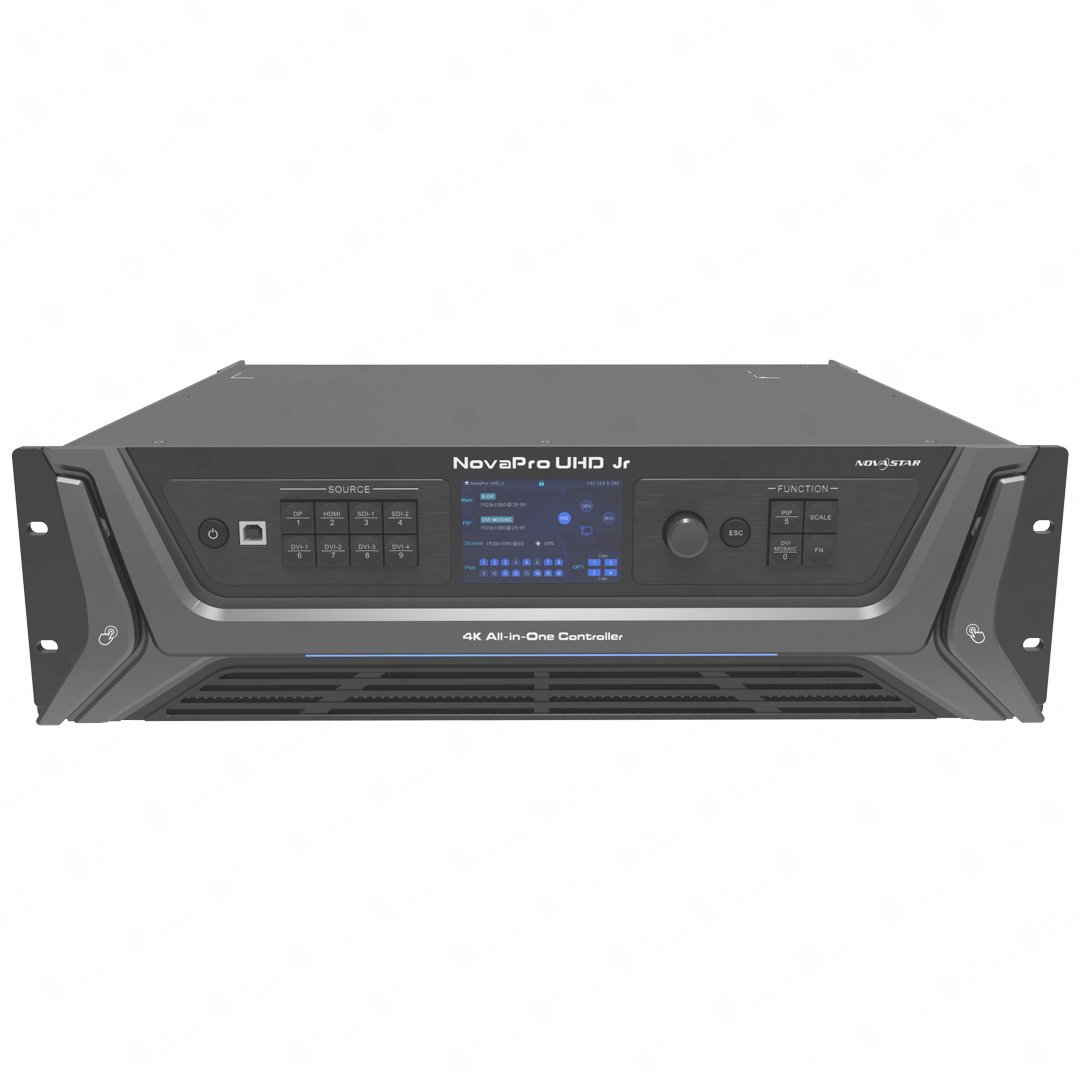
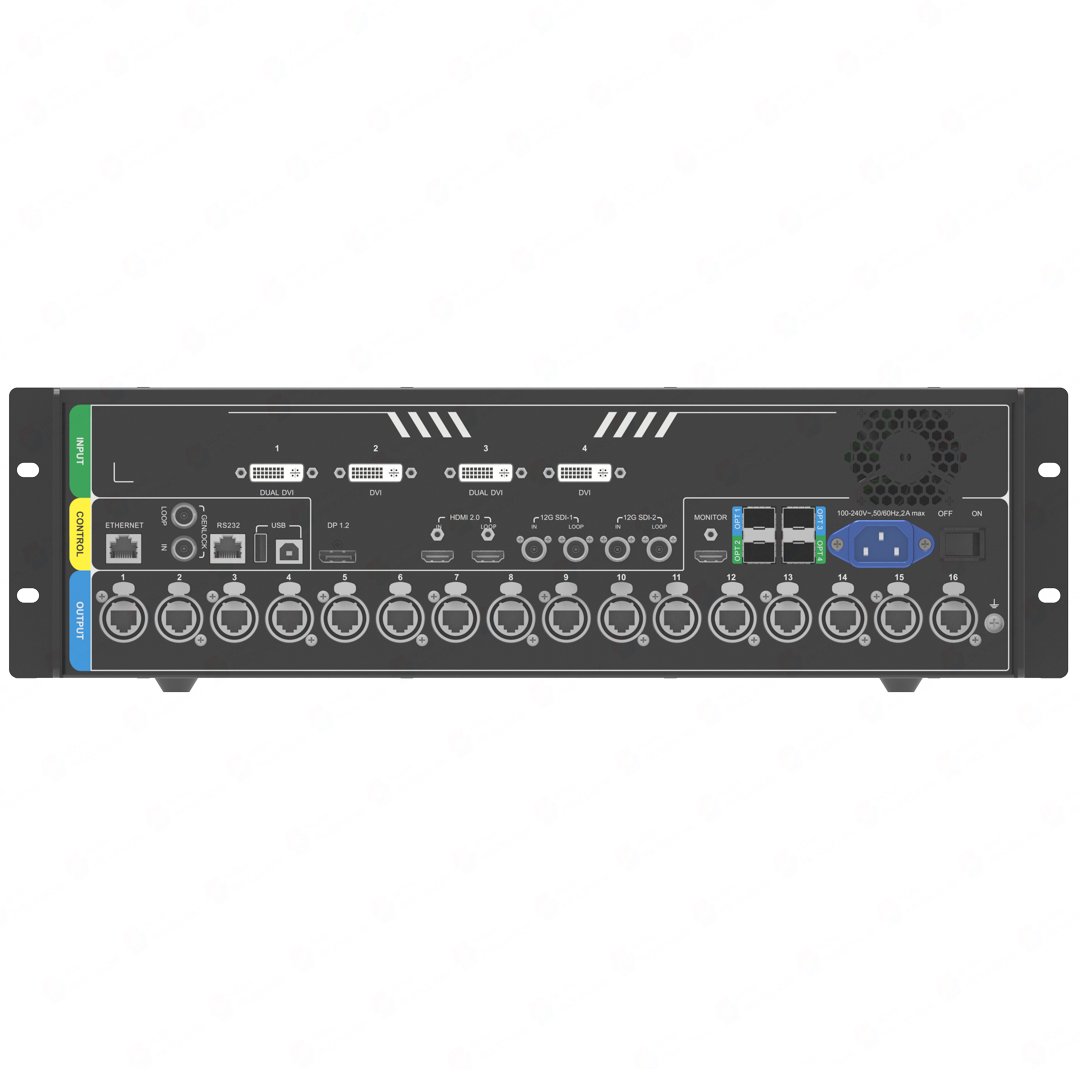
The NovaPro UHD Jr combines video processing, LED sending and screen configuration in one controller. It can take professional camera, computer and DVI media-server sources, make the finished screen picture, and send LED data through sixteen Ethernet outputs and the planned optical-output paths.
Its decision logic begins with source flexibility. A buyer should first confirm the camera, switcher or media-server connections; then confirm the 10.4M-pixel output plan and the way the controller will be configured for the event.
NovaPro UHD Jr key features
- Mixed source rack: combine 12G-SDI, HDMI, DisplayPort and DVI when a stage has both current cameras and older playback gear.
- DVI Mosaic: turn a planned set of DVI outputs from a media server into one wide ribbon image instead of treating each feed as a separate screen.
- Repeatable show looks: three layers, OSD and ten presets help an operator recall a tested presentation or camera layout.
- Large-wall output plan: map sixteen LED ports and test the fiber backup path before a rental system leaves the shop.
NovaPro UHD Jr specifications
| LED load and outputs | Up to 10.4 million pixels through 16 Neutrik Gigabit Ethernet outputs. |
|---|---|
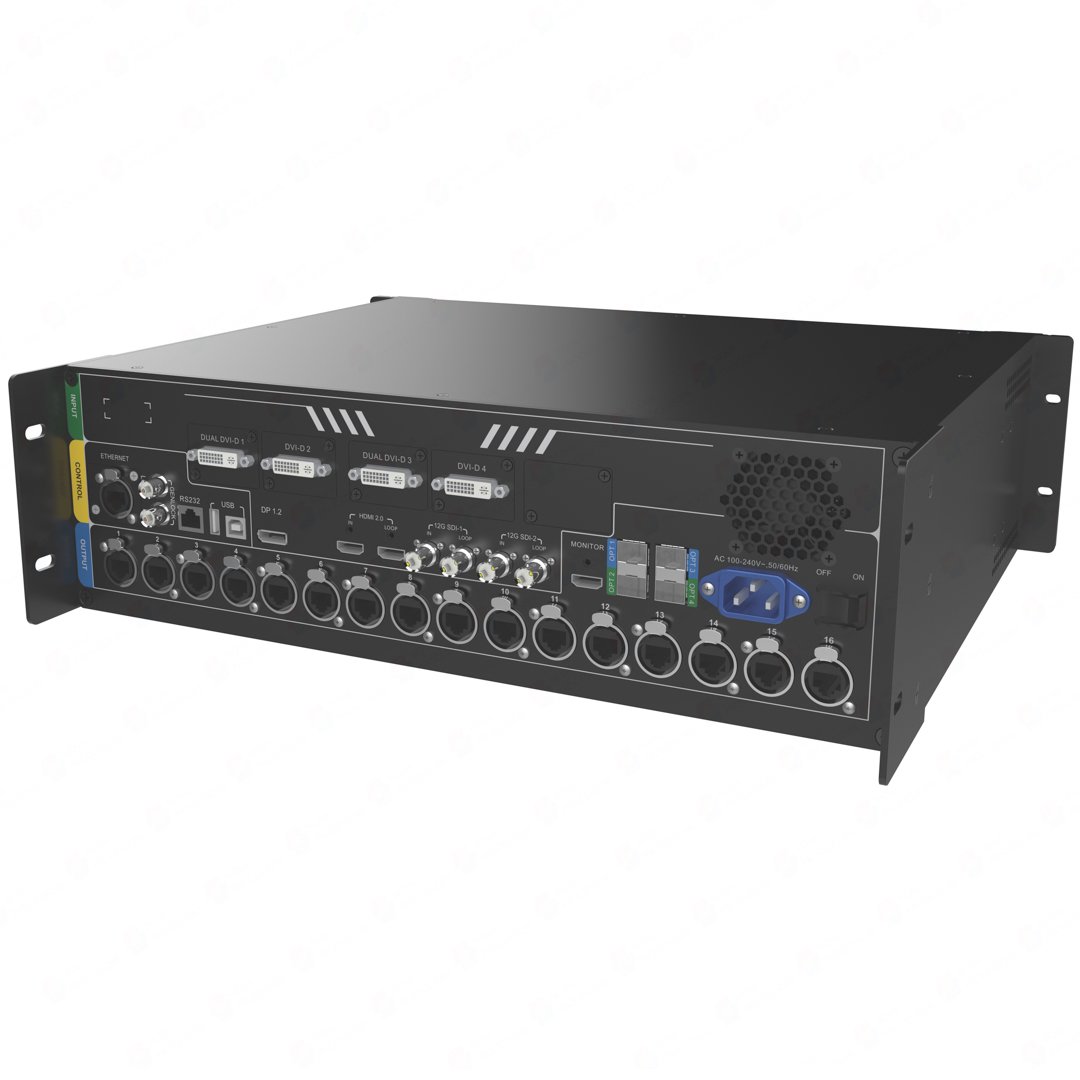
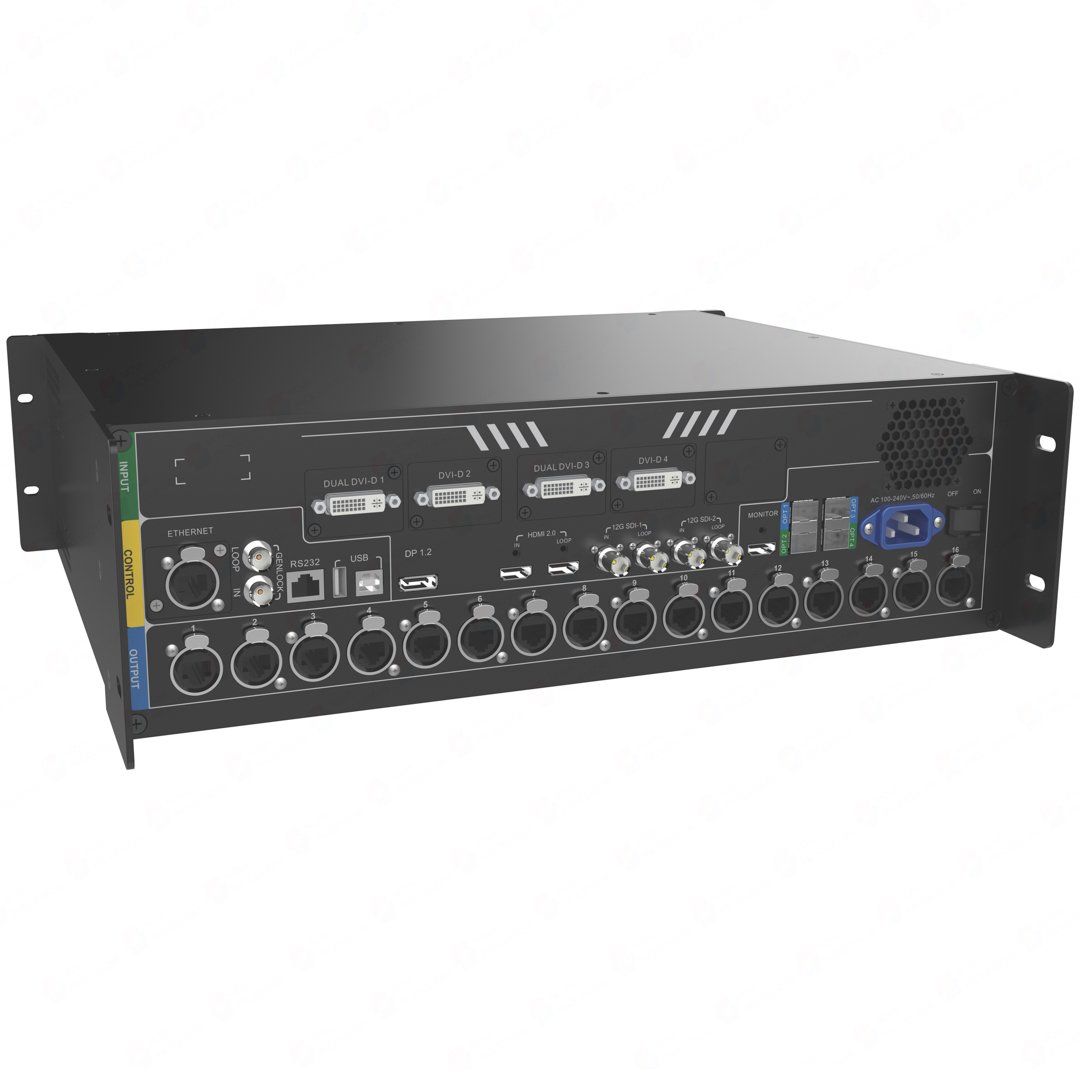
| Source inputs | 2× 12G-SDI, HDMI 2.0, DP 1.2 and 4× DVI. |
| Mosaic source | Up to four single-link DVI or two dual-link DVI inputs can form one planned source. |
| Operation | Three layers plus OSD, ten presets, V-Can and web control. |
NovaPro UHD Jr inputs for 12G-SDI, 4K and legacy DVI sources
The controller provides two 12G-SDI IN/LOOP inputs, one HDMI 2.0 IN/LOOP, one DP 1.2 and four DVI inputs. Its documented image-processing paths support 4K×2K@60Hz and 8K×1K@60Hz within the connector and format limits.
That broad input mix is helpful when a rental rack includes both a current 4K camera or switcher path and an existing DVI media-server path. Decide which source will be the main image before cabling. The four DVI connectors can also be used for a different purpose: one planned DVI mosaic source.
NovaPro UHD Jr DVI mosaic and 8K×1K source planning
DVI mosaic lets one source be built from up to four single-link DVI inputs or two dual-link DVI inputs. This can be useful for a long graphics canvas from a legacy media server. It is not the same as adding several independent picture-in-picture windows on top of the screen.
Plan the mosaic before the event: the media-server outputs, connector order, source resolution and finished LED canvas must agree. If the DVI group is changed after the wall is mapped, the expected long image can become a confusing collection of cropped or misplaced sections.
NovaPro UHD Jr 16-port output, fiber and 10.4M-pixel capacity
The NovaPro UHD Jr loads up to 10.4 million pixels with a maximum width of 16,384 pixels and height of 8,192 pixels. Sixteen Neutrik Ethernet outputs carry the LED data, and four 10G optical outputs support the planned output and backup paths.
Use the total-pixel number as the first check, then map cabinet counts and receiving-card data across the actual Ethernet ports. A large wall should be planned as a physical cabinet map, not only as one large resolution number. The current documentation should be followed for the exact optical-output and backup configuration.
NovaPro UHD Jr layers, HDR and latency limits
The controller supports one main layer, two PIP layers and one OSD. This is enough for a main presentation or camera image with supporting content, but it is not a six-layer processor. HDR output and 8/10/12-bit input are documented capabilities, yet the visible result still depends on a compatible source, receiving-card and LED-screen chain.
Low latency is documented as two frames from sender to receiving card when the system uses supported Armor A8, A8s, A9s or A10s Plus receiving cards. Do not describe this as zero-frame operation. If 3D is enabled with a Side-by-Side or Top-and-Bottom source, the documented output capacity is halved.
NovaPro UHD Jr setup with V-Can, Web control and presets
Use V-Can for smart controller operation, including presets and supported maintenance tasks. The front panel and Web interface can also manage the controller. Use NovaLCT for the LED wall and receiving-card configuration when that workflow is required.
- Confirm the receiving-card and cabinet data.
- Map the physical Ethernet order.
- Set the main source or DVI mosaic source.
- Build the main/PIP/OSD layout and save the preset.
- Test the actual source, backup and output behavior.
- Save the working configuration before firmware work.
Current documentation removed older OPT input and loop descriptions. Keep the setup copy focused on the verified output and backup paths rather than old modes from an earlier manual.
NovaPro UHD Jr applications for rental, stages and large fine-pitch LED walls
These scenarios emphasize the controller’s unusual source mix, large 16-port output capacity and repeatable configuration. Each still needs a final source, cabinet and receiving-card check.
Camera and presentation stages
Use the 12G-SDI, HDMI and DP source mix when a stage system combines camera, switcher and graphics feeds.
DVI media-server ribbons
Plan DVI mosaic before cabling when several DVI outputs must form one long source canvas.
Large 16-port LED walls
Map a large fine-pitch or rental screen across sixteen outputs after checking total and per-port load.
Repeatable rental handoffs
Save a tested preset and cabinet map, then verify the configured source and backup behavior before the system leaves the shop.
NovaPro UHD Jr manual, datasheet, firmware and software
Use the current revision of the documents below for system design. Older manual material can describe OPT functions that are no longer in the current documentation. Keep the working cabinet map and controller configuration before any update.
NovaPro UHD Jr user manual
Open the NovaPro UHD Jr user manual page or use the current official NovaPro UHD Jr User Manual PDF.
NovaPro UHD Jr datasheet
Use the NovaPro UHD Jr datasheet page or official NovaPro UHD Jr Specifications PDF.
NovaPro UHD Jr firmware
Use the verified NovaPro UHD Jr Firmware V1.9.2.0 ZIP with its release notes. Preserve the working setup first.
NovaPro UHD Jr vs NovaPro UHD: inputs, layers and control platform
| Model | Primary source distinction | Layers | Control distinction |
|---|---|---|---|
| NovaPro UHD Jr | 2× 12G-SDI, HDMI 2.0, DP 1.2 and 4× DVI with DVI mosaic | 3 layers plus OSD | V-Can, Web and front-panel workflow |
| NovaPro UHD | 4× 12G-SDI, HDMI 2.0, DP 1.2 and HDMI-card source path | 6 layers | Built-in Master VI platform with monitor, mouse and keyboard control |
Choose by the existing source rack and the way the operator needs to configure the system. For any legacy platform, verify live availability, current documentation and firmware compatibility before committing to a new installation.
NovaPro UHD Jr FAQs for mosaic, latency and backup
Can four DVI inputs be used as four independent PIP layers?
No. DVI mosaic combines selected DVI inputs into one source. The controller has one main layer, two PIP layers and one OSD for the finished layout.
Does low latency mean zero frames?
No. The documented condition is two frames from sender to receiving card with the named compatible Armor receiving cards.
Does 3D change the LED capacity?
Yes. When 3D is enabled with a Side-by-Side or Top-and-Bottom source, the documented output capacity is halved.
Can I use old OPT input setup instructions?
Do not rely on old descriptions. The current manual removes OPT input, loop and related mode-selection descriptions; use the current manual for the verified output and backup plan.
Reviews
There are no reviews yet.