
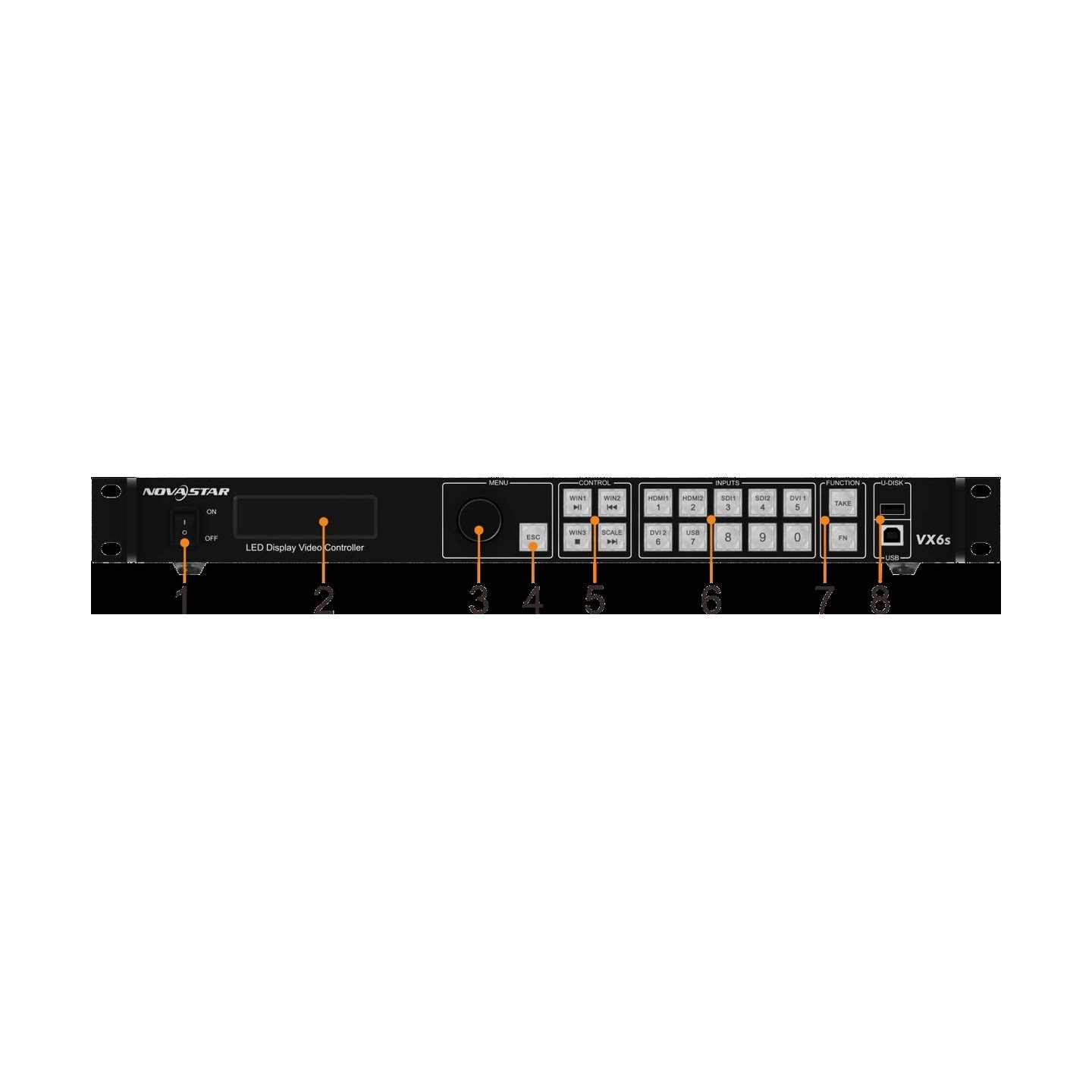

What is the NovaStar VX6s all-in-one LED controller?
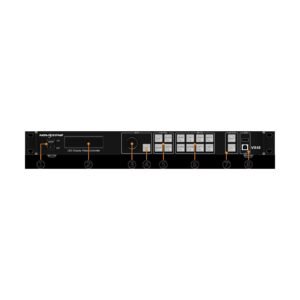
The NovaStar VX6s is a legacy all-in-one controller. It combines source processing, simple live switching and LED sending in one rack unit, then sends the finished image through six Ethernet outputs to the LED cabinets.
Its strength is a compact mobile or installed system with several common sources and a simple show design. It is not the right starting point for a new 4K60, fiber-transport or external-Genlock system, but it remains useful when it matches an existing LED wall and its documented configuration.
VX6s key features
- Two operating styles: use Direct mode for a prepared image or Switcher mode when the operator must preview a change before it reaches the LED wall.
- Sources for a compact live rack: use 3G-SDI, HDMI, DVI or USB media according to the real camera and playback connections.
- Three-window layout: build a modest main picture with supporting content instead of treating it like a large multi-layer compositor.
- Six-port capacity check: confirm both the 3.9M-pixel total and the 4,096-pixel maximum width or height before the screen is designed.
VX6s specifications
| LED load | Up to 3.9 million pixels. |
|---|---|
| LED outputs | 6 Gigabit Ethernet outputs. |
| Video and media inputs | 2× 3G-SDI, 2× HDMI 1.3, DVI, DVI IN+LOOP and USB. |
| Operating limits | Direct or Switcher mode; maximum width or height of 4,096 pixels. |
VX6s Direct mode vs Switcher mode
Choose the system mode before building the show. Direct mode is for sending a prepared image to the LED wall and monitoring what the wall is showing. Switcher mode is for a small live workflow: prepare a source on preview, then use the TAKE button to move it to program with the selected transition.
| Mode | Best fit | What the operator sees |
|---|---|---|
| Direct | A finished presentation, playback or installed-screen image | A straightforward LED output with display-content monitoring. |
| Switcher | A compact live show with prepared source changes | A preview/program workflow where TAKE moves the chosen preview source to program. |
This choice should be made before assigning windows or saving presets, because it changes the way the front-panel controls are used.
VX6s inputs, three windows and USB media
The VX6s accepts two 3G-SDI sources, two HDMI 1.3 sources, DVI, DVI IN+LOOP and USB. That mix suits a compact rack with a camera, laptop and playback source, but each source still needs a tested format and cable path.
Three adjustable windows can be sized, positioned and stacked in order. For example, a main presentation can sit behind a camera window and a small confidence or sponsor window. Keep the layout simple: three windows are flexible, but they are not a substitute for a larger dedicated production switcher or media server.
VX6s LED capacity and output monitoring
The six Ethernet outputs support up to 3.9 million pixels in total. The maximum width or height is 4,096 pixels, so a screen can fit the pixel total and still fail the canvas-dimension check. Plan both before choosing the controller.
The DVI monitor output can show preview or program, and its monitor resolution can be adjusted. That makes it useful for an operator position, but it does not add a seventh LED-data output or expand the LED canvas.
VX6s setup with NovaLCT and receiving-card files
First confirm the finished LED canvas and the way cabinets are linked on each Ethernet output. Use NovaLCT to prepare and save the receiving-card configuration file, then load the correct file and confirm that the data flow follows the physical cabinet route.
Next choose Direct or Switcher mode, connect and test each source, set the windows, and save a preset only after the wall looks correct. If the wall is blank, repeated or out of order, check the receiving-card file and port data flow before changing the source device or firmware.
VX6s applications for mobile LED walls and simple live switching
Mobile presentation walls
Use Direct mode to fit a prepared laptop or playback image to a known LED canvas.
Compact live source changes
Use Switcher mode when an operator needs to prepare a source on preview and take it to program.
Simple three-window shows
Combine a main image with camera or graphic windows when the production does not require a larger layer engine.
Established six-port systems
Support an existing LED rack when its 4,096-pixel canvas limit, cabinet map and exact resources are already known.
VX6s manual, firmware and control software
Use exact VX6s documents and firmware. This legacy model should not receive a package made for VX600, VX4S or a current Pro controller. Save the working screen configuration before changing firmware or software versions.
VX6s user manual
Open the official VX6s user manual for mode selection, configuration and monitor steps.
VX6s datasheet
Open the official VX6s specifications for input, capacity and operating-mode limits.
VX6s firmware
Download the verified VX6s firmware package after confirming the hardware and saving the working configuration.
NovaLCT configuration software
Download NovaLCT for receiving-card files, screen setup and port mapping.
VX6s vs VX4S vs VX600: when should the system change?
Choose VX4S when an existing installation needs its analogue inputs and smaller four-port capacity. Choose VX6s when the same legacy system needs six outputs, up to 3.9 million pixels and a three-window Direct/Switcher workflow.
Move to VX600 when a design needs a wider or taller canvas, 10G optical workflow, external Genlock or the newer VX platform. For new sources that require 4K60 and higher bit depth, choose a current Pro controller rather than adapting the legacy VX6s around an unsupported requirement.
VX6s FAQ: modes, monitor output and firmware
Which mode should I use for a small live show?
Use Switcher mode when the operator needs preview-to-program changes with TAKE. Use Direct mode for a prepared screen image that needs straightforward monitoring.
Can six ports drive any 3.9-million-pixel canvas?
No. The total load and the maximum 4,096-pixel width or height must both fit, and the cabinet route must match the output mapping.
Can I update with any VX-series firmware?
No. Use the verified VX6s package only, and save the working receiving-card and screen configuration first.
Reviews
There are no reviews yet.