
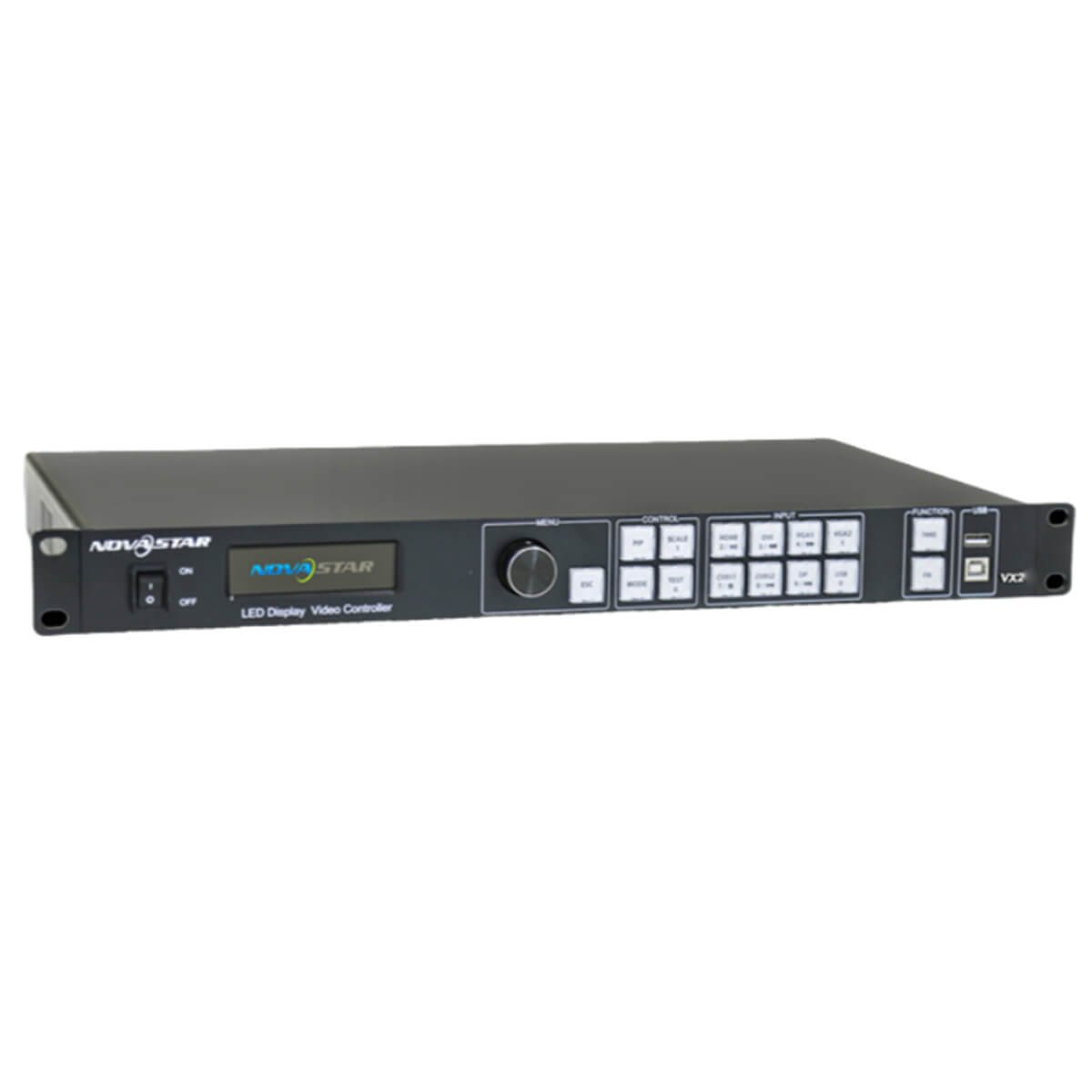
What is the NovaStar VX2 LED video controller?
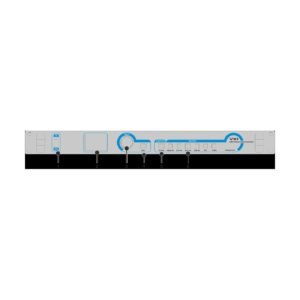
The VX2 is an older all-in-one controller. It takes a supported video source, scales it for the LED wall and sends the finished image through two Ethernet outputs. It is most relevant to an installed wall that already uses this hardware.
Its unusual strength is the legacy source mix. A room with DVI, HDMI, DisplayPort, several VGA feeds or composite video can use one controller for basic image processing and LED sending. A modern 4K or SDI-based design needs a different starting point.
VX2 key features
- Broad legacy input selection: use DVI, HDMI, DisplayPort, VGA or CVBS when an established AV rack cannot be rebuilt around one modern connector.
- Simple presentation layout: scale the main source to the wall and place one smaller picture-in-picture window when a presenter needs a camera or logo beside it.
- Front-panel operation: make basic source and image changes at the controller after the cabinet map is known to be correct.
- Two-port screen plan: keep the LED wall within its total capacity and make sure each port has a clear cabinet route.
VX2 specifications
| LED load | Up to 1.3 million pixels. |
|---|---|
| LED outputs | 2 Gigabit Ethernet outputs. |
| Video inputs | DVI, HDMI 1.3, DP, 3 VGA and 2 CVBS inputs. |
| Image tools | Scaling, one picture-in-picture layout and front-panel configuration. |
VX2, VX2S or VX2U: identify the controller before you configure it
These names are often mixed together in search results, manuals and old product listings. Do not use a file or a port map until the rear panel identifies the actual unit. VX2 has DVI, HDMI, DP, three VGA and two CVBS inputs. A VX2S or VX2U can have a different source set and different documentation.
This is more than a naming detail. A file made for a related model can send an owner toward the wrong input, setup method or firmware path. Treat the model label and rear-panel connections as the first step of support.
| Check | Why it prevents trouble |
|---|---|
| Model label | Separates VX2 from related models that appear in the same search results. |
| Physical input ports | Confirms the source options before a cable or adapter is selected. |
| Existing screen file | Keeps a working cabinet map from being replaced by a related-model setup. |
VX2 inputs and source switching for legacy AV equipment
The VX2 is a practical match for older AV racks because it has DVI, HDMI 1.3, DisplayPort, three VGA and two CVBS inputs. Use the input that matches the real source rather than relying on an unnecessary chain of converters. The documented source class is up to 1920 by 1200 at 60 Hz for the appropriate inputs.
The controller can switch a selected source and use picture-in-picture for a second image. That is useful for a presentation with a small camera or logo window. It should not be described as a current multi-window production switcher.
Can the VX2 run your LED wall? 1.3 million pixels and two outputs
The controller can load up to 1.3 million pixels through two Ethernet outputs. The documented maximum axis values are 3840 pixels wide and 1920 pixels high, but all three checks still matter: total pixels, canvas shape and the cabinet chain on each output.
For a regular wall, begin at Port 1 and follow the physical data direction. If the wall is an irregular shape or uses mixed cabinet sizes, use the correct configuration method rather than trying to force a standard front-panel map.
| Question | VX2 decision |
|---|---|
| Does the canvas fit? | Keep the full LED wall at or below 1.3 million pixels. |
| Can the source fit? | Keep the selected source within the documented legacy input limits. |
| Can the wall be mapped safely? | Confirm Port 1, cabinet order and the known configuration before changing image settings. |
VX2 scaling and PIP for a simple presentation layout
Scaling is the choice between keeping a source at its native size and fitting it to the LED canvas. A smaller source can leave unused space in pixel-to-pixel mode. A larger source can be cropped when scaling is disabled. Set this choice deliberately before the presentation begins.
The adjustable PIP window is useful when one secondary image needs to sit over the main screen. It is a simple layout tool, not a processor for many independent program windows.
VX2 setup: map the existing wall before changing the source
The safer setup order is input settings, screen settings, brightness and output settings. Start by preserving or reading the existing cabinet configuration. Then map the LED wall, confirm the data path and only then adjust the source image. This avoids solving a source problem with a wall reset, or solving a mapping problem with a new video setting.
- Record the model and the working cabinet configuration.
- Confirm the physical Ethernet path begins at the correct output.
- Set the screen map and save it to the receiving cards.
- Select the source and set the image scaling.
- Test the main picture and PIP before saving a usable preset.
VX2 applications for established legacy AV systems
VX2 is useful where an installed LED wall still relies on its original controller and legacy sources. These scenarios describe system support, not a recommendation for new 4K installations.
Older presentation rooms
Use a supported DVI, HDMI, DP or VGA source on a wall that is already mapped and working.
Basic PIP displays
Keep one main presentation source on screen and place one secondary image in a small adjustable window.
Legacy source racks
Keep compatible VGA or CVBS devices in service while a longer-term AV upgrade is planned.
Two-port LED walls
Support a modest existing LED canvas when the total pixels, cabinet order and source format are confirmed.
VX2 manual search and legacy support
No exact VX2 user-manual or firmware URL was verified in the current official download archive. A VX2S or VX2U file is not a VX2 file. Identify the device, preserve the existing configuration and verify the hardware version before any update is considered.
When a replacement is required, choose it from the source format, LED canvas and layer need. Do not use a similar model name as a compatibility test.
Identify VX2
Use the VX2 identification checklist before using a file or port map found for a related model.
Preserve setup
Follow the VX2 setup sequence to record the existing wall and keep a working configuration safe.
Current processors
Browse current video processors if the source plan now needs SDI, 4K, more layers or more outputs.
Compatibility review
Request a compatibility review; include the rear-panel photo, model label, receiving-card model, cabinet file, LED canvas and source list.
When an installed VX2 should move to a current controller
A VX2 can remain sensible when the existing wall is inside its two-port, 1.3-million-pixel design and the sources are compatible legacy formats. Move to a current processor when the system needs SDI, 4K, more output paths, more complex layers or a fully verified current support path.
Compare the actual requirements in the Video Processors category. The replacement should answer the source and wall requirements directly, not simply resemble the VX2 name.
VX2 frequently asked questions
Does VX2 have SDI input?
No SDI input is listed for VX2. Confirm the physical rear panel before planning a camera connection.
Can VX2 play media from USB?
Do not assume that it can. Search results frequently mix VX2 with VX2U, which has different documented features.
Why should I save the screen configuration before changing settings?
The cabinet map is separate from the selected video source. A saved known-good configuration makes recovery much safer if an adjustment goes wrong.
Reviews
There are no reviews yet.