
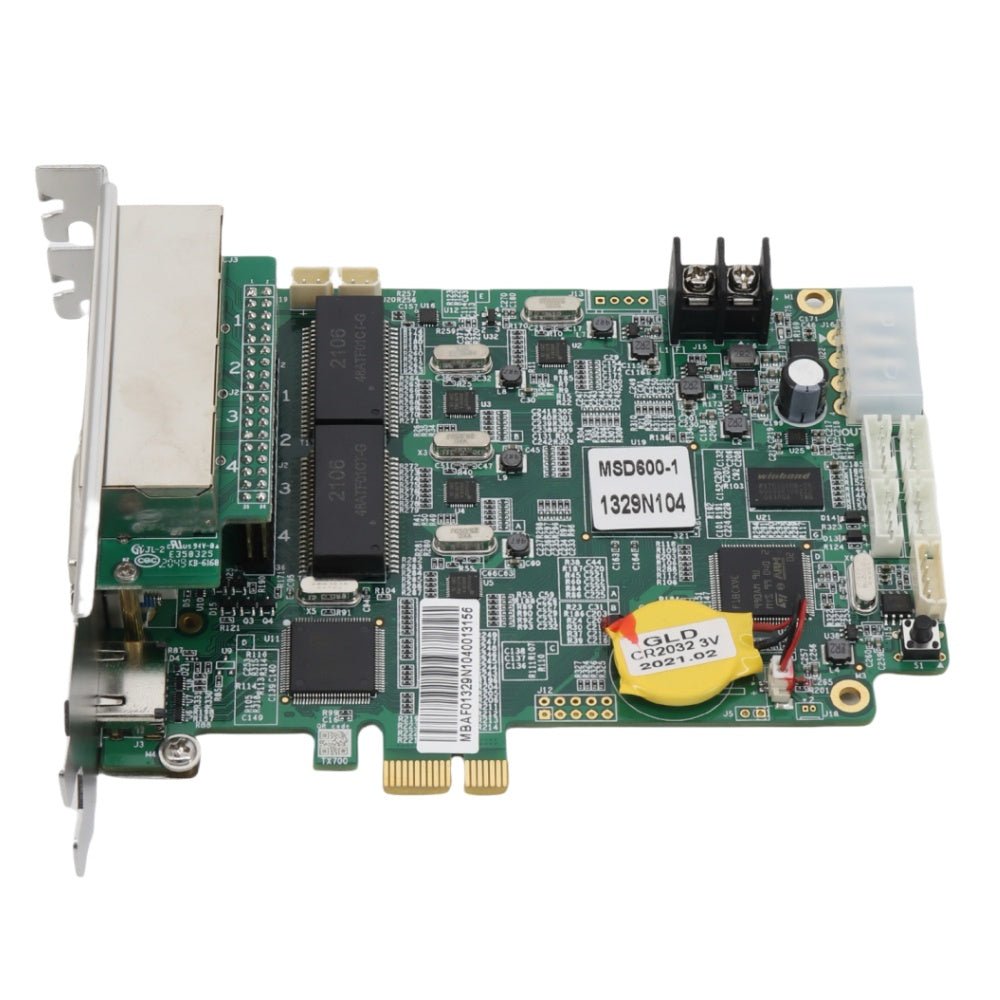
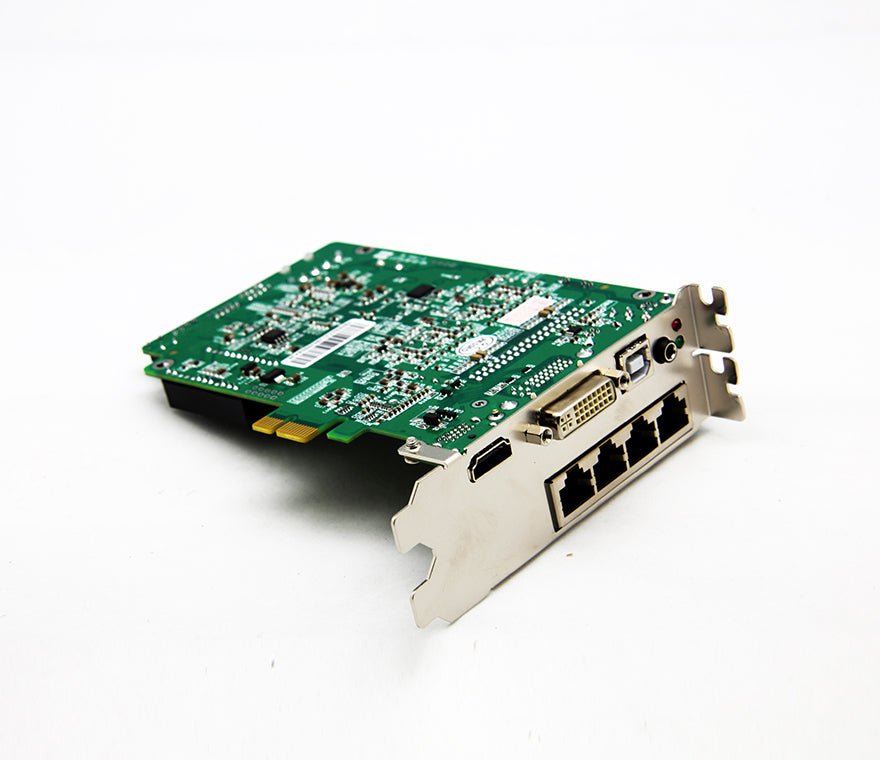
The NovaStar MSD600-1 is an internal sender with single-link DVI and HDMI 1.3 inputs plus four Gigabit Ethernet outputs. It accepts an 8-bit source up to 1920×1200@60Hz and connects to a NovaLCT computer through USB Type-B.
Use the exact model number when replacing an older card. MSD600-1 and MSD600 share many signal limits, but the board dimensions differ and the MSD600-1 specification does not list the separate audio input found on MSD600.
What is the NovaStar MSD600-1 sending card?
MSD600-1 turns a prepared video signal into mapped data for a synchronous LED screen. DVI or HDMI brings the image into the card, and four RJ45 outputs carry assigned parts of that image to receiving-card chains in the cabinets.
The card does not replace a video processor. Its specification does not promise scaling, layers or production switching, so the source must provide the finished canvas. If the source cannot do that job, place a suitable video processor before the sender.
MSD600-1 also stays on the control side of the system. It is not the receiving card mounted inside each LED cabinet.
Can the MSD600-1 replace an MSD600?
It may fit some existing MSD600 workflows, but the model suffix should not be treated as proof of a drop-in replacement.
Both cards document DVI, HDMI 1.3, four Ethernet outputs, USB Type-B control, the same input-resolution limits and the same DC power range. The differences that affect a replacement are easy to miss:
| Check | MSD600-1 | MSD600 | Why it matters |
|---|---|---|---|
| Separate audio connector | Not listed | Listed | An existing external-audio cable may have nowhere to connect on the -1 card. |
| Board size | 151.0×121.0×42.0mm | 137.9×99.7×39.0mm | Bracket, enclosure and nearby-card clearance can change. |
| Card weight | 157.6g | 125.3g | Confirms these are physically different assemblies. |
| Certification field | None in V1.0.1 | EMC, RoHS, PFoS and FCC in V2.4.1 | Confirm compliance for the destination market instead of assuming the suffix adds certification. |
| Published document date | 2021-10-15 | 2024-12-06 | Use the exact model's document; newer PDF date does not mean interchangeable hardware. |
Before removing the existing sender, record the full SKU and hardware revision, save the NovaLCT screen configuration, photograph the source and Ethernet wiring, and confirm how the host supplies power. Then compare the physical connector positions and available clearance. If any of those items are unknown, the safer choice is to verify the chassis with its manufacturer or use an external controller.
MSD600-1 host, card-clearance and DC power checks
Retailers often describe MSD600-1 as a PCI or PCIe sending card because it installs inside a computer-like host. NovaStar's V1.0.1 specification, however, does not say that every standard motherboard slot supplies the required power or carries the card's video and control traffic.
The published electrical table allows a supply from 3.3 to 5.5 volts DC. Nominal draw is 1.32 amps, or 6.6 watts. Confirm the host's connector, pinout and supply before the card is installed. Also allow room for the 151.0×121.0×42.0mm board and for cables at the DVI, HDMI, USB and Ethernet connectors.
The host should keep the card protected and ventilated. Power down the complete system before inserting the board or changing its power connection. If the project has no confirmed internal-card chassis, an AC-powered rack controller is usually easier to document and service.
How video and control data move through the MSD600-1
Four connections perform four different jobs:
- A GPU, media server or upstream processor renders the LED canvas.
- A DVI or HDMI cable sends that canvas into MSD600-1.
- USB Type-B links the card to the computer used for NovaLCT configuration.
- The four Ethernet outputs deliver mapped screen data to the receiving cards.
UART IN and OUT can place as many as 20 sending devices on one control cascade. UART is not another video input and does not pool the screen capacity of several cards.
Both video inputs require progressive signals. HDMI is HDCP 1.4 compliant. The exact model specification does not list a separate audio connector, so do not design the replacement around the MSD600 audio jack.
Can the MSD600-1 drive your LED wall?
Use the source canvas and the busiest Ethernet chain as two separate tests.
The highest documented 8-bit input is 1920×1200@60Hz. That equals 2,304,000 active pixels. NovaStar also gives 3840×600 and 548×3840 as custom timing examples, but the source must generate the timing and every output map must still fit.
Each RJ45 output is rated for as many as 650,000 pixels. Adding four port ratings produces 2.6 million, but NovaStar does not document a 2.6M input canvas. Use 2,304,000 pixels as the card's 8-bit input ceiling rather than presenting 2.6 million as its total loading capacity.
| Screen example | Pixel count | Initial decision |
|---|---|---|
| 1920×1080 | 2,073,600 | Fits below the 8-bit input ceiling; check all four port maps. |
| 1920×1200 | 2,304,000 | Reaches the documented 8-bit maximum. |
| 3840×600 | 2,304,000 | Matches NovaStar's wide custom example; validate the GPU timing. |
| 548×3840 | 2,104,320 | Matches the tall example; cabinet order and EDID need careful testing. |
| 2560×1080 | 2,764,800 | Exceeds the documented one-card input size. Plan another sender architecture. |
If Ethernet redundancy is enabled, include the reserved backup relationship in the map. A backup output is not spare active capacity.
MSD600-1 8-bit, 10-bit and 12-bit limits
At 8-bit RGB 4:4:4, DVI and HDMI can accept up to 1920×1200@60Hz. At 10-bit or 12-bit RGB 4:4:4, the maximum becomes 1440×900@60Hz.
That tradeoff should be decided before the screen is mapped. A project cannot use the full 1920×1200 canvas and then change the source to 12-bit without moving outside the published limit. Confirm resolution, refresh rate and bit depth as one source format.
Older reseller pages sometimes list extra sampling formats. V1.0.1 names RGB 4:4:4, so any additional format should be confirmed with NovaStar before it enters a project specification.
MSD600-1 setup and configuration transfer in NovaLCT
When MSD600-1 is replacing a working sender, begin with the old system rather than the new card. If the current hardware can still be read, save the receiving-card file, screen connection map and brightness settings before shutdown. Keep photos of the Ethernet order and note which source timing is in use.
After the host, power and mechanical fit are confirmed:
- Install the card with the complete system powered off.
- Connect the prepared source to DVI or HDMI.
- Run USB Type-B from the card to the Windows computer used for NovaLCT.
- Connect one known cabinet chain and confirm the correct receiving-card file.
- Rebuild or import the screen map, then verify cabinet order and the pixel load on that port.
- Add the remaining Ethernet chains one at a time.
- Configure redundancy, the light sensor or calibration only when the project uses those functions.
- Save settings to the hardware, restart it and test normal source, startup image and backup behavior.
Do not flash firmware only because a reseller lists a newer number. Confirm that the package explicitly names MSD600-1, back up the working configuration and keep power stable throughout the update.
NovaStar MSD600-1 specifications
The table below follows MSD600-1 Sending Card Specifications V1.0.1, released October 15, 2021.
| Specification | Verified MSD600-1 value |
|---|---|
| Device type | Internal synchronous LED sending card |
| Video connectors | One single-link DVI input; one HDMI 1.3 input |
| Separate audio connector | Not documented |
| Maximum input at 8-bit | 1920×1200@60Hz |
| Maximum input at 10/12-bit | 1440×900@60Hz |
| Pixel sampling | RGB 4:4:4 |
| Custom examples | 3840×600@60Hz; 548×3840@60Hz |
| Interlaced video | Not accepted |
| HDMI protection | HDCP 1.4 |
| Screen-data outputs | Four Gigabit Ethernet RJ45 ports |
| Maximum per port | 650,000 pixels |
| Port redundancy | Supported |
| Configuration connection | USB 2.0 Type-B |
| Device-control cascade | UART IN/OUT; up to 20 devices |
| Ambient-light input | One light-sensor connector |
| Supply requirement | DC 3.3–5.5V |
| Rated current | 1.32A |
| Rated consumption | 6.6W |
| Board dimensions | 151.0×121.0×42.0mm |
| Net weight | 157.6g |
| Operating range | −20°C to +75°C; 10–90% RH, non-condensing |
| Package accessories | USB cable and DVI cable |
| Certifications in V1.0.1 | None stated |
Open the exact MSD600-1 datasheet PDF before approving host power, connector pins or destination-market compliance.
MSD600-1 manual, datasheet, software and firmware
The verified product-specific resource is MSD600-1 Sending Card Specifications V1.0.1. It covers the connectors, status lights, pin definitions, power, dimensions and source limits.
For setup, open the MSD600-1 configuration manual. It contains NovaStar's own NovaLCT instructions for detecting the sender, loading receiving-card files and mapping cabinets. This is a control-system guide, not a hardware book written only for the MSD600-1. NovaStar's current archive has no separate model-only manual. Combined dealer guides are not used because several mix the MSD600 and MSD600-1 audio connectors, dimensions and power statements.
Use the NovaLCT software and documentation for receiving-card files, screen mapping and saving the configuration. Firmware should come from a package that explicitly identifies MSD600-1; do not infer compatibility from MCTRL600 or MSD600 alone.
The datasheet landing page already has a useful exact-model H1 and title. Add the V1.0.1 revision and 2021-10-15 release date so buyers can confirm the file without opening the PDF.
Firmware download: MCTRL600 / MSD600 family firmware package. This is a family firmware package, not a model-only file. Confirm the hardware revision, save the working configuration and read the release notes before updating.
Direct PDF links: MSD600-1 User Manual PDF · MSD600-1 Datasheet PDF
MSD600-1 applications and when an external controller is easier
Exact-card service replacement
MSD600-1 makes sense when an installed system already uses this SKU and the host, power, wiring and NovaLCT configuration are known. Matching the complete part number reduces avoidable changes during service.
Engineered control computers
An OEM or integrator can build the sender into a protected computer-style chassis when the internal mounting and low-voltage supply are documented. This keeps the playback and LED control hardware together.
Fixed screens using brightness sensing or backup ports
The light-sensor connector and Ethernet redundancy support fixed installations that need automatic brightness adjustment or a planned backup route. Both functions must be configured and tested.
Rental systems built around protected internal cards
NovaStar includes rental and live-event use in the specification. The bare card still needs a secure, ventilated enclosure and serviceable cable access.
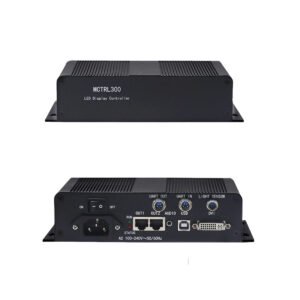
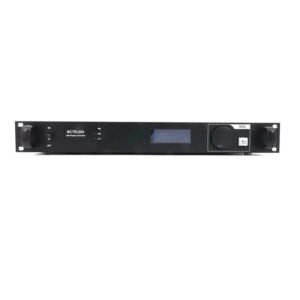
Choose an external controller when the team needs a standard rack unit, AC power, quick field replacement or less dependence on one custom computer chassis. In those cases, the MCTRL600 keeps a similar DVI/HDMI and four-output class in a separate enclosure.
MSD600-1 vs MSD600 vs MCTRL600
| Model | Hardware format | Important distinction | Installation choice |
|---|---|---|---|
| MSD600-1 | Internal card, 151.0×121.0×42.0mm | DVI + HDMI; no separate audio input listed; V1.0.1 states no certifications | Use when the host is confirmed for this exact card. |
| MSD600 | Smaller internal card, 137.9×99.7×39.0mm | DVI + HDMI + separate audio; later V2.4.1 lists EMC, RoHS, PFoS and FCC | Maintain existing MSD600 systems when its physical/audio details are required. |
| MCTRL600 | External 1U controller | Similar source and output class in an AC-powered enclosure | Choose when rack mounting and independent replacement are more important than an internal card. |
None of these models is documented as a full video processor. Add an upstream scaler or switcher when the source cannot supply the finished LED canvas.
MSD600-1 FAQs
Is MSD600-1 the same card as MSD600?
No. Their main video and Ethernet limits are similar, but the board sizes differ and MSD600-1 does not list MSD600's separate audio input. Verify the exact host and wiring before replacement.
Does MSD600-1 control 2.6 million pixels?
NovaStar documents 1920×1200@60Hz as its largest 8-bit input, equal to 2,304,000 pixels. Each of the four Ethernet ports has a separate 650,000-pixel ceiling; adding those ceilings is not the same as a documented 2.6M canvas.
Can any PCI slot power MSD600-1?
The official specification gives a DC 3.3–5.5V input range but does not state that every standard PCI or PCIe slot provides the correct electrical connection. Confirm the host and pinout before installation.
Does MSD600-1 have audio input?
Its V1.0.1 connector list includes DVI and HDMI, not a separate AUDIO input. MSD600's current specification does list a separate audio connector.
Can MSD600-1 use my existing receiving cards?
Possibly, but “all NovaStar receiving cards” is too broad. Confirm the receiving-card model, firmware, NovaLCT support and saved cabinet configuration.
Does UART cascading add more pixels?
UART provides control communication across as many as 20 devices. It is not documented as a way to merge their input canvases.
Where can I download the MSD600-1 manual?
Use the MSD600-1 datasheet as the model-specific hardware source. For commissioning steps, open the MSD600-1 configuration manual, which leads to NovaStar's NovaLCT synchronous-control document. NovaStar supplies these instructions at the system level rather than in a separate MSD600-1 hardware manual.
Replacing an existing sender? Send the exact old SKU, host or chassis model, source format, receiving-card model, cabinet map and photos of the card connections. We can check whether MSD600-1 fits the existing system or whether an external controller will be easier to support.
Reviews
There are no reviews yet.