
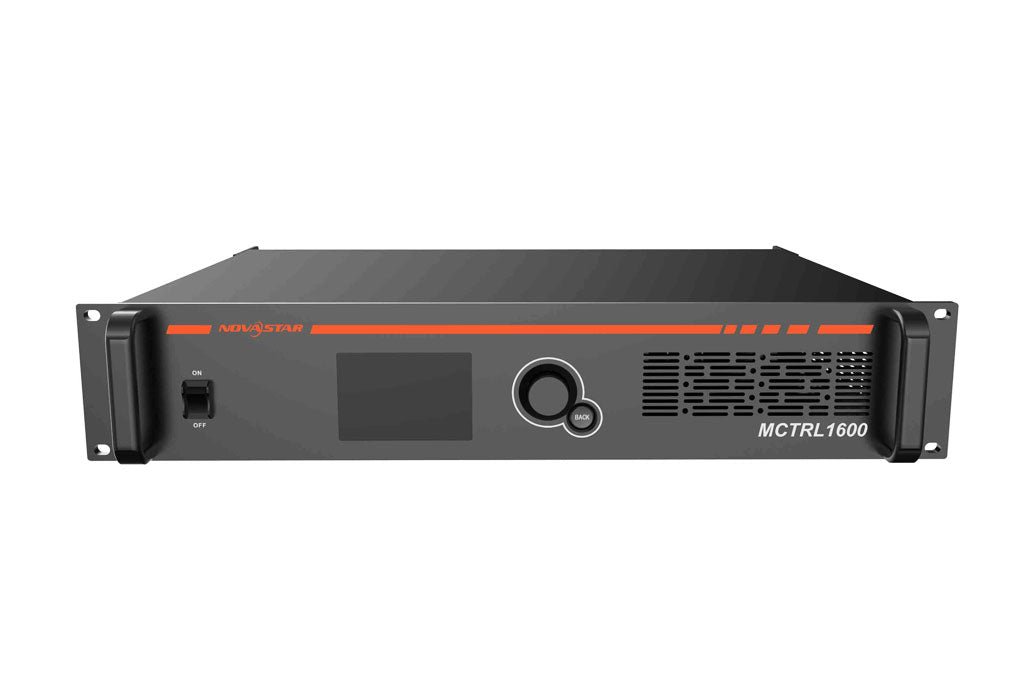
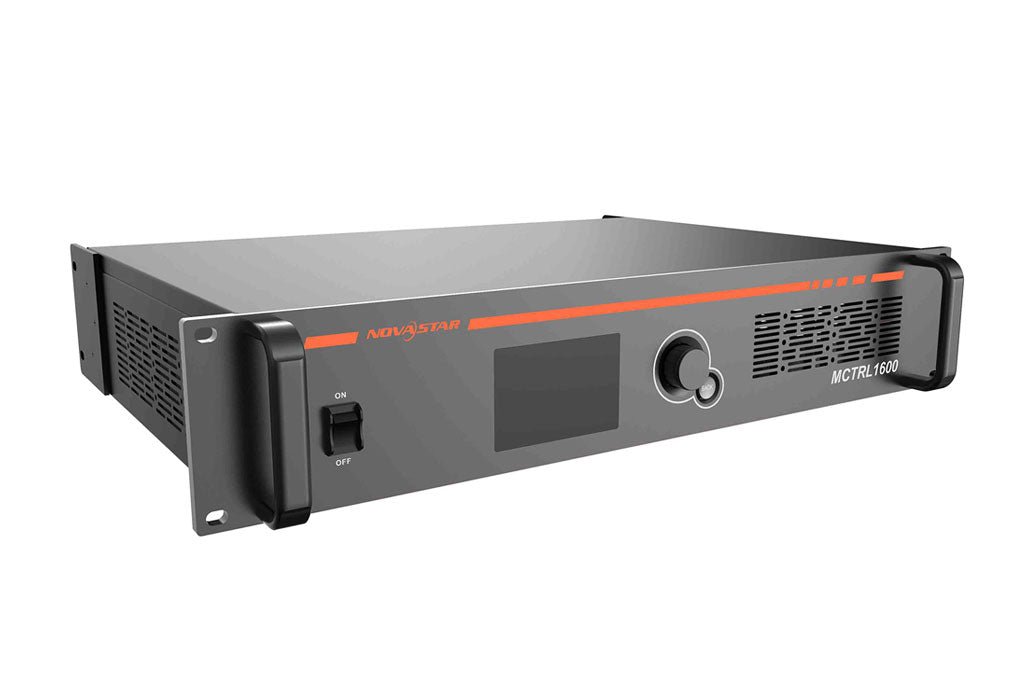
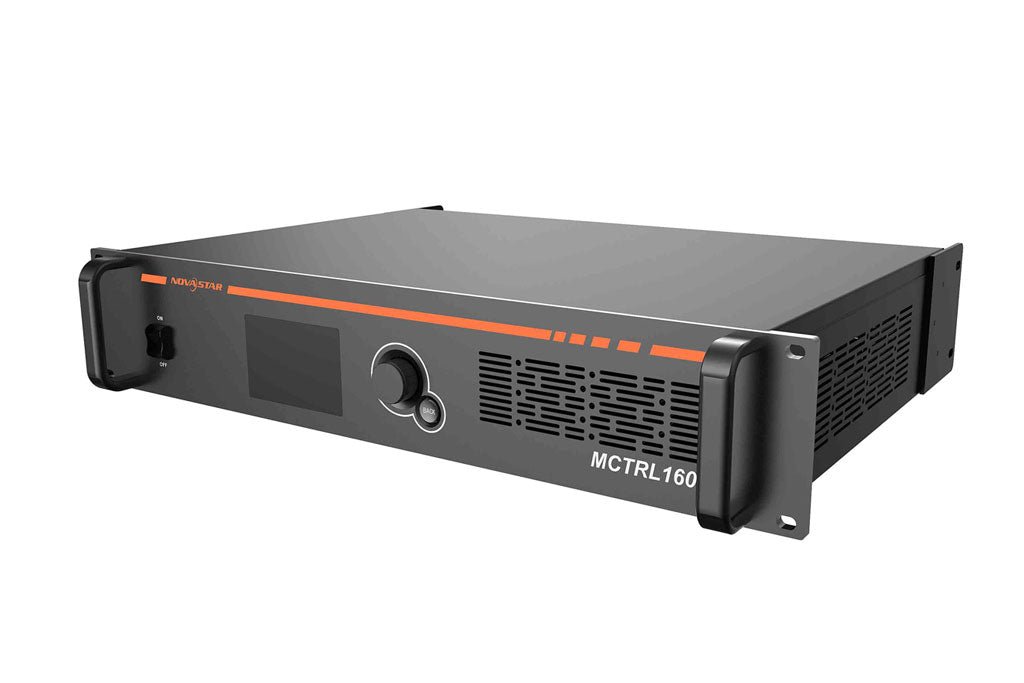
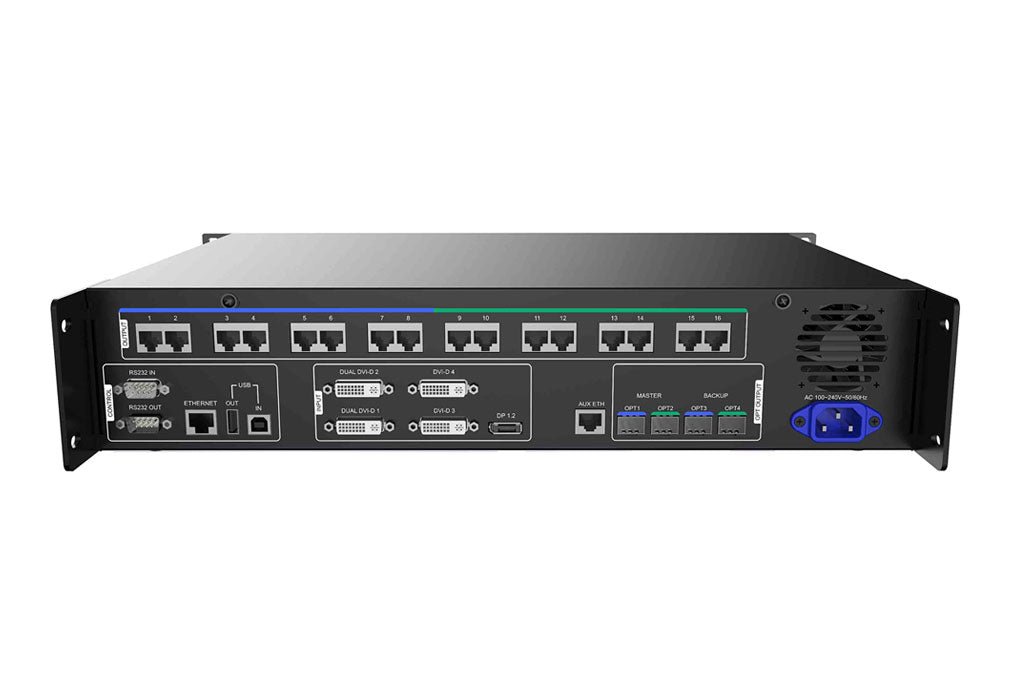
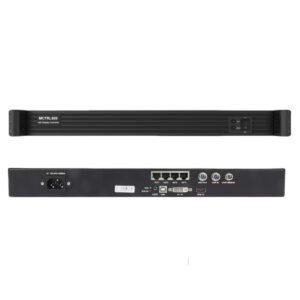
The NovaStar MCTRL1600 sends prepared video canvases to large LED displays. It accepts one DP 1.2 canvas up to 4096 × 2160 at 60 Hz, or four Single-Link/two Dual-Link DVI paths, then distributes the mapped LED data through 16 Gigabit Ethernet outputs or two main 10G optical paths with matching backup paths.
Its input architecture is unusual by current standards. Use DisplayPort 1.2 for one 4K60 source or a complex screen map, or use the DVI inputs as two Dual-Link or four Single-Link sending paths. The MCTRL1600 does not add general-purpose scaling, source composition or multiple video layers, so the source or upstream video processor must prepare the canvas the wall needs.
Is the NovaStar MCTRL1600 still right for your system?
The MCTRL1600 remains relevant when you are servicing an installed system that already uses its DVI mapping, screen files, receiving cards or optical path. Keeping the same controller family can reduce changes elsewhere in the chain, but the exact hardware revision, firmware and far-end equipment still need to be checked.
For a new system, start with the source and workflow rather than the model name. Use the MCTRL1600 when you need one DP 1.2 4K60 feed, two or four independent DVI sending paths, 16 Ethernet outputs or its specific four-port optical topology. If you need HDMI 2.0, HDR, Genlock, low latency or a currently specified platform, compare the system with the NovaStar MCTRL4K or a newer NovaStar solution before committing.
NovaStar still lists MCTRL1600 documents and firmware on its official Chinese site, and the current manual/specification were revised in May 2026. Some distributors nevertheless describe the model as discontinued. Because those signals do not establish current US stock or a universal replacement, contact us to confirm availability rather than relying on an old listing.
MCTRL1600 load capacity at 8-bit, 10-bit and 12-bit
Use both the complete canvas and the load on each Ethernet port. A wall can fit under the total allowed by its selected input path and still fail the port check if too many cabinets are assigned to one output.
| Planning check | MCTRL1600 limit |
|---|---|
| Maximum DP load | Up to 8.8 million pixels; maximum input 4096 × 2160 at 60 Hz |
| Maximum four-path Single-Link DVI load | Up to 9.2 million pixels; each path up to 1920 × 1200 at 60 Hz |
| Maximum two-path Dual-Link DVI load | Up to 8.3 million pixels; each path up to 3840 × 1080 at 60 Hz |
| Maximum custom axis through DP 1.2 | Up to 7680 pixels wide or high within the supported timing |
| Each Ethernet port at 8-bit | Up to 650,000 pixels |
| Each Ethernet port at 10-bit or 12-bit | Up to 320,000 pixels |
| Combined 16-port map at 10-bit or 12-bit | Up to 5,120,000 pixels before other project limits are applied |
The 16 Ethernet ports do not create a 10.4-million-pixel controller. Use the official total for the selected input mode, then check every output port. At 10-bit or 12-bit, the lower per-port limit becomes the tighter rule, so an 8-bit wall map cannot stay unchanged simply because the source moves to a higher bit depth.
At 4096 × 2160 and 60 Hz, the current specification lists 8-bit RGB/YCbCr 4:4:4 and YCbCr 4:2:2. At 10-bit or 12-bit, full 4K60 is limited to YCbCr 4:2:2; RGB/YCbCr 4:4:4 is limited to 3840 × 1080 at 60 Hz. Confirm the real source format, not only the resolution shown in the media-server project.
MCTRL1600 DP 1.2 and DVI input paths explained
DisplayPort 1.2 is the direct path for one 4K60 source. It also supports the widest custom timings and is the required input path when NovaLCT is used to configure a complex screen. This makes DP the simpler choice for one large canvas from a media server or workstation.
The DVI inputs solve a different problem. In Single-Link mode, DVI 1 through DVI 4 provide four separately mapped paths, each up to 1920 × 1200 at 60 Hz. In Dual-Link mode, DVI 1 and DVI 2 provide two paths, each up to 3840 × 1080 at 60 Hz. The four inputs do not create four layers on one canvas, and the controller does not scale or compose them like a video processor.
The MCTRL1600 has no HDMI input. If the production source is HDMI, use an upstream processor with the correct DP/DVI output or a professional conversion path that has been tested for resolution, frame rate and HDCP. A cable adapter alone does not guarantee that a 4K or protected signal will work.
MCTRL1600 Ethernet outputs, 10G fiber and optical backup
For a nearby wall, the 16 RJ45 outputs can feed compatible receiving cards or cabinet inputs directly. For longer runs, the optical ports carry the same mapped LED data to a compatible fiber-conversion stage.
| Output path | Carries | Backup/copy relationship |
|---|---|---|
| Ethernet 1–8 | First half of the mapped outputs | Represented by OPT1 |
| Ethernet 9–16 | Second half of the mapped outputs | Represented by OPT2 |
| OPT1 | Data for Ethernet 1–8 | Main optical path |
| OPT2 | Data for Ethernet 9–16 | Main optical path |
| OPT3 | Same port group as OPT1 | Backup or copy of OPT1 |
| OPT4 | Same port group as OPT2 | Backup or copy of OPT2 |
In hot-backup mode, OPT3 and OPT4 provide alternate paths for OPT1 and OPT2. In copy mode, they repeat the two main optical signals for a second compatible path. They are not four unrelated full-capacity canvases.
The current specification supports both single-mode and multimode optical output, but the optical modules are purchased or selected separately. The installed modules, fiber type and far-end converter must all match, so confirm the complete optical link before promising a distance.
MCTRL1600 sending-card mode vs fiber-converter mode
In sending-card mode, the MCTRL1600 accepts DP or DVI video, maps the canvas and sends LED data through the Ethernet or optical outputs. This is the normal controller role.
In fiber-converter mode, the video-input stage is not the focus. The chassis converts between optical and Gigabit Ethernet LED data, allowing fiber to replace long copper runs between another sending device and the display. This mode is useful only when the other controller, the MCTRL1600 optical ports and the far-end equipment are confirmed to share the same protocol and port mapping.
Choose the mode before planning the rack and cables. A unit set to fiber-converter mode is not acting as the source controller, while a unit in sending-card mode still needs a prepared DP or DVI canvas.
MCTRL1600 setup with NovaLCT and SmartLCT
Begin with the finished wall resolution, source format and bit depth. Then divide the cabinets across the 16 output ports without exceeding the per-port limit. This calculation should be complete before the rack is wired.
Connect the control computer by USB or Ethernet and use NovaLCT for the receiving-card file, cabinet map and standard screen connection. If the wall has a complex layout, use the DP 1.2 input path; NovaStar's NovaLCT guide says the MCTRL1600 DVI path cannot be used to configure a complex screen. SmartLCT can support visual screen building, monitoring and backup work when it matches the installed controller and operating system.
After the cabinet map is sent, choose sending-card or fiber-converter mode and set the optical ports to hot backup or copy as required. Save the configuration to the hardware, power-cycle the system, and test the primary and backup signal paths before installation day. For an existing system, save the current configuration files before changing firmware or replacing hardware.
NovaStar MCTRL1600 specifications
The table below is a buying and installation reference. Use the model-specific datasheet and user manual for the complete timing list and operating procedure.
| Specification | MCTRL1600 |
|---|---|
| Product type | Independent LED sending controller / optical-electrical converter |
| Maximum load | DP: 8.8M pixels; 4 × SL-DVI: 9.2M; 2 × DL-DVI: 8.3M |
| Video inputs | 1 × DP 1.2; 4 × DVI, with DVI 1/2 supporting Dual-Link mode |
| Input bit depth | 8-bit, 10-bit, 12-bit |
| Ethernet outputs | 16 × Gigabit Ethernet |
| Optical ports | 4 × 10G LC; 2 main plus 2 backup/copy paths |
| Per-port load at 8-bit | Up to 650,000 pixels |
| Per-port load at 10/12-bit | Up to 320,000 pixels |
| Working modes | Sending-card mode; fiber-converter mode |
| Optical modes | Hot backup; copy |
| 3D | Supported with EMT200; load is halved and advanced screen configuration/calibration are restricted |
| Device cascade | Up to 10 units by USB |
| Control | Front panel, USB, 100M Ethernet/TCP/IP |
| Power | 100–240 VAC; 30 W rated |
| Dimensions | 482.6 × 363.0 × 88.1 mm |
| Rack space | 2U |
| Net weight | 5.2 kg |
| Operating range | −20°C to +60°C; 10–90% RH, non-condensing |
MCTRL1600 manual, datasheet, software and firmware
Use the documents to confirm the exact revision installed in your system. Do not load firmware or replace a controller only because the front-panel model name matches.
NovaStar's official Chinese firmware center currently lists MCTRL1600 V1.1.1.0.STD. Treat that as an available official download reference, not an instruction to update every unit. Confirm the hardware revision, save the configuration and review the release notes before changing firmware.
Firmware download: MCTRL1600 firmware package. Match it to the exact hardware version, save the working configuration and read the release notes before updating.
Direct PDF links: MCTRL1600 User Manual PDF · MCTRL1600 Datasheet PDF
MCTRL1600 applications for existing and new systems
Existing-system service. The strongest case is a system already built around MCTRL1600 DVI groups, cabinet maps, receiving cards or compatible optical converters. Matching the installed design may be safer than changing several components at once.
One large DP 1.2 canvas. A workstation or media server can provide one prepared 4K60 or custom ultra-wide canvas, which the MCTRL1600 maps across 16 Ethernet ports.
Two or four separate DVI feeds. Dual-Link and Single-Link modes allow one chassis to serve separately mapped sending paths. This can simplify a multi-screen system, but it is not a multi-layer presentation workflow.
Long-distance LED data with backup. The main and backup optical pairs can support a planned fiber path between the control rack and compatible conversion hardware near the display.
For a completely new project, compare these benefits against current source formats, software support, receiving cards and serviceability. A newer controller may be the better long-term choice even when the MCTRL1600 still meets the pixel math.
MCTRL1600 vs MCTRL4K: what changes in a replacement?
MCTRL4K is the closest adjacent model found in distributor replacement recommendations, but it should not be described as a guaranteed drop-in replacement. The source, screen file, optical converter, receiving cards and control workflow all need to be checked.
| Buyer question | MCTRL1600 | MCTRL4K |
|---|---|---|
| Main source architecture | 1 × DP 1.2 plus 4 × DVI | DP 1.2, HDMI 2.0 and 2 × Dual-Link DVI |
| Headline load | DP 8.8M; four SL-DVI paths 9.2M; two DL-DVI paths 8.3M | Up to about 8.8M pixels in the appropriate DP/HDMI workflow |
| Ethernet / optical topology | 16 RJ45; OPT1/2 main and OPT3/4 backup/copy | 16 RJ45; four optical ports with main/backup mapping |
| Distinctive reason to keep/choose | Matches four-DVI and existing MCTRL1600 systems; converter mode | HDMI 2.0, HDR, Genlock and low-latency options for a more current 4K source workflow |
| Migration risk | Existing firmware, DVI grouping and optical chain may be model-specific | Not automatically compatible with every old screen file, converter or receiving-card workflow |
If the old system uses four independent DVI feeds, document where each feed goes before choosing a replacement. If the new source is HDMI 2.0 or the production requires HDR, Genlock or low latency, the MCTRL4K may be a better direction after the rest of the chain is verified. A move to NovaStar's newer COEX platform is a wider system redesign, not a controller-only swap.
MCTRL1600 frequently asked questions
Is the NovaStar MCTRL1600 discontinued?
NovaStar's Chinese site still lists the MCTRL1600 product page, documents and firmware, and its V1.2.3 manual/specification were revised in May 2026. Some distributors label it discontinued or no longer produced, but no official global EOL notice was found. Confirm current availability and support for the exact hardware revision before ordering.
Does the MCTRL1600 have HDMI?
No. Its video inputs are one DisplayPort 1.2 and four DVI connectors. If the source is HDMI, plan a tested processor or professional conversion path before the controller.
Is the MCTRL1600 a video processor?
Its main job is sending and mapping an already prepared canvas. It does not provide the general-purpose scaling, multi-layer composition or presentation switching expected from an all-in-one video processor.
Can the MCTRL1600 accept 4K at 60 Hz?
Yes, through DP 1.2 up to 4096 × 2160 at 60 Hz. At 10-bit or 12-bit, 4K60 is limited to YCbCr 4:2:2, and each Ethernet port's pixel limit is lower.
Can it keep the full 8-bit load at 10-bit or 12-bit?
Not with the same port map used at 8-bit. Each of the 16 Ethernet outputs falls to 320,000 pixels at 10/12-bit, giving a combined distributed limit of 5.12 million pixels before other project constraints are considered.
Are all four optical ports independent outputs?
No. OPT1 carries the group for Ethernet ports 1–8 and OPT2 carries ports 9–16. OPT3 and OPT4 back up or copy those two main paths.
Can I configure a complex screen through DVI?
NovaStar's NovaLCT guide says the MCTRL1600 DVI connector cannot be used to configure a complex screen; use the DP 1.2 path for that workflow.
Is MCTRL4K a direct replacement for MCTRL1600?
Not automatically. It is a logical adjacent model to compare, but the input sources, DVI grouping, optical converters, receiving cards, screen files and required features must all match the proposed replacement design.
Confirm the MCTRL1600 revision and migration path before ordering
Begin with the installed controller revision, firmware, DVI grouping and the model of every optical converter in the path. Then add the fiber route, source format, LED canvas, receiving cards and port assignments, plus the reason for repair or migration. Those details let us check whether another MCTRL1600 will preserve the existing design or whether a move to MCTRL4K or a newer platform should be planned as a full system change.
Reviews
There are no reviews yet.