
If you are preparing a compact fixed wall, adding a controller to rental stock or packaging an LED product for a customer, the VX400 and VX1000 can both look reasonable at first.
The decision changes when you draw the cabinet map and connect the real source. Four tidy cabinet chains and a 1920 x 1080 source may fit the VX400; one more wall section, a 3840 x 1080 playback canvas or an uneven row layout may make the VX1000 the easier system to commission.
The VX400 is the compact standard VX controller: up to 2.6 million pixels through four Gigabit Ethernet outputs, with two layers and a 1920 x 1200-class input path. The VX1000 moves to 6.5 million pixels and ten Ethernet outputs, and its standard HDMI/DVI input path adds 3840 x 1080 at 60 Hz and 3840 x 2160 at 30 Hz within the documented formats.
Both use the same general NovaLCT and V-Can workflow, so the upgrade is mainly about port budget, source canvas and room for a larger wall.
That is why the comparison is about system fit rather than a universal winner. The following sections separate the limits that affect the LED wall from the limits that affect the source and operator workflow.
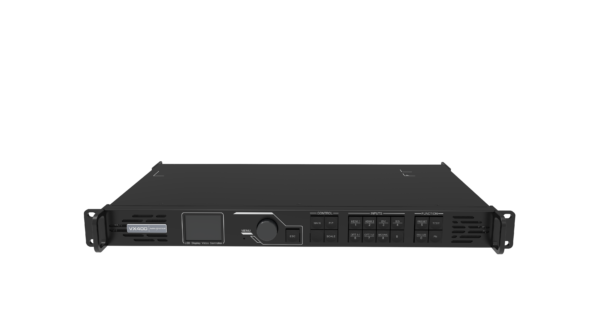
What Are the Differences Between NovaStar VX400 and VX1000?
The VX400 and VX1000 belong to the same standard NovaStar VX family. They share the basic job: take a video source, process and scale the image, then send the configured canvas to LED receiving cards.
Because the operating job is similar, the useful comparison is not image quality; it is how much of the wall and source chain each unit can carry before the project needs another controller or an external conversion step.
How much wall load and how many Ethernet ports do you need?
The VX400 supports up to 2.6 million pixels through four Gigabit Ethernet outputs. The VX1000 supports up to 6.5 million pixels through ten.
The extra six outputs are often more useful than the headline pixel number. A cabinet map is not only a total count. It also has a cable direction, a receiving-card limit and a maximum load on each port.
A wall can be below 2.6 million pixels and still be inconvenient if the cabinets cannot be divided evenly across four chains. Conversely, a physically wide, low-resolution wall may fit the VX400 if the cabinet load and source canvas are both within limits.
The VX1000 gives the integrator more ways to divide the wall. That can mean separate paths for a main screen and side wings, more balanced cabinet chains, or less pressure to add a second controller when the wall expands. It does not mean that every project needs ten outputs. Unused ports are not a picture-quality improvement.
Both controllers list a maximum output width of 10,240 pixels and a maximum height of 8,192 pixels. Those are output-canvas limits, not promises that a normal HDMI input can accept a 10,240-pixel-wide source. The input table must be checked separately.
What source resolution will feed the controller?
The VX400 is built around a standard 1080p/1920 x 1200-class input workflow. Its input panel includes two HDMI 1.3 inputs, one DVI input with loop-through, one 3G-SDI input with loop-through and one 10G optical input. Its documented HDMI/DVI input ceiling is not the same as a normal 4K x 1K at 60 Hz source.
The VX1000 has two HDMI 1.4 inputs, two DVI inputs, one 3G-SDI input with loop-through and one 10G optical input. Its documented HDMI/DVI modes add up to 3840 x 1080 at 60 Hz or 3840 x 2160 at 30 Hz.
That is the practical difference for a wide stage backdrop, a 4K playback raster or a media-server canvas that would force the VX400 into a converter or a split-source arrangement.
Neither standard model is the normal HDMI 2.0 4096 x 2160 at 60 Hz choice. If the source is true 4K60, compare the VX1000 Pro instead. A controller should be selected for the signal that enters it, not only for the number of pixels that leave it.
Do the layers and presets change the operating workflow?
The VX400 provides two layers and up to ten user-defined presets. The VX1000 provides three layers and up to ten presets.
That is a useful but limited step up. The VX1000 can add one more layer for a camera, logo, timer or presentation window, but it is not a modern multi-layer Pro controller. The main reason to move from VX400 to VX1000 is the larger wall and input canvas, not a dramatic change in creative composition.
Both controllers support scaling, color adjustment, low-latency operation and the standard VX working modes. If a show needs many independent windows, 256 presets, USB playback or HDMI 2.0 4K60, compare a VX1000 Pro rather than buying the standard VX1000 only for its larger pixel rating.
How do optical copy, backup and cascade affect the design?
Both models have two 10G optical ports, but the Ethernet bank they serve is different. On the VX400, OPT1 can act as an optical input or output and OPT2 can copy or back up the four Ethernet outputs. On the VX1000, the same general arrangement applies to ten Ethernet outputs.
That matters when the LED wall is at the back of a venue or when the system needs a tested optical path. The VX1000 lets one optical plan serve a larger output bank, but it does not make a fiber link automatically redundant. The receiving cards, optical converter, cabinet order and failover procedure still need to be tested.
The two units can also be used in cascaded or mosaic designs. Multiple VX400s can be sensible when they drive independent screens with separate content.
They are less attractive when several boxes must behave as one synchronized canvas: every additional controller adds source distribution, timing, configuration and operator checks. A single VX1000 may be the cleaner design when the wall and source are one combined system.
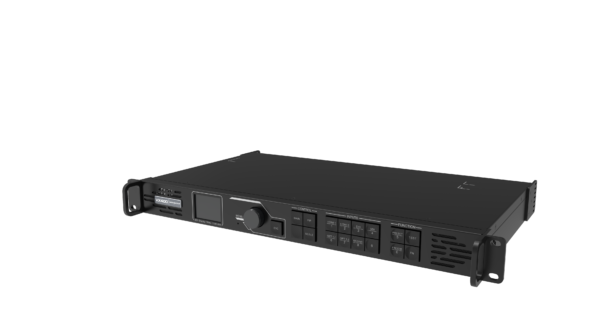
| Difference | NovaStar VX400 | NovaStar VX1000 |
|---|---|---|
| Maximum LED load | Up to 2.6 million pixels | Up to 6.5 million pixels |
| Ethernet outputs | 4 x Gigabit Ethernet | 10 x Gigabit Ethernet |
| Maximum output width | 10,240 pixels | 10,240 pixels |
| Maximum output height | 8,192 pixels | 8,192 pixels |
| Standard input class | HDMI/DVI up to 1920 x 1200 at 60 Hz | HDMI/DVI up to 3840 x 1080 at 60 Hz or 3840 x 2160 at 30 Hz |
| Main input difference | 2 x HDMI 1.3, DVI, 3G-SDI and 10G optical | 2 x HDMI 1.4, 2 x DVI, 3G-SDI and 10G optical |
| Layers | 2 | 3 |
| Presets | 10 | 10 |
| Main buying reason | Small wall, four-port map and standard source | Larger wall, more port routes or wider source canvas |
VX400 and VX1000 Specifications
The table below separates the limits that affect the wall from the limits that affect the source. Check both before ordering.
| Specification | NovaStar VX400 | NovaStar VX1000 |
|---|---|---|
| Listed price | $1,291.00 | $2,067.00 |
| Product class | Standard VX all-in-one controller | Standard VX all-in-one controller |
| LED loading capacity | 2.6 million pixels | 6.5 million pixels |
| Ethernet outputs | 4 x Gigabit Ethernet | 10 x Gigabit Ethernet |
| Maximum output width | 10,240 pixels | 10,240 pixels |
| Maximum output height | 8,192 pixels | 8,192 pixels |
| Optical ports | 2 x 10G optical | 2 x 10G optical |
| HDMI inputs | 2 x HDMI 1.3 | 2 x HDMI 1.4 |
| DVI inputs | 1 x DVI IN/LOOP | 2 x DVI, with loop-through on DVI 1 |
| SDI input | 1 x 3G-SDI IN/LOOP | 1 x 3G-SDI IN/LOOP |
| Optical input | 1 x self-adaptive 10G optical port | 1 x self-adaptive 10G optical port |
| Monitoring output | HDMI 1.3 | HDMI 1.3 |
| Standard HDMI/DVI input | Up to 1920 x 1200 at 60 Hz | Up to 3840 x 1080 at 60 Hz or 3840 x 2160 at 30 Hz |
| Layers | 2 | 3 |
| Presets | Up to 10 | Up to 10 |
| 3D | Not listed in the current VX400 specification | EMT200 3D workflow; available output capacity is reduced in 3D mode |
| Working modes | Video Controller, Fiber Converter and Bypass | Video Controller, Fiber Converter and Bypass |
| Low latency | 20 lines when documented conditions are enabled | 20 lines when documented conditions are enabled |
| Software | NovaLCT and V-Can | NovaLCT and V-Can |
| Backup | Device, Ethernet port and input-source backup functions | Device, Ethernet port and input-source backup functions |
The VX400 is not “small” because it cannot produce a wide output canvas. It is small because its input and output resources are limited.
A 2.6-million-pixel wall with a simple 1920 x 1080 source can be a good VX400 project. The same pixel count with an 8-output cabinet map or 3840 x 1080 source is a VX1000 project even though the total wall load has not changed.
The VX1000 is also not a normal 4K60 controller. Its standard input ceiling is useful for 4K x 1K at 60 Hz and 4K at 30 Hz.
A media server delivering 4096 x 2160 at 60 Hz needs a different input class. That distinction prevents a common buying error: confusing a controller’s output capacity with its source resolution.
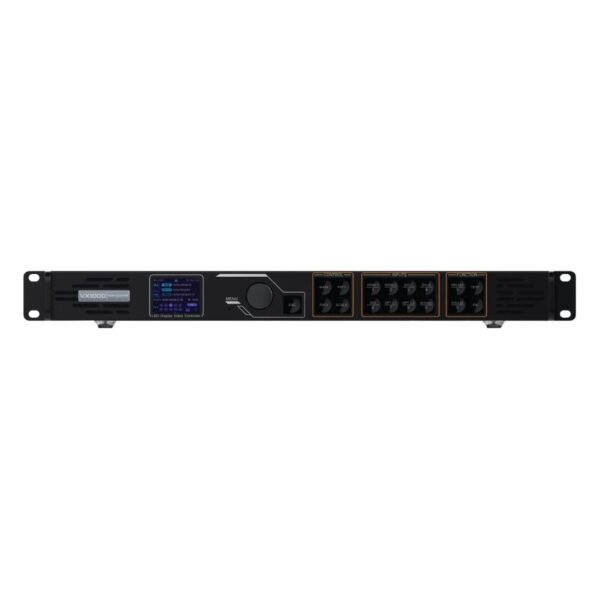
NovaStar VX400 vs VX1000: Which One Should You Choose?
Choose from the actual wall map and source first. The VX400 is the economical fit when four ports and a standard source are enough. The VX1000 is the upgrade when the system needs more routes, a wider input canvas or room for the wall package to grow.
Is this a small fixed wall or a new rental package?
Choose the VX400 for a stable fixed wall below 2.6 million pixels when the source is 1920 x 1080 or 1920 x 1200-class and the cabinet map fits four outputs. This can be a lobby display, small worship wall, meeting-room screen or compact corporate event package.
Choose the VX1000 for a rental package that must cover several wall sizes, a wide stage backdrop or changing media-server sources. The extra capacity is valuable in inventory because one unit can cover projects that would exceed the VX400’s four-port map, even if every individual job does not use all ten outputs.
Does the cabinet map fit four outputs with room to spare?
The VX400 is a good fit only after the receiving-card limit, cabinet chain and cable direction have been checked. If the wall needs four balanced chains and the calculated load stays below 2.6 million pixels, there is no practical benefit in buying the VX1000 just to leave six ports unused.
Choose the VX1000 when the wall is near the VX400 ceiling, needs five or more output paths, or becomes difficult to divide across four ports. More ports can reduce the need to put too many cabinets on one chain and can make a replacement or expansion easier to document.
Do not calculate only from the screen’s physical width. A fine-pitch cabinet can carry many more pixels than a larger-pitch cabinet of the same dimensions. Use the actual cabinet resolution and receiving-card data.
Does the source need a wide 4K x 1K canvas?
Choose the VX400 when the source is a conventional 1920 x 1080 or 1920 x 1200-class signal and no external conversion is needed.
Choose the VX1000 when the source is a documented 3840 x 1080 signal at 60 Hz or a 3840 x 2160 signal at 30 Hz. This is useful for a wide stage canvas, a media-server output or a 4K playback source that does not need 60 Hz full-frame 4K.
Choose the VX1000 Pro when the source needs a normal HDMI 2.0 4096 x 2160 at 60 Hz workflow, USB playback, 256 presets or more resource-based layers. The standard VX1000 is not the right upgrade for every 4K request.
Should you use one VX1000 or multiple VX400 units?
Use one VX1000 when the screens form one combined canvas, the source is shared and the operator needs one controller to manage the layout. This avoids splitting the source, synchronizing several processors and maintaining separate cabinet maps for one show.
Multiple VX400 units can make sense when the venue has independent walls, each wall has its own content and each controller stays within its own port and pixel limits. They can also be useful when a rental company already owns several VX400s and does not need one combined wide canvas.
Do not use multiple VX400 units simply to pretend that one source has a larger input resolution. A split source may require a media server or switcher, and cascaded processors need consistent timing and configuration. The hardware price can be lower while the commissioning and operating cost is higher.
Is the extra $776 worth it?
At LED Control Depot, the VX400 is listed at $1,291.00 and the VX1000 at $2,067.00, a difference of $776.00.
The difference is easier to justify when it avoids buying a second controller, supports a 3840 x 1080 source, gives the cabinet map more than four output paths or lets a rental package cover larger walls. It is harder to justify for a fixed 1080p wall that uses two or three Ethernet chains and will not expand.
For a production company, compare the extra cost with the source-conversion and event-rack complexity it avoids. For a rental company, compare the number of jobs each model can cover. For an LED manufacturer, decide whether the product package is intentionally compact or is likely to grow into a larger standard wall.
Confirm current stock and fleet/OEM volume pricing before ordering. Use a project quotation when the order includes a complete cabinet or backup plan.
NovaStar VX400 vs VX1000 Project Examples
The same controller can be sensible in one project and undersized in another. These examples show how the port map and source, rather than the product label, make the decision.
Fixed 1080p lobby or worship wall
A fixed wall is below 2.6 million pixels, uses a 1920 x 1080 laptop feed, one camera window and three Ethernet chains. The cabinet file and port plan are stable, and there is no 4K media-server requirement.
Choose the VX400. It fits the pixel load, source and output map. The VX1000 would add capacity without adding a necessary source or operating function.
Rental company with a 3840 x 1080 stage backdrop
A rental company supplies a 3840 x 1080 LED backdrop at 60 Hz. The total wall load is within the VX400’s pixel ceiling, but the source format is outside its normal HDMI/DVI input class and the cabinet layout needs seven output paths.
Choose the VX1000. The source and port map, not only the total pixel count, require the larger controller.
Two independent small walls in one venue
A venue has two separate 1920 x 1080 walls with independent content. Each wall is below 2.6 million pixels and uses two Ethernet chains. The operator can run each wall as its own system, and the rental inventory already has two VX400 units.
Use two VX400s if the independent workflow is intentional and each unit is configured and tested separately. There is no need to combine the walls into one VX1000 canvas when the content and operation are separate.
LED manufacturer packaging a wall that may expand
An LED manufacturer is standardizing a compact rental package today, but the same cabinet is likely to be used for larger backdrops next year. The source list may move from 1920 x 1080 to a 3840 x 1080 media-server raster, and the larger package may need six or eight output chains.
Choose the VX1000 for the growth-oriented package, or specify the VX400 Pro if the real requirement is HDMI 2.0 4K60 and six Pro layer resources rather than the standard VX1000 input path. The correct upgrade depends on what is expected to change.
NovaStar VX400 and VX1000 Software, Manuals and Datasheets
Use the NovaStar VX400 product page and NovaStar VX1000 product page for current product information, listed price and ordering details.
For the standard VX setup, use the VX400 datasheet, the official VX400 user manual PDF, VX1000 datasheet and VX1000 manual resources. Use NovaLCT to configure the LED wall and receiving cards, and V-Can for controller operation, layers, presets and the documented firmware workflow.
Before replacing one controller with the other, record the cabinet resolution, receiving-card model, source resolution, Ethernet port order, optical path and backup settings. The software family is shared, but a VX400 configuration is not automatically a suitable VX1000 port map, and a VX1000 source does not remove the input limits of a VX400.
NovaStar VX400 vs VX1000 FAQs
What is the main difference between VX400 and VX1000?
The VX400 supports up to 2.6 million pixels through four Gigabit Ethernet outputs. The VX1000 supports up to 6.5 million pixels through ten outputs. The VX1000 also accepts a wider standard HDMI/DVI source canvas, including 3840 x 1080 at 60 Hz and 3840 x 2160 at 30 Hz within its documented modes.
How many pixels can each controller drive?
The VX400 can drive up to 2.6 million pixels. The VX1000 can drive up to 6.5 million pixels. Check the per-port cabinet load and actual receiving-card configuration in addition to the total number.
How many Ethernet ports does each model have?
The VX400 has four Gigabit Ethernet outputs. The VX1000 has ten. Both also provide two 10G optical ports for the documented input, copy and backup workflows.
Can the VX400 handle 4K input?
The VX400 is not the normal choice for a 4K x 1K at 60 Hz source. Its standard HDMI/DVI input class is 1920 x 1200 at 60 Hz, with supported custom modes. Check the exact source format before ordering.
Can the VX1000 handle 4K60?
The standard VX1000 supports a documented 3840 x 1080 at 60 Hz wide canvas and 3840 x 2160 at 30 Hz input class. It is not a normal HDMI 2.0 4096 x 2160 at 60 Hz controller. Choose the VX1000 Pro for that workflow.
Do both models use NovaLCT and V-Can?
Yes. Both use the standard NovaStar VX software family, including NovaLCT for LED configuration and V-Can for controller operation. Confirm the software and firmware version for the exact unit before a field update.
Does VX1000 have more layers than VX400?
Yes, but only by one standard layer: VX400 has two layers and VX1000 has three. Both have up to ten presets. The VX1000 is not a six-layer Pro controller; its main advantages are wall capacity, output count and input canvas.
Can I use multiple VX400 units instead of one VX1000?
Yes, when the screens are independent or the source and timing plan is deliberately split. Multiple units add configuration, synchronization and operator work. For one combined canvas, a single VX1000 is often easier to manage.
Is the VX1000 worth the extra $776?
It is worth comparing when the wall needs more than four output paths, the source needs 3840 x 1080 at 60 Hz, the project may expand beyond 2.6 million pixels or a second controller would otherwise be required. It is less useful for a stable small 1080p wall that fits comfortably on the VX400.
Which model is better for a rental company?
Choose VX400 for compact packages centered on standard 1080p sources and small walls. Choose VX1000 when the inventory needs to cover wider backdrops, larger walls, changing source formats or more flexible port maps with one controller.
Does VX400 support 3D?
3D is not listed in the current VX400 specification. The VX1000 supports a 3D workflow with the EMT200 emitter, but its usable output capacity changes in 3D mode. Confirm the complete 3D system before ordering.
What should I check before ordering?
Check the total LED pixels, pixels per Ethernet port, cabinet chain direction, receiving-card model, source resolution and frame rate, required layers, optical path, backup plan, software version and whether the wall may expand. Then compare the result with four ports/2.6M for VX400 or ten ports/6.5M for VX1000.
Conclusion
Choose the VX400 when the wall stays below 2.6 million pixels, four Ethernet chains are enough, the source is standard 1080p/1920 x 1200-class and the project is intentionally compact.
Choose the VX1000 when the cabinet map needs more than four paths, the wall may grow, or the source requires 3840 x 1080 at 60 Hz or 3840 x 2160 at 30 Hz. Choose the VX1000 Pro instead when the real requirement is HDMI 2.0 4K60, USB playback or a larger Pro layer/preset workflow.
The extra $776 buys room in the port map and source chain. It is valuable when those limits are close; it is unnecessary when the VX400 already fits the complete installation.