
If you are specifying a fixed wall, preparing a rental package or standardizing an LED product, the VX600 and VX1000 can look like straightforward capacity options. The more useful comparison starts one step earlier: how will the cabinets be divided across the outputs, and what source canvas will your operator need to feed?
The VX600 handles up to 3.9 million pixels through six Gigabit Ethernet outputs. The VX1000 handles up to 6.5 million pixels through ten outputs and accepts a wider HDMI/DVI source canvas.
That does not make the VX1000 automatically better. It becomes the better fit when the wall, source or port distribution is close to the VX600’s limits; it is unnecessary when your simple screen already fits cleanly on six outputs.
This is why two walls with similar physical dimensions can lead to different purchases. One may have a tidy four- or six-port cabinet map, while another needs separate side sections, a wider playback canvas or room for expansion. The rest of the comparison follows those system constraints.
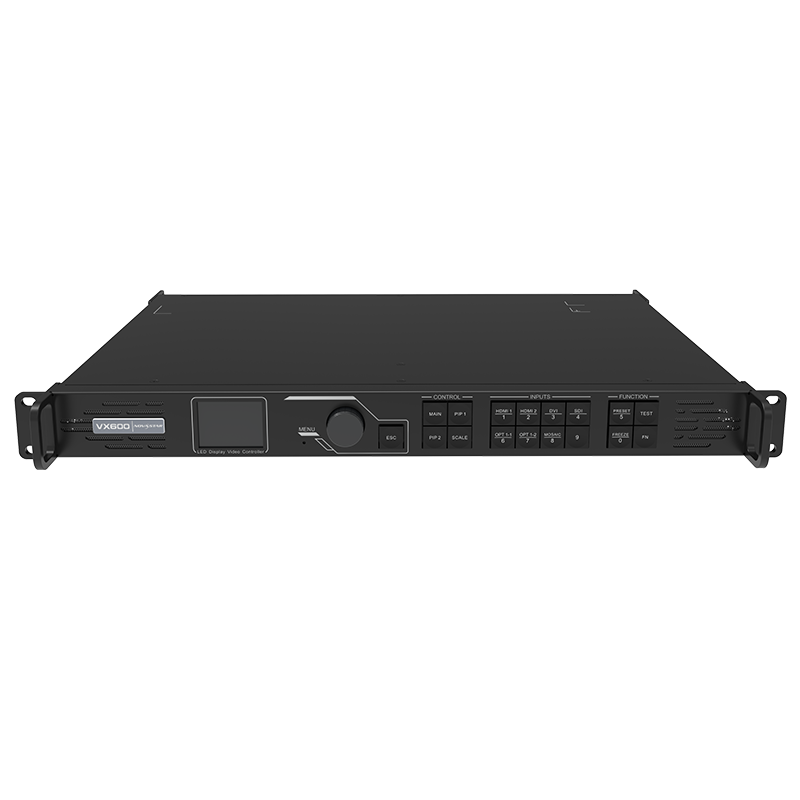
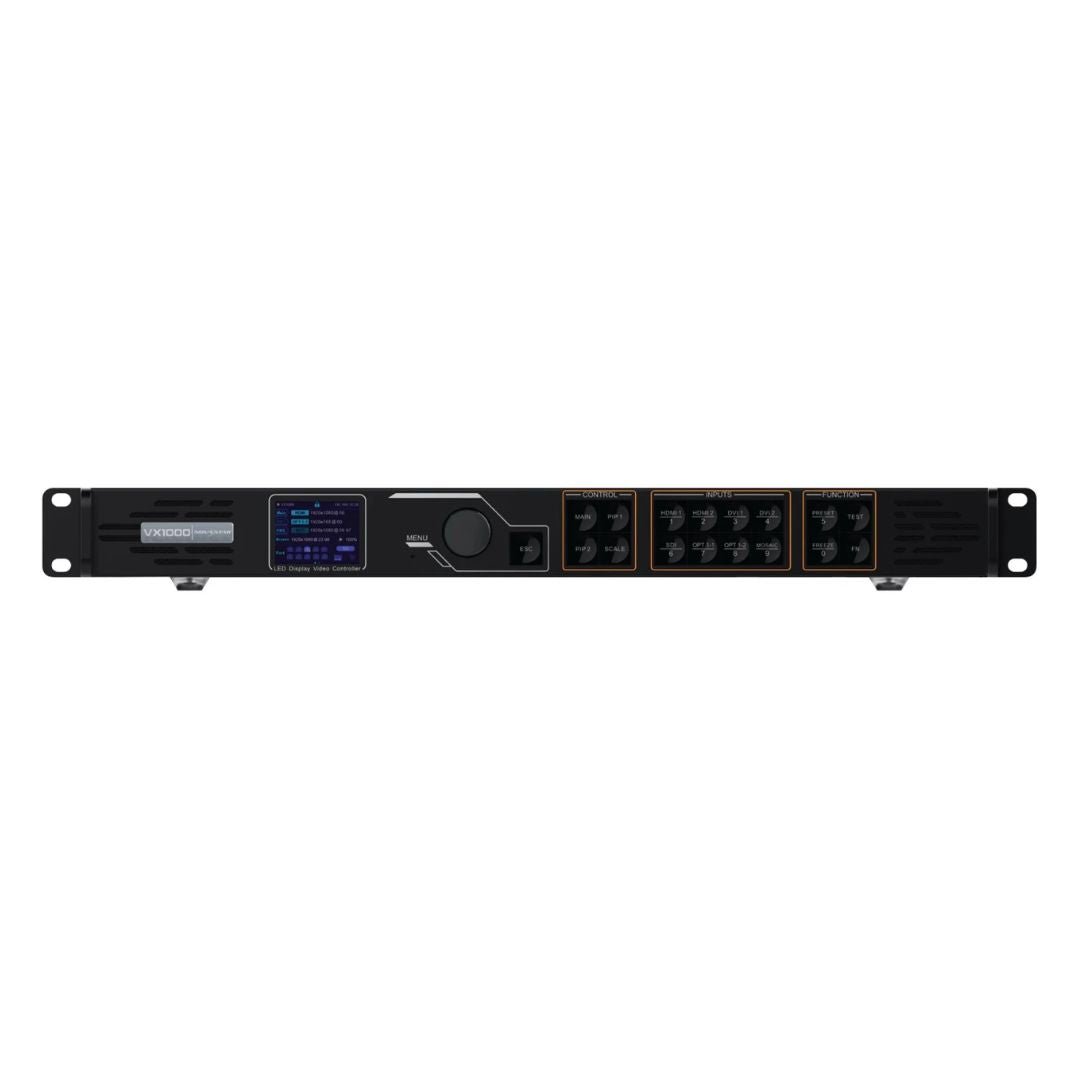
What Are the Differences Between NovaStar VX1000 and VX600?
The VX1000 and VX600 belong to the same standard NovaStar VX controller family, so they start with the same basic job. Both take video from a computer, camera, switcher or playback device, scale and arrange the picture, then send the finished canvas to the LED receiving cards through Ethernet or optical output paths.
The practical difference is how much wall and source complexity each model can absorb before you need another controller or a different signal path.
The VX1000 is the larger model. It adds four Ethernet outputs, 2.6 million pixels of extra loading capacity and a higher-resolution HDMI/DVI input path. The VX600 keeps the same general operating model in a smaller capacity class.
What changes in output capacity and Ethernet ports?
The VX600 is rated for up to 3.9 million pixels and has six Gigabit Ethernet outputs. The VX1000 is rated for up to 6.5 million pixels and has ten.
That difference affects the LED wall itself. A wall may be within the total pixel limit but still need more than six ports after the cabinets are divided into practical data paths.
For example, a wide wall with several cabinet rows may fit below 3.9 million pixels but still be awkward to distribute across six outputs. The cabinet resolution, receiving card limit, cable direction and port load must be checked together.
Both models support a maximum output width of 10,240 pixels and a maximum height of 8,192 pixels. Those figures describe the possible LED output canvas. They do not mean that either controller can accept a 10,240-pixel-wide video input through a normal HDMI connector.
What changes in input connectors and source resolution?
The VX600 has HDMI 1.3, DVI, 3G-SDI and a self-adaptive 10G optical port. Its normal HDMI/DVI input limit is 1920 x 1200 at 60 Hz, with custom input modes for certain wide or tall canvases. It is an 8-bit input workflow.
The VX1000 has two HDMI 1.4 inputs, two DVI inputs, 3G-SDI and a self-adaptive 10G optical port. Its HDMI/DVI inputs can accept up to 3840 x 2160 at 30 Hz or 3840 x 1080 at 60 Hz, subject to the documented input settings. It is also an 8-bit workflow.
In practical terms, the VX600 is a good match for a standard 1080p or 1920 x 1200 source. The VX1000 is more useful when the source needs a 4K x 1K canvas at 60 Hz, a 4K source at 30 Hz, or additional input headroom for a wide LED wall.
Neither model is a normal HDMI 2.0 4K60 controller. If a media server, workstation or switcher must feed 4096 x 2160 at 60 Hz directly, look at the VX1000 Pro instead.
Do the VX1000 and VX600 have the same layers and presets?
Yes. Both provide one main layer and two PIP layers, plus up to ten user-defined presets. Both also provide SuperView III stepless output scaling, free input cropping, Genlock, pixel-level brightness and chroma calibration, three working modes, and backup between devices, Ethernet ports and input sources.
The VX1000 does not add more layers than the VX600. Its advantage here is that the larger wall and higher source canvas can be distributed across ten outputs. If the show needs more than three simultaneous layers or 256 presets, move up to a VX Pro model rather than choosing the VX1000 simply because it has more pixels.
| Difference | VX600 | VX1000 |
|---|---|---|
| Maximum LED load | Up to 3.9 million pixels | Up to 6.5 million pixels |
| Gigabit Ethernet outputs | 6 | 10 |
| Standard HDMI/DVI input | Up to 1920 x 1200 at 60 Hz | Up to 3840 x 2160 at 30 Hz or 3840 x 1080 at 60 Hz |
| HDMI/DVI generation | HDMI 1.3 and DVI | HDMI 1.4 and DVI |
| Layers | Main layer + 2 PIP layers | Main layer + 2 PIP layers |
| Presets | 10 | 10 |
| Low latency | 20 lines in Low Latency + ByPass | 20 lines in Low Latency + ByPass |
| Main buying reason | Lower capacity and six-port wall | Higher capacity, ten ports and higher source canvas |
The shared functions matter when you are comparing prices. The VX1000 does not automatically create a sharper picture on the same physical LED wall. Its benefit is having enough input, output and pixel capacity for a different system plan. The VX1000 also supports the EMT200 3D workflow; the VX600 specification does not list 3D support.
VX1000 and VX600 Specifications
Use the table below to check the controller against the source, LED wall and cabinet data path. The total pixel rating is only one part of the installation.
| Specification | VX600 | VX1000 |
|---|---|---|
| Product type | All-in-one LED video processor and sending controller | All-in-one LED video processor and sending controller |
| Listed price | $1,444.00 | $2,067.00 |
| Maximum LED load | 3.9 million pixels | 6.5 million pixels |
| Maximum output width | 10,240 pixels | 10,240 pixels |
| Maximum output height | 8,192 pixels | 8,192 pixels |
| Ethernet outputs | 6 x Gigabit Ethernet | 10 x Gigabit Ethernet |
| Optical ports | 2 x 10G optical outputs; OPT 1 is self-adaptive | 2 x 10G optical outputs; OPT 1 is self-adaptive |
| Monitoring output | 1 x HDMI 1.3 | 1 x HDMI 1.3 |
| HDMI inputs | 2 x HDMI 1.3; HDMI 1 loops through | 2 x HDMI 1.4; HDMI 1 loops through |
| DVI inputs | 1 x DVI; DVI loops through | 2 x DVI; DVI 1 loops through |
| SDI input | 1 x 3G-SDI; loop through supported | 1 x 3G-SDI; loop through supported |
| Standard HDMI/DVI input | 1920 x 1200 at 60 Hz | 3840 x 2160 at 30 Hz or 3840 x 1080 at 60 Hz |
| Custom input | Up to 3840 pixels wide in supported custom modes; forced 600 x 3840 mode | Up to 4092 pixels wide or 3981 pixels high in supported custom modes |
| Input bit depth | 8-bit RGB 4:4:4; 10-bit and 12-bit not supported | 8-bit RGB 4:4:4; 10-bit and 12-bit not supported |
| Layers | Main layer + 2 PIP layers | Main layer + 2 PIP layers |
| Presets | Up to 10 user-defined presets | Up to 10 user-defined presets |
| Working modes | Video Controller, Fiber Converter and ByPass | Video Controller, Fiber Converter and ByPass |
| Low latency | Down to 20 lines with Low Latency and ByPass enabled | Down to 20 lines with Low Latency and ByPass enabled |
| Genlock | Internal input source or external Genlock | Internal input source or external Genlock |
| Backup | Device, Ethernet port and input source backup | Device, Ethernet port and input source backup |
| Mosaic | Supported; PIP cannot open when the main layer uses the mosaic source | Supported; PIP cannot open when the main layer uses the mosaic source |
| 3D | Not listed in the VX600 specification | EMT200 workflow; output capacity is halved in 3D mode |
| Software | NovaLCT and V-Can | NovaLCT and V-Can |
| Dimensions | 483.6 x 351.2 x 50.1 mm | 483.6 x 351.2 x 50.1 mm |
| Net weight | 4 kg | 4 kg |
| Rated power consumption | 35 W | 35 W |
There are two limits buyers often miss. First, the maximum output canvas and the maximum input format are different specifications. The VX600 can output a very wide LED canvas in a custom mode, but its normal HDMI/DVI source limit is still 1920 x 1200 at 60 Hz.
Second, every Ethernet port needs its own load check. A wall that fits the total 3.9M or 6.5M rating can still fail the port plan if too many cabinet pixels are assigned to one output.
The VX1000 has a 3D mode, and its available output capacity is reduced when 3D is enabled. Recalculate the wall before treating the normal pixel rating as the usable 3D capacity. The VX600 does not list a 3D mode, so do not specify it for a 3D LED wall based on the standard VX600 feature set.
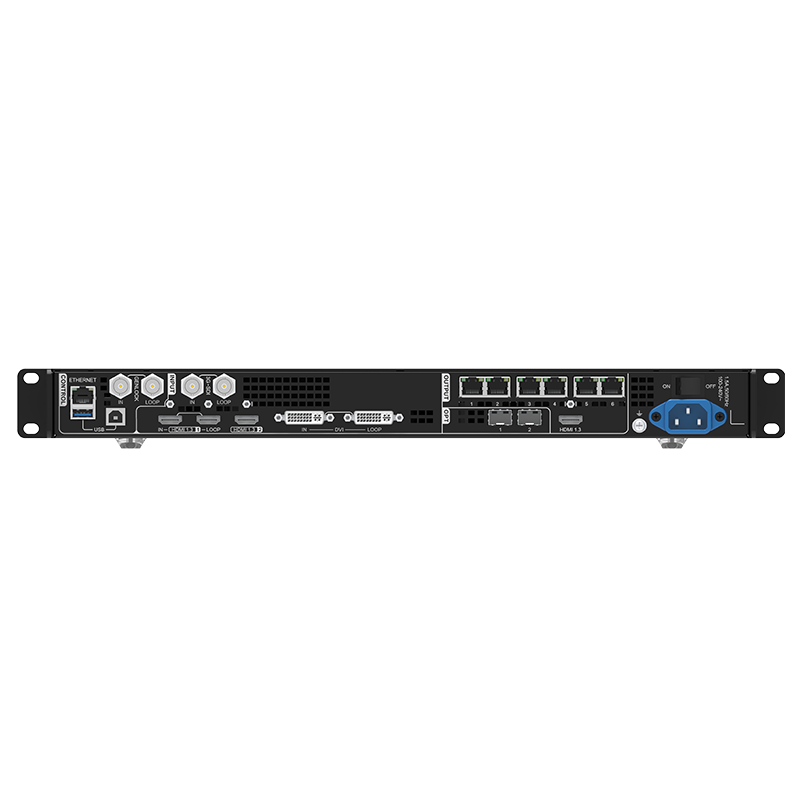
NovaStar VX1000 vs VX600: Which One Should You Choose?
Choosing the VX600 or VX1000 depends on the wall map, source format, number of Ethernet outputs and how much room the project needs for expansion. The VX1000 costs more, but it adds capacity where a VX600 installation can run out of room.
Is this an existing VX600 system or a new LED wall?
If you are replacing a VX600 in an installed rack, choose another VX600 when the replacement needs to match the existing configuration, spare parts and operator workflow. A like-for-like replacement can be the quickest way to keep a tested wall running.
If you are specifying a new wall, start with the canvas and source list instead. There is little benefit in buying the VX1000 if the wall is comfortably below 3.9 million pixels, six outputs are enough, and the source is standard 1080p or 1920 x 1200.
Choose the VX1000 for a new system when the wall is near or above the VX600 capacity class, the cabinet plan needs seven to ten Ethernet outputs, or the source needs 3840 x 1080 at 60 Hz or 3840 x 2160 at 30 Hz.
How large is the wall and how many Ethernet outputs do you need?
The VX600 is the practical choice for a wall under 3.9 million pixels that can be mapped cleanly across six outputs. This can include many medium-size rental walls, corporate screens, worship displays and fixed installations.
The VX1000 is the safer choice when the wall approaches 3.9 million pixels, uses a wide canvas, or needs more than six cabinet data paths. Its ten outputs also give the integrator more flexibility when the cabinet rows cannot be divided evenly across six ports.
Do not use the total pixel number alone. Check the receiving-card model, cabinet resolution, port limit, cable direction and whether the output map needs backup. On a fine-pitch wall, the pixel count can rise quickly even when the physical screen does not look very large.
What source resolution will feed the controller?
For a laptop, camera or switcher delivering 1920 x 1080 or 1920 x 1200, either controller can fit if the LED wall and port plan fit too.
For a 3840 x 1080 source at 60 Hz, the VX1000 is the relevant standard VX model. Its HDMI 1.4 and DVI inputs can handle that wide canvas within the documented limits. The VX600 is not the right choice for that as a normal HDMI/DVI input.
For a 3840 x 2160 source at 30 Hz, the VX1000 again has the required input headroom. For 4096 x 2160 at 60 Hz, 10-bit or 12-bit input, or a standard HDMI 2.0 workflow, step up to the VX1000 Pro. The processor must match the actual source signal, not only the final LED wall resolution.
Do you need simple layers or a larger processing workflow?
The VX600 and VX1000 both provide three layers and ten presets. A typical layout might use a full-screen presentation as the main layer, a camera as PIP 1 and a logo or timer as PIP 2.
That is enough for many corporate, worship and standard rental shows. It is not a reason to buy the VX1000 over the VX600 by itself.
If the production needs more than three simultaneous layers, many saved scenes, USB playback, or 4K60 input, neither standard model is the best next step. Use the VX600 Pro when the wall fits within 3.9 million pixels, or the VX1000 Pro when the project needs the larger six-layer Pro platform.
Is the extra $623 worth it?
At LED Control Depot, the VX600 is listed at $1,444.00 and the VX1000 at $2,067.00. The difference is $623.00.
That extra cost is easier to justify when it replaces a second controller, an input converter, or a later rack change. It is harder to justify when the wall is a simple 1080p installation using only four or five Ethernet outputs.
Both product pages show in-stock status, same-day dispatch language for qualifying orders, a 3-year serial-tracked manufacturer warranty and authorized US channel support. Confirm current stock and any volume pricing before a rental fleet or OEM purchase.
NovaStar VX1000 vs VX600 Project Examples
The same specification can lead to different choices depending on the customer and the system around the processor.
Fixed 1080p corporate or worship wall
A fixed wall receives a 1920 x 1080 laptop feed, uses one camera window and a logo, and needs four Ethernet outputs. The total wall load is below 3.9 million pixels.
Choose the VX600. The VX1000 would not add more layers or presets for this project, and the extra four outputs would remain unused.
Rental wall with a 4K x 1K canvas
A rental company uses a wide 3840 x 1080 LED wall for stage backdrops. The show feed is a 3840 x 1080 source at 60 Hz, and the cabinet map needs eight Ethernet outputs.
Choose the VX1000. The VX600 has the lower total capacity and does not provide the same standard HDMI/DVI input headroom for the wide 4K x 1K source.
Wide wall using several VX600 units
An LED manufacturer has several VX600 units already in stock. Each wall is divided into separate screens, each screen is within the VX600 limit, and the source is 1080p. The integrator wants matching presets and familiar field operation.
Keep the VX600 units. Several controllers can be cascaded for an image mosaic, but the combined wall, source timing, port map and receiving-card configuration must be tested. Do not assume that adding controllers automatically makes one larger input canvas available.
LED manufacturer standardizing a new product package
An LED manufacturer is creating a new rental package expected to support changing client sources and larger walls for several years. Some jobs may need more than six outputs or a 3840 x 1080 source.
Choose the VX1000 for this package only when it is extending an existing standard VX fleet and matching the installed units is more important than moving to the current Pro platform.
For a new package expected to run for several years, choose a VX Pro model when the jobs may need changing sources, more than six outputs, 4K60 or more than three layers. If the package stays at standard 1080p and below 3.9 million pixels, compare the VX600 Pro as well.
Standardize the receiving cards, cabinet files, software version and backup procedure with the controller so the package is repeatable in the field.
NovaStar VX1000 and VX600 Software, Manuals and Datasheets
Use NovaLCT to configure the LED wall and receiving cards. Use V-Can to operate the controller, manage layers and presets, and complete the documented firmware workflow.
The VX600 product page and VX1000 product page contain the current product information, prices and available resources. Before ordering, also check the VX600 datasheet, VX600 manual, VX1000 datasheet and VX1000 manual.
Save the working screen configuration before changing firmware or replacing a controller. The source format, cabinet file, receiving-card settings and Ethernet data path should be documented together. A controller that powers on is not necessarily configured for the same LED wall.
NovaStar VX1000 vs VX600 FAQs
What is the main difference between NovaStar VX1000 and VX600?
The VX1000 loads up to 6.5 million pixels through ten Gigabit Ethernet outputs. The VX600 loads up to 3.9 million pixels through six outputs. The VX1000 also accepts higher HDMI/DVI input formats, including 3840 x 1080 at 60 Hz and 3840 x 2160 at 30 Hz.
Is the VX1000 better than the VX600?
The VX1000 is better when the wall needs more than 3.9 million pixels, more than six Ethernet outputs, or the higher standard input formats. The VX600 is the better fit when its capacity, ports and 1080p/1200-class input are enough.
Can the VX600 handle a 4K input?
The VX600 does not provide standard HDMI/DVI 4K input in the same way as the VX1000. Its normal HDMI/DVI input limit is 1920 x 1200 at 60 Hz, with supported custom modes for specific wide or tall canvases. Check the exact source path in the VX600 datasheet before planning a 4K workflow.
Does the VX600 support 3D?
The VX600 specification does not list a 3D function. The VX1000 supports 3D with the EMT200 emitter, but its available output capacity is reduced when 3D is enabled.
Can the VX1000 handle 4K60 input?
The standard VX1000 can handle up to 3840 x 1080 at 60 Hz through its documented HDMI/DVI input path. It does not provide standard HDMI 2.0 4096 x 2160 at 60 Hz input. Choose the VX1000 Pro for a normal HDMI 2.0 4K60 source.
Does the VX1000 have more layers than the VX600?
No. Both have one main layer and two PIP layers, plus ten user presets. The VX1000’s advantage is its larger LED load, ten Ethernet outputs and higher source canvas, not a larger layer count.
Will the VX1000 make the same LED wall look sharper?
Not by itself. Image sharpness depends on the physical LED pixel count, cabinet mapping, source quality, scaling and viewing distance. The VX1000 gives the system more capacity and source headroom; it does not add physical pixels to an existing wall.
Can I cascade VX600 and VX1000 units together?
The VX600 and VX1000 support cascade and image mosaic workflows, but a mixed system needs an exact check of the source, timing, port map, receiving cards and software versions. Do not treat cascading as a way to remove the input limits of a single controller.
Which software configures the VX600 and VX1000?
Both use NovaLCT for LED wall and receiving-card configuration and V-Can for controller operation, layers, presets and firmware-related work.
Which controller is better for a rental company?
Choose the VX600 for a rental inventory built around standard 1080p sources, walls below 3.9 million pixels and six outputs. Choose the VX1000 when the inventory needs larger walls, wide 3840 x 1080 sources or more flexible port distribution.
Should I choose VX1000 or VX1000 Pro?
Choose the VX1000 when ten standard VX outputs and 3840 x 1080 at 60 Hz are enough. Choose the VX1000 Pro when the source needs HDMI 2.0 4K60, the show needs six 2K layer resources and 256 presets, or the project is a new long-life system that benefits from the current Pro platform.
What should I check before ordering a VX600 or VX1000?
Check the total LED canvas, cabinet resolution, receiving-card model, pixels per Ethernet port, source resolution and frame rate, input connector, backup path, and whether the project needs 3D or mosaic. Also confirm the current product price and stock status before placing a fleet or OEM order.
Conclusion
Choose the VX600 when the LED wall stays below 3.9 million pixels, six Ethernet outputs are enough, and the source is a standard 1080p or 1920 x 1200 signal.
Choose the VX1000 when the wall needs up to 6.5 million pixels, the cabinet map needs up to ten Ethernet outputs, or the source requires 3840 x 1080 at 60 Hz or 3840 x 2160 at 30 Hz.
For HDMI 2.0 4K60, more than three layers, 256 saved layouts, or a new long-life project, move to the VX Pro range instead of buying the standard VX1000 only for its larger pixel rating. If the wall exceeds 6.5 million pixels, compare the VX2000 Pro; if it needs 3D, verify the controller’s documented 3D workflow before ordering.