
If you are replacing a controller in an existing VX fleet, building a new COEX wall or preparing an OEM package, you may see the NovaStar MX30 and VX1000 Pro compared because their headline capacity is close. Both sit in the 6.5-million-pixel class, use ten Gigabit Ethernet outputs and provide two 10G optical ports.
The similar numbers answer only how large a wall they can serve, not how the rest of your system must be built.
The MX30 belongs to NovaStar’s COEX control system. It is designed around VMP, supported Armor-series receiving cards and a cabinet-library workflow that can carry more than basic receiving-card settings. The VX1000 Pro belongs to the VX Pro family and follows the more familiar NovaLCT, Unico and VICP workflow, with six shared 2K layer resources, 256 presets, USB playback and a different input panel.
That platform difference changes the buying question. If your installed wall already uses VX receiving cards and cabinet files, preserving the VX workflow may matter more than the MX30’s newer ecosystem.
If you are specifying a new COEX system and can standardize the controller, VMP project, Armor cards and cabinet data together, the MX30 deserves a closer look. The comparison below explains what that choice changes in practice.
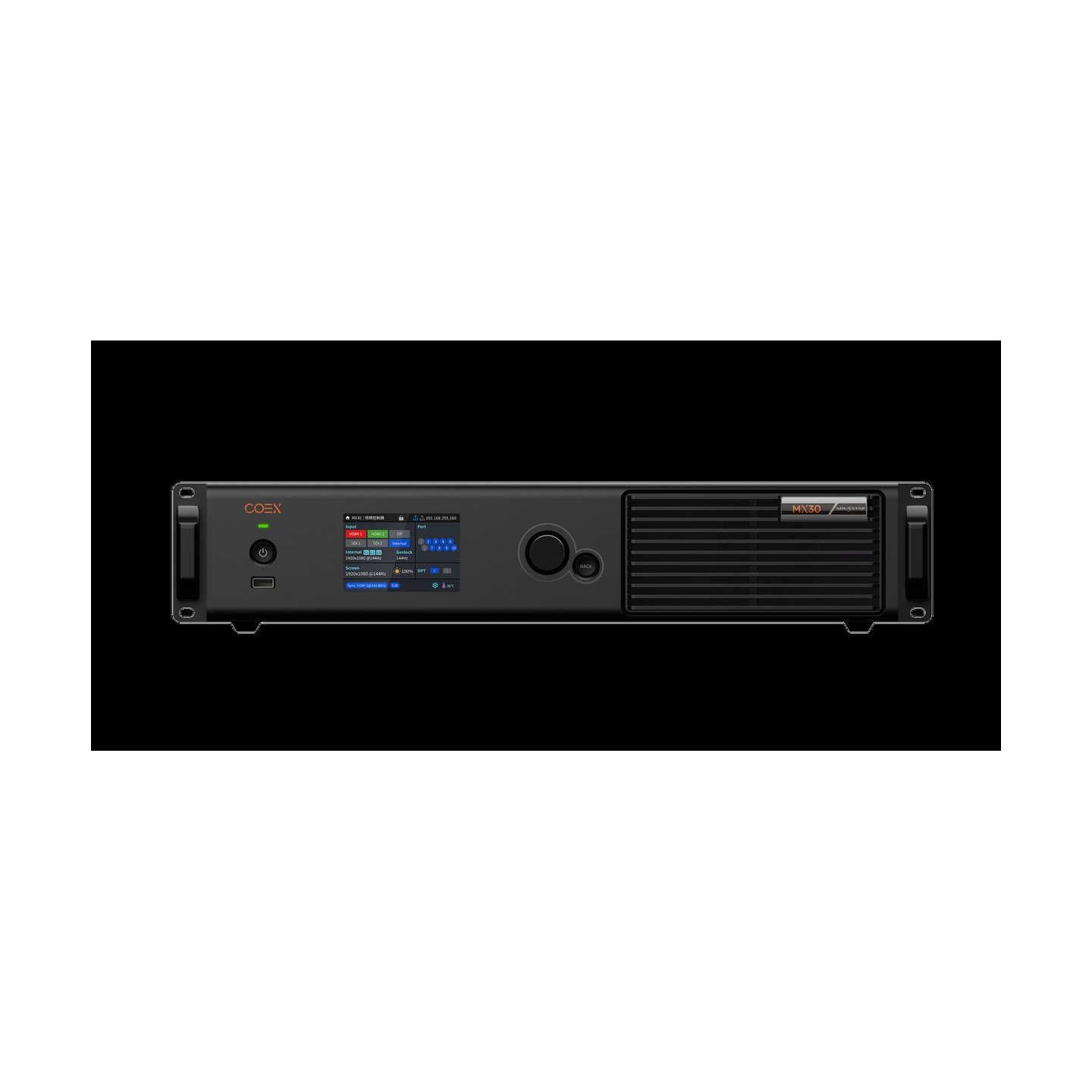
What Are the Differences Between NovaStar MX30 and VX1000 Pro?
The platform decision comes before the pixel calculation. Both controllers receive, process and send video, but they expect different system arrangements around them. The MX30 is part of a newer COEX workflow that links the controller, VMP software, receiving cards and cabinet data more closely. The VX1000 Pro is a VX Pro all-in-one controller with a broader, familiar field workflow for existing NovaStar installations.
Do MX30 and VX1000 Pro use the same control ecosystem?
No. The MX30 is controlled through VMP, NovaStar’s Vision Management Platform for the COEX system. VMP can manage the screen, import COEX cabinet files, monitor device and screen status, and work with the supported receiving-card families.
The VX1000 Pro uses the VX Pro workflow. LED wall and receiving-card configuration can be handled through NovaLCT, while controller operation and project management use the applicable Unico, VICP and front-panel tools. That makes the VX1000 Pro the more natural choice when the installed wall already has a working VX configuration, established cabinet files and technicians who use the existing software.
This is the most important difference for a replacement. Swapping a VX1000 Pro for an MX30 is not just a matter of moving the HDMI cable and copying the screen parameters. The MX30 may require a COEX-compatible receiving-card plan, VMP and an NCP or supported RCFGX file. A new system can be designed around that workflow; an old system needs a compatibility check first.
How do the input connectors and source workflows differ?
The MX30 has one HDMI 2.0 input with loop-through, one HDMI 1.4 input with loop-through, one DP 1.1 input and two 3G-SDI inputs with loop-through. It also provides Genlock input and SPDIF digital audio.
The VX1000 Pro has one HDMI 2.0 input with loop-through, two HDMI 1.3 inputs, one 3G-SDI input with loop-through, one 10G optical input and one USB 3.0 input.
The MX30 is useful when the source rack includes two SDI feeds, DisplayPort or a camera-oriented timing plan. The VX1000 Pro is useful when the operator needs USB playback, an optical input or several HDMI inputs in a familiar VX Pro rack. Neither list is universally better.
A production company should match the connector to the actual switcher, media server and camera chain. A rental company should match it to the source packages that arrive most often.
The HDMI 2.0 input on both models supports a 4K-class workflow within the documented formats. Do not assume that every HDMI, SDI or DisplayPort connector accepts the same maximum resolution or frame rate. Check the input-specific table before promising a 4K source path to a client.
What are the differences in layers, HDR and color management?
The MX30 provides three independent layers with Z-order priority adjustment. Its COEX specification also lists HDR10 and HLG, 14-channel color correction and full-grayscale calibration with the supported calibration workflow. These features are aimed at control of the LED image itself, not only at placing more windows on a screen.
The VX1000 Pro provides six shared 2K x 1K layer resources, output scaling, pixel-level brightness and chroma calibration, and 256 user-defined presets. Those six resources are not the same measurement as MX30’s three independent layers. A direct “six is more than three” conclusion would be misleading because the two platforms describe their layout resources differently.
Choose the MX30 when HDR, grayscale calibration, frame-rate behavior and COEX screen management are part of the display specification. Choose the VX1000 Pro when the show needs several conventional source windows, fast preset recall and the VX Pro layer model. A simple presentation wall with a camera PIP and logo does not automatically benefit from MX30’s color-management features; a fine-pitch broadcast wall may.
How do low latency, Genlock and frame-rate handling differ?
The MX30 has two relevant operating modes. In Send-Only Controller mode, the official specification describes controller latency of less than 1 ms. In All-In-One Controller mode, layer and scaling functions are available and controller latency is listed as one frame. The MX30 also supports additional latency settings and frame-rate adaptation.
There is a practical limitation: MX30 low latency and Genlock cannot be enabled at the same time. When low latency is enabled, the specification recommends a consistent cabinet-loading topology, including vertically loaded cabinets with the same Y coordinate. That is a commissioning detail, not a marketing footnote. The cable and port map have to be designed with the chosen mode in mind.
The VX1000 Pro has Video Controller, Fiber Converter and ByPass modes, with the latency and available processing functions changing by mode. ByPass can be useful when a prepared signal needs a short path, but it should not be treated as the latency of a normal layered show.
For a camera-facing LED wall, compare the exact source frame rate, Genlock requirement, cabinet topology and operating mode. Do not choose MX30 merely because a specification says “0 frame,” and do not choose VX1000 Pro merely because the wall is below 6.5 million pixels.
Do MX30 and VX1000 Pro use the same receiving cards and cabinet files?
This is where a specification-only comparison can lead to an expensive mistake. The COEX NCP manual identifies MX30 as part of the 1G COEX solution with VMP and supported Armor-series cards such as A10s Pro, A10 Plus-N, A8s-N, A7s Plus and A5s Plus. The NCP file can combine cabinet configuration, receiving-card firmware, image booster data, frame-rate adaptive parameters, mode settings and thermal compensation.
The VX1000 Pro follows the established VX Pro configuration path. Its cabinet and receiving-card workflow is not the same as the COEX NCP workflow. If an LED wall already uses a VX1000 Pro and conventional configuration files, confirm whether the existing receiving cards and cabinet data are supported by MX30 before treating it as a replacement.
For a new LED manufacturer package, the MX30 can be attractive because the cabinet and screen workflow can be planned as one COEX system. For a rental company with mixed older inventory, that same advantage can become a support obligation: the team needs the right card models, firmware, VMP version and NCP files for every package.
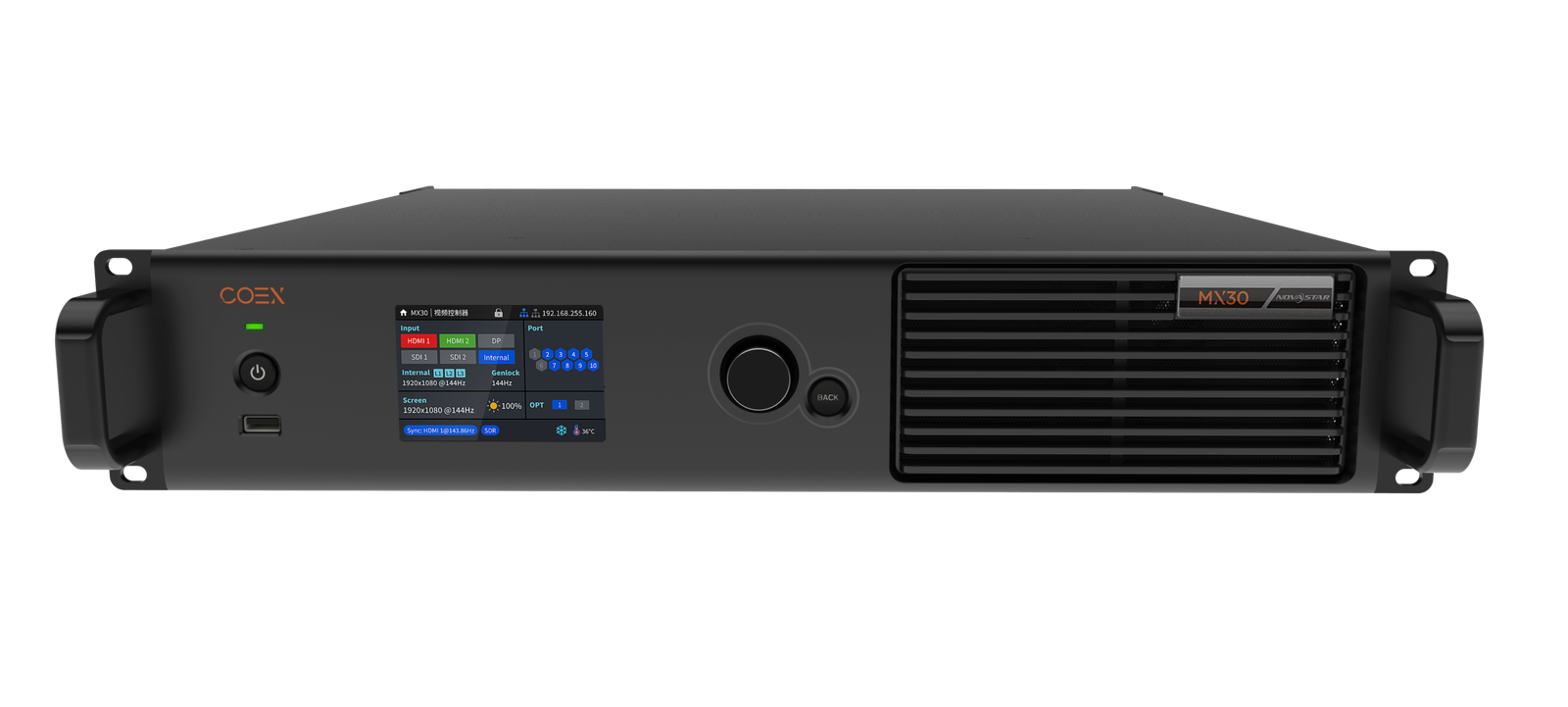
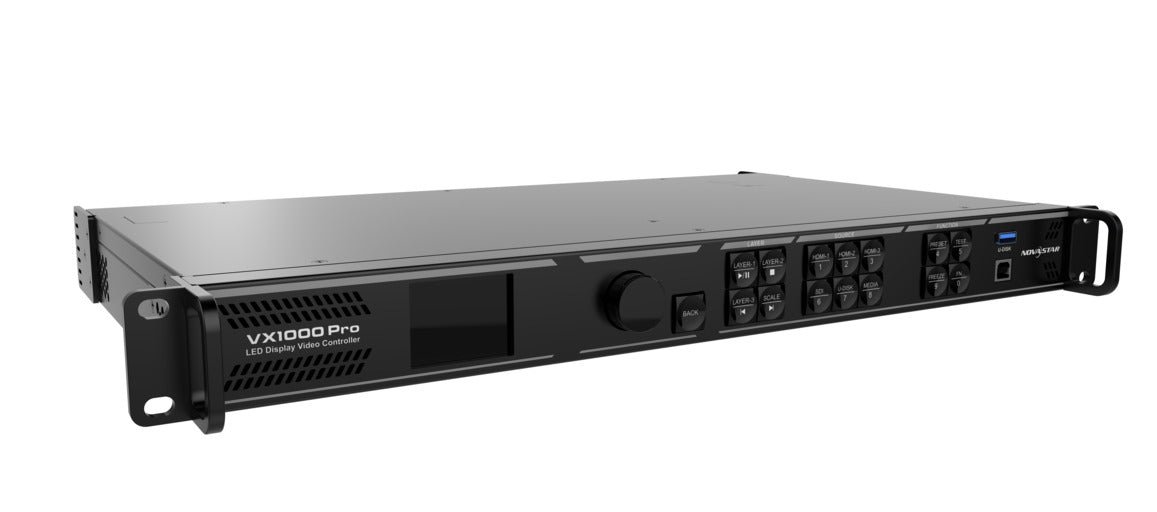
| Difference | NovaStar MX30 | NovaStar VX1000 Pro |
|---|---|---|
| Product system | COEX | VX Pro |
| Software workflow | VMP | NovaLCT, Unico, VICP and front panel where applicable |
| Maximum LED load | Up to 6.5 million pixels | Up to 6.5 million pixels |
| Ethernet outputs | 10 x Gigabit Ethernet | 10 x Gigabit Ethernet |
| Optical ports | 2 x 10G optical | 2 x 10G optical |
| Main source difference | HDMI 2.0, HDMI 1.4, DP 1.1, 2 x 3G-SDI | HDMI 2.0, 2 x HDMI 1.3, 3G-SDI, 10G optical input, USB 3.0 |
| Image-management emphasis | HDR/HLG, 14-channel color correction, grayscale calibration and frame-rate adaptation | Six shared 2K resources, 256 presets, scaling and VX Pro operating modes |
| Receiving-card planning | COEX-supported Armor cards and NCP/RCFGX workflow | VX Pro-compatible receiving-card and NovaLCT workflow |
| Main buying question | Are you building or joining a COEX system? | Are you preserving a VX workflow or need its source/preset features? |
NovaStar MX30 and VX1000 Pro Specifications
The table below separates shared capacity from platform-specific behavior. The two controllers can drive a similar wall size, but they do not deliver the same source, calibration or maintenance workflow.
| Specification | NovaStar MX30 | NovaStar VX1000 Pro |
|---|---|---|
| Listed price | $2,584.00 | $2,067.00 |
| Product system | COEX 1G solution | VX Pro series |
| LED loading capacity | Up to 6.5 million pixels | Up to 6.5 million pixels |
| Ethernet outputs | 10 x Gigabit Ethernet | 10 x Gigabit Ethernet |
| Optical ports | 2 x 10G optical | 2 x 10G optical |
| HDMI inputs | 1 x HDMI 2.0 IN/LOOP; 1 x HDMI 1.4 IN/LOOP | 1 x HDMI 2.0 IN/LOOP; 2 x HDMI 1.3 |
| DisplayPort | 1 x DP 1.1 | Not listed |
| SDI | 2 x 3G-SDI IN/LOOP | 1 x 3G-SDI IN/LOOP |
| Optical input | Not listed as a source input | 1 x 10G OPT source input |
| USB | Diagnostic/export use; not the same USB playback workflow | 1 x USB 3.0 for image/video playback |
| Audio | 1 x SPDIF digital audio output | 3.5 mm audio input/output workflow |
| Monitoring/control | VMP, SNMP, Art-Net, Ethernet control and front panel | Front panel, NovaLCT, Unico and VICP workflow where applicable |
| Layers | 3 independent layers with Z-order priority | 6 shared 2K x 1K layer resources |
| Presets | Preset management through VMP | 256 user-defined presets |
| Input depth | 8-bit and 10-bit inputs | Documented VX Pro input formats; check the connector-specific table |
| HDR | HDR10 and HLG | Not the same COEX HDR workflow |
| Calibration | 14-channel color correction and supported full-grayscale calibration | Pixel-level brightness and chroma calibration |
| Latency | Send-Only under 1 ms; All-In-One one frame; mode dependent | Mode dependent; ByPass and Fiber Converter differ from Video Controller mode |
| Genlock | Input with loop-through; cannot combine with MX30 low latency | Supported in the VX Pro workflow; confirm the chosen operating mode |
| Receiving-card ecosystem | Supported Armor-series cards and COEX files | VX Pro/NovaLCT-compatible receiving-card workflow |
The same 6.5M number should therefore be read differently. With MX30, the capacity is part of a COEX system where the receiving-card model, cabinet library and display-management process are central. With VX1000 Pro, the capacity is part of a VX Pro controller whose value often comes from six resource-based layers, preset recall, USB playback and compatibility with an existing VX installation.
MX30’s HDR note also needs care. The official specification says that using HDR with an A10s Pro receiving card reduces the controller load capacity by less than half. Recalculate the port and screen load for the actual bit depth, receiving card and HDR mode. Do not carry the plain 6.5M number into an HDR design without checking it.
NovaStar MX30 vs VX1000 Pro: Which One Should You Choose?
Choosing between these controllers depends less on the maximum wall size than on what is already around the controller. Start with the receiving cards and software, then check the sources, picture-management features and price.
Are you replacing a VX1000 Pro or starting a new LED wall?
For a like-for-like replacement, choose the VX1000 Pro when the existing wall already uses the VX Pro configuration, established cabinet files and the NovaLCT/Unico/VICP operating workflow. Matching the installed unit reduces commissioning time and keeps the spare useful across the existing inventory.
For a new wall, consider the MX30 when the LED manufacturer can specify supported Armor receiving cards, create the COEX cabinet package and train the team on VMP. The MX30’s advantage begins at the system-design stage, not when it is taken out of the box as a replacement.
Do you already use Armor receiving cards and VMP?
Choose the MX30 when the wall is already part of a COEX system or the project is being designed as one. VMP, NCP files and the supported receiving-card families can make the screen easier to standardize across a new OEM package.
Choose the VX1000 Pro when the wall uses an established VX/NovaLCT setup or when the rental fleet must exchange controllers without changing its receiving-card and cabinet-file process. A $517 lower listed price is not the main saving if a compatibility change creates a day of reconfiguration.
Do not assume an older MRV card will expose the full COEX feature set. Check the exact card, firmware and required function before ordering MX30. A card may show an image and still not support the calibration, HDR or cabinet-management features the project was designed to use.
Does the screen need HDR, 10-bit input or two 3G-SDI feeds?
Choose the MX30 when HDR10/HLG, 10-bit input, two 3G-SDI feeds, DisplayPort, 14-channel color correction, grayscale calibration or frame-rate adaptation are actual requirements. These features are especially relevant to broadcast backdrops, fine-pitch displays, camera-facing walls and new LED packages where the image-management chain is part of the specification.
Choose the VX1000 Pro when the source chain is one HDMI 2.0 path, HDMI 1.3, one 3G-SDI feed, optical input or USB playback, and the project does not need the COEX HDR/calibration workflow. Its six shared 2K resources and 256 presets can be more useful than MX30’s three independent layers for an operator running several conventional windows.
Is the priority low latency or a flexible live layout?
Choose MX30 when the project can design the cabinet topology around Send-Only or All-In-One mode and can test the conflict between low latency and Genlock. It is a good fit when timing, frame-rate behavior and screen processing are specified together.
Choose VX1000 Pro when the operator needs a familiar layered show with preset recall, scaling and clearly separated Video Controller, Fiber Converter and ByPass modes. A simple production show may be easier to operate on this workflow even though MX30 has more image-management features.
Is the MX30’s $517 price difference worth it?
At LED Control Depot, the MX30 is listed at $2,584.00 and the VX1000 Pro at $2,067.00, a difference of $517.00.
The MX30 premium is easier to justify when it replaces a separate HDR or SDI path, supports a new COEX cabinet package, or provides calibration and timing features that the project has already specified. It is harder to justify for a VX1000 Pro replacement where the wall, receiving cards and software already work.
For a production company, compare the price with the cost of the required camera, HDR and timing path. For a rental company, compare the price with the support cost of introducing a second ecosystem. For an LED manufacturer, compare it with the cost of creating and maintaining the COEX cabinet library, card inventory and VMP process.
Confirm current stock and volume terms before ordering. The product pages list the comparison prices, but an OEM or fleet purchase should be quoted against the actual project and delivery schedule.
NovaStar MX30 vs VX1000 Pro Project Examples
The following projects have the same broad pixel class but different reasons to buy. That is why a single “winner” would be misleading.
Existing rental inventory built around VX Pro
A rental company has VX1000 Pro units, VX-compatible receiving cards and technicians who use NovaLCT and Unico. Most jobs use HDMI, 3G-SDI, USB playback and six or fewer resource-based layers. The walls fit below 6.5 million pixels.
Choose the VX1000 Pro. It preserves the tested rack and gives the fleet a matching spare. MX30 would make sense only as a deliberate COEX package, not as an unplanned replacement for every existing unit.
New fine-pitch broadcast wall with HDR and camera sources
An LED manufacturer is building a fine-pitch studio wall with two 3G-SDI feeds, HDR10/HLG, camera timing, Armor-series receiving cards and a VMP-managed cabinet library. The wall is below 6.5 million pixels.
Choose the MX30. The capacity is not the reason; the COEX receiving-card and image-management plan is. The manufacturer should create and test the NCP/cabinet workflow before the screen leaves the factory.
Production company needing DisplayPort and USB playback
A production rack uses a DisplayPort workstation, two SDI feeds and HDR for a camera-facing wall. Another rental package uses USB playback and preset-heavy presentations, but both walls are similar in size.
Choose based on the primary rack, not the pixel number. MX30 fits the DisplayPort, two-SDI, HDR and timing brief. VX1000 Pro fits the USB playback and preset-heavy package. If one controller must cover both workflows, compare the cost of maintaining two deliberately configured packages rather than assuming one model does everything equally well.
LED manufacturer moving from a conventional controller to COEX
An OEM wants cabinet files to carry receiving-card firmware, image correction, frame-rate parameters and thermal compensation in a controlled package. The integrator is prepared to use Armor cards and VMP, and NovaStar support can validate the driver IC and NCP file.
Choose the MX30. The benefit is a more integrated manufacturing-to-installation workflow. It is not only a controller purchase, so the OEM should budget for the cabinet-tool, card, firmware and technician process as well.
NovaStar MX30 and VX1000 Pro Software, Manuals and Datasheets
Use the NovaStar MX30 product page and NovaStar VX1000 Pro product page for current product information, price and ordering details.
For MX30, keep the MX30 datasheet and MX30 user manual with the VMP project record. The COEX NCP file manual explains why cabinet libraries, receiving-card compatibility and manufacturer support matter before installation.
For VX1000 Pro, use the VX1000 Pro datasheet, VX1000 Pro user manual and NovaLCT resources. Use the applicable Unico or VICP workflow for controller operation, and retain the working screen configuration before replacing hardware or changing firmware.
The two systems should not be mixed casually. Before a migration, record the receiving-card model, firmware, cabinet configuration file, source connectors, output map and software version. Then confirm the intended controller and receiving-card combination with the actual display manufacturer or NovaStar support.
NovaStar MX30 vs VX1000 Pro FAQs
Are the MX30 and VX1000 Pro the same capacity?
They are in the same headline capacity class: both support up to 6.5 million pixels through ten Gigabit Ethernet outputs and two 10G optical ports. Their system features, input panels, software and receiving-card workflows are different.
Is the MX30 a direct replacement for the VX1000 Pro?
Not automatically. MX30 belongs to COEX and may require VMP, supported Armor receiving cards and NCP or supported RCFGX files. VX1000 Pro belongs to VX Pro and uses a different configuration workflow. Check the exact wall before treating MX30 as a replacement.
Which software does the MX30 use?
MX30 uses NovaStar’s VMP, or Vision Management Platform. VMP manages the COEX screen and controller workflow. VX1000 Pro uses the applicable VX Pro tools, including NovaLCT for LED configuration and Unico/VICP/front-panel control for operation.
Which receiving cards work with MX30?
The MX30 specification lists supported families including A5s Plus, A7s Plus, A8s and its series, A8s-N, A8s Pro and its series, and A10s Pro and its series. The COEX NCP workflow is designed around supported Armor-series cards. Check the exact model and firmware before ordering.
Can MX30 use older MRV receiving cards?
Do not assume full compatibility from a test image. Some field discussions describe older cards working in particular firmware combinations, but the official COEX workflow is based on supported card families and NCP/RCFGX compatibility. Confirm the exact card and the features you need before specifying MX30.
Does MX30 support HDR10 and HLG?
Yes. The official MX30 specification lists HDR10 and HLG. It also notes that HDR operation with an A10s Pro receiving card changes the load-capacity calculation, so recalculate the actual screen and port plan.
Does VX1000 Pro have more layers than MX30?
The numbers cannot be compared directly. VX1000 Pro lists six shared 2K x 1K layer resources. MX30 lists three independent layers with Z-order priority. Choose based on the actual composition, source list and whether HDR/color-management features matter.
Which model is better for 3G-SDI camera feeds?
MX30 provides two 3G-SDI inputs and Genlock input, which can suit a camera-oriented rack. VX1000 Pro provides one 3G-SDI input and a different VX Pro timing workflow. The correct choice still depends on the camera frame rate, wall topology and receiving-card system.
Can MX30 and VX1000 Pro use the same cabinet files?
Do not assume so. MX30 uses the COEX VMP/NCP or supported RCFGX workflow, while VX1000 Pro uses the VX/NovaLCT path. Check the controller, receiving card, firmware and file type together.
Which model is better for a rental company?
VX1000 Pro is usually easier when the rental inventory already uses VX-compatible receiving cards, cabinet files and operator tools. MX30 is a strong choice for a separate COEX rental package with supported Armor cards, VMP and documented NCP files. The best fleet choice is the one the team can configure and spare consistently.
Is MX30 worth the extra $517?
It can be, when HDR, two SDI feeds, DisplayPort, COEX calibration or the NCP cabinet workflow solves a real project requirement. It is less compelling as a like-for-like VX1000 Pro replacement when the existing wall and software already work.
Which controller should an LED manufacturer use for a new OEM package?
Use MX30 when the manufacturer can standardize supported Armor receiving cards, VMP and NCP/cabinet-library files. Use VX1000 Pro when broad VX/NovaLCT compatibility, preset-heavy operation and simple field replacement are more important than COEX-specific image-management features.
Conclusion
Choose the VX1000 Pro when you are preserving a VX workflow, need USB playback and preset-heavy operation, or want a familiar controller for a wall under 6.5 million pixels with conventional HDMI and 3G-SDI sources.
Choose the MX30 when you are building or joining a COEX system and need VMP, supported Armor receiving cards, HDR10/HLG, two 3G-SDI inputs, DisplayPort, grayscale calibration or the NCP cabinet workflow.
The pixel count does not decide this comparison. The receiving cards, cabinet files and software do. Confirm those three pieces before paying the $517 difference or treating one controller as a drop-in replacement for the other.