
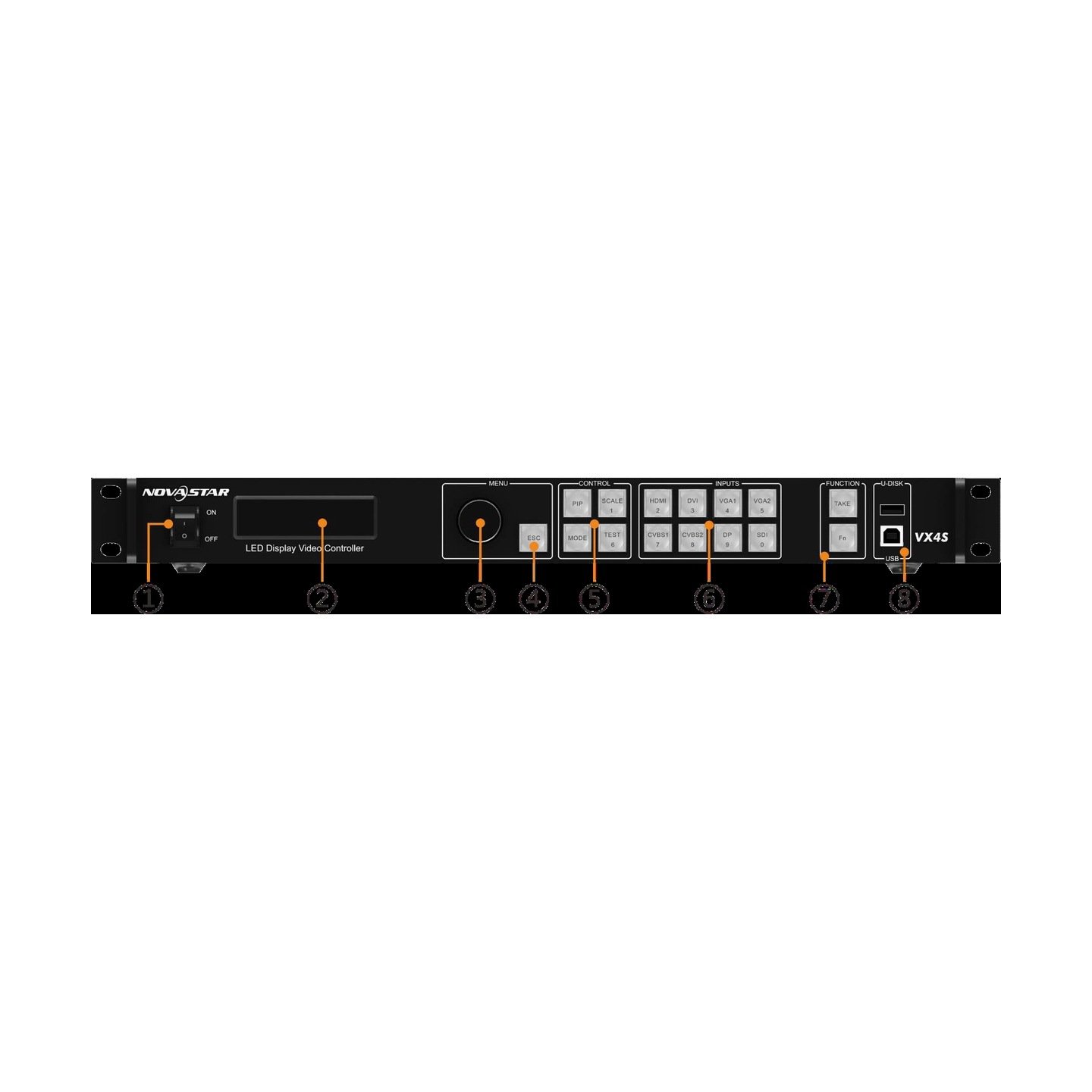

What is the NovaStar VX4S LED video controller?
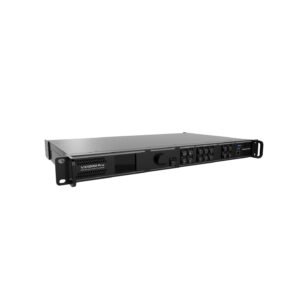
The NovaStar VX4S is a legacy all-in-one controller for LED walls. It takes a supported video source, scales that image for the LED canvas, and sends the finished picture to receiving cards through four Ethernet outputs.
It is useful when an installed wall still relies on sources such as VGA, CVBS, DisplayPort, DVI, HDMI or 3G-SDI. For a new system that needs 4K60 input, more layers, modern optical transport or newer support tools, start with a current controller instead.
VX4S key features
- Inputs for an established AV rack: connect supported CVBS, VGA, DVI, HDMI, DisplayPort or 3G-SDI sources without replacing every upstream device.
- Simple live image control: scale the main source, add one adjustable PIP and switch sources smoothly for a familiar presentation layout.
- Four-port LED mapping: keep the screen within its total load and verify the cabinet data order on each port.
- Safe legacy operation: preserve the receiving-card configuration and confirm the exact hardware before changing firmware.
VX4S specifications
| LED load | Up to 2.3 million pixels. |
|---|---|
| LED outputs | 4 Gigabit Ethernet outputs. |
| Video inputs | 2× CVBS, 2× VGA, DVI, HDMI, DisplayPort and 3G-SDI. |
| Image tools | Built-in scaling, adjustable PIP and seamless source switching. |
VX4S inputs for legacy and live video sources
The VX4S is unusual because it accepts both older analogue sources and common digital sources. That can save a conversion step in an existing rack, but it does not turn an older source into a modern 4K signal path.
| Source type | What it helps with | Planning note |
|---|---|---|
| CVBS or VGA | Keeping older playback or presentation equipment in service | Check the source output and image quality before the show. |
| DVI, HDMI or DisplayPort | Computer and media-playback sources | The documented input limit is up to 1920×1200 at 60 Hz. |
| 3G-SDI | Camera or broadcast-style source paths | Confirm the camera format and loop-through needs during the signal check. |
VX4S scaling, PIP and seamless source switching
The built-in scaler is the reason the VX4S is more than a sending box. A laptop can be fitted to an LED canvas that is not the same shape as its desktop, then a camera or second source can be placed in a picture-in-picture window.
For a simple presentation or small stage, this means one rack unit can scale the main image, adjust the PIP size and position, and change sources with a supported seamless or fade transition. It is not a modern multi-layer production switcher, so keep the show design simple and test the selected inputs together.
VX4S LED load, monitor outputs and audio routing
The four Ethernet outputs share a documented total capacity of up to 2.3 million pixels. Capacity is only the first check: the cabinet data flow and the receiving-card configuration must also match the physical cable route.
The VX4S also provides monitor and loop connections for planned signal checking. Treat those as part of the system design, not as an automatic copy of every LED output. If the compatible multifunction-card audio path is used, audio output is available only through Ethernet port 1.
VX4S setup and cabinet mapping with NovaLCT
Start by setting the input source and its resolution. Next, load the correct receiving-card configuration and map the cabinet data flow to the actual Ethernet cabling. A regular rectangular wall with matching cabinets can use the on-device quick setup; an irregular wall needs the saved configuration to match the physical layout.
Before changing firmware, save the working screen configuration and check the picture with a test image. If the wall is blank, repeated or out of order, confirm the cabinet file and port mapping before changing the video source.
VX4S applications for existing LED systems
Legacy presentation systems
Keep a VGA, DVI or HDMI presentation source in service while fitting the picture to the LED canvas.
Simple camera and PIP layouts
Place a camera or second source over the main image when one adjustable PIP window is enough.
Small live source changes
Use supported seamless or fade switching for a compact show that changes between prepared sources.
Established LED racks
Support a known installed wall when its cabinet map, source limits and exact legacy resources are already documented.
VX4S firmware, manual and datasheet
Use files that match the VX4S exactly. Do not load VX4S-N, VX6s or later VX-series firmware onto this controller. Keep a copy of the working configuration before any update.
VX4S user manual
Open the official VX4S user manual for source, screen and front-panel setup steps.
VX4S datasheet
Open the official VX4S specifications for capacity, connectors and limits.
VX4S firmware
Download the verified VX4S firmware package only after confirming the installed hardware and saved configuration.
NovaLCT configuration software
Download NovaLCT for receiving-card configuration and LED screen mapping.
Keep the VX4S, choose VX6s, or move to a current processor?
Keep the VX4S when it already supports the installed wall, its older input types are needed, and the known-good configuration is available. VX6s is the natural legacy step when six outputs, more capacity and three windows are needed, but it does not preserve the VX4S analogue-input mix.
For a new system, choose a current processor when the source requires 4K60, a larger layer layout, modern optical transport, or a current support and firmware path. That is a better match for the system, not a reason to replace a stable VX4S rack without need.
VX4S FAQ: cropped sources, mapping and safe updates
Why is a source cropped or not filling the wall?
Check the source resolution, scaler setting and LED canvas before changing the cabinet configuration.
Why does the picture look repeated or out of order?
That usually points to the cabinet data flow or receiving-card configuration, not simply the input source.
Can I use any VX-series firmware package?
No. Use only the verified VX4S package and confirm compatibility before updating a working legacy system.
Reviews
There are no reviews yet.