
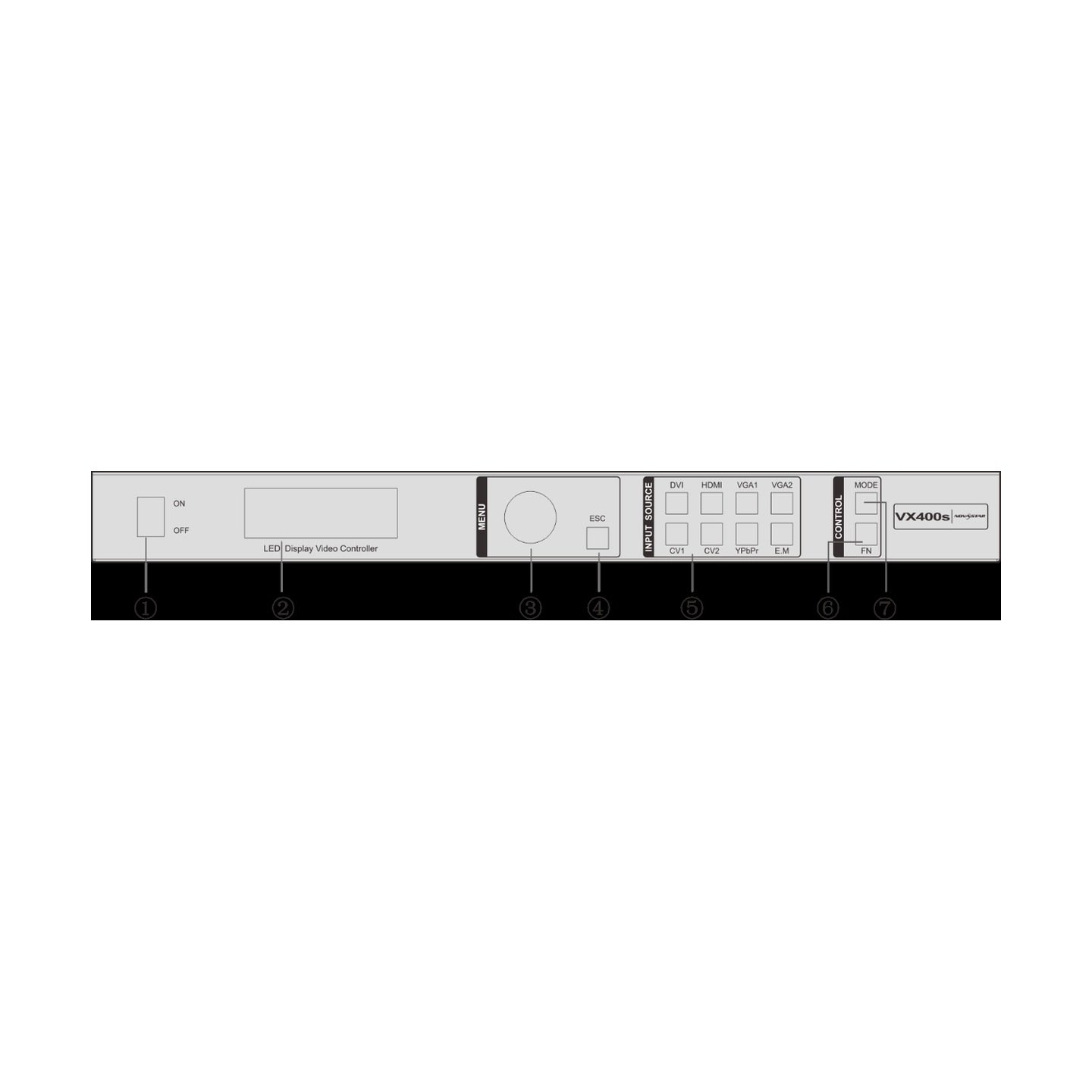

What is the NovaStar VX400s LED display controller?
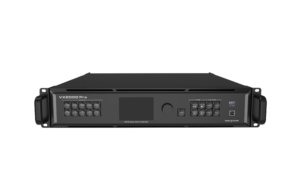
The VX400s is a legacy all-in-one controller for an LED wall with an older AV rack. It accepts a supported source, fits the picture to the LED canvas and sends the finished image to receiving cards through four Ethernet outputs.
Its value is the source mix. It can keep HDMI, DVI, 3G-SDI, VGA, CVBS or component-video equipment connected without assuming the system is a modern 4K production rack. Start with the actual source and wall, then decide whether this controller still suits them.
VX400s key features
- Camera-friendly legacy input: 3G-SDI gives an installed stage or presentation rack a direct path from a planned HD camera feed.
- Source switching and PIP: build a main picture with one secondary image for a straightforward live presentation.
- Ten saved presets: recall a known layout instead of rebuilding a familiar screen before every event.
- Four-port wall support: use it only after the existing cabinet file and per-port loading have been checked.
VX400s specifications
| LED load | Up to 2.3 million pixels. |
|---|---|
| LED outputs | 4 Gigabit Ethernet outputs. |
| Video inputs | HDMI 1.3, DVI, 3G-SDI, VGA, CVBS and YPbPr. |
| Image tools | Scaling, adjustable PIP, source switching and 10 presets. |
VX400s inputs, loop-through and monitor outputs
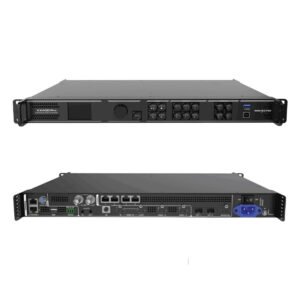
Read the rear panel as a signal path, not as a long connector list. The selected source enters the VX400s. SDI or DVI can continue to another device through their loop-through connections. A VGA or DVI monitor output gives the operator a local place to check a source or setup result. The four Ethernet ports carry the mapped image to the LED wall.
| Need at the rack | VX400s connection | Planning note |
|---|---|---|
| Computer or playback source | HDMI 1.3, DVI or VGA | Check the documented input format before the event; this is not an HDMI 2.0 or 4K input path. |
| Camera or broadcast-style feed | 3G-SDI input and loop-through | Confirm the source timing and selected input while the camera system is available. |
| Older AV equipment | CVBS, VGA or YPbPr | Use the direct compatible connection where possible instead of adding an unnecessary converter chain. |
| Operator confidence check | VGA or DVI monitor output | Check the source and setup locally before judging the LED picture from the room. |
Can the VX400s run your LED wall? Four ports and 2.3 million pixels
The four Ethernet outputs share a total LED load of up to 2.3 million pixels. Count the complete wall before dividing its cabinet chains across the ports. Four ports do not create four separate 2.3-million-pixel allowances.
Capacity is only one part of the fit check. The physical Ethernet order, the receiving-card configuration and the source format must also be right. A canvas can be inside the pixel limit and still show repeated or misplaced sections when the cabinet map does not match the wiring.
| Check first | Reason |
|---|---|
| Full canvas pixels | The entire screen must stay at or below the documented 2.3-million-pixel ceiling. |
| Cabinet data order | Each Ethernet chain must follow the real cable route from the controller. |
| Receiving-card file | The controller cannot correct a cabinet configuration that belongs to another wall. |
| Source format | The connected source must be supported before image scaling can help. |
VX400s setup: when Quick Configuration is safe
Quick Configuration is for a regular screen made from cabinets with the same resolution. In that narrow case, the front panel can help bring up the wall quickly. It is not a safe shortcut for a curved layout, mixed cabinet sizes or a wall with an existing custom data path.
For a custom screen, keep the known receiving-card configuration file and use the documented configuration-file workflow. This separates the LED map from the video picture: first make sure every cabinet is in the right place, then choose the source and scaling setting.
| Wall type | Safe starting point | Why |
|---|---|---|
| Regular wall with matching cabinets | Quick Configuration | The manual describes this route for uniform, regular screens. |
| Irregular wall or mixed cabinets | Saved configuration file | The cabinet layout and data path need the correct custom information. |
| Existing working installation | Save first, then test | A known-good configuration is the safest recovery point if a change goes wrong. |
VX400s scaling, PIP and source checks before a live show
Scaling decides whether the source fills the LED canvas, stays pixel-for-pixel or is placed in a chosen area. PIP adds one adjustable secondary image over the main picture. Those tools are useful for a presentation with a small camera, logo or confidence feed, but they do not make the VX400s a current multi-layer switcher.
If an image looks wrong, test in a fixed order. Show the controller test pattern first. Then confirm the cabinet map and Ethernet path. Only after the wall is known to be correct should the operator compare source resolution, frame rate, selected input and scaler setting. This avoids fixing a mapping fault by changing the laptop, or the reverse.
VX400s presets, backup planning and audio-output conditions
The controller can store ten user presets. A preset is useful when a venue returns to the same source and screen arrangement, but it should be saved only after the wall and input have been checked. The manual also documents primary and backup setup; test the selected recovery path with the real screen rather than assuming it is active.
Audio output has a specific condition: it uses Ethernet port 1 with the documented multifunction-card arrangement. Do not treat every Ethernet port as a general audio output. Confirm the installed receiving and multifunction hardware before including audio in the design.
VX400s applications for established LED and AV racks
These are support scenarios for a working legacy system. They are not reasons to choose VX400s for a new 4K or high-layer production build.
Legacy presentation racks
Keep compatible VGA, DVI or HDMI presentation sources connected while the LED wall is mapped to four output paths.
Camera source checks
Use the documented 3G-SDI input and loop-through when a camera feed must be tested with the live screen and source chain.
Installed display systems
Support a known LED wall when the cabinet file, Ethernet order and source limits are recorded before changes begin.
Simple recovery plans
Save a checked preset and test the chosen backup path for a recurring room, stage or fixed display setup.
VX400s manual, datasheet and legacy support
Use files that name VX400s exactly. The official manual and datasheet below are safe references for ports, setup and limits. No exact VX400s firmware package was verified in the official download archive, so no guessed update file is offered.
Before any legacy change, save the working screen configuration and record the controller hardware version. For an unsupported source, a larger canvas or a current control workflow, compare a current processor instead of forcing a legacy update.
VX400s user manual
Open the official VX400s User Manual PDF for connections, Quick Configuration and configuration-file steps.
VX400s datasheet
Open the official VX400s Datasheet PDF for source inputs, capacity and connector details.
Current processors
Browse current video processors when the project needs 4K, more layers or a current support path.
Configuration support
Request configuration support with the controller label, receiving-card model, cabinet file, LED canvas, source list and Ethernet order.
When an installed VX400s needs a current processor
Keep a VX400s when the wall fits its documented capacity, its existing legacy inputs are genuinely needed and the configuration is known to work. Start with a current processor when the source requires 4K or HDMI 2.0, the production needs more layers, or the project requires a current support path.
The right replacement starts with the source list, LED canvas, receiving cards, required layers and recovery plan. Review the current video processors against those facts instead of choosing the closest-looking model number.
VX400s frequently asked questions
Can VX400s use a 3G-SDI camera feed?
It has a documented 3G-SDI input and loop-through. Confirm the camera format, source timing and selected input during the system test.
Can Quick Configuration map any LED wall?
No. The documented shortcut is for a regular screen made from same-resolution cabinets. An irregular or mixed-cabinet wall needs its correct saved configuration.
Where is the VX400s firmware download?
No exact verified firmware package was found in the official download archive. Do not install a nearby-model file on a working VX400s system.
Reviews
There are no reviews yet.