
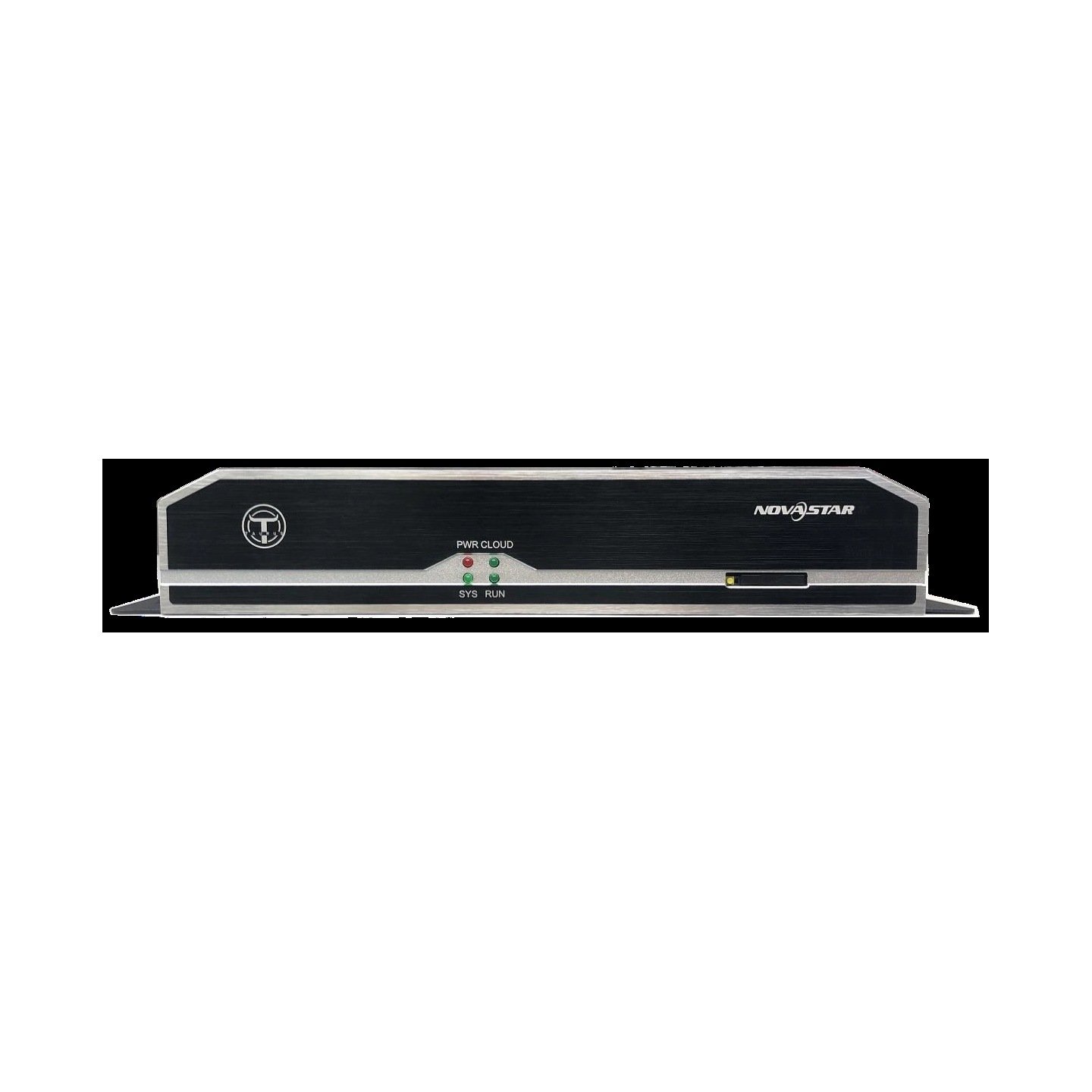

What is the NovaStar TB3?
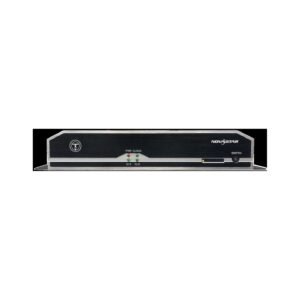
The NovaStar TB3 is a mains-powered Taurus multimedia player that stores your content, plays it on a schedule and drives up to 650,000 pixels of LED screen. It has two screen outputs, and out of the box the second one is a spare rather than extra capacity.
It is an earlier generation than the TB30 that replaced it, and it is kept here for the screens that already run on it. Repairs, matched spares and estates where every sign has to behave the same way.
What still stands out about it is the backup. This is the smallest player in the family that gives you a second cable route to the screen and a second route to the network, without stepping up a size.
NovaStar TB3 key features
A cut cable does not take the screen with it
Two Gigabit outputs leave the player and one of them is held as a spare by default. Damage the working run and the picture carries on down the other one.
That is the arrangement you want on a sign where the cable is buried in a pole or a wall and getting to it means a road closure.
It finds its way back to the network on its own
Your player will use a wired connection first, your wireless network second and mobile data last, and it moves down that list by itself when something stops answering. A mobile module is bought separately.
On an unattended site that turns a dead broadband line from a site visit into a slower connection.
A brightness sensor plugs straight into it
A sensor connector on the board takes a light sensor, so the screen follows the daylight on a schedule you set instead of holding one level around the clock.
Nothing extra has to be fitted in the cabinet for it, which on a sealed outdoor sign is the difference between doing it and not.
NovaStar TB3 specifications
One row deserves a second look before you order: the usable content space is a fraction of what the current players offer.
| Pixel capacity | 650,000 pixels; maximum 4096 wide and 1920 high |
|---|---|
| Screen outputs | 2x Gigabit RJ45, one working and one spare by default |
| Video input | None; the TB3 plays only what is stored on it |
| Processor and memory | Eight-core at 1.5 GHz, 2 GB RAM; decodes 4K in H.265 and 1080p |
| Internal storage | 8 GB fitted, 4 GB available for content |
| Storage socket | 1x USB 2.0, for playing content from a drive |
| Sound | 1x stereo output |
| Sensor connector | On board, for a brightness sensor |
| Network fallback | Wired, then wireless, then mobile data; mobile module bought separately |
| Wireless | Permanent built-in hotspot, plus a connection to your router; both at once by bridging |
| Power in | AC 100–240 V; 15 W maximum draw |
| Size and weight | 278.5 mm × 139.5 mm × 45.0 mm; 1,301.9 g |
| Operating range | −20°C to +60°C, 0% to 80% RH, non-condensing; IP20 |
| Approvals listed | UL, CE, FCC SDoC, FCC ID, PSE, CB, IC, CCC, KC, RCM, MIC, SIRIM, EAC, FAC, IMDA, NTC, NCC |
| In the carton | 2 wireless antennas, mains lead, quick start guide |
Figures come from NovaStar’s Taurus Series Multimedia Player TB3 Specifications V1.6.6.
Four gigabytes is what you actually get
The TB3 has 8 GB inside it and 4 GB of that is available for your content, which is the number to plan against. The rest is taken by the system.
Work out what fits. A one-minute 1080p advert at a reasonable bit rate runs to roughly 100 MB, so a rotation of forty of them is close to the ceiling. Images cost almost nothing by comparison.
The USB socket is your relief valve. A drive plugged into it plays content that never has to be copied onto the player, which is how these signs are often run in practice.
If your content plan is heavier than that, the storage figure alone is a reason to move up. The TB30 carries 32 GB, and the difference is felt on the first content refresh rather than at installation.
Two kinds of backup, and what each one costs
Backup on this player works in two independent places, and confusing them is easy. One protects the cable to your screen and the other protects the connection to your office.
The screen side is the pair of Gigabit outputs. Held as one working and one spare, they mean a damaged run does not black out the sign, and the cost is that the second port adds no capacity: 650,000 pixels is the whole player, not the whole port.
The network side is the order the player tries connections in. Wired first, wireless second, mobile data last, moved through automatically. The cost there is a mobile module and a SIM, neither included.
Decide which of the two your site actually needs. A sign in a shopping center rarely needs the cable backup; a sign on a highway gantry needs both, and the money is well spent.
TB3 or TB30 — the older box against its replacement
The TB30 is what NovaStar built to take over this slot, and it moved in most directions. The comparison matters when you are deciding whether to repair an estate or renew it.
| Model | TB3 · TB30 |
|---|---|
| Pixel capacity | 650,000 · 1,300,000 |
| Maximum height | 1920 · 4096 |
| Usable storage | 4 GB · 32 GB |
| Screen outputs | 2, one held as a spare · 2, both live by default |
| Sensor sockets | 1 · 2 |
| Weight | 1,301.9 g · 1,228.9 g |
| Price | quoted per project · $304 |
Order the TB3 when you are repairing or matching screens that already run it, or when the spare screen output is the reason it was specified in the first place.
Order the TB30 for anything new. It doubles the pixel count, gives you eight times the content space and takes a much taller screen. Set its two outputs as one working and one spare if you want the same protection the older box gave you.
TB3 datasheet and software
ViPlex Express on a Windows PC and the ViPlex Handy app both still support this player, and both hold your screen layout, playlists and brightness schedule.
Check the software version before planning an update on a long-installed unit. Anything older than V2.3.0 has to be brought to V2.3.0 from a local file before it will accept V3.0.0 or later.
NovaStar TB3 FAQ
How much content will a TB3 hold?
4 GB, out of the 8 GB fitted. A USB drive in the front socket plays content that never has to be copied onto the player, which is how the storage limit is usually worked around.
Do both screen outputs add capacity?
No. One is held as a spare by default, so 650,000 pixels is the whole player rather than the figure per port. The second port protects the run rather than extending it.
Can it take a live HDMI source?
No. The TB3 plays stored content only. The TB6 and TB8 are the models on this platform with a video input.
Is the TB3 UL listed?
Yes. NovaStar lists UL along with CE, FCC, PSE, CB, IC, CCC, KC, RCM, MIC, SIRIM and others against this player.
What happens if the broadband at the site fails?
The player moves down its own list: wired, then wireless, then mobile data if a module is fitted. Playback continues regardless, because the content is stored on the player.
Can I connect a light sensor?
Yes, to the sensor connector on the board. The screen then follows the ambient light on a schedule you set rather than holding one brightness all day.
Can a TB3 stay in step with a newer player?
No. NovaStar groups players into platforms for synchronized playback and states that different platforms must not be mixed. This player shares its platform with the TB6 and TB8.
What should I order for a new screen instead?
The TB30. It doubles the pixel count, carries 32 GB of content space and takes a screen up to 4096 pixels tall. Set one of its outputs as a spare if you want the backup this player gave you.
What warranty covers a TB3?
Three years of serial-tracked manufacturer coverage, because these players come through our authorized US NovaStar channel.
Can I get volume pricing or Net 30 terms?
Yes. Send the model and the quantity and we will quote. Purchase orders and Net 30 terms may be available for approved schools, government buyers, venues and established integrators.
How do I order a TB3?
This player is quoted rather than listed at a fixed price. Tell us the quantity and whether it is a repair or a batch, and we will come back with availability. We ship from Florida.
Reviews
There are no reviews yet.