
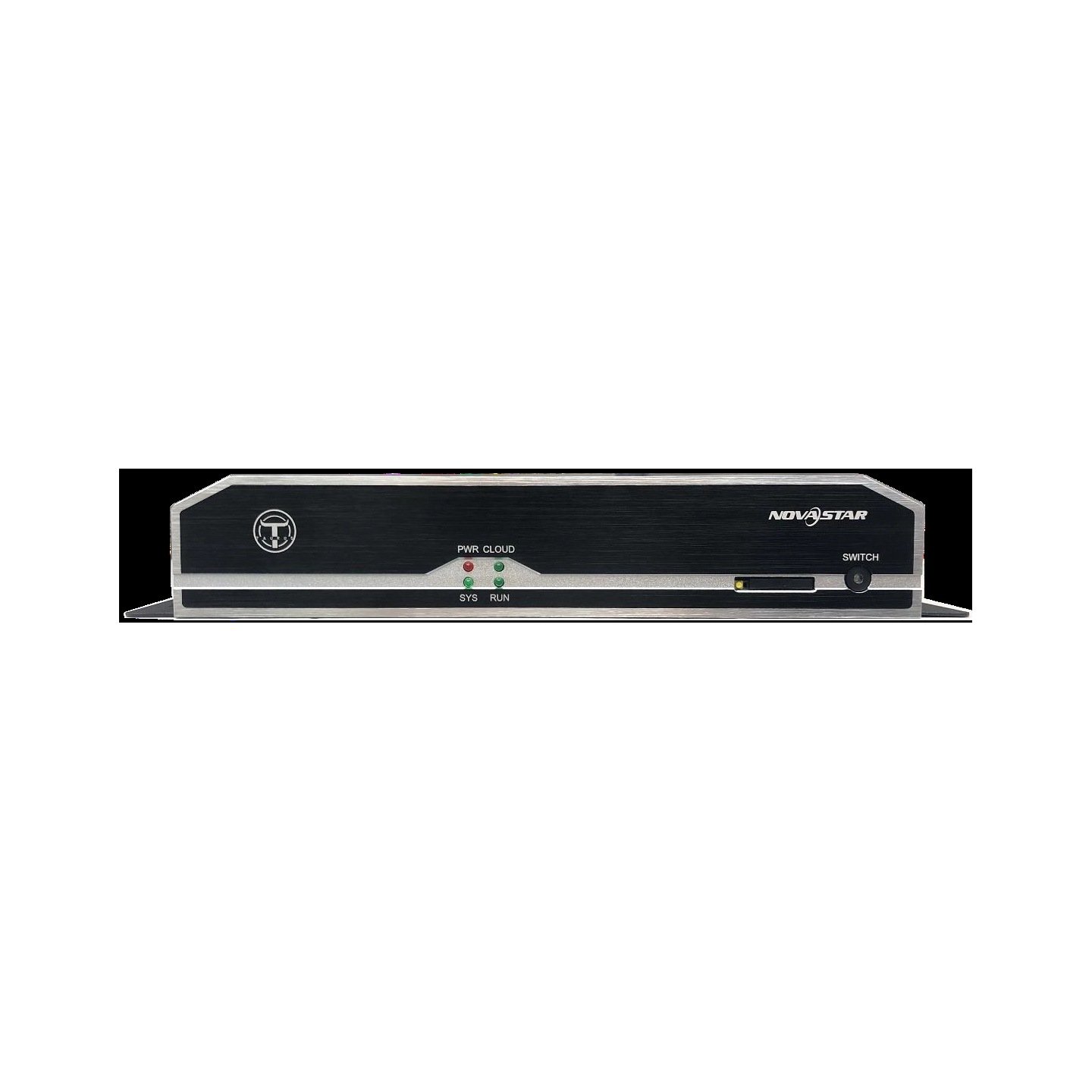

What is the NovaStar TB6?
The NovaStar TB6 is a mains-powered Taurus multimedia player that stores and plays your content, takes a live HDMI source, and drives up to 1,300,000 pixels of LED screen across four Gigabit outputs. Two of those four are set as spares before it leaves the factory.
It sits a generation behind the TB50 that took over its place in the range, and we keep it for the sites already built around it: repairs, matched spares and estates where consistency across signs matters more than the latest specification.
Of the first-generation boxes it is the one with the most content space, which turns out to be the reason most people who own one chose it.
NovaStar TB6 key features
Half the screen outputs are insurance
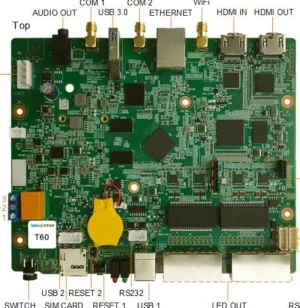
Four Gigabit sockets leave this player, and NovaStar sets two of them as working and two as spares by default. Cut a working run and your picture moves to the spare instead of going dark.
That default is unusual. Current players hand you all their ports as capacity and leave the backup decision to you.
Twenty-eight gigabytes of content, on a first-generation box
Storage here is 32 GB with 28 GB available to you, where the TB3 and TB8 on the same platform give you 4 GB. If your rotation is long or your files are large, that gap decides which of the three you want.
A USB drive extends it further, and on this player there are two USB sockets rather than one.
A brightness sensor connects without extra hardware
A sensor connector on the board takes a light sensor directly, so the screen follows the daylight on a schedule you set rather than sitting at one level day and night.
On an outdoor sign, that single connection is what stops the screen being unreadable at noon and blinding at midnight.
NovaStar TB6 specifications
Check the height limit against a tall screen; at 1920 it is well below what the current players allow, and it catches portrait installations.
| Pixel capacity | 1,300,000 pixels; maximum 4096 wide and 1920 high |
|---|---|
| Screen outputs | 4x Gigabit RJ45, two working and two spare by default |
| Live picture input | 1x HDMI 1.3, fitted to the screen automatically |
| Loop-through output | 1x HDMI 1.3 |
| Processor and memory | Eight-core at 1.5 GHz, 2 GB RAM; decodes 4K in H.265 and 1080p |
| Internal storage | 32 GB fitted, 28 GB available for content |
| Storage sockets | 2x USB 2.0, for playing content from a drive |
| Sound | 1x stereo output |
| Sensor connector | On board, for a brightness sensor |
| Wireless and mobile | Permanent hotspot plus a router connection, both at once by bridging; mobile module bought separately |
| Power in | AC 100–240 V; 18 W maximum draw |
| Size and weight | 278.5 mm × 139.5 mm × 45.0 mm; 1,352.3 g |
| Operating range | −20°C to +60°C, 0% to 80% RH, non-condensing; IP20 |
| Approvals listed | UL, CE, FCC SDoC, FCC ID, PSE, CB, IC, CCC, KC, RCM, MIC, SIRIM, EAC, FAC, PSB, IMDA, NTC, CITI, NCC |
| In the carton | 2 wireless antennas, mains lead, quick start guide |
Figures come from NovaStar’s Taurus Series Multimedia Player TB6 Specifications V1.7.0, dated 18 June 2021.
How the four outputs are set, and how to change them
Out of the box you have two working outputs and two spares, and the whole player carries 1,300,000 pixels regardless of how you divide them. The ports do not each carry that figure.
Leaving the default alone buys you protection. A damaged run between the player and your cabinets stops being a dark screen and becomes a fault you fix at your convenience.
Changing it buys you shorter cable runs instead. Four working outputs let you feed a wide screen from four points, so fewer cabinets sit behind any one cable and tracing a fault takes less walking.
Make that choice before the cable is pulled. Moving between the two arrangements means re-mapping cabinets and re-running cable, not changing a setting on a laptop.
The video input, and where the loop goes
Plug a source into the HDMI input and the picture is fitted to your screen automatically; unplug it and the stored schedule resumes. There is no source button, so what is connected decides what shows.
A second HDMI socket passes the same picture onward. That is where a confidence monitor at a lectern goes, or a recorder, without a splitter appearing on your parts list.
It is a loop rather than an independent output, so the monitor sees exactly what the screen sees. You cannot put the playlist on one and the live feed on the other.
For anything more involved than that — a logo over a live picture, two sources side by side — the answer is a video processor rather than a player, and it is worth settling before the room is specified.
TB6 or TB50 — repairing against renewing
The TB50 is the current player for this slot and carries the same pixel figure, so the comparison is about everything around that number rather than the number itself.
| Model | TB6 · TB50 |
|---|---|
| Pixel capacity | 1,300,000 · 1,300,000 |
| Maximum height | 1920 · 4096 |
| Screen outputs | 4, two held as spares · 2, both live by default |
| Usable storage | 28 GB · 32 GB |
| Sensor sockets | 1 · 2 |
| Long thin screens | not published · up to 23,040 pixels wide |
| Price | quoted per project · $488 |
Order the TB6 when you are repairing or matching screens already built on it, or when four physical outputs with two held in reserve is the arrangement your site was cabled for.
Order the TB50 for anything new. It takes a screen more than twice as tall, publishes limits for long thin displays and belongs to the current platform, which matters if any of your screens have to play in step.
TB6 datasheet and software
ViPlex Express on Windows and the ViPlex Handy app both still support this player, and either one holds your screen layout, playlists and brightness schedule.
Note the document date when you are checking a figure. The published specification for this model is from June 2021, and NovaStar has not revised it since, so it does not carry the newer features that later revisions added elsewhere in the family.
NovaStar TB6 FAQ
Do all four outputs add capacity?
Not as supplied. Two are working and two are spares by default, and the whole player carries 1,300,000 pixels however you divide them. You can set all four as working if you would rather have shorter cable runs than a backup.
How much content will it hold?
28 GB of the 32 GB fitted, which is far more than the TB3 or TB8 on the same platform give you. Two USB sockets extend it further.
How does it switch to the HDMI source?
By itself. A connected source takes the screen and the stored schedule resumes when it is unplugged. There is no source button on this player.
What does the second HDMI socket do?
It passes the incoming picture onward to a monitor or a recorder. It is a loop of the input, not an independent output, so both see the same thing.
Is the TB6 UL listed?
Yes. NovaStar lists UL along with CE, FCC, PSE, CB, IC, CCC, KC, RCM, MIC, SIRIM and others against this player.
How tall a screen will it drive?
1920 pixels. That is the limit most likely to rule it out of a portrait installation, and the current TB50 takes 4096.
Can a TB6 stay in step with a newer player?
No. NovaStar groups players into platforms for synchronized playback and states that different platforms must not be mixed. This one shares its platform with the TB3 and TB8.
Can I connect a light sensor?
Yes, to the sensor connector on the board, so the screen follows the daylight instead of holding one brightness around the clock.
What warranty covers a TB6?
Three years of serial-tracked manufacturer coverage, because these players come through our authorized US NovaStar channel.
Can I get volume pricing or Net 30 terms?
Yes. Send the model and the quantity and we will quote. Purchase orders and Net 30 terms may be available for approved schools, government buyers, venues and established integrators.
How do I order a TB6?
This player is quoted rather than listed at a fixed price. Tell us the quantity and whether it is a repair or a batch, and we will confirm availability. We ship from Florida.
Reviews
There are no reviews yet.