
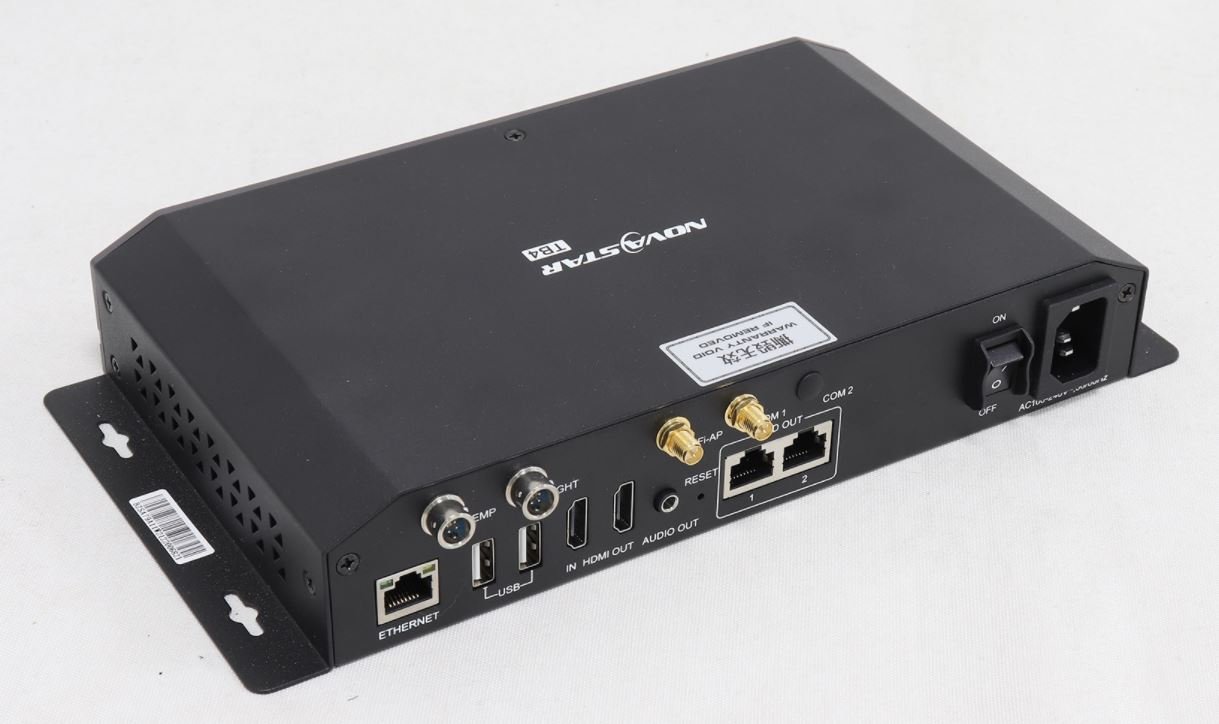
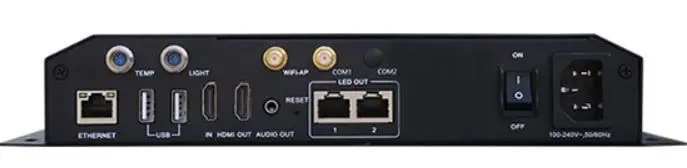
What is the NovaStar TB4?
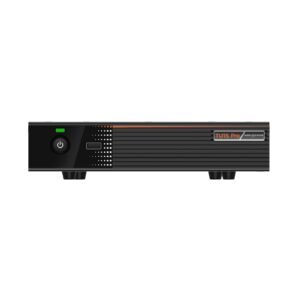
The NovaStar TB4 is a Taurus multimedia player from the same generation as the TB3, TB6 and TB8: a box that stores your content, plays it on a schedule and drives an LED screen with nothing else in the chain. That much is confirmed by NovaStar’s own documentation.
What is not confirmed is everything else. NovaStar publishes no specification for this model, so this page will tell you what can be sourced and will not fill the gaps with figures we cannot stand behind.
If you own a TB4 sign and need it working again, the two sections below are written for you. If you are choosing a player for a new screen, skip to the current models.
What NovaStar publishes about the TB4
One official document names this player, and it is the Taurus Series Synchronous Playback Implementation Instructions. Its platform table lists the TB4 alongside the T3, T6, TB3, TB4A, TB6 and TB8, and states that models from different platforms must not be mixed in one synchronized group.
The same table gives that platform’s ceiling for playing in step: one item per page, at 1080p or below, with matching properties on every player in the group.
NovaStar’s download center carries no TB4 specification sheet, no user manual and no firmware package under that name. The 8 GB and 32 GB figures, the port counts and the pixel capacities you will find quoted elsewhere for this model are not traceable to a published NovaStar document.
So we do not print them. Where somebody else does, ask them which document the number came from.
Keeping a TB4 sign running
Start with the configuration rather than the hardware. These players hold the cabinet map themselves, so if the unit still answers on the network, save the screen configuration and the content out of ViPlex Express before you do anything else.
Check the supply next. On signs of this age a power supply that has drifted out of tolerance looks exactly like a failed player, and swapping the suspect unit into a cabinet you know is healthy is the fastest way to tell them apart.
Check the software version too if it responds. A player still running anything older than V2.3.0 cannot be updated straight to V3.0.0 or later; it has to be brought to V2.3.0 from a local file first, and that step is where most attempted updates on old units go wrong.
Change the wireless password while you are in there. Players of this generation ship with a default printed on the label, and on a sign installed years ago it has usually never been changed.
What we confirm before you order one
Send us the serial number or a photograph of the label on your existing unit, and we will go back through the supply chain before anything is invoiced. Three answers come back in writing.
The first is what part actually ships against this model code today. The second is its pixel capacity and output count, so you can check them against the screen you already have. The third is the physical size, because a sign built tightly around one box does not always take another.
If any of those comes back different from the player you are replacing, we will say so and let you decide, rather than shipping something that turns out not to fit.
Where the answers cannot be obtained, we will tell you that too and point you at a current model instead. An honest no is cheaper for both of us than a return.
Current players that cover the same job
If your screen is being renewed rather than repaired, three current models cover the range this player sat in, and all three have published specifications you can design against.
| Model | TB30 · TB40 · TB50 |
|---|---|
| Pixel capacity | 1,300,000 on all three |
| Screen outputs | 2 on all three |
| Live HDMI input | no · yes · yes |
| Power in | mains · DC 12 V · mains |
| Usable storage | 32 GB on all three |
| Price | $304 · $269 · $488 |
Order the TB30 if the screen plays prepared content only, and the TB50 if a laptop or camera has to reach it.
Order the TB40 where the mounting position has 12 V rather than mains, or where a 460 g body is the only one that fits. One warning that applies to all three: they belong to the current platform, so a new player will not stay in step with older signs on the same site.
Documents that genuinely apply
Both documents below are real NovaStar files, and neither is a TB4 specification because none exists. They are here so you can check the reasoning on this page rather than take our word for it.
NovaStar TB4 FAQ
Why does this page not list TB4 specifications?
Because NovaStar publishes none. Its download center has no TB4 datasheet, manual or firmware package. The only official file that names the model is the Taurus synchronous playback document, which places it on a platform with the T3, T6, TB3, TB4A, TB6 and TB8.
Can you still supply a TB4?
Subject to confirmation, yes. Send the serial number or a photograph of the label, and we will confirm the part, its capacity and its size in writing before invoicing.
My TB4 sign has stopped. What should I check first?
The power supply, before the player. On signs of this age a supply that has drifted out of tolerance looks exactly like a dead player, and moving the suspect unit into a healthy cabinet settles it quickly.
What do I need to save before replacing one?
The screen configuration and the content, from ViPlex Express while the old unit still answers. These players hold the cabinet map themselves, so without that file a replacement starts from an unconfigured screen.
Can a TB4 play in step with a newer player?
No. NovaStar states that models from different platforms must not be mixed in one synchronized group, and this model is on the older platform. Its group is limited to one item per page at 1080p or below.
Can I update the firmware on an old unit?
Only in two steps if it is far enough behind. A player running software older than V2.3.0 has to be brought to V2.3.0 from a local file before it will accept V3.0.0 or later.
What should I buy for a new screen?
The TB30 if it plays prepared content only, the TB50 if a live source has to reach it, or the TB40 where only 12 V is available. All three carry 1,300,000 pixels and 32 GB, and all three have published specifications.
Will a new player behave like the one I am replacing?
In everyday use, yes. In one respect, no: current players are on a different platform, so a mixed site cannot keep all its screens in step. Plan a whole row rather than one sign at a time if synchronized playback matters.
What warranty would apply?
Three years of serial-tracked manufacturer coverage, because these players come through our authorized US NovaStar channel.
Can I get volume pricing or Net 30 terms?
Yes. Send the model and the quantity and we will quote. Purchase orders and Net 30 terms may be available for approved schools, government buyers, venues and established integrators.
How do I order a TB4?
This model is quoted rather than listed at a fixed price, and we confirm what ships before quoting. Send the quantity and a photograph of the label on your existing unit. We ship from Florida.
Reviews
There are no reviews yet.