
What is the NovaStar VX16s 16-port LED video controller?
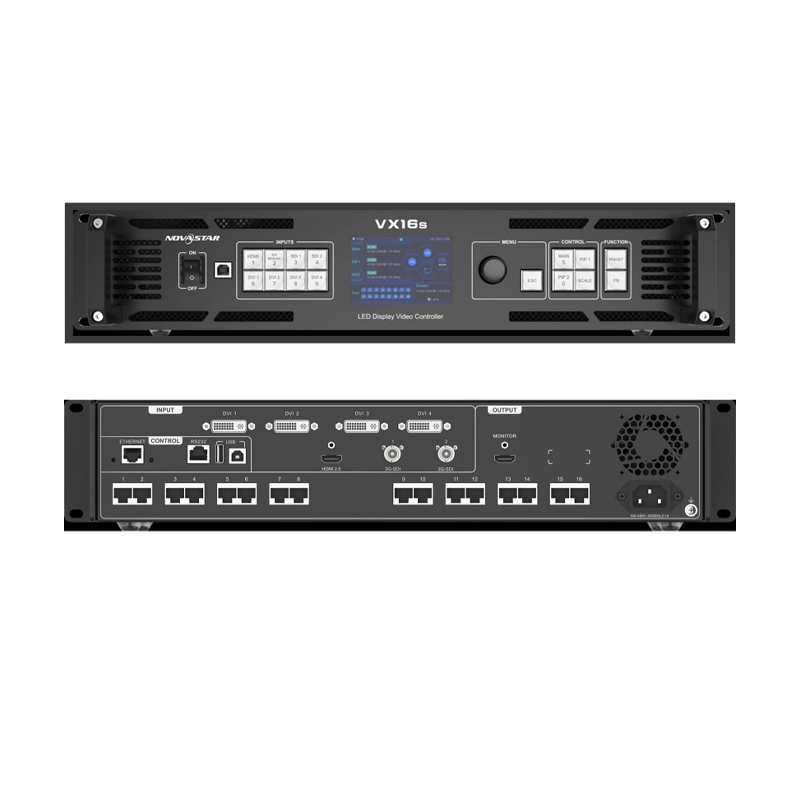
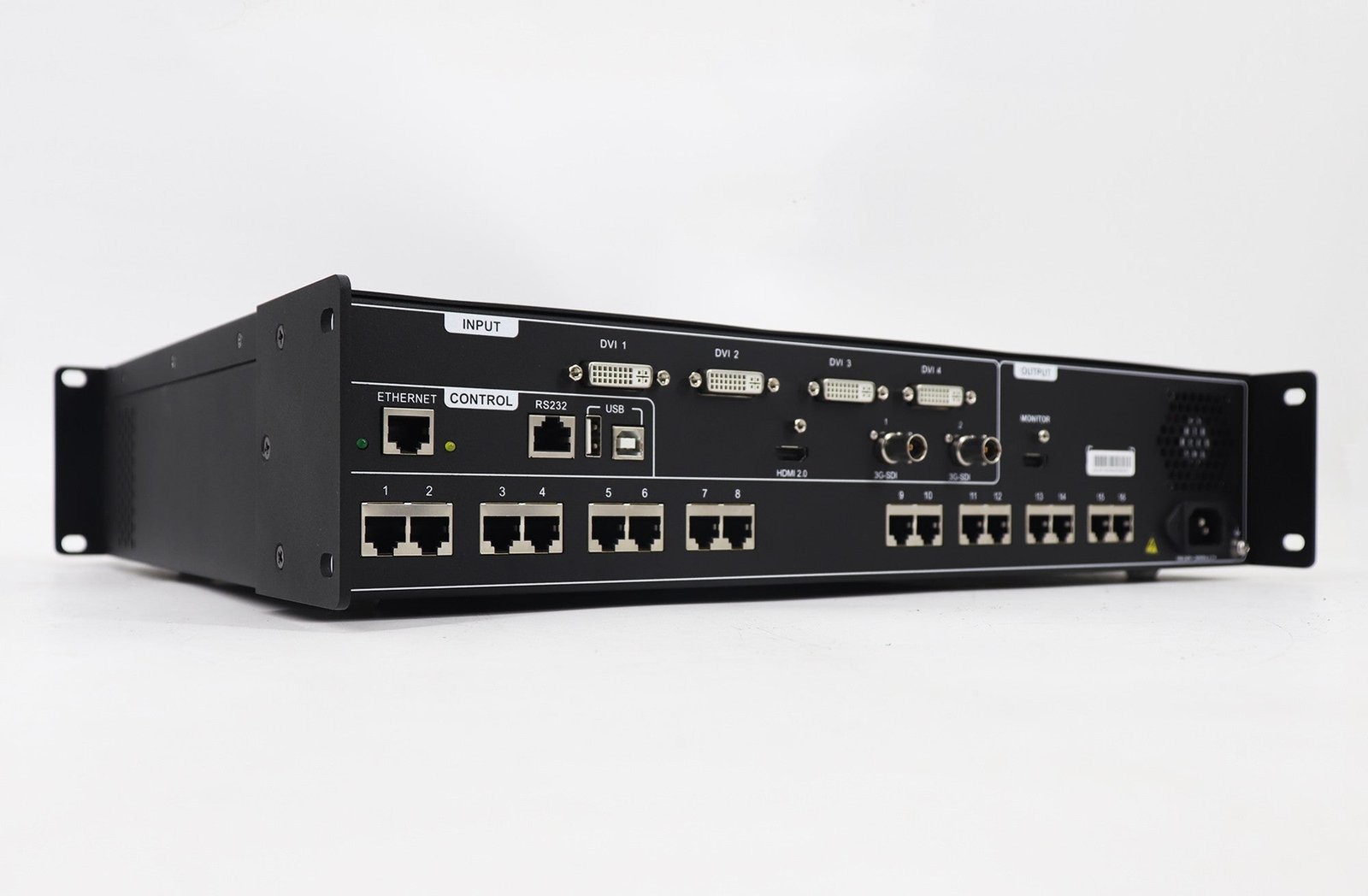
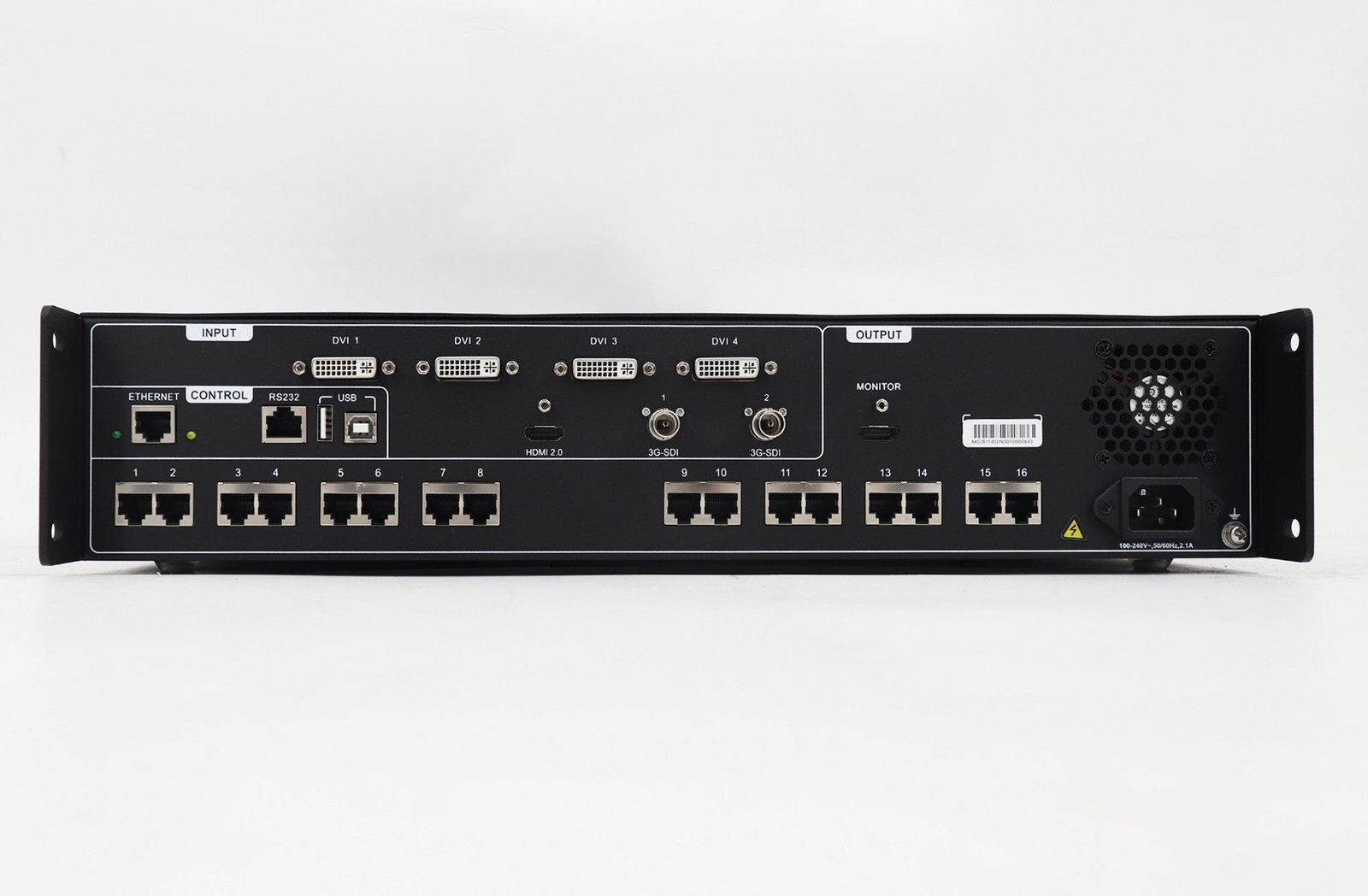
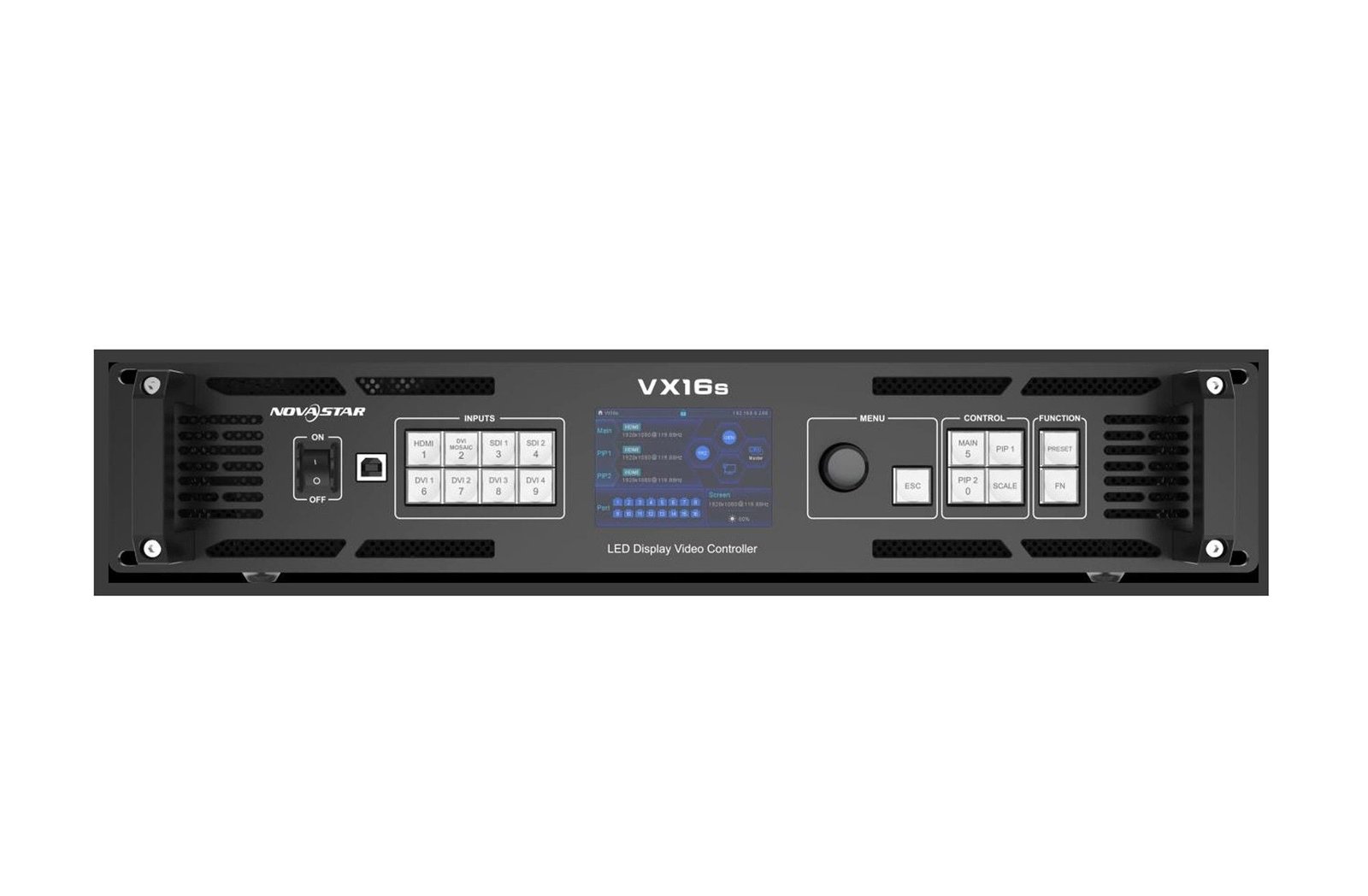
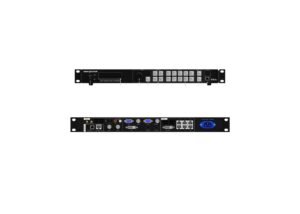
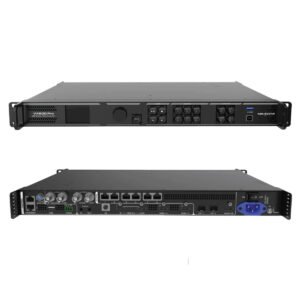
The NovaStar VX16s is a 2U all-in-one processor and LED controller for a large screen. It accepts the planned video source, creates the LED canvas, maps it across sixteen Ethernet outputs, and sends the data to the receiving cards inside the cabinets.
Its main decision is large-screen planning. The 10.4M-pixel total, the 16 output paths, the maximum canvas and the load on each port must all fit at the same time. A screen can pass one of these checks and still fail another.
VX16s key features
- Large-wall output plan: map a wide or tall screen across sixteen Ethernet paths from one 2U rack unit.
- 4K HDMI, SDI and DVI Mosaic inputs: keep the source method that fits the existing camera or media-server rack.
- Main image with supporting content: use a 4K main layer, two PIPs and monitor output for a practical stage or presentation layout.
- Tested recovery paths: use input, device and port-backup testing before the system is handed over.
VX16s specifications
| LED load and outputs | Up to 10.4 million pixels through 16 Gigabit Ethernet outputs. |
|---|---|
| Maximum canvas | Up to 16,384 pixels wide by 8,192 pixels high. |
| Source options | HDMI 2.0 4K, dual 3G-SDI and four-DVI Mosaic. |
| Live layout | One 4K×2K main layer, two 2K×1K PIPs and an HDMI monitor output. |
Can the VX16s carry your large LED canvas?
Use the total capacity, the canvas dimensions and the individual port load as three separate checks.
| Total LED load | Up to 10.4 million pixels. |
|---|---|
| Maximum canvas | Up to 16,384 pixels wide by 8,192 pixels high. |
| LED outputs | 16 Gigabit Ethernet ports, each with a documented load of up to 650,000 pixels. |
| 3D planning | 3D is supported, but it halves output capacity. Recheck the canvas before committing to 3D playback. |
| Multi-controller image | Up to four units can form an image mosaic with the documented video-distributor condition; do not plan this as a simple untested daisy chain. |
Start with the cabinet geometry and data order, then count the pixels on each output. This prevents an overloaded port or a segmented screen from appearing during final commissioning.
VX16s 4K, 3G-SDI and DVI Mosaic input planning
The VX16s gives the source planner three distinct paths. HDMI 2.0 accepts a 4K source up to 3,840 × 2,160 at 60 Hz. The two 3G-SDI inputs suit an existing camera or broadcast path up to 1,920 × 1,080 at 60 Hz. Four single-link DVI inputs can form one DVI Mosaic source from an existing multi-output system.
DVI Mosaic is not four unrelated main pictures. It is one planned source canvas. Choose it when the upstream system already creates the image across four DVI outputs; choose HDMI 2.0 when one 4K source is cleaner. Confirm the exact input timing and EDID before the rack is installed.
VX16s layers, scaling and program monitoring
The controller provides one 4K × 2K main layer, two 2K × 1K PIP layers and an OSD. In a large presentation, the main layer can hold the stage background while two smaller layers carry a camera, timer or sponsor element. The operator can choose pixel-to-pixel, full-screen or custom scaling according to the source and canvas.
The HDMI monitor output provides a practical place to check the selected program or setup result without looking at the LED wall from the audience. Use it as part of the test process, not as a substitute for checking the mapped cabinets.
VX16s backup and multi-controller image mosaic
Large screens make a backup plan more valuable because a failure affects more cabinets at once. The VX16s supports input-source hot backup, device backup and an Ethernet-port backup test. Test each selected path while the wall is available, rather than assuming every backup option is active by default.
When one canvas exceeds the capacity of a single unit, up to four VX16s controllers can form an image mosaic with the required video distributor. Treat that as a complete signal design: source distribution, output mapping, timing and cabinet configuration all need to be tested together.
VX16s setup with V-Can and NovaLCT
Use NovaLCT for the LED screen: load the correct cabinet file, match the receiving cards and map the cabinet chains to the sixteen Ethernet ports. Use V-Can or the front panel for the processor: set the source, choose scaling, place layers, save presets and run the backup test.
- Confirm cabinet files and the real physical port order.
- Enter the canvas and map the sixteen output paths.
- Verify the HDMI, SDI or DVI Mosaic source at its actual show timing.
- Build the main and PIP layers, then check the monitor output.
- Test the selected backup route before handing the system to the operator.
VX16s applications for large live and installed LED systems
Large conference backdrops
Map a wide or tall canvas across sixteen ports, then keep the presentation background and supporting PIP layers in one tested layout.
Multi-camera programs
Use the 3G-SDI inputs and monitor output when the source plan includes camera feeds alongside a large LED program image.
DVI Mosaic systems
Keep an established four-DVI source system when it is already creating one planned source canvas for the LED wall.
Installed wide canvases
Use input, device and port backup testing when a large fixed screen needs a documented recovery path.
VX16s manual, datasheet and software
VX16s user manual
Open the VX16s User Manual page or download the VX16s User Manual PDF for connections, layers and commissioning steps.
VX16s datasheet
Use the VX16s Datasheet page or VX16s Datasheet PDF for capacity, input and 2U rack specifications.
VX16s vs VX1000 and multi-controller alternatives
Choose according to the canvas, source method and output map, not only the headline pixel number.
| VX1000 | 10 ports and 6.5M pixels for a smaller canvas with older HDMI/DVI/SDI source limits and three simple layers. |
|---|---|
| VX16s | 16 ports, 10.4M pixels, HDMI 2.0 4K60, DVI Mosaic and a main 4K layer plus two PIPs for a larger planned system. |
| Multiple VX16s | Use only when a documented video-distributor, image-mosaic and cabinet-mapping plan has been tested as a complete system. |
| VX Pro / newer platform | Consider a newer processor when its input, layer or current software workflow answers the source requirement more directly. |
Choose VX16s when sixteen mapped output paths, 4K HDMI or DVI Mosaic answer the real design question. If the requirement is only a few ports and a simple source, a smaller controller will be easier to plan and operate.
VX16s FAQs: DVI Mosaic, 3D capacity and backup testing
What is DVI Mosaic on VX16s?
It combines four single-link DVI inputs into one planned source canvas. It is intended for an upstream system that already provides the picture across four DVI outputs.
Does 3D reduce VX16s capacity?
Yes. The documented 3D mode halves output capacity, so recheck the pixel plan before using it.
What does the VX16s backup test check?
It lets the installer validate the selected input, device or Ethernet backup plan. Test it with the real wall and source before the event or handoff.
Which software is used for setup?
NovaLCT configures the screen and receiving cards. V-Can operates the processor, including source, layer, preset and backup settings.
Reviews
There are no reviews yet.