
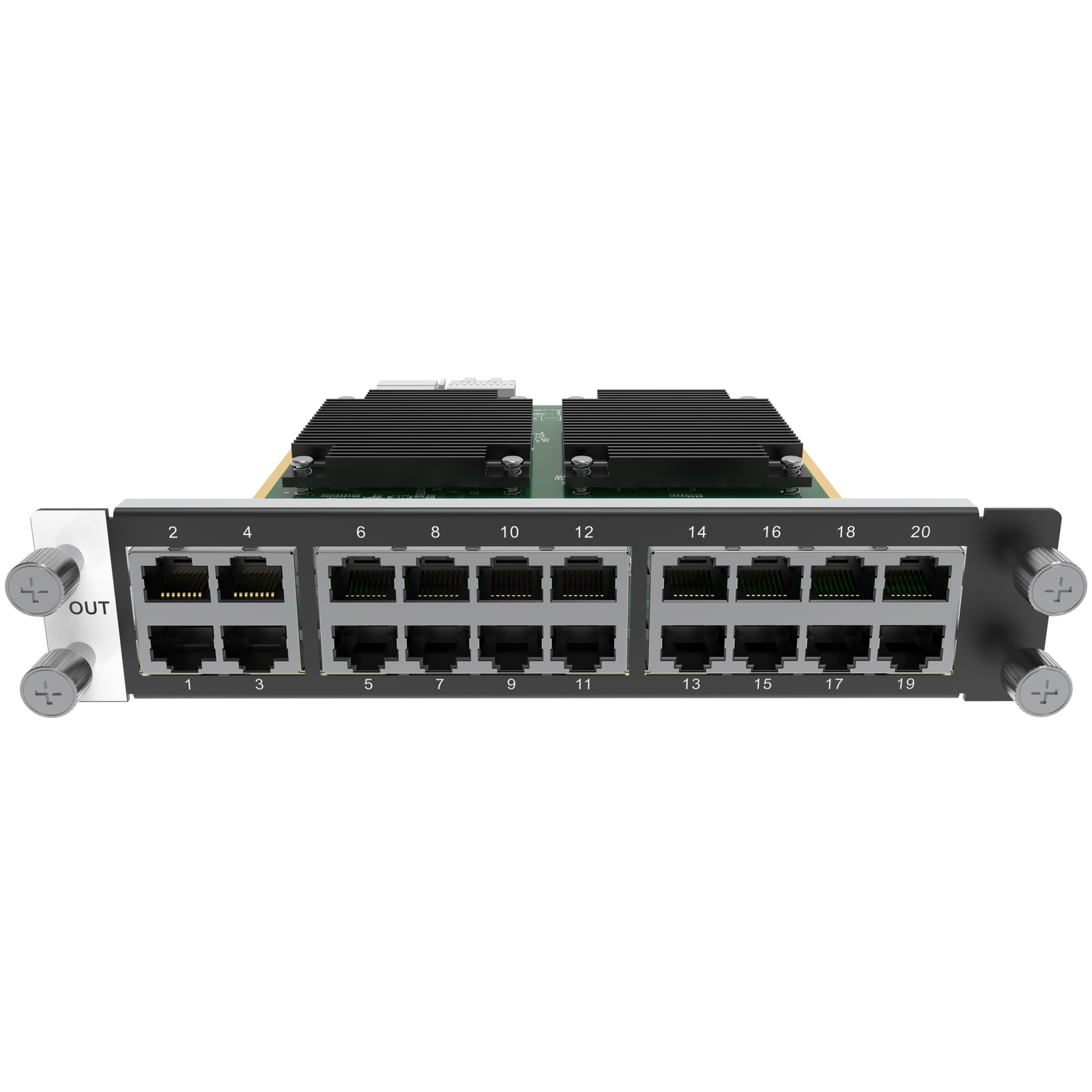
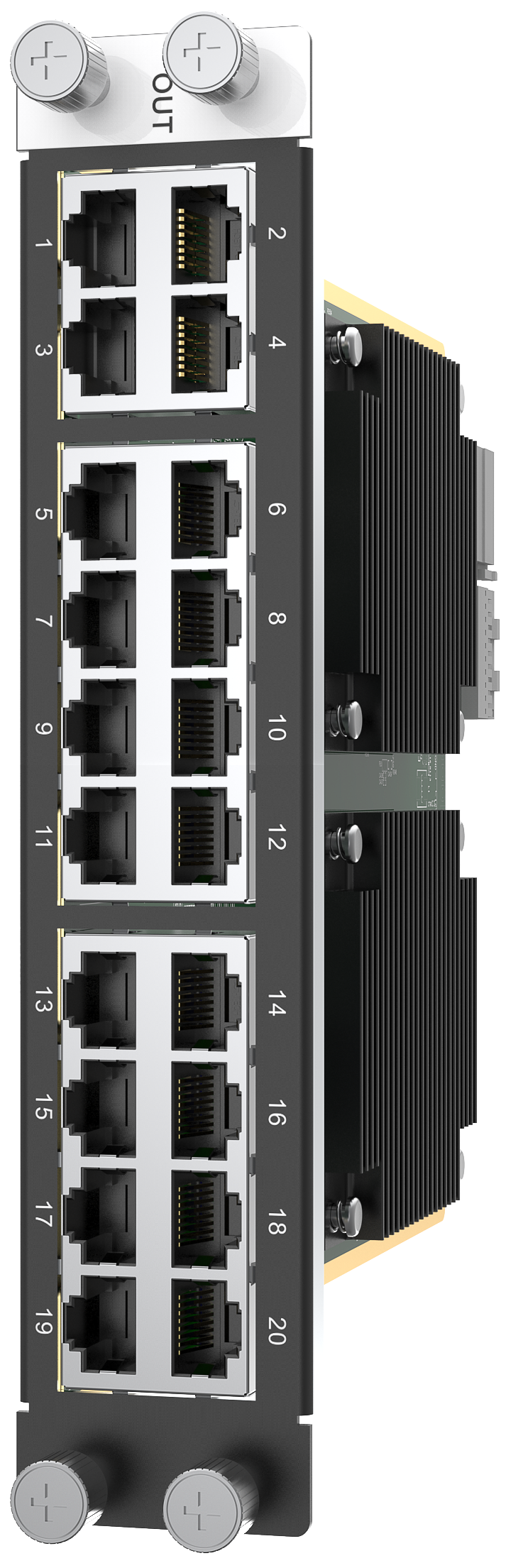
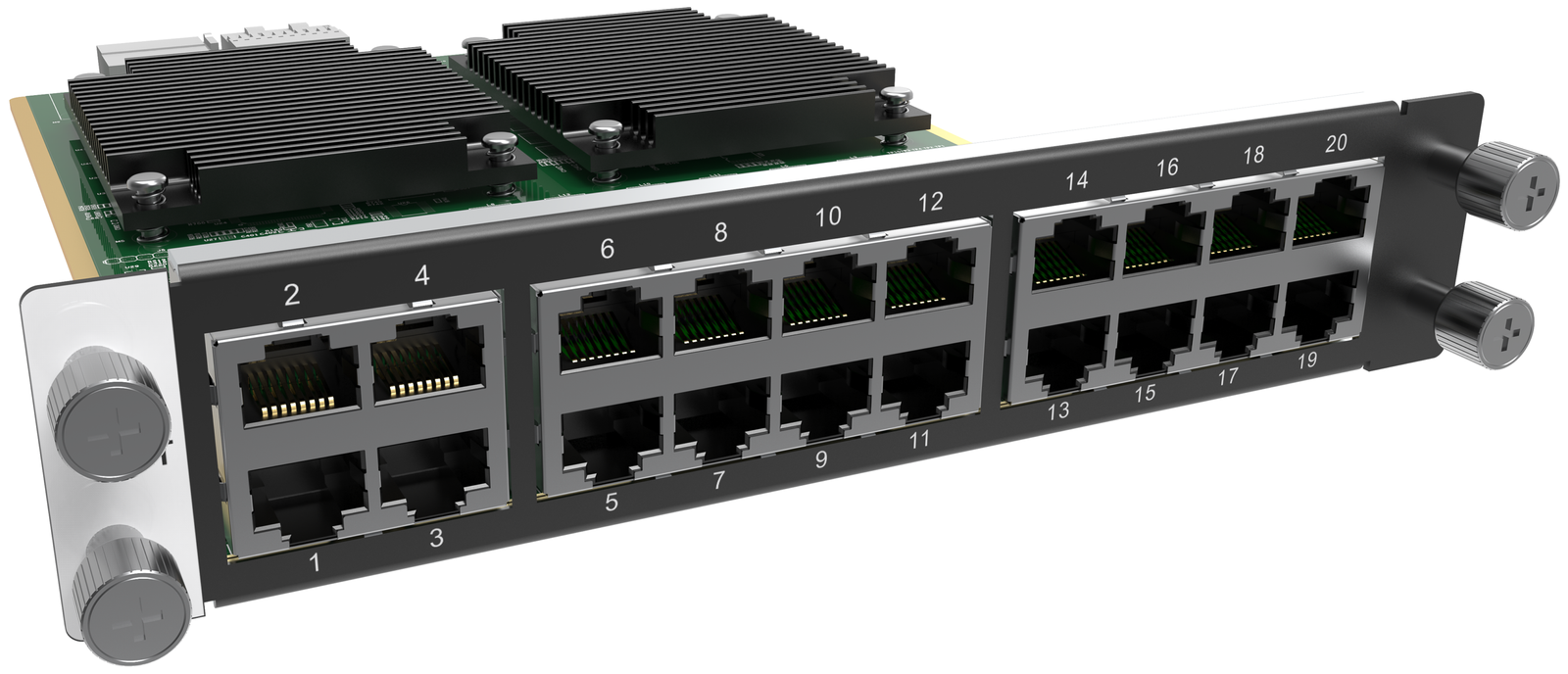
What is NovaStar H_20xRJ45 output card?
The NovaStar™ H Series 20x RJ45 Output Card is a two-slot LED output card for a compatible H Series system. It works by carrying the finished screen from the chassis to cabinet chains on up to 20 direct RJ45 routes; the chassis decides the picture, and this card delivers its assigned sections to the LED cabinets.
It is not the video wall splicer and it does not accept video sources. Choose it when the cabinet drawing needs up to 20 direct RJ45 paths from one card, the chassis has two free output-card slots, and the total plus per-path pixel loads fit the published limits. If the layout depends on the H_16xRJ45+2xFiber card’s two OPT copies, choose the H_16xRJ45+2xFiber Output Card instead.
Request H_20xRJ45 bulk pricing →
For confirmed multi-card or project quantities. Direct checkout is available when the chassis slot, cabinet-path count and pixel plan are already known.
NovaStar H_20xRJ45 output card key features: what makes it different?
- Twenty direct routes from the rack to the LED wall: the card’s 20 Gigabit RJ45 outputs give a large screen more individual cabinet paths without adding a second output card just for four more direct runs.
- A useful capacity ceiling for large mapped screens: one card supports up to 13 million pixels, as long as each RJ45 path also stays inside its own limit. That makes the port drawing and pixel count equally important before purchase.
- Plan image quality and port load together: an 8-bit path can load up to 650,000 pixels, while a 10-bit path can load up to 325,000 pixels. Selecting 10-bit can therefore change the required number of cabinet paths.
- Build the backup route before installation day: NovaStar specifies backup between Ethernet ports. It is useful only when the primary and backup cabinet paths have been planned and mapped as part of the screen configuration.
NovaStar H_20xRJ45 output card specifications
These limits apply to one H_20xRJ45 card. The final LED wall also depends on the installed chassis, selected bit depth, cabinet receiving-card configuration and physical connection map.
| System role | Two-slot H Series LED output card for cabinet data paths |
|---|---|
| Cabinet data paths | 20 × Gigabit RJ45 outputs |
| Total card capacity | Up to 13,000,000 pixels; maximum width or height 10,752 pixels |
| Per-RJ45 capacity at 8-bit | Up to 650,000 pixels |
| Per-RJ45 capacity at 10-bit | Up to 325,000 pixels |
| Output and backup | Up to 144 Hz output; backup between Ethernet ports |
| Physical | 193 × 247.12 × 41.25 mm; 600 g; 40.1 W |
When 20 NovaStar H_20xRJ45 RJ45 paths make sense
A port is a data route to cabinets, not a video source and not automatically a separate screen. For example, one wide LED wall may use several of the card’s ports to reach cabinet chains across the same canvas. The output-card choice begins with the cabinet drawing, then checks the pixels assigned to each route.
| Check before adding to cart | What H_20xRJ45 requires | Why it matters |
|---|---|---|
| Output-card space | Two compatible output-card slots | This is a two-slot card, so it must fit the intended chassis layout before any port count is considered. |
| Cabinet-path count | No more than 20 direct RJ45 paths from this card | The card is a strong fit when the cabinet plan needs 17–20 direct paths, rather than the H_16xRJ45+2xFiber card’s 16 direct paths with two OPT copies. |
| Whole-card pixel plan | Up to 13 million pixels | A large total canvas must fit within the card’s capacity, even if individual ports look acceptable. |
| Per-path pixel plan | 650,000 pixels at 8-bit or 325,000 pixels at 10-bit, per RJ45 output | Bit depth changes the maximum load per path; confirm it before deciding how many cabinet chains each port will serve. |
Selection rule: buy the H_20xRJ45 card for a confirmed direct-RJ45 cabinet map that needs its 20 paths and fits its total/per-path capacity. Do not choose an LED output card merely because the system has many video sources; source inputs and cabinet outputs are separate H Series decisions.
How NovaStar H_20xRJ45 output card reaches LED cabinets
- Set the intended LED output first: confirm the target screen’s output resolution, frame rate, bit depth and cabinet-path count in the H Series system before the card is assigned to a screen.
- Assign the card to the selected LED screen: the H Series chassis places the finished picture on this output card, while the 20 physical RJ45 ports carry its assigned sections to the cabinet chains.
- Map the physical cabinets in NovaLCT: select the installed card in left-to-right order, enter the receiving-card loading size and cabinet rows/columns, then draw the connection order for each RJ45 path and send/save the configuration.
NovaStar H_20xRJ45 vs H_16xRJ45+2xFiber: 20 direct paths or OPT copies?
Both are two-slot H Series LED output cards. The choice is about the physical cabinet route, not which card is “more professional.” The H_20xRJ45 card adds four direct RJ45 paths and more total pixel capacity; the H_16xRJ45+2xFiber card includes two OPT outputs that copy its specified groups of RJ45 ports.
| Selection point | H_20xRJ45 | H_16xRJ45+2xFiber |
|---|---|---|
| Chassis slots | 2 | 2 |
| Direct RJ45 cabinet paths | 20 | 16 |
| Built-in OPT output on the card | None | 2 OPT outputs: one copies RJ45 ports 1–8, the other copies RJ45 ports 9–16 |
| Total capacity | Up to 13 million pixels | Up to 10.4 million pixels |
| Best fit | A cabinet map that needs 17–20 direct RJ45 paths from one card. | A route that specifically needs its two built-in OPT copies for the documented RJ45 port groups. |
The H_20xRJ45 and H_16xRJ45+2xFiber cards can be configured on the same LED screen when they use the same frame rate. See the H_16xRJ45+2xFiber Output Card for that card’s own output-path details.
NovaStar H_20xRJ45 output card applications
The H_20xRJ45 card helps when the cabinet plan, rather than a vague idea of a “large system,” calls for high direct-RJ45 path density. Each example assumes that the chassis slots, per-port load and receiving-card configuration have already been confirmed.
Wide fixed LED walls
A lobby, auditorium or briefing-room wall can use many cabinet chains returning to one equipment rack. The H_20xRJ45 card fits when the final path count exceeds 16 but stays within 20 direct RJ45 routes.
Multi-area LED canvases
An experience center or retail display may combine a main canvas with separate screen areas. The output card gives the cabinet routes; the H Series chassis still decides what picture each area shows.
Event backdrops with many cabinet runs
A large stage wall can have several physical cabinet chains, even when it presents one picture. The H_20xRJ45 card keeps those direct runs together when the documented pixel load fits each path.
Displays with a planned backup path
For an LED display that needs a documented recovery route, the installer can use the card’s Ethernet-port backup capability as part of a full cabinet map instead of leaving backup decisions until after commissioning.
NovaStar H_20xRJ45 output card manual, specifications and H Series firmware
The H20 chassis specification PDF contains the official H_20xRJ45 card data. The manual, firmware and release notes below are H Series family resources; they are not H_20xRJ45-card-only files.
NovaStar H_20xRJ45 Output Card specifications (PDF, H20 V1.8.0)
Official H20 chassis specification that includes the H_20xRJ45 card’s ports, loading limits and physical data.
NovaStar H Series user manual (PDF, V1.15.0)
Family guide for output-card configuration and NovaLCT screen mapping; it is not card-only documentation.
NovaStar H Series firmware (ZIP, V2.2.0.0)
Verified H Series family firmware package; it is not firmware for this output card alone.
NovaStar H Series firmware release notes (TXT, V2.2.0.0)
Version changes and update notes for the same H Series family package.
NovaStar H_20xRJ45 output card FAQs
Is H_20xRJ45 a video wall splicer?
No. It is an output card installed in a compatible H Series chassis. The chassis creates the screen layout; H_20xRJ45 sends that completed layout to mapped LED cabinets.
Do 20 RJ45 outputs mean 20 video sources?
No. They are 20 possible cabinet data paths. A single source picture or LED canvas can be divided across several paths, while source inputs are handled by separate H Series input cards.
What is the maximum pixel capacity of one H_20xRJ45 card?
The card supports up to 13 million pixels total, with a maximum width or height of 10,752 pixels. Each RJ45 path must also stay within its bit-depth-specific loading limit.
Why does bit depth affect the cabinet-path plan?
At 8-bit, one RJ45 path can load up to 650,000 pixels. At 10-bit, one path can load up to 325,000 pixels. A screen that fits at 8-bit can therefore need more paths when planned at 10-bit.
When should I choose H_20xRJ45 instead of H_16xRJ45+2xFiber?
Choose the H_20xRJ45 card when the cabinet map needs 17–20 direct RJ45 paths from one card. Choose the H_16xRJ45+2xFiber card when the design specifically needs its two OPT outputs, which copy RJ45 ports 1–8 and 9–16.
Can H_20xRJ45 and H_16xRJ45+2xFiber be used on the same LED screen?
Yes, provided both output cards use the same frame rate. Confirm the complete screen configuration before commissioning.
How are cabinets mapped to H_20xRJ45 ports?
After the H Series screen is assigned, use NovaLCT to select the installed output card, set the receiving-card loading size and cabinet layout, draw each RJ45 connection order, then send and save the configuration.
Can I order H_20xRJ45 directly?
Yes, when the compatible chassis, two-slot position, direct-RJ45 path count, bit depth and pixel plan are confirmed. For a multi-card or project quantity, use the bulk-pricing link above.
Reviews
There are no reviews yet.