
What is the NovaStar ET1S-500G media server?
If your gallery, lobby or briefing room runs long-form 4K and the playlist keeps growing, the NovaStar ET1S-500G is the version of NovaStar’s smallest media server that gives you room for it. It is a 1U Windows machine running Kompass FX1, and it puts out one picture over DisplayPort or HDMI at up to 4K×2K@60Hz.
The drive is why you are here, and it is not the only value that moves. NovaStar wrote this model its own specification, and four values in it read differently from the ET1S-G. Two of them go your way. Two of them do not.
You want it where the content is long and the refresh is slow: a museum gallery, a lobby, a briefing room, a showroom playing the same finished program every day. The longer your 4K playlist runs, the more this is the model to buy.
What it will not do is drive your cabinets. The picture leaves on DisplayPort or HDMI, and the sending card or video processor you already own turns it into the runs your screen is wired for.
ET1S-500G vs ET1S-G: what actually changes
Five values separate them, and everything else you are buying is identical: the same 4K×2K@60Hz canvas, the same four playback layers, the same chassis.
| Value | ET1S-500G | ET1S-G |
|---|---|---|
| Drive | 500 GB SSD | 256 GB SSD |
| Custom output width | Up to 8192 pixels | Up to 7680 pixels |
| Four HDMI 1.3 outputs | Documented as defaulting to 2×2 | Seven mosaic layouts listed |
| Published certifications | CE, FCC, IC, RoHS | CE, FCC, IC, RCM, CB, KC |
| Processor | AMD Ryzen 5th generation | Intel Core i3-1215U |
| Price | $1,182 | $1,099 |
The bigger drive costs you $83, and it is not the only value that moves.
Order the ET1S-500G if your finished 4K playlist is what runs out first, or if your screen wants a custom output wider than 7680 pixels.
Order the ET1S-G instead if your four HDMI 1.3 outputs have to run in any layout other than 2×2, which is the only one the ET1S-500G document commits to. Order it as well when your paperwork has to carry the RCM, CB or KC marks that the ET1S-500G list does not name.
Your rack sees the same box either way. Both models ship at 5.2 kg in the same 565 × 510 × 175 mm carton, and the two datasheets list their dimensions in a different order, so plan a 1U opening for either and confirm the height with your order if the rack is tight.
Spec sheets are not shipping approvals. If your job sits outside North America and the EU, read the certification row before your purchase order goes out, not after the crate lands.
How much 4K a 500 GB drive really holds
You get roughly thirteen to sixteen hours of it, against five or six on the 256 GB model. NovaStar recommends 53 to 68 Mbps for 4K at 50 or 60 Hz, which is about 24 to 31 GB for each finished hour you hand it.
The gap is wider than the drive sizes suggest, and that is the part worth knowing before you pay for it. Windows sits on the only SSD in either machine and costs the same on both, so the 244 GB the ET1S-G does not have is media space and nothing else. At the recommended bitrate that alone buys you another eight to ten hours.
If your content is 1080p the question changes entirely. NovaStar recommends 12 Mbps there, about 5 GB an hour, and the drive stops being your limit long before the playlist does.
The datasheet lists one 500 GB SSD and nothing about adding a second, so size your library at the order rather than planning to grow it.
ET1S-500G key features
Output partitioning
Galleries and lobbies rarely give you a clean rectangle to fill. You divide one output into as many as 1,024 partitions, then move those sub-outputs around in Kompass FX1 until they match your stepped, L-shaped or ribbon screen. The edit happens in the server, so nobody re-renders your film.
Four playback layers
A finished film is usually only part of what your wall shows. Four layers and one audio track run together, which covers a background film, a logo, a caption strip and a clock or a web page over the top. Anything past four you have to bake into the video yourself.
Unattended start-up
Nobody wants the phone call that says the gallery opened to a black wall. When mains power returns you get the machine booting, Kompass FX1 starting and your saved program playing, with nobody on site.
Live and networked sources
Some of your layers have to be current rather than pre-rendered. Kompass FX1 takes NDI, a web page, a streaming URL and text as sources, and it plays your PowerPoint up to 1080p with laser-pointer control for a briefing room.
NovaStar ET1S-500G specifications
These are the values you check against your rack drawing, your power schedule and your export paperwork.
| Output capacity | 1× 4K×2K@60Hz, one canvas |
|---|---|
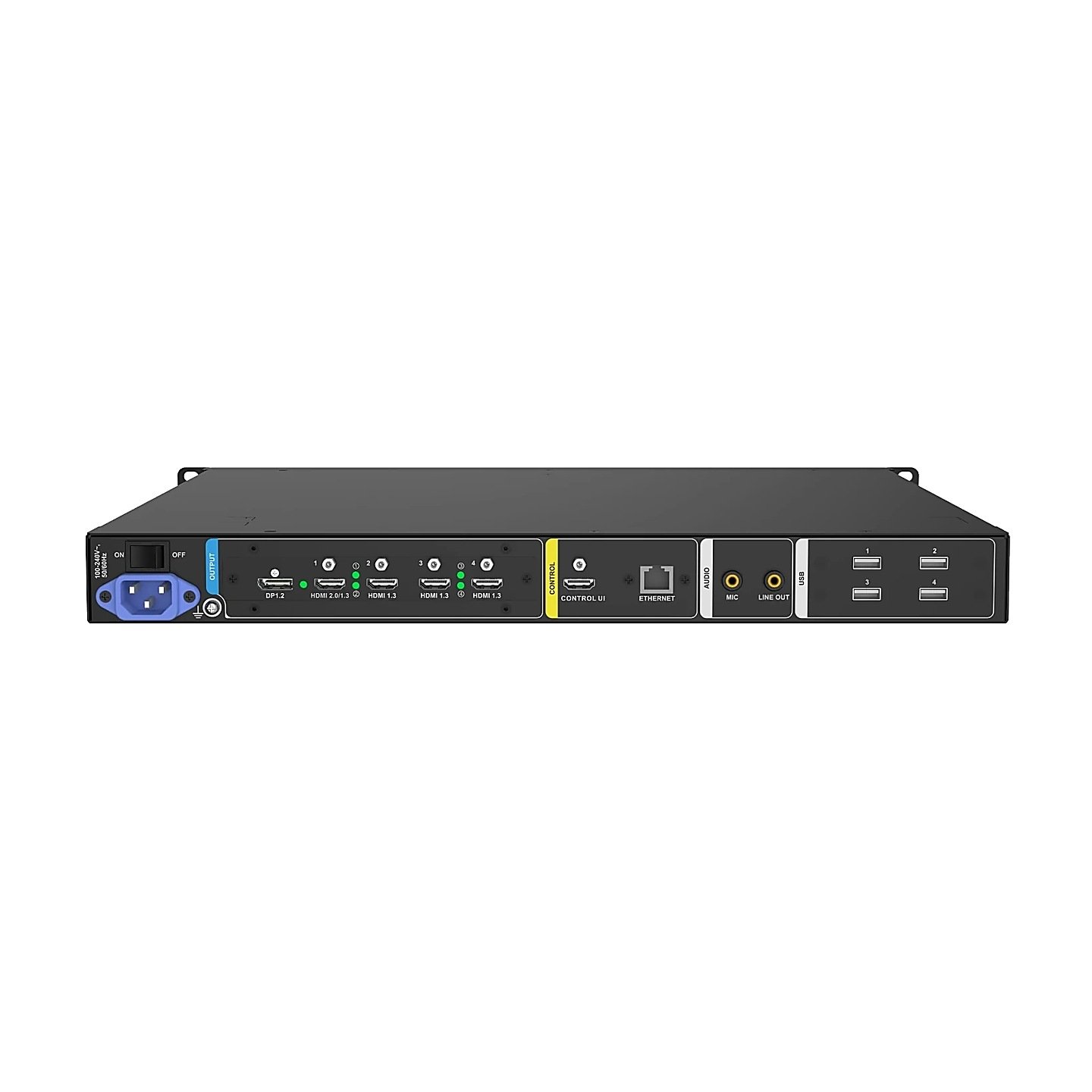
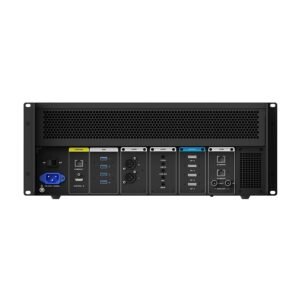
| Video connectors | 1× DP 1.2, 1× HDMI 2.0, 4× HDMI 1.3, plus a separate CONTROL UI connector |
| Custom output timing | Up to 8192 pixels wide and 4095 high |
| Color handling | 8-bit; RGB 4:4:4, YCbCr 4:4:4 and YCbCr 4:2:2; full and limited range; HDCP; EDID lock |
| Playback | Up to 4 layers and 1 audio track; up to 1,024 partitions per output |
| Processor and memory | AMD Ryzen 5th generation; 16 GB DDR4 |
| Storage | 500 GB SSD, shared with the operating system |
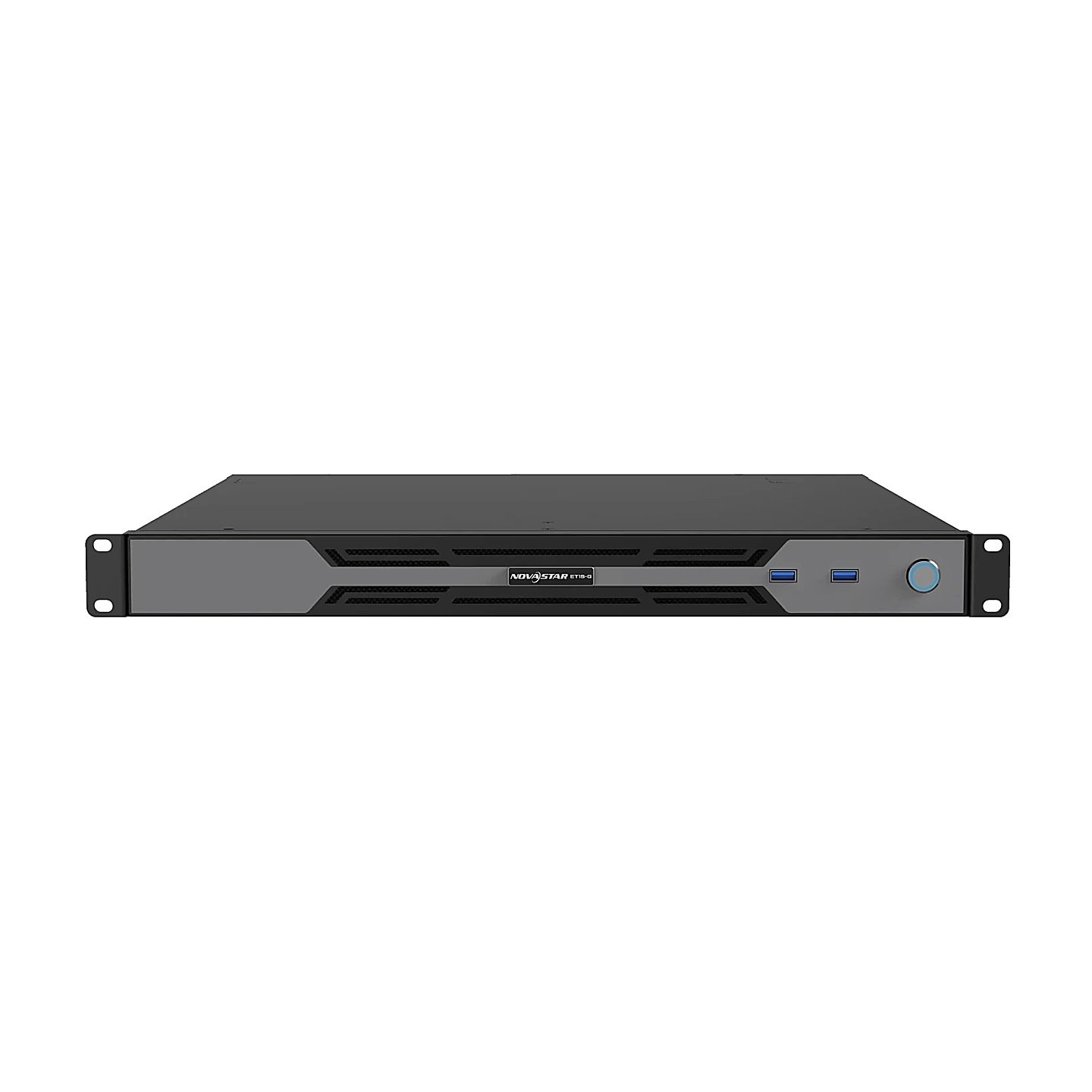
| Network, USB and audio | 1× Gigabit RJ45; 2× USB 3.0 front and 4× USB 2.0 rear; MIC in and Line OUT |
| Software | Kompass FX1 on Windows 10 Enterprise LTSC |
| Power | 100–240V~, 50/60Hz; 120 W open-frame supply; 80 W consumption |
| Environment | 0°C to 45°C operating; −10°C to +60°C storage; non-condensing |
| Dimensions and weight | 482.6 × 43.6 × 400 mm, 5.2 kg |
| Mounting | Horizontal only, four M5 screws, 19-inch rack rated for four times the mounted weight |
| Certifications | CE, FCC, IC, RoHS |
Read 43.6 mm as the height and 400 mm as the depth. NovaStar prints them in that order here and the other way round on the ET1S-G sheet, which is worth knowing before you scale anything off it.
What the ET1S-500G video connectors carry
One canvas leaves the machine, and the connectors decide how you cut it up. DP 1.2 and HDMI 2.0 each carry the whole 4K×2K@60Hz picture, and the four HDMI 1.3 connectors carry it between them at up to 2K×1K each, defaulting to a 2×2 arrangement.
The 8192-pixel custom width is what that canvas is really for. An 8000-pixel-wide ribbon about 1080 high comes to 8.6 million pixels and sits inside one custom output timing on DP 1.2, which gives you 512 pixels more width than the ET1S-G document allows. The height is what pays for it.
HDMI 2.0 and HDMI 1.3 are not additive, so you choose between them. The port switches in software, and with HDMI 2.0 selected, HDMI 1.3 connectors 2, 3 and 4 stop being available to you. Make that call at design time.
Audio has its own rules and they will catch you out. The four HDMI 1.3 connectors carry no audio at all, so your embedded sound travels on DP 1.2 or HDMI 2.0 at up to 24-bit stereo, and everything else goes out of the Line OUT jack.
EDID is set once for all four HDMI 1.3 connectors together. If your four displays each want their own timing, this is not the server for that job.
Both full-size outputs are 8-bit. If you need a 10-bit chain, it has to start somewhere else.
What the ET1S-500G needs downstream
You need a NovaStar sending card or video processor with a DisplayPort or HDMI input. In rack terms your pair is small: the server takes 1U and a sender such as the MX30 or the VX1000 takes another.
Pick your sender on pixels rather than on connectors. A full 4K×2K canvas is roughly 8.8 million pixels, and an MX30 or a VX1000 carries 6.5 million of them at 8-bit, so a screen that uses your whole canvas needs a larger unit or a second sender.
The controller calculator answers that in one step: enter your screen’s pixel count and it lists the senders we stock that carry it.
ET1S-500G datasheet, manual and Kompass FX1 licensing
Two documents cover the machine, and they answer different questions for you. The ET1S-500G datasheet is model-specific and carries the connector limits, the hardware list and the certification list. The Kompass FX1 manual covers the software: the output editor, the partitioning tool and the SCT utility that sets output timing and updates firmware.
Kompass FX1 is licensed by a USB dongle or a registration code, and without one your software runs in trial and prints its own name across the output. Pull a working dongle and that watermark is back on your wall within about five seconds, so keep it in a port behind a locked rack door.
The ET1S-500G datasheet lists Kompass FX1 as built-in software without naming a dongle, while the ET2S-G and ET4S-G datasheets say the dongle is included. Settle your license with the order.
NovaStar ET1S-500G FAQ
Is the ET1S-500G just an ET1S-G with a bigger drive?
No. You also get a wider custom output at 8192 pixels, an AMD processor instead of an Intel one, and a shorter published certification list. The chassis and the weight are the same.
Can the four HDMI 1.3 outputs run as one row of four?
The ET1S-500G datasheet only commits to a 2×2 default on those four connectors. If you need a documented 1×4 or 3×1 arrangement, the ET1S-G datasheet is the one that lists them.
How do files get onto the ET1S-500G?
Over the Gigabit network port, or from a USB drive. NovaStar puts two USB 3.0 ports on the front panel for importing media, and keeps the four USB 2.0 ports on the back for the keyboard and mouse.
Which certifications does the ET1S-500G carry?
Its datasheet lists CE, FCC, IC and RoHS. If your market asks for RCM, CB or KC, check before you order rather than after; NovaStar asks buyers to confirm regional approvals for the country of sale.
Can two ET1S-500G servers be linked?
Yes. Kompass FX1 runs one machine as the master and the rest as slaves across the same network segment, and the master can power them on, power them off and restart their software remotely. It states plainly that it does not do frame sync playback, so a picture that has to line up across the join belongs on one server, or on an ET4S-G with a sync card.
What comes in the box?
The server and the parts you need to commission it. NovaStar lists the accessories as:
- Power cable and a Cat5e Ethernet cable
- Two HDMI cables and one DP 1.2 cable
- Keyboard and mouse set
- Label carrying the Windows product key
- Quick start guide, safety manual and certificate of approval
What warranty does the ET1S-500G carry?
Three years of serial-tracked manufacturer coverage, supplied through our authorized US NovaStar channel.
Is there volume pricing on more than one server?
Yes. Give us the count and we quote below the listed figure; a rollout across several sites is priced as one order rather than site by site.
Can we buy on a purchase order or NET terms?
Yes, for approved buyers. Purchase orders and NET terms, Net 30 included, may be available to schools, government buyers, venues and established integrators.
How do I order the ET1S-500G?
Add it to the cart and submit the order request, which takes no payment. We confirm the unit is on the shelf, apply any volume pricing and send the invoice for approval.
Reviews
There are no reviews yet.