
What is the NovaStar CA50E 5G COEX receiving card?
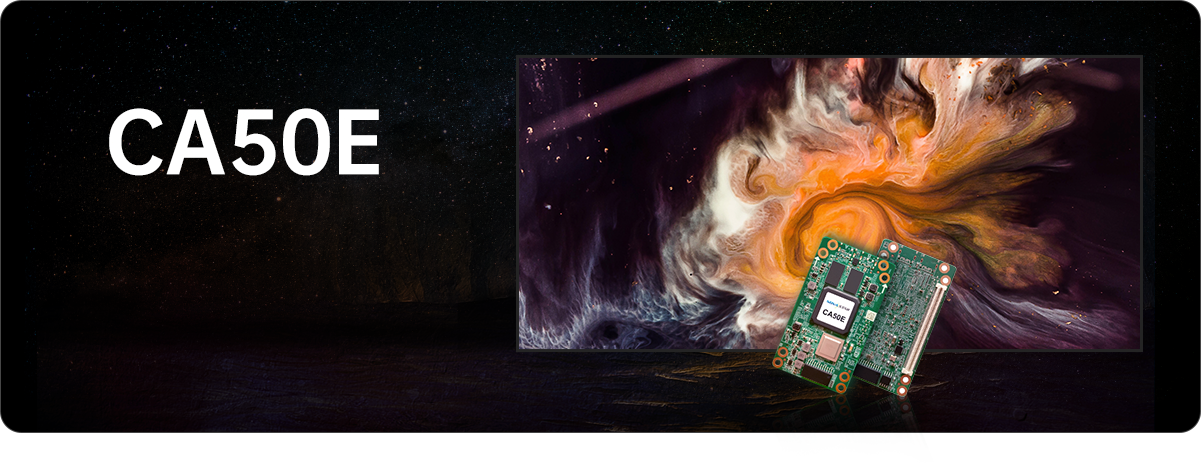
The NovaStar CA50E is a 5G COEX receiving card that lives inside an LED cabinet. A compatible COEX controller sends the prepared image to the cabinet, and the CA50E passes the assigned pixel data to its LED modules. It is not a video processor, and it is not a generic spare that can be dropped into any cabinet with a similar-looking card.
CA50E matters when a new cabinet is designed around NovaStar’s 5G COEX path. Its 5G data connection can support a larger one-card cabinet map than many older receiving-card designs, while its image and calibration tools can help a fine-pitch or camera-facing wall look more consistent. The cabinet’s hub board, module wiring, heat path and COEX file package still have to match the card.
CA50E key features
Image consistency when a cabinet warms up
Thermal Compensation 2.0 works with NovaStar’s high-precision calibration system to use thermal data from the cabinet. Its purpose is practical: reduce the blue or red cross-shaped stripes that can appear when areas of a module or cabinet run at different temperatures. It supports a good cabinet design; it does not make a cabinet with poor heat dissipation safe to run at any load.
Tools for screens that will be filmed
CA50E supports functions such as Shutter Fit, Frame Rate Adaptive 3.0 and low latency under the documented system conditions. Those tools are useful when a camera sees dark lines, unstable gray or other artifacts that an in-person audience may not notice. The controller, driver IC, module scan and camera settings must be checked together, so the card alone is not an xR or broadcast guarantee.
A higher-bandwidth cabinet, not a universal upgrade
The card supports up to 32 parallel RGB data groups or 64 serial groups, expandable to 128 serial groups. That gives a cabinet designer more room to plan module data paths, but the matching hub board and module layout are part of the design. A 5G label does not make CA50E a substitute for an A-series, DH, MRV or XA50 Pro card.
Faster fault location on a large wall
Mapping 2.0 can show a cabinet’s location, Ethernet port and receiving-card number on screen. Together with temperature, voltage and Ethernet bit-error monitoring, that helps an operator narrow a problem to a cabinet, cable or power path before removing working parts. These diagnostics help with troubleshooting; they do not replace a correctly saved cabinet configuration.
NovaStar CA50E specifications
Use these values to identify the cabinet hardware and make an initial one-card fit check. The next section explains why the source bit depth changes the usable map.
| Role | 5G COEX LED receiving card |
|---|---|
| Load at 8/10-bit | Up to 768 × 512 pixels at 60 Hz |
| Load at 12-bit | Up to 512 × 480 pixels at 60 Hz |
| Module data | Up to 32 parallel RGB groups or 64 serial groups, expandable to 128 serial groups |
| Input voltage / rated power | DC 3.8 V to 5.5 V; 1.35 A / 6.8 W |
| Dimensions | 80.0 × 45.0 × 8.6 mm |
| Operating environment | −20°C to +70°C; 10% to 90% RH, non-condensing |
| Documented display tools | Thermal Compensation 2.0, Dynamic Booster, Full Grayscale Calibration, HDR, Shutter Fit and 90° image rotation, subject to the supported system conditions |
CA50E 8-bit, 10-bit and 12-bit cabinet capacity
CA50E does not have one maximum resolution for every source. At 8-bit or 10-bit, a single card can support a cabinet map up to 768 by 512 pixels at 60 Hz. At 12-bit, the documented map becomes 512 by 480. The difference is not a footnote: a cabinet that fits on one card for an 8-bit presentation source can need two cards or a different layout for a 12-bit source.
| Example cabinet map | 8/10-bit source | 12-bit source | First planning decision |
|---|---|---|---|
| 768 × 512 | Within the documented one-card limit | Too wide and too high for one card | Keep an 8/10-bit design, divide the cabinet, or change the source and cabinet plan. |
| 512 × 480 | Within the documented one-card limit | Within the documented one-card limit | A valid starting point for either listed source depth. |
| 640 × 384 | Within the documented one-card limit | Too wide for one card | Check width as well as total pixel count before assuming one card is enough. |
Use this as the first screen-layout check, not the final cabinet drawing. Driver IC choice, scan method, folded module wiring, unused pixels and the 32-group data limit can reduce what a real cabinet can use. Confirm the finished module map and hub-board design before ordering cards or locking the source format.
CA50E VMP setup and NCP cabinet files
A traditional receiving-card replacement is often discussed as a firmware file plus a configuration file. CA50E belongs to the COEX path, where the NCP cabinet package keeps the relevant cabinet data together. Depending on the cabinet and enabled functions, an NCP package can include the configuration, firmware and image-quality files used by that cabinet.
Use VMP to manage the compatible COEX system and its cabinet package. NovaStar’s VMP documentation says that when a COEX controller is working with CA50E, updates are performed with an NCP file. That is why a generic receiving-card firmware download is not a safe shortcut for this model.
Before replacing a CA50E, keep the existing NCP package, record the controller model and cabinet revision, and check the card, hub board and module data path. Apply the verified package to one cabinet first, then check image, calibration and cabinet status before updating the rest of the wall.
If the cabinet has no correct NCP package, the cabinet maker or original system provider needs to supply or verify it. A file from another 5G cabinet is not proof that it matches.
CA50E vs XA50 Pro 5G COEX receiving cards
CA50E and XA50 Pro both belong to the 5G COEX family, but neither is the other card’s automatic replacement. They are specified into different cabinet layouts. Start with the cabinet’s existing NCP package, hub board, card size and module data groups; then use capacity and image requirements to decide which model belongs in a new build.
| Model | Documented load at 60 Hz | Parallel RGB groups | Choose it when |
|---|---|---|---|
| CA50E | 768 × 512 at 8/10-bit; 512 × 480 at 12-bit | 32 | The cabinet is designed around CA50E’s physical card format, data path and COEX package. |
| XA50 Pro | 1024 × 512 at 8/10-bit; 620 × 512 at 12-bit | 40 | A new cabinet needs XA50 Pro’s higher documented one-card load and its own heat and mechanical design. |
For a spare, use the model that the cabinet was designed to accept. For a new screen, choose the card only after the cabinet map, module wiring, thermal design, COEX controller and NCP path are all known. Choosing the larger capacity number first can create an expensive mismatch later.
CA50E datasheet, VMP and NCP support files
Use the CA50E datasheet for dimensions, load and card capabilities. Use VMP and the NCP guide when the question is how a specific COEX cabinet is configured or replaced.
NovaStar CA50E FAQ
What does CA50E do inside an LED cabinet?
CA50E receives the assigned image data from a compatible 5G COEX system and sends it to the cabinet’s LED modules through the cabinet’s designed data path. It is the receiving-card part of the cabinet, not the source switcher or video processor.
How many pixels can one CA50E load?
At 60 Hz, the documented one-card limit is 768 by 512 for 8-bit and 10-bit sources, or 512 by 480 for 12-bit sources. The finished cabinet also has to meet its module wiring, scan and data-group limits.
Can one CA50E run a 768 by 512 cabinet at 12-bit?
No. The 12-bit specification is 512 by 480 per card at 60 Hz. Divide the cabinet across more cards or revise the cabinet and source plan before committing to 12-bit.
Does Thermal Compensation 2.0 fix a cabinet with poor heat dissipation?
No. It uses calibrated thermal data to help correct visible color differences caused by uneven heat. The cabinet still needs a sound mechanical heat path and the correct calibration process.
Can CA50E replace an A-series, DH or MRV receiving card?
Not as a card-only swap. CA50E is part of a 5G COEX cabinet and needs matching hardware, controller and NCP package. Confirm the existing cabinet design before considering a migration.
What is an NCP file for CA50E?
An NCP file is the COEX cabinet package. It can hold the cabinet configuration, firmware and supported image-quality files needed by that cabinet. Keep the approved package with the cabinet records rather than treating it as an interchangeable firmware file.
Do CA50E updates use a generic receiving-card firmware package?
No. NovaStar’s VMP documentation specifies NCP-file updates when a COEX controller works with CA50E. Use the correct cabinet NCP package in VMP, not an unrelated download.
Should I choose CA50E or XA50 Pro for a new cabinet?
Choose the one the cabinet is engineered for. XA50 Pro has a higher documented one-card load and 40 parallel RGB groups, while CA50E has its own physical format, 32-group data path and COEX cabinet package. Neither is a generic upgrade over the other.
What should I verify before ordering CA50E spares?
Confirm the cabinet model and revision, existing receiving-card model, hub board and module wiring, COEX controller, expected source bit depth, and the status of the cabinet’s NCP package. Those details decide whether an exact CA50E spare will fit and retain the intended image settings.
Can I request CA50E spare-card pricing?
Yes. Send the cabinet model and revision, current receiving-card photo, required quantity and delivery target. That lets us check whether CA50E is the exact replacement before preparing a spare-card quote.
Reviews
There are no reviews yet.