
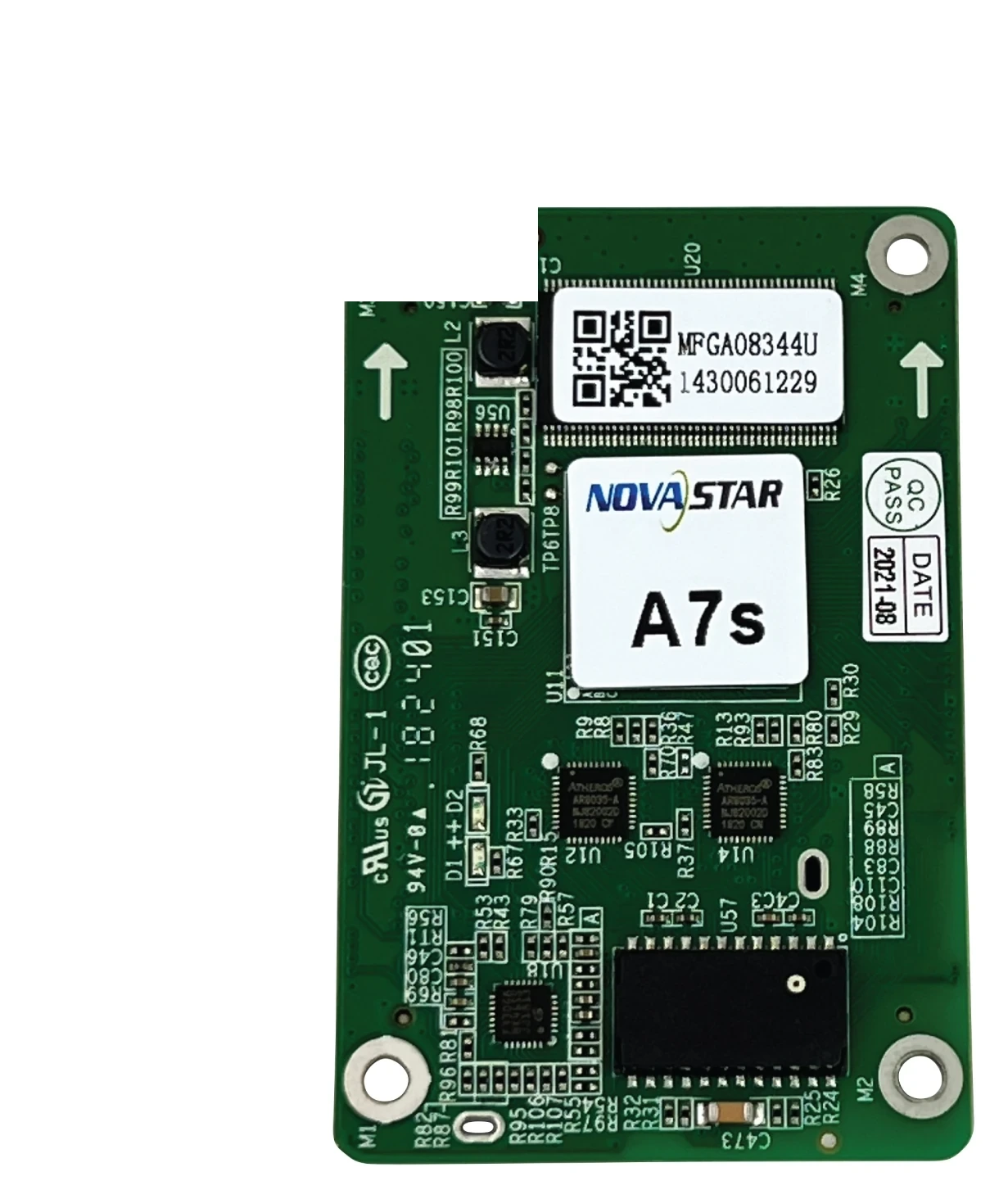
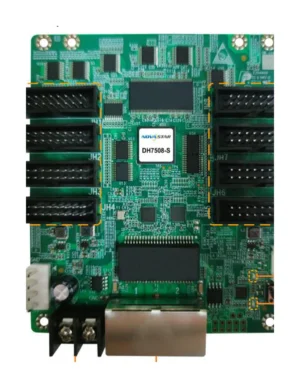
What is the NovaStar A7s receiving card?
The NovaStar A7s is the receiving card inside a compatible LED cabinet. It takes the image data assigned by the sender and turns it into the signals for that cabinet’s modules. It is not the same product as A7s Plus: a search for “NovaStar A7s” should end with the label on the existing card and the cabinet documentation, not a name that looks close.
Most A7s orders are for an existing cabinet. If a cabinet already runs correctly with an A7s, the important check is whether a new card preserves the hub-board fit, module driver, scan and saved configuration. A different card, including the newer A7s Plus, may be newer but still be the wrong repair part.
A7s key features
A replacement module that blends into the wall
A replacement module can show up as a lighter or differently coloured square even when every LED is working. A7s supports pixel-level brightness and chroma calibration with NovaStar’s compatible calibration tools, giving a matched cabinet a way to correct that visible patch rather than accepting a panel that stands out.
A targeted fix for a visible cabinet seam
Cabinet seams can create a dark stripe or a bright line across a wall. The A7s supports the correction function for those lines, so an installer has a targeted adjustment when the modules and cabinets are otherwise sound. It cannot correct a wrong scan or a mismatched cabinet configuration; those faults make the image look scrambled or mirrored instead.
3D or portrait output when the full system supports it
The card supports 3D only when the sending card also supports 3D. It can rotate the image in 90-degree steps when the cabinet mapping and module layout suit the orientation. Both are system features, so the sender and the saved A7s configuration need to agree before a wall is installed in portrait or used for 3D content.
A cabinet that is easier to find and diagnose
Mapping can show the A7s card number and Ethernet-port information on a cabinet, which helps identify one cabinet in a long run. A stored image can also appear at start-up, when video disappears or when Ethernet is disconnected. That does not cure an upstream fault, but it helps a compatible cabinet avoid going black while the source path is checked.
NovaStar A7s specifications
Use these values to narrow the cabinet fit. Capacity is separated because its maximum changes with the module driver IC.
| Module data | Up to 32 parallel RGB groups or 64 serial groups, expandable to 128 |
|---|---|
| Input voltage | DC 3.3 V to 5.5 V |
| Rated power | 2.5 W |
| Dimensions | 70.0 × 45.0 × 8.0 mm |
| Fitted hub-board spacing | 5.0 mm connector spacing |
| Operating environment | −20°C to +70°C; 10% to 90% RH, non-condensing |
| Certifications | RoHS and EMC Class B |
A7s load capacity for PWM and common driver ICs
A7s capacity changes with the module driver IC. A PWM-driver cabinet can load up to 512 by 256 on one card. A common-driver cabinet is limited to 384 by 256. A 512-wide common-driver cabinet therefore needs a second card or another cabinet layout; the larger PWM figure cannot be reused without checking the modules.
| Cabinet electronics | Maximum per A7s | Buying consequence |
|---|---|---|
| PWM driver ICs | 512 × 256 | A 512 by 256 cabinet can begin as a one-card design after scan and data-group checks. |
| Common driver ICs | 384 × 256 | A cabinet wider than 384 pixels needs a second card or a different cabinet design. |
Those figures are a first filter, not a guarantee. The card still has to match the cabinet’s hub board, scan, power rail, module data groups and configuration. When one of those is unknown, a photo of the label and the working NovaLCT file are more useful than choosing from resolution alone.
Replacing an A7s without losing the cabinet configuration
Before removing a working A7s, use NovaLCT to read back and save both the receiving-card program and the cabinet parameters. The program is the card-side firmware; the cabinet parameters carry the scan, wiring and pixel map that make this particular cabinet display correctly. One does not replace the other.
Start with the original card label, then match the hub board, module driver IC, scan and saved parameters. Do not install A7s Plus firmware or a nearby model’s configuration because its name or board size looks similar. If the exact A7s cannot be sourced, provide the label, a clear hub-board photo and the saved file before choosing a replacement; that identifies whether a matching spare is possible or whether the cabinet package itself needs review.
A7s datasheet, firmware and NovaLCT downloads
The A7s datasheet gives the original card’s mechanical and load limits. Firmware must be an exact match, so the official download center is safer than placing a plausible but unverified package on a working cabinet.
NovaStar A7s FAQ
What does the A7s receiving card do?
It sits inside a compatible LED cabinet, receives image data from the controller and supplies the correct pixel data to that cabinet’s modules.
What is the A7s loading capacity?
An A7s supports up to 512 by 256 on PWM driver ICs or 384 by 256 on common driver ICs. The cabinet’s scan, hub board and data groups must match as well.
Can one A7s run a 512-wide LED cabinet?
Only if the cabinet uses PWM driver ICs and is no taller than 256 pixels at the documented limit. Common-driver cabinets are limited to 384 pixels wide per A7s.
Is A7s the same as A7s Plus?
No. They are separate receiving-card models with different documented capacity and feature sets. Confirm the exact label and cabinet configuration before selecting either card.
Can I replace A7s with A7s Plus?
Not as an automatic card swap. A7s Plus must be checked with the hub board, module driver IC, scan, data groups and cabinet files before it can be used in an A7s cabinet.
What should I save before replacing an A7s?
Save the working receiving-card program and cabinet parameters in NovaLCT. These preserve the cabinet’s scan, wiring and pixel map for a matching replacement.
Does A7s support 3D?
It supports 3D image output when the sending card also supports 3D. Confirm the whole source-to-screen system rather than expecting the receiving card to add 3D by itself.
Can A7s rotate a portrait LED display?
Yes. It supports image rotation in 90-degree steps when the cabinet mapping and module layout have been prepared for that orientation.
Can I get A7s volume pricing or Net 30 terms?
Yes. Send the cabinet count and spare quantity for volume pricing or eligible Net 30 terms. Include the cabinet model if the order is a replacement.
Is A7s covered by a 3-year manufacturer warranty?
Yes. A7s cards supplied through our authorized US NovaStar channel include three years of serial-tracked manufacturer coverage.
Reviews
There are no reviews yet.