
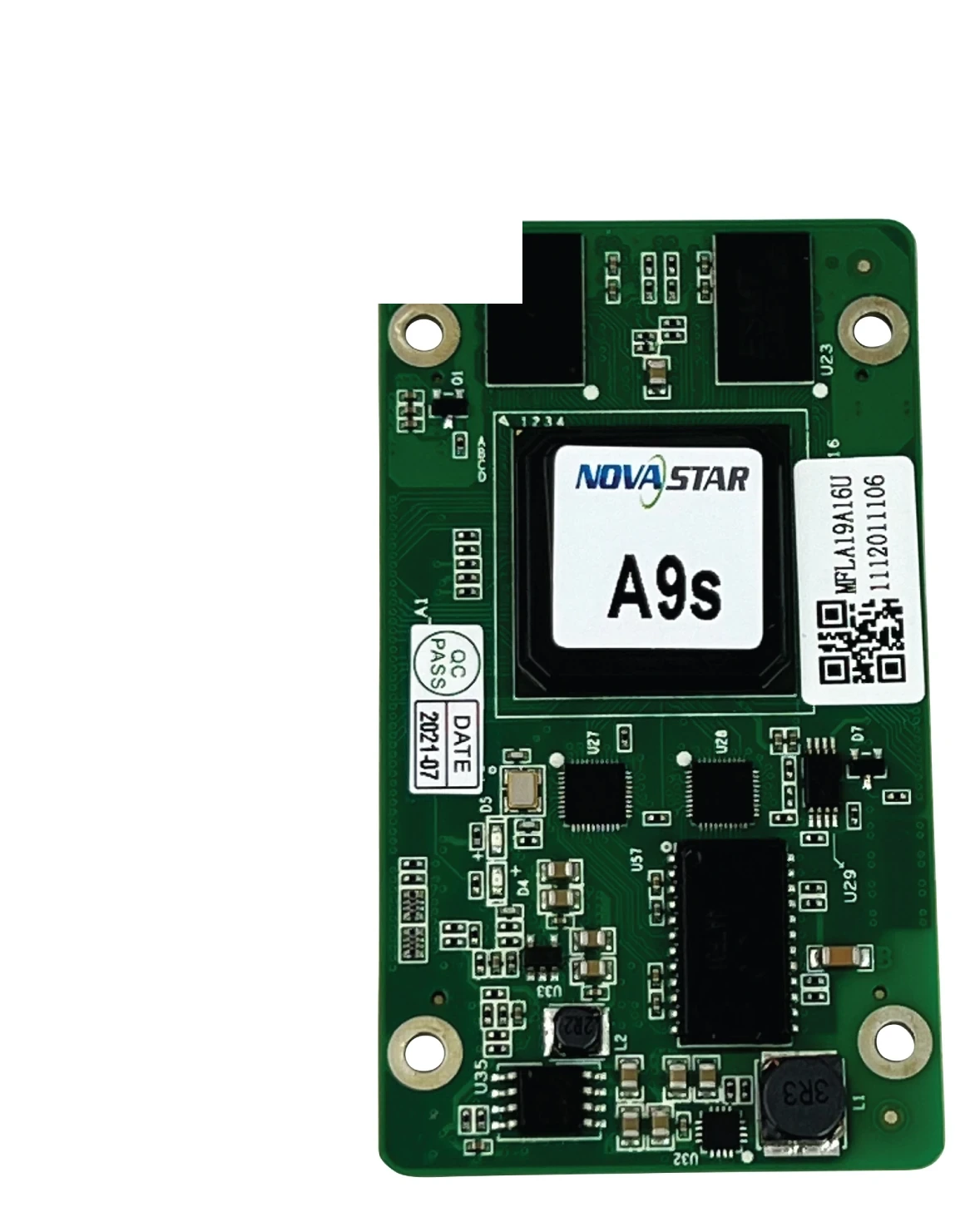
What is the NovaStar A9s receiving card?
The NovaStar A9s is the receiving card inside a compatible LED cabinet. It receives the image data mapped by the controller, then sends the assigned pixel data to the LED modules in that cabinet. For an existing cabinet, the right card preserves its hub board, module wiring and saved configuration; a similar A-series name is not enough.
An A9s can support up to 512 by 512 pixels with PWM driver ICs, but its physical shape is just as important. Its longer board outline differs from many nearby models. Before capacity or feature comparisons, check whether the existing cabinet was actually built for the A9s board.
A9s key features
Calibration that follows the cabinet
A replaced LED module can make one area of a wall look brighter, darker or a different shade even when it is working. With compatible NovaStar calibration tools, A9s supports pixel-level brightness and chroma calibration, seam adjustment and calibration-coefficient handling. The card gives a matched cabinet a correction path; it cannot make an unrelated module or an incorrect scan map look right.
Find the cabinet before swapping parts
Mapping can display the card number and Ethernet-port information on a cabinet. The A9s can also report its own temperature and voltage without an extra monitoring card. On a long wall, those details help a technician identify the cabinet behind a software alert before disconnecting panels at random.
A stored image and designed-in backup paths
A pre-stored image can appear at startup, after video disappears or when the Ethernet line is disconnected, so a compatible cabinet does not have to become a black rectangle while the upstream path is checked. The A9s also supports dual-card and loop backup only when the hub board and cable topology were designed for them. A replacement card by itself does not create redundancy.
3D and portrait layouts need the rest of the system
The A9s can support 3D output with a controller that supports 3D, and it can rotate an image in 90-degree steps when the cabinet mapping is prepared for that orientation. Both are system settings, not proof that any A9s cabinet can be turned into a 3D or portrait screen after purchase.
NovaStar A9s specifications
Use these figures to confirm the actual board, hub-board clearance and module data path. The 80.0 mm length and PWM capacity answer different fit questions, so both matter before an order is placed.
| Maximum load | Up to 512 × 512 pixels with PWM driver ICs |
|---|---|
| Module data | Up to 32 parallel RGB groups or 64 serial groups, expandable to 128 |
| Input voltage | DC 3.3 V to 5.5 V; 5.0 V recommended |
| Rated current / power | 0.6 A / 2.5 W |
| Dimensions | 80.0 × 45.0 × 9.1 mm |
| Fitted hub-board spacing | 5.0 mm after the high-density connectors mate; a 5.0 mm copper pillar is recommended |
| Operating environment | −20°C to +70°C; 10% to 90% RH, non-condensing |
| Certifications | RoHS and EMC Class B |
The A9s 80.0 mm board length is a replacement decision
A9s capacity can tempt a buyer to start with the 512 by 512 figure, but a replacement cannot reach that stage if it does not fit the cabinet. The A9s is 80.0 mm long. That extra length affects the hub-board footprint, screw locations and clearance inside the cabinet. A similar-looking shorter receiving card is not the same physical part.
| Check before ordering | What to confirm | Why it matters |
|---|---|---|
| Card label and dimensions | A9s label and 80.0 × 45.0 mm board outline | Board length and connector placement can rule out a part before it is powered. |
| Hub board | Part number, high-density connector position and 5.0 mm fitted spacing | A board can fit in the cabinet shell yet not mate correctly with the hub board. |
| Module path | Driver IC, scan and up to 32 parallel RGB groups | Physical fit does not prove that the card can send the signals the modules expect. |
| Saved cabinet record | Working A9s program and cabinet configuration | The file preserves the image map that belongs to this cabinet, not a generic A-series map. |
If the old card is unavailable, a clear photo of the hub board and card position is more useful than selecting an alternative from resolution alone. It lets the physical fit be checked before an apparently logical replacement becomes a costly rework.
A9s 512 × 512 capacity: what it does not tell you
The A9s can cover up to 512 by 512 pixels with PWM driver ICs. That is a useful cabinet-planning limit, but it is not a feature ranking. It does not prove that another 512-square card fits the A9s cabinet, and it does not turn an A9s into a card with every image feature found on newer models.
The official A9s specification documents calibration, 3D, 90-degree rotation, mapping and backup functions. It does not establish an HDR, Image Booster or low-latency operating mode. If a new design needs those capabilities, choose a receiving card and complete cabinet/control path that document them.
This distinction is especially useful in a retrofit. For a working A9s screen, a verified matching spare preserves the cabinet. For a new screen that needs modern image processing or an on-camera path, the cabinet, hub board, modules and control system should be reviewed together before a different card family is chosen.
A9s replacement: save the cabinet before fitting the card
Before removing a working A9s, use NovaLCT to read back the receiving-card program and cabinet parameters. Keep the known-good files with the cabinet records. The program tells the receiving card how to work with its matched electronics; the cabinet configuration stores the scan, wiring and pixel map. One does not replace the other.
After the physical match is confirmed, test the saved configuration on one cabinet before changing a whole wall. A screen that comes up with a scrambled image, a mirrored module order or the wrong brightness may have a configuration or module-match problem even when the replacement card itself is healthy. Do not overwrite the original files just to make a newer card seem compatible.
A9s vs A8s Pro and A10s Pro
These are not simply higher and lower versions of the same part. Start with the cabinet that already exists; then consider a later card only if the cabinet system is being redesigned around a feature the A9s specification does not cover.
| Model | Choose it when | What changes before a switch |
|---|---|---|
| A9s | You are maintaining a cabinet built for an A9s and have the matching hub board and saved configuration. | Confirm the 80.0 mm board fit, module driver IC, scan and 32-group data path. |
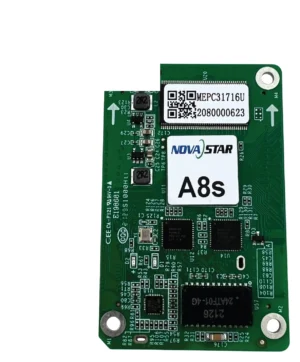
| A8s Pro | A new cabinet needs its documented image functions or up to 40 parallel RGB groups. | Its board, hub-board data path and cabinet files are a new design decision, not an A9s setting. |
| A10s Pro | A planned 1G COEX cabinet has a camera-facing or xR requirement and its matching NCP/control path. | Review the cabinet interface, module choice, controller architecture and supplied package together. |
If the reason for changing card families is only a failed A9s, begin with the exact A9s cabinet evidence. If the reason is a new display requirement, define that requirement first and then choose a complete new cabinet path around it.
A9s datasheet, firmware and NovaLCT resources
Use the A9s datasheet to confirm the board size, PWM capacity and electrical limits. NovaLCT is the place to read back and restore the A9s program and cabinet parameters. A firmware package must match the exact card PCB and module electronics, so a working cabinet should not be updated simply because a newer file appears in a download list.
NovaStar A9s FAQ
What does the A9s receiving card do?
The A9s sits inside a compatible LED cabinet. It receives the image data mapped by the controller and sends the assigned pixel data to that cabinet’s LED modules through the matching hub board.
What is the A9s loading capacity?
With PWM driver ICs, the A9s supports up to 512 by 512 pixels per card. The cabinet must also match the A9s board, hub board, scan and 32 parallel RGB data-group limit.
How large is an A9s receiving card?
The A9s measures 80.0 by 45.0 by 9.1 mm. Its 80.0 mm length is a key replacement check because nearby receiving cards can use a shorter board and different hub-board layout.
Can an A8s Pro replace an A9s?
Not as an automatic swap. Confirm the board fit, hub board, module driver IC, scan, data groups, controller path and saved cabinet configuration before changing card families.
Does A9s support HDR or low latency?
The A9s specification does not establish HDR, Image Booster or a low-latency operating mode. Check a receiving card documented for the exact capability your new cabinet needs.
What should I save before replacing an A9s?
Read back the working receiving-card program and cabinet parameters in NovaLCT. Keep both with the cabinet record because the program and cabinet configuration serve different purposes.
Can A9s support a portrait LED cabinet?
It supports 90-degree image rotation when the cabinet mapping and module layout have been prepared for that orientation.
Does a new A9s add backup to my LED wall?
No. The A9s supports loop and dual-card backup only in a cabinet and cable topology designed for those paths. Replacing one card does not create redundant wiring.
Can I request volume pricing or Net 30 terms for A9s spares?
Yes. Send the cabinet count and spare quantity for volume pricing or eligible Net 30 terms. Include the cabinet model if the order is a replacement.
How is A9s warranty coverage tracked?
A9s cards supplied through our authorized US NovaStar channel include three years of manufacturer coverage recorded against the card serial number.
Reviews
There are no reviews yet.