
What is the NovaStar A5s Plus receiving card?
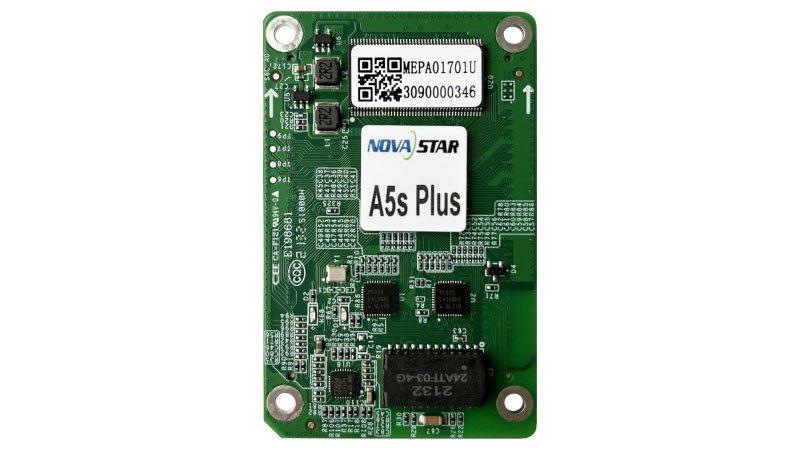
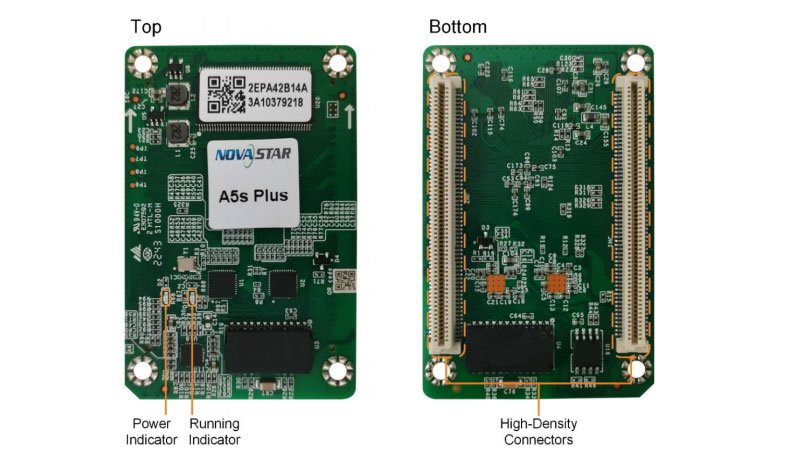
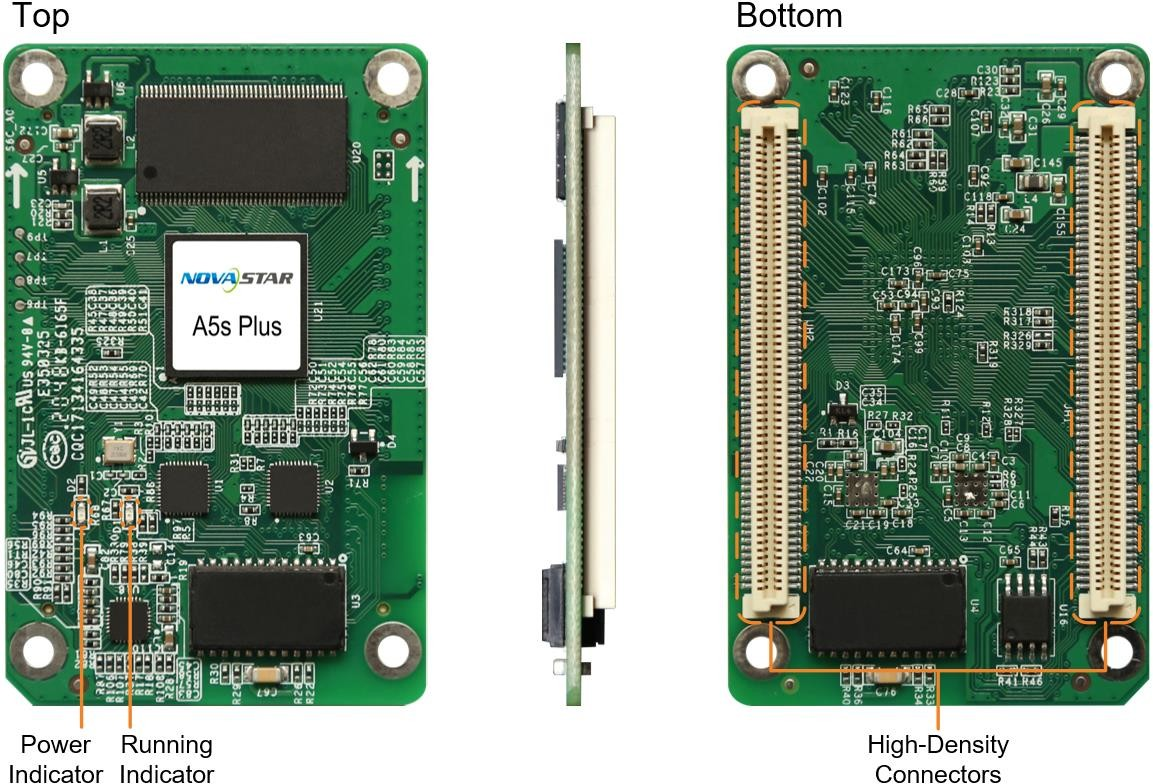
The NovaStar A5s Plus is the receiving card inside a compatible LED cabinet. It receives image data from the controller and gives the cabinet’s modules their assigned pixel signals. It suits cabinets designed for the A5s Plus high-density hub interface, not any cabinet that happens to take a similarly sized board.
For a replacement, match the complete cabinet package: card label, hub board, module driver IC, scan, power rail and saved configuration. An A5s Plus can power up in a similar cabinet yet still show a scrambled image if the module map is wrong.
A5s Plus key features
Smoother dark fades on a compatible wall
At low brightness, dark video can break into visible steps. A5s Plus supports 18bit+ to give a compatible cabinet more grayscale steps. It is useful for a wall that spends time in dim content, but it is not the same as HDR.
A replacement module that blends back in
One cabinet that looks brighter or a different color can make a finished wall look patched. Pixel-level brightness and chroma calibration, seam correction and multi-batch adjustment help reduce those visible differences when the cabinet has the right calibration data.
Clearer fault location on a long wall
Mapping can show the controller, Ethernet port and receiving-card number on a cabinet. Temperature, voltage and Ethernet-error information can then help identify the affected cabinet before parts are swapped.
Portrait cabinets without changing module wiring
The card supports 90-degree image rotation. That changes the image orientation; it does not make a different hub board, module file or receiving-card family compatible.
NovaStar A5s Plus specifications
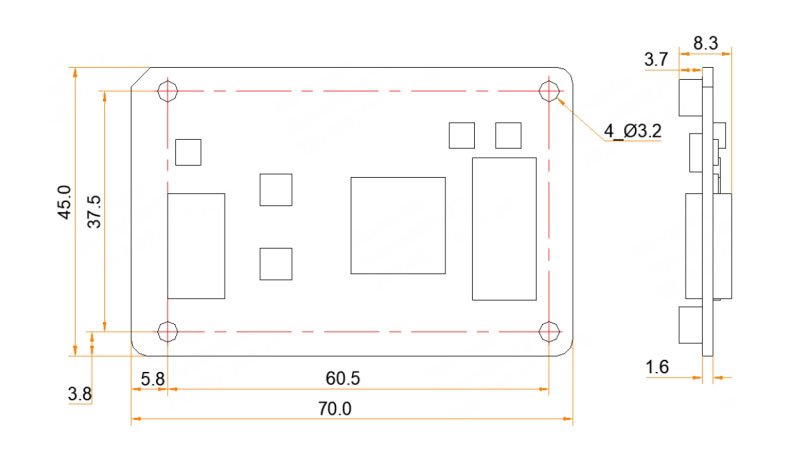
Use these values with the cabinet drawing and module details. The next table explains why the maximum load changes with driver IC and source bit depth.
| Module data | Up to 32 parallel RGB groups or 64 serial groups, expandable to 128 |
|---|---|
| Input voltage | DC 3.8 V to 5.5 V; 5.0 V recommended |
| Rated current / power | 0.6 A / 3.0 W |
| Dimensions | 70.0 × 45.0 × 8.3 mm |
| Hub-board spacing | 5.0 mm after the high-density connectors mate |
| Static protection | 2 kV; use ESD-safe handling during installation |
| Operating environment | −20°C to +70°C; 10% to 90% RH, non-condensing |
A5s Plus load capacity for PWM and common driver ICs
The A5s Plus does not have one load figure for every cabinet. Start with the module driver IC, then the video bit depth. The 512 by 384 figure applies only to PWM driver ICs at 8-bit.
| Module driver and source | Maximum per A5s Plus at 60 Hz | What it means for the cabinet |
|---|---|---|
| PWM, 8-bit | 512 × 384 | A 512 by 384 cabinet can fit one card after scan and data-group checks. |
| PWM, 10/12-bit | 256 × 384 | The same 512-wide cabinet needs another card or a different map. |
| Common driver, 8-bit | 384 × 384 | Use the smaller 384-wide limit before deciding the card count. |
| Common driver, 10/12-bit | 192 × 384 | Higher bit depth reduces the documented width again. |
Pixel dimensions are only the first check. The finished cabinet must also match the A5s Plus hub board, scan and 32 parallel RGB data groups. Keep those items in the same cabinet drawing rather than quoting a maximum pixel figure by itself.
A5s Plus image quality and low-latency conditions
A5s Plus can improve low-brightness presentation with 18bit+, color management and calibration, but it does not add HDR. If HDR10 or HLG is a requirement, consider an A8s-N or an A10s Pro only after the cabinet interface and configuration have been confirmed.
For a live camera or confidence screen, low latency depends on the module driver IC. PWM driver ICs can use the documented one-frame receiving-card-end path; some continuous-clock PWM modules need customized firmware. Confirm the module electronics before specifying the A5s Plus for a low-delay screen.
A5s Plus replacement and cabinet configuration
Before removing a working card, use NovaLCT to save the receiving-card program, cabinet parameters and calibration data. The cabinet’s RCFGX file stores its scan, wiring and pixel map; firmware tells the card how to work with the module electronics. Keep both because one cannot replace the other.
For a supported COEX cabinet, an NCP package can keep the cabinet files together. For a conventional controller path, retain the known-good RCFGX configuration. In either case, do not select a new firmware file just because its version number is newer. Match the A5s Plus PCB and driver IC, then test one cabinet before changing the rest of the wall.
A5s Plus vs A8s-N and A10s Pro
Keep the A5s Plus when the cabinet is built for it and the display needs reliable 18bit+ image handling without HDR. Move to another model only when the finished system has a named picture or camera requirement that the A5s Plus does not support.
| Model | Choose it when | Check before switching |
|---|---|---|
| A5s Plus | The cabinet already uses its hub interface and needs 18bit+, color management and calibration without HDR. | Confirm the applicable PWM/common-driver and bit-depth load row. |
| A8s-N | The system needs HDR and the cabinet is designed for the A8s-N path. | Do not carry A5s Plus capacity or firmware assumptions to the new card. |
| A10s Pro | A camera-facing screen needs Shutter Fit, full-grayscale calibration or Dynamic Booster. | Confirm the cabinet interface, source/controller and camera conditions together. |
A5s Plus datasheet, firmware, release notes and NovaLCT
NovaStar A5s Plus FAQ
What does the A5s Plus receiving card do?
It sits inside a compatible LED cabinet, receives image data from the controller and supplies the assigned pixel data to that cabinet’s LED modules.
What is the A5s Plus load capacity?
It depends on module driver IC and source bit depth. PWM supports up to 512 by 384 at 8-bit and 256 by 384 at 10/12-bit. Common driver ICs support up to 384 by 384 at 8-bit and 192 by 384 at 10/12-bit.
Does A5s Plus support HDR?
No. NovaStar’s Armor comparison does not list HDR for A5s Plus. For HDR, consider A8s-N or A10s Pro after confirming the cabinet path.
Can A5s Plus reduce latency for a live camera?
With PWM driver ICs, the documented receiving-card-end path can reduce delay to one frame. Some continuous-clock PWM modules need customized firmware.
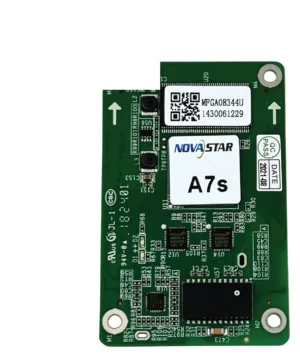
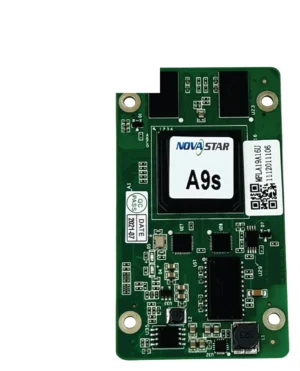
Can A5s Plus replace an A5s or A8s card?
Not automatically. Confirm the exact card label, hub board, module driver IC, scan, power rail and saved cabinet configuration before changing receiving-card models.
What should I save before replacing an A5s Plus?
Save the working program, cabinet parameters, calibration data and cabinet RCFGX file. For a supported COEX cabinet, keep its NCP package too.
Should I update A5s Plus firmware during a replacement?
Only when the exact card hardware and driver IC call for it. If the existing screen works, keep its known-good program and test a change on one cabinet first.
Can A5s Plus rotate a portrait LED display?
It supports image rotation in 90-degree steps when the cabinet’s module layout and saved configuration are prepared for that orientation.
Can I request A5s Plus volume pricing or Net 30 terms?
Yes. Send the cabinet count and spare quantity for volume pricing or eligible Net 30 terms. Include the cabinet model if the order is a replacement.
How is A5s Plus warranty coverage tracked?
A5s Plus cards supplied through our authorized US NovaStar channel have three years of manufacturer coverage tied to their serial numbers.
Reviews
There are no reviews yet.