
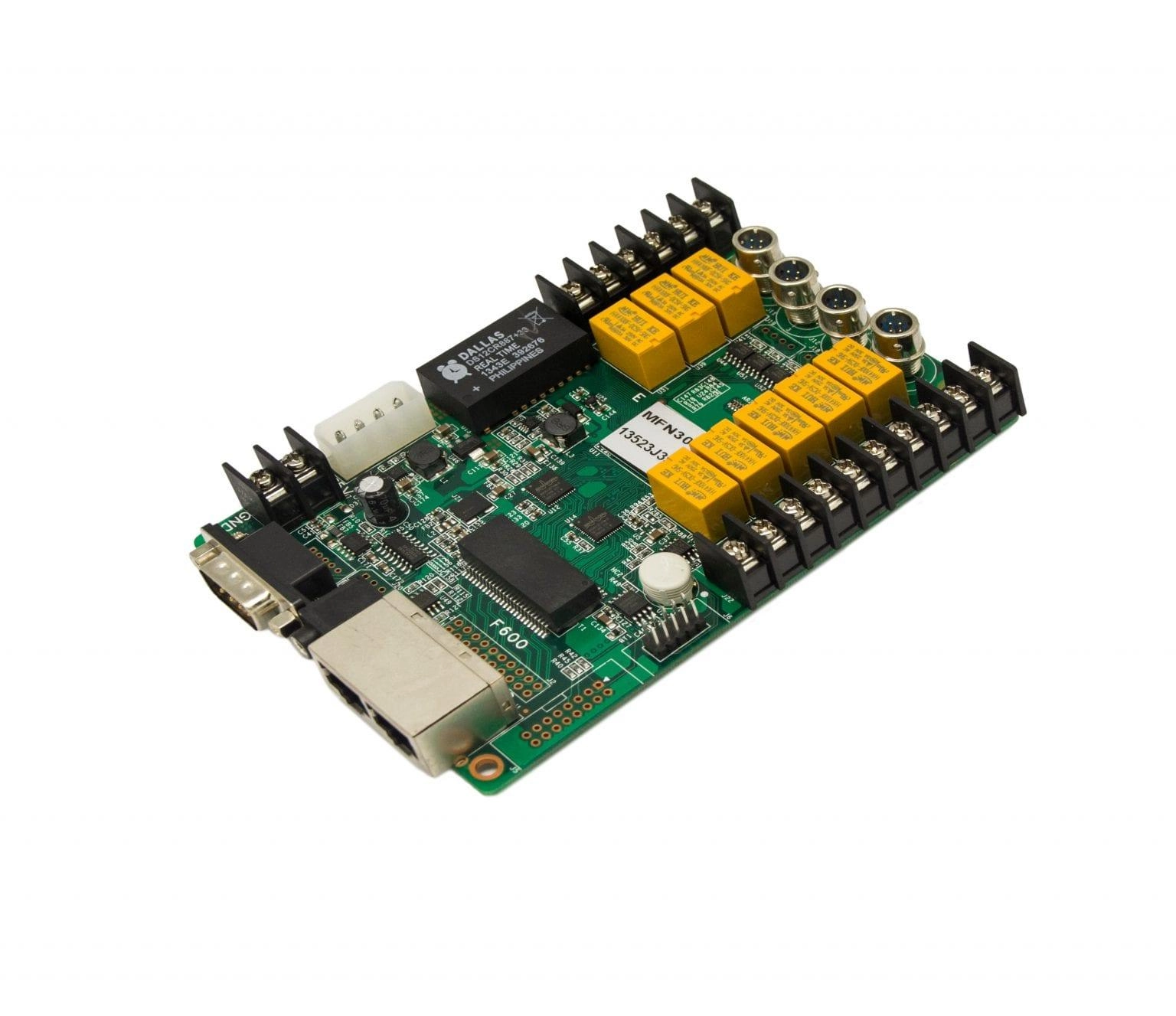
What is the NovaStar MFN300?
If somebody has to drive out to switch your screen on in the morning and off at night, the NovaStar MFN300 is the card that ends those trips. It switches the power supplies feeding your screen on a schedule it holds itself, and it reads the sensors you mount around the screen.
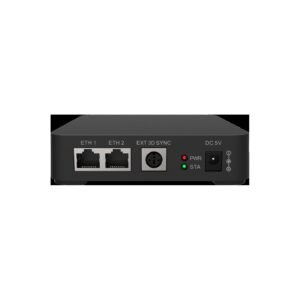
You fit it in the power distribution box, where your supplies and breakers already are, and it joins your display’s Ethernet run like another link in the chain.
No video passes through it. Your picture reaches the cabinets exactly as it left the controller. What you gain is a clock, a light reading and eight switched circuits, all of them reachable from NovaLCT over the cable you already ran to the screen.
MFN300 key features
The screen powers itself down overnight
Leave your screen running from Friday night to Monday morning and you have burned three days of power-supply life on an empty parking lot. The MFN300 keeps its own clock and its own on/off table, so your schedule survives after the laptop leaves site and the control PC is shut down.
On a large screen, closing eight channels in the same instant is its own problem. NovaLCT answers it with a Start Delay setting that staggers them, so your breaker sees the supplies arrive in batches rather than all at once.
Nobody drives out to switch off a screen.
One brightness reading is not enough on a wide screen
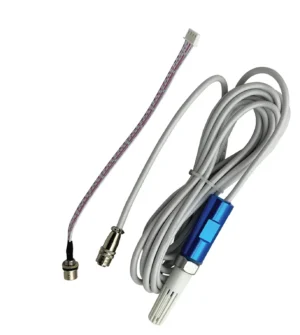
Trim your screen for noon and it is unreadable at midnight; trim it for midnight and it disappears at noon. Four RS485 sensor ports on the MFN300 take NS060 light sensors for automatic brightness and MTH310 temperature sensors for the distribution box.
You want more than one light sensor on a wide screen, where the west end is in shadow while the east end still takes full sun. One reading then has to speak for the whole surface; four readings do not.
Sound at the screen without a second cable
Adding sound to an outdoor screen normally means pulling a second cable the whole way from your control room. The MFN300 puts an audio output at the screen end instead, fed over the data run you already have, with NovaLCT choosing between the independent channel and the HDMI channel.
NovaStar MFN300 specifications
Two rows decide whether this card suits your build. One is the input voltage, against what your distribution box can actually give it; the other is the power switch rating, against what you want the eight channels to carry.
| Input voltage | DC 3.3 V to 5.5 V, drawn from the distribution box |
|---|---|
| Rated current | 0.38 A |
| Maximum power consumption | 2.5 W |
| Power switch control | 8 channels, each rated AC 250 V or DC 30 V at 3 A |
| Sensor ports | 4, RS485 (VDD5.0 / GND / RS485 A0 / RS485 B0) |
| Audio | 1 output port |
| Communication | RS232 serial port, or Gigabit Ethernet in the receiving-card run |
| Operating temperature | −20°C to +75°C |
| Operating humidity | 0% RH to 90% RH, non-condensing |
| Dimensions | 144.0 mm × 94.8 mm × 20.0 mm |
| Net weight | 164.4 g |
| Certifications | FCC, IC, EMC, RoHS, PFOS |
Figures come from NovaStar’s MFN300 Multifunction Card Specifications V2.1.3. The card is a bare board with no enclosure, so the 20.0 mm height is the tallest component on it, not a case.
Can an MFN300 switch the screen on its own?
On a small screen, yes. On anything larger you are buying an MFN300 plus contactors: the card switches the contactors, and the contactors switch your screen. Settle which of those two you are buying before your quote goes out.
The channel rating draws the line. Each of the eight is rated AC 250 V or DC 30 V at 3 A, roughly 360 VA per channel at 120 V. Add up the supplies you want on one channel and compare; a single cabinet on a mid-size screen is usually already past it.
Skip the contactor and it fails quietly rather than obviously. Contacts weld shut after enough hard switching, and NovaLCT then tells you the channel is open while the cabinet stays lit.
NovaStar publishes the same caution on its RC4 relay card, which carries an identical 3 A contact rating: driving alternating current straight off the relay is not the recommended connection.
Where does the MFN300 go in your cable run?
Your MFN300 sits in the Ethernet run between the controller and the cabinets. NovaStar allows three places for it: ahead of the first receiving card, at any joint further down the chain, or on the end of the run. The card is transparent to everything downstream, so the position is a cabling convenience rather than a configuration choice.
It has a second, separate path as well. An RS232 serial cable straight from the card to a PC does the same job without touching the display run. That suits a bench test, or a distribution box that never got its data cable.
One restriction is not in NovaStar’s specification sheet, and it accounts for most of the cards that arrive apparently dead. Integrators who install these routinely, Daktronics among them, report that the card has to hang off sender output ports 1 to 4. Wire it to port 5 or higher and the sender never detects it. The card is fine, the port choice is not.
Whichever port it lands on, you add the card in NovaLCT under Settings > Multi-function Card. You choose the serial or Ethernet connection there and name the position, before any of the relays or sensors can be configured.
MFN300 or MFN300-B — which one to order
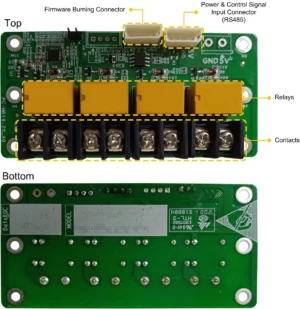
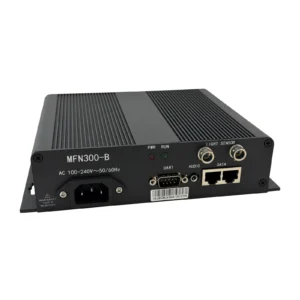
The two run the same eight power switch channels and the same schedule. Everything that differs comes down to where each one can physically sit and what feeds it.
| MFN300 | MFN300-B | |
|---|---|---|
| Form | Bare card | Card in a finished enclosure |
| Power | DC 3.3 V to 5.5 V from the distribution box | AC 100 V to 240 V on its own cord |
| Sensor ports | 4 | 2 |
| Places in the chain | Three: head of the run, any joint in it, or the end | Two: head of the run, or the end |
| Power switch control | 8 channels, AC 250 V / DC 30 V, 3 A | 8 channels, AC 250 V / DC 30 V, 3 A |
| Size | 144.0 × 94.8 × 20.0 mm | 204.0 × 163.0 × 48.0 mm |
| Weight | 164.4 g | 1,154.6 g |
| Supplied with | Card only | Power cord, signal cable, certificate |
| Price | $118 | $216 |
The interesting part of that table is what the extra money does not buy. The box costs $216 against $118 and comes back with two sensor ports instead of four, and one fewer place to sit in the chain. What it does buy is a mains cord and a lid.
- Order the MFN300 if the distribution box has a spare low-voltage rail and room for a bare board.
- Order the MFN300-B if there is no 3.3–5.5 V rail to tap, or a bare board would not survive where it has to go.
Two sensor ports is the row that catches people out. A wall wide enough to want two light sensors and a temperature sensor has already run out of ports on the box version.
Which sensors and monitoring parts to order with an MFN300
NovaLCT’s Peripheral Device page accepts two kinds of device on the card’s sensor ports, and the monitoring page reads a third through it. Each one answers a different question about the screen.
- NS060-5A light sensor — ambient brightness, on a 5 m cable. The NS060-10A is the 10 m version.
- MTH310 temperature sensor — watches the distribution box, not the air outside. 5 m cable, 25 m replacement allowed.
- EMT200 3D emitter — NovaLCT lists external 3D emitters as peripherals a multifunction card can hold.
- MON300 monitoring card — fans, voltages, humidity, smoke and cabinet doors, read back through this card.
The MON300 pairing has a condition attached that is easy to discover too late. NovaStar states that a multifunction card must already be configured before smoke can be set as a monitoring control type. A smoke-triggered shutdown therefore needs both cards, not just the monitoring one. The MON300 itself only works behind MRV320 and MRV560 receiving cards.
MFN300 datasheet, NovaLCT and firmware
No screen configuration lives on an MFN300. Swapping one puts no cabinet map at risk, and there is nothing to read out of the old card first. Your schedule and your sensor assignments are set again from NovaLCT in a few minutes.
Firmware is the exception worth understanding before you order a spare. NovaLCT’s Load Program page shows the card model and its FPGA version, and typing admin unlocks the loading controls. NovaStar does not publish an MFN300 program file for general download, though. Treat a program update as something NovaStar support supplies against a specific fault rather than routine maintenance.
NovaStar MFN300 FAQ
Does the MFN300 install inside a controller or video processor?
No. It is a standalone card that joins the Ethernet run between the controller and the cabinets, and it is normally mounted in the screen’s power distribution box. No NovaStar controller or processor has a slot for it.
Can one screen use more than one MFN300?
Yes. NovaLCT’s Multi-function Card page holds several at once, each added with its own connection and its own name, which is how a screen split across two distribution boxes is handled. Name them by location as you add them, because the list shows names rather than positions.
Why doesn’t NovaLCT find my MFN300?
Check the sender output port number first, then the connection type chosen under Settings > Multi-function Card. A card wired for Ethernet but added as a serial connection stays invisible even when the cabling is right.
Will the on/off schedule keep running with the control PC switched off?
Yes. The card holds its own clock and its own power control list, so the times run without the PC. NovaLCT can sync the card’s clock to the PC when it next connects.
Does the MFN300 work with A-series receiving cards?
Yes. It joins the run as a link in the Ethernet chain rather than talking to a particular receiving card model, so the cards in your cabinets do not decide whether it works. The MON300 monitoring card is the part with a receiving-card restriction, not this one.
How many light sensors can one MFN300 hold?
Four, across its four RS485 sensor ports, and the same ports also take MTH310 temperature sensors. Four is the total across both kinds, so three light sensors leaves one port for temperature.
What is in the box?
The card on its own. NovaStar publishes no accessory list for the MFN300, and sensors, cabling and any contactor are separate parts. The MFN300-B is the version that arrives with a power cord and signal cable.
What warranty covers an MFN300?
Three years of serial-tracked manufacturer coverage, because these cards come through our authorized US NovaStar channel.
Can I get volume pricing or Net 30 terms?
Yes. Send the model and the quantity for volume pricing. Purchase orders and Net 30 terms may be available for approved schools, government buyers, venues and established integrators.
How do I order an MFN300?
Pricing here is per card, and one card covers one distribution box. Orders placed before 3 PM ET on in-stock items ship the same business day from Florida. Contact us to confirm current availability.
Reviews
There are no reviews yet.