
What is the NovaStar EMT200?
If you are putting 3D content on an LED wall, the NovaStar EMT200 is the piece that makes the glasses work. It sits in your screen’s data run and broadcasts the sync signal that tells every pair of shutter glasses in the room when to switch eyes.
Your screen shows the left-eye and right-eye images in alternation, faster than anyone can see. Without a sync signal the glasses have no idea which frame is which, and your audience sees a blurred double image instead of depth.
It is a wireless transmitter, not a video device. Nothing about your picture passes through it, and it does not create the 3D content — your source and your sending card do that. The EMT200 only carries the timing.
NovaStar builds it for fixed installs and rental alike, and names cinemas, exhibition halls and educational venues as the rooms it was designed for.
Will your sending card run 3D?
Check your sending card before you order anything else, because 3D is a feature it either has or does not, and no emitter adds it. NovaStar names eight sending cards plus one family: the MCTRL4K, MCTRL1600, KT8, KT8E, KT16E, KT16C, MEE200 and MEE400, along with the H series products.
Anything outside that list will not drive a 3D wall no matter what you connect to it. If your controller is not on it, the emitter is not the part you are missing — the controller is.
One conflict is worth knowing before you commit to a design. NovaStar states that 3D and low latency cannot be switched on at the same time, and low latency has to be turned off before 3D will enable. If you specified a controller for its low-latency mode, you are choosing between the two rather than having both.
Will 3D cost you a second sending card?
It might, and one number decides it: switch 3D on and your sending card carries half the pixels it did before. NovaStar states that plainly, and it is the line item most 3D budgets miss.
It is worth working through on your own screen before you order. A wall that one controller drives comfortably in 2D may not fit on it at all once 3D is on. A second sending card also costs more than the emitter, the glasses and the cabling put together.
Settle 3D at design time and you avoid the expensive version of this. Adding it to a finished wall means going back for a second sending card and re-splitting the screen. Specifying it up front would have picked one larger controller and stopped there.
Count the controllers first. The emitter is the cheap part.
EMT200 key features
Five pairs of 3D glasses in the box
Shutter glasses are usually a separate line on the quote, and they are not cheap. NovaStar ships the EMT200 with five pairs of MX50 glasses, an Ethernet cable and the power adapter. A demo room or a first install is covered before you order any extra pairs.
Count how many people watch at once and buy the difference, rather than the whole quantity.
It mounts where your audience can see it
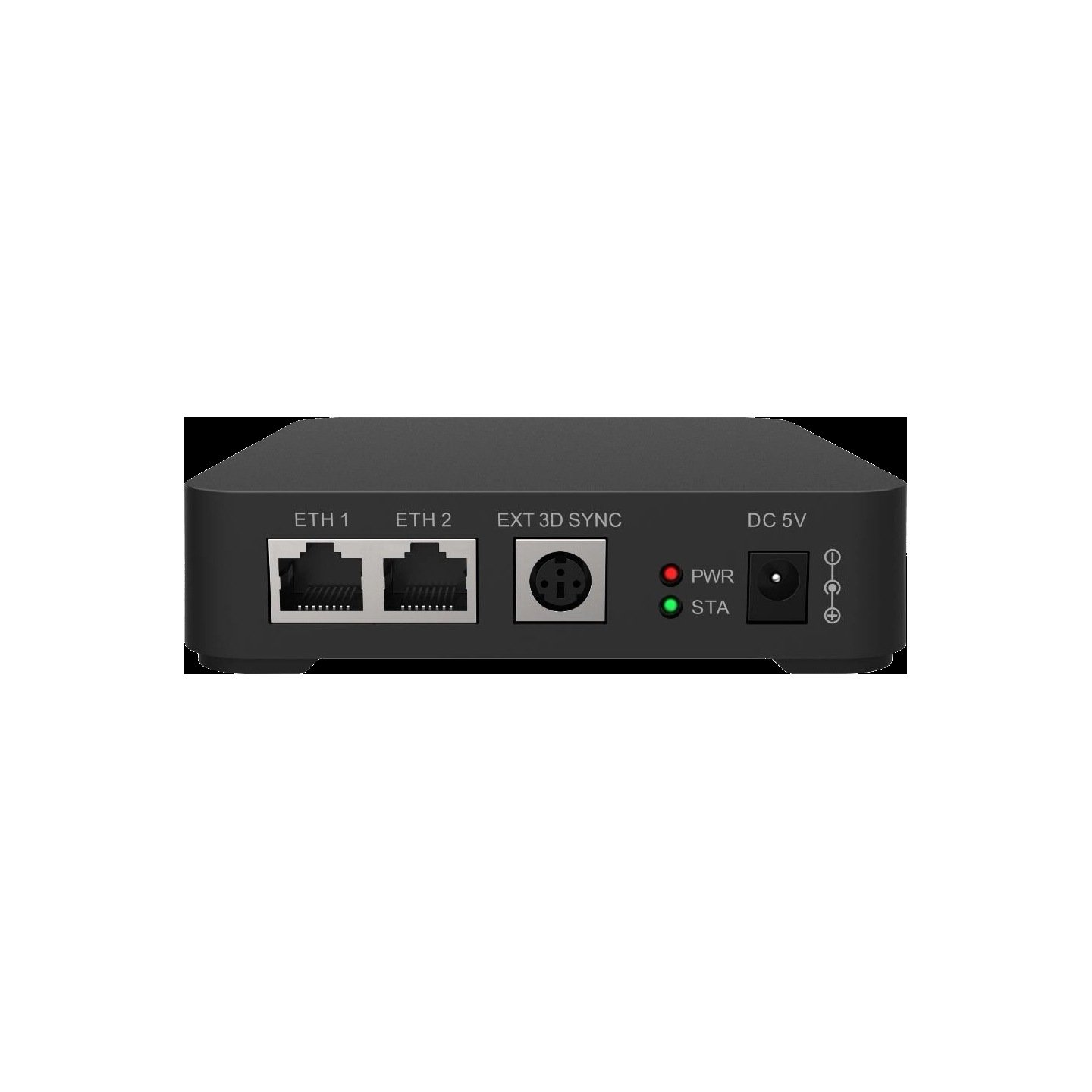
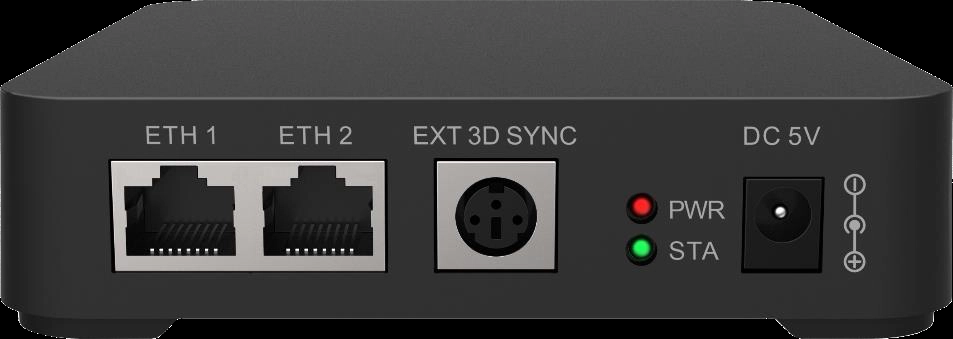
Two Gigabit Ethernet ports let you drop it into your existing screen wiring rather than run something new. NovaStar allows it after any receiving card, or between your sending card and the first receiving card. So it can sit wherever it has line of sight to your audience.
That matters because it is a radio, not a cable. Where the box sits determines what it reaches.
For a room bigger than one emitter can cover
One EMT200 covers a room, not a stadium. If your venue is larger than its range, the VESA 3D sync connector on the back feeds a third-party emitter sized for the space. The EMT200 then becomes the timing source rather than the transmitter.
The front panel tells you which mode it is in without opening software. The green STA light sits solid when a third-party emitter is connected, and flashes once a second when the EMT200 itself is running normally. It slows to once every three seconds when no signal is reaching it.
NovaStar EMT200 specifications
The operating temperature row is the one to check against your venue, because it stops at +40 °C — lower than most NovaStar hardware, and worth a thought in an unconditioned space.
| Ethernet ports | 2 × Gigabit, for signal in or out |
|---|---|
| External emitter port | 1 × VESA standard 3D sync connector |
| Position in the run | After any receiving card, or ahead of the first one |
| Supply voltage | DC 5 V, from the supplied adapter |
| Current draw | 0.2 A |
| Power draw | 1 W |
| Operating environment | −20 °C to +40 °C, 10% RH to 90% RH non-condensing |
| Box size | 119.2 mm × 119.2 mm, 29.5 mm tall |
| Weight | 170.3 g |
| Supplied with | 5 pairs of MX50 3D glasses, 1.5 m RJ45 cable, power adapter, carrying case |
| Transmit power | Under 10 mW, PCB onboard antenna |
| Certifications | CE, RoHS, FCC ID |
Figures come from NovaStar’s EMT200 3D Emitter Specifications V1.2.0. The FCC listing asks for 20 cm between the unit and anyone standing near it, and for it not to share a position with another transmitter. Both are easy to satisfy on a ceiling or truss mount.
EMT200 datasheet and NovaLCT setup
No screen configuration lives in the emitter, so swapping one risks nothing you would have to rebuild.
Two settings in NovaLCT decide whether the glasses actually track your screen. One is a tick box that must be left alone when you are using an EMT200 and only ticked when a third-party emitter is doing the work. The other is a delay time that lines up the moment the glasses switch eyes with the moment your screen does, and it applies whichever emitter you use.
Both are saved into the hardware, so they survive a power cycle once written.
NovaStar EMT200 FAQ
Does the EMT200 come with 3D glasses?
Yes, five pairs of MX50 glasses, along with a 1.5 m Ethernet cable, a power adapter and a carrying case. Additional pairs are bought separately.
Which controllers support 3D?
The MCTRL4K, MCTRL1600, KT8, KT8E, KT16E, KT16C, MEE200 and MEE400 sending cards, plus H series products. A controller outside that list cannot run a 3D wall.
Does turning on 3D reduce what my controller can drive?
Yes, by half. NovaStar states the sending card’s loading capacity halves once 3D is enabled, so check whether your screen still fits on the controllers you planned.
Can I run 3D and low latency together?
No. NovaStar states the two cannot be enabled at the same time, and low latency must be switched off before 3D will turn on.
Can I use a different 3D emitter with it?
Yes. The VESA 3D sync connector feeds a third-party emitter for a venue larger than one EMT200 covers. There is a matching setting in NovaLCT to enable when you do — leave it off when the EMT200 is doing the emitting itself.
Where should the EMT200 be mounted?
Somewhere with a clear path to your audience, since it works by radio rather than through the cable. Its two Ethernet ports let it sit after any receiving card or between the sending card and a receiving card, so the wiring rarely limits the position.
What does it mean when the green light flashes slowly?
No signal is reaching it. A flash once every three seconds means no input, once a second means normal operation, and a solid light means a third-party emitter is connected.
Can it run outdoors?
Not really. NovaStar publishes no IP rating for it and the operating range tops out at +40 °C, so it belongs indoors or under cover.
What warranty covers an EMT200?
Three years of serial-tracked manufacturer coverage, because these units come through our authorized US NovaStar channel.
Can I get volume pricing or Net 30 terms?
Yes. Send the model and the quantity for volume pricing, and say whether you need extra pairs of glasses with it. Purchase orders and Net 30 terms may be available for approved schools, government buyers, venues and established integrators.
How do I order an EMT200?
Pricing here is per unit and includes the five pairs of glasses. Orders placed before 3 PM ET on in-stock items ship the same business day from Florida. Contact us to confirm current availability.
Reviews
There are no reviews yet.