
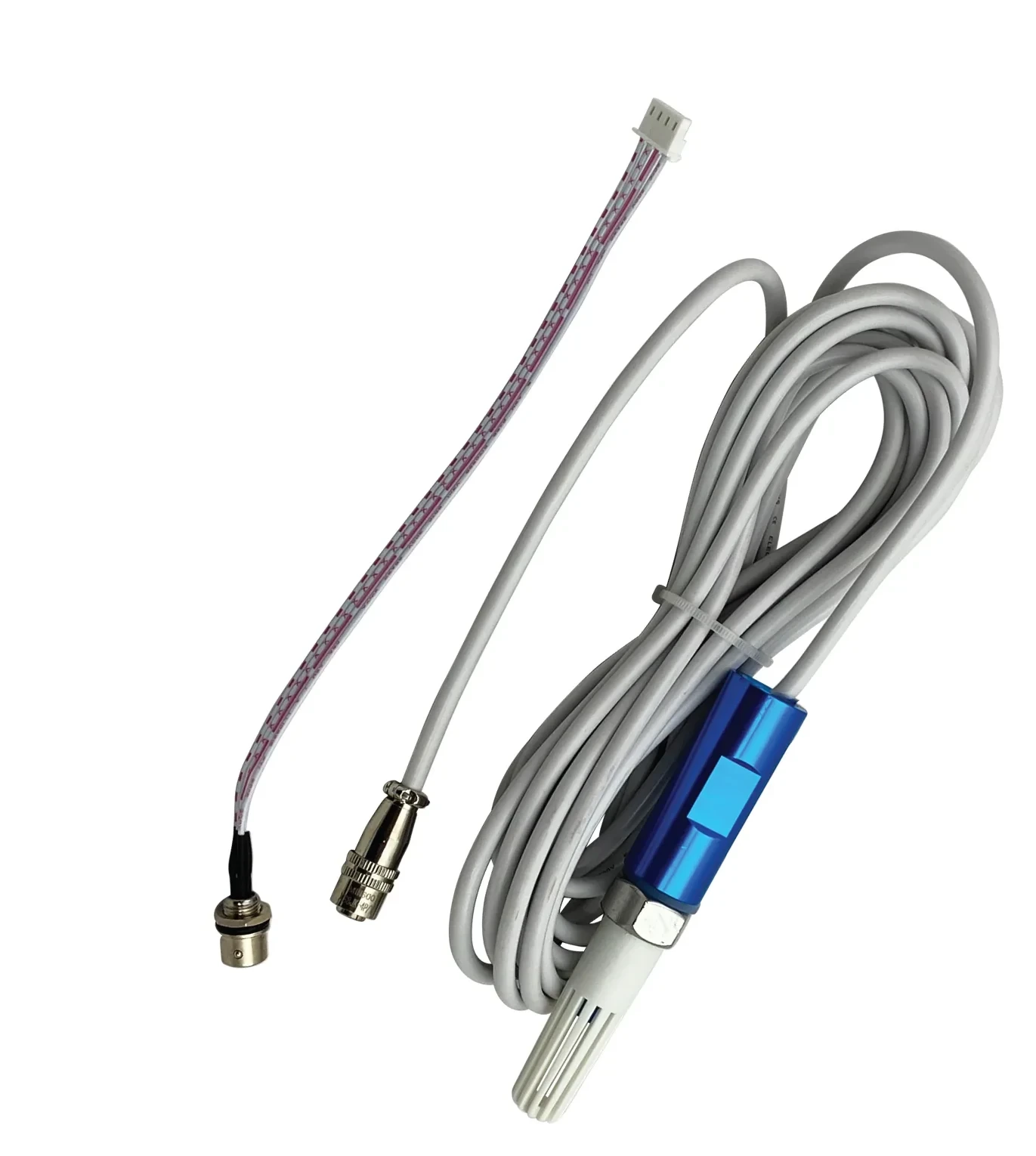
What is the NovaStar MTH310?
If you find out a cabinet has been running hot only when a module dies, the NovaStar MTH310 is the waterproof temperature sensor that gives you the number first. It reads the temperature wherever you mount it and reports it into NovaLCT, where you set a threshold and get told before anything cooks.
You put it where the heat actually builds — inside the power distribution box, high in a cabinet, behind the screen — on a 5 m lead. It takes its 5 V from the port it plugs into, so there is nothing else to power.
It measures only. It will not switch a fan or cut power by itself. What it does is hand NovaLCT a number to act on, and you decide in software what happens at what temperature.
What you need to run an MTH310
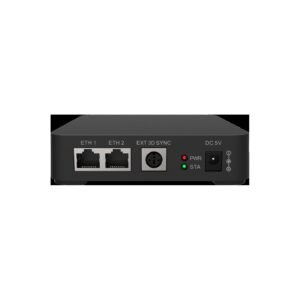
You need somewhere to plug it in, and NovaStar names exactly one host: the MFN300 multifunction card, or the MFN300-B box that carries the same electronics. Check you have one before you order, because unlike a light sensor this will not go straight onto a sending card.
That makes the real entry cost two parts rather than one if you are starting from nothing. It also means the sensor count is capped by the host you choose: four sensor ports on the card, two on the box, shared with any light sensors you are running.
Sensor ports are the thing to count. Two temperature sensors and two light sensors fill an MFN300 card completely, and fill an MFN300-B twice over.
MTH310 key features
A 25 m cable option when 5 m will not reach
The spot you want to measure is rarely close to the card you are plugging into. The MTH310 ships on a 5 m cable, and NovaStar documents a 25 m cable as a replacement for it. So a sensor at the far end of a long screen is still a supported build rather than an improvisation.
That option is specific to this sensor. NovaStar publishes no equivalent replacement for the NS060 light sensor, where the length you order is the length you keep.
It survives more heat than it can report
Those two numbers are not the same, and the gap matters in a sealed outdoor cabinet in July. The measuring range runs −20 °C to +75 °C while the sensor itself operates from −25 °C to +80 °C. Above 75 °C the sensor is still alive, but you have run off the top of its scale. An alarm threshold set below that number never meets the ceiling.
Built for the damp end of an outdoor cabinet
An outdoor screen fills its cabinets with humidity long before it fills them with water. The MTH310 is rated IP65 and specified to 99% relative humidity non-condensing, so mounting it inside a cabinet that breathes is what it was built for.
NovaStar MTH310 specifications
The two temperature rows belong together. The cable row is the one to measure against the distance from your mounting point back to the multifunction card.
| Temperature measurement range | −20 °C to +75 °C |
|---|---|
| Operating temperature | −25 °C to +80 °C |
| Operating humidity | 0% RH to 99% RH, non-condensing |
| Cable length | 5 m supplied; replaceable with a 25 m cable |
| Rated voltage | DC 5 V, taken from the port it plugs into |
| External power supply | Not required |
| Waterproof rating | IP65 |
| Connects to | MFN300 multifunction card and MFN300-B multifunction box |
| Certifications | EMC, RoHS, FCC |
Figures come from NovaStar’s MTH310 Temperature Sensor Specifications V2.2.1.
What happens when a cabinet gets too hot?
Whatever you decided in advance, and that decision is the part you are actually buying — a hot cabinet nobody hears about is the same as no sensor at all. NovaLCT takes the reading and gives you three layers on top of it, and you set all three once.
First a threshold. You set an alarm level for temperature alongside the ones for fan speed and voltage, and NovaLCT raises a fault the moment your screen goes past it.
Then email. You choose how many times in a row a fault has to occur before it emails you, which keeps a single odd reading from waking anyone up. You can have it email again when the fault clears. It will also send a scheduled system report to a list of recipients you set.
Then automatic control. NovaLCT lets you write rules that act on temperature by themselves, in the same place it handles smoke and dual backup power supply. That turns your sensor from a gauge into something that can respond at 3am when nobody is reading email.
A number, then a threshold, then an email, then an action.
Do you already have the temperature monitoring you need?
You may already have some of it, and it is worth checking before you spend. NovaLCT monitors receiving card temperatures on its own, so if all you need is a warning that the electronics are hot, the cards in your cabinets may be reporting that today.
The MTH310 answers a different question: how hot is it at the place you chose. A receiving card tells you about the receiving card. A sensor on a 5 m lead tells you about the power distribution box, or the top of the cabinet where heat collects. It also tells you about the sunny end of a screen that the shaded end knows nothing about.
Order an MTH310 when the spot you are worried about has no card in it — a distribution box full of power supplies is the usual one.
Skip it when receiving-card temperature is genuinely the number you wanted — and what your cards already report is the first thing to look at.
MTH310 datasheet and NovaLCT setup
Nothing about your screen lives in the sensor, so replacing one needs no files and no backup. You plug the new one in and the thresholds you already set carry on working.
Setup happens in two places in NovaLCT. You add the sensor on the multifunction card page under Peripheral Device, then set the alarm threshold and any automatic rule in the monitoring settings.
NovaStar MTH310 FAQ
Can I plug an MTH310 straight into a sending card?
No. NovaStar specifies the MFN300 multifunction card as its connection, and the MFN300-B box carries the same ports. A light sensor can go onto a sending card; this cannot.
How far can the sensor be from the card?
5 m as supplied, or 25 m with the replacement cable NovaStar documents for it. Measure the cable route rather than the straight line, because it usually runs around the cabinet rather than through it.
Does it need its own power supply?
No. It runs on 5 V from the sensor port it plugs into.
Can it turn on a fan or cut power when the screen gets too hot?
Not by itself, but the system can. The sensor supplies the reading, and NovaLCT holds the automatic control rules that act on temperature. If that action is switching power, the relay channels on the multifunction card are what does the switching.
Will it email me when the screen overheats?
Yes, once you enable email notification in NovaLCT. You set how many consecutive faults trigger the email, so one odd reading does not send an alert, and you can have it email again when the temperature comes back down.
How many can I connect to one multifunction card?
Up to four on an MFN300 card and two on an MFN300-B box, and those same ports are shared with any NS060 light sensors you are running. Count both kinds together.
Is it accurate above 75 °C?
No. The measuring range stops at +75 °C even though the sensor operates to +80 °C, so set your alarm threshold below 75 °C where the reading is still meaningful.
What warranty covers an MTH310?
Three years of serial-tracked manufacturer coverage, because these sensors come through our authorized US NovaStar channel.
Can I get volume pricing or Net 30 terms?
Yes. Send the model and the quantity for volume pricing. Purchase orders and Net 30 terms may be available for approved schools, government buyers, venues and established integrators.
How do I order an MTH310?
Pricing here is per sensor. Orders placed before 3 PM ET on in-stock items ship the same business day from Florida. Contact us to confirm current availability.
Reviews
There are no reviews yet.