
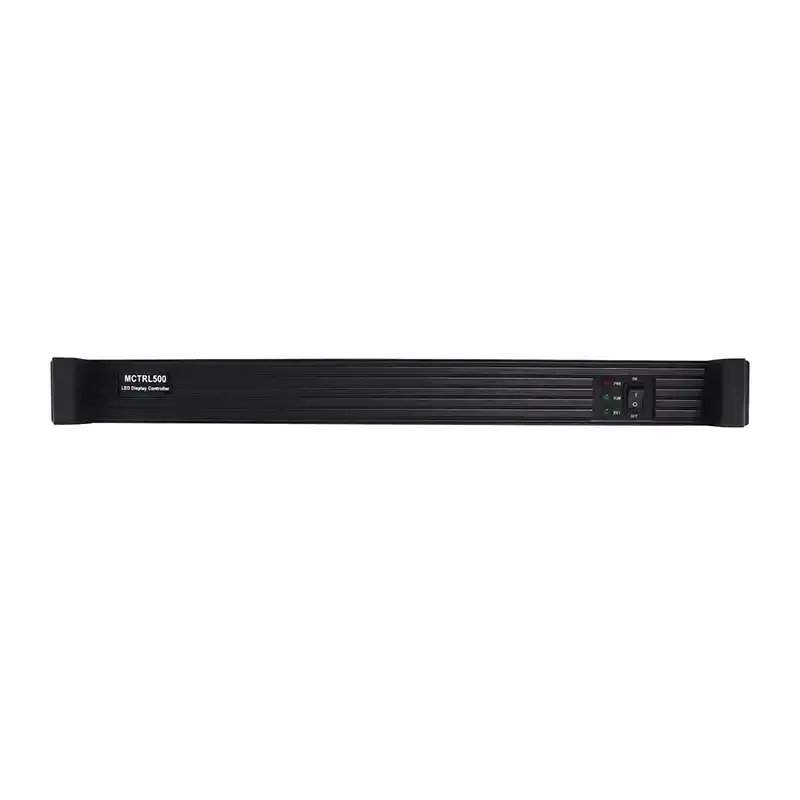
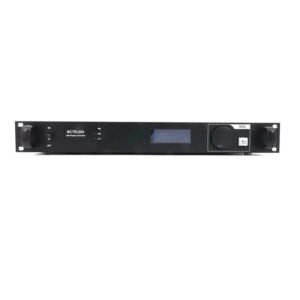
What is the NovaStar MCTRL500?
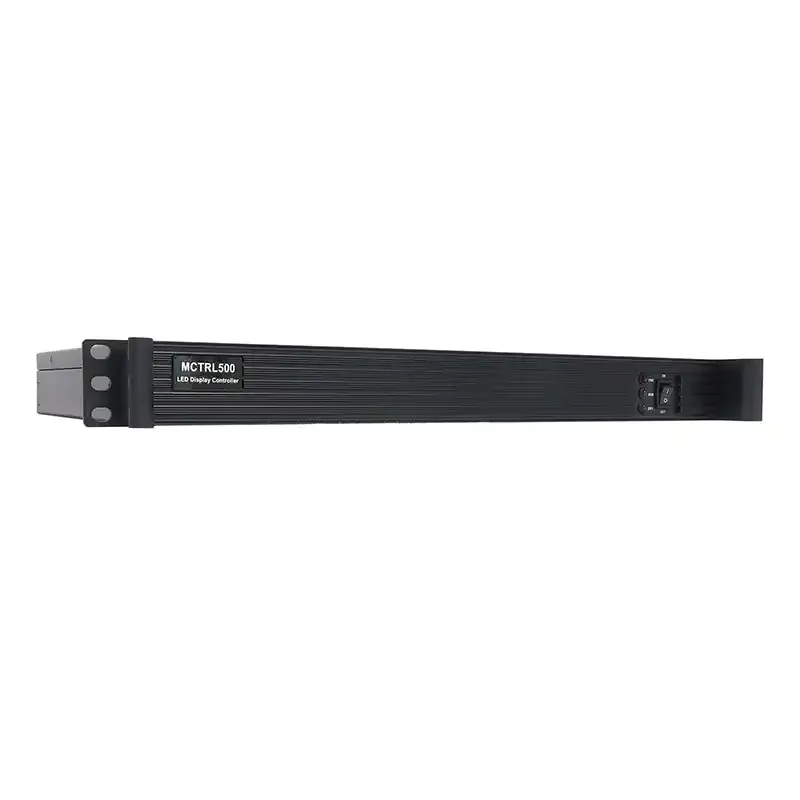
The NovaStar MCTRL500 is a 1U LED display sending controller for systems built around a prepared DVI video source. It accepts one single-link DVI signal, maps that canvas across four Gigabit Ethernet outputs, and can send the same four output channels through four built-in 1.25G optical ports.
The MCTRL500 is not an all-in-one video processor. Its official specification does not list source switching, scaling or video layers, so the computer, media server or upstream video processor should create the final screen resolution before the signal reaches the controller.
Why the MCTRL500 still matters in a 1.25G fiber system
The MCTRL500 is a legacy model, but its four onboard optical outputs still solve a specific problem. Each optical port carries the LED data assigned to one matching Ethernet output, which can simplify a system that already uses compatible 1.25G optical receivers at the screen.
Its best use is a like-for-like replacement or spare for a system already built around the MCTRL500's 1.25G optical path. For a new installation, compare the complete signal and service workflow first. Newer controllers may offer easier computer control, more source formats or modern 10G fiber, but they may not be a drop-in replacement for the existing optical chain.
MCTRL500 load capacity and four-port planning
The MCTRL500 accepts an input canvas up to 1920×1200 at 60 Hz, or 2,304,000 pixels. A standard 1920×1080 canvas is therefore within the documented total limit, provided the cabinets can also be divided across the four output ports correctly.
Each Ethernet output can carry up to 650,000 pixels. Those four port limits should not be added together and presented as a 2.6-million-pixel canvas, because the controller's documented source ceiling remains 1920×1200 at 60 Hz. Both checks matter: the full canvas must fit the controller, and every individual port must remain within its own load limit.
The MCTRL500 also accepts custom shapes up to 3840 pixels wide at 3840×600@60Hz, or up to 2560 pixels high at 800×2560@60Hz. These limits describe the source canvas, not a guarantee that any cabinet map will work. Port loading, cabinet size, receiving-card capacity and the source's ability to output the custom timing still need to be checked together.
MCTRL500 DVI input and source requirements
The controller has one single-link DVI input. It does not provide HDMI or SDI source switching, so a modern laptop, camera system or switcher may need the correct upstream converter or processor. A simple connector adapter does not add scaling or make an unsupported timing safe.
Prepare the final LED canvas before it reaches the MCTRL500. If the show needs seamless switching, multiple layers, scaling or several live inputs, place a suitable video processor before the controller or consider a newer all-in-one model.
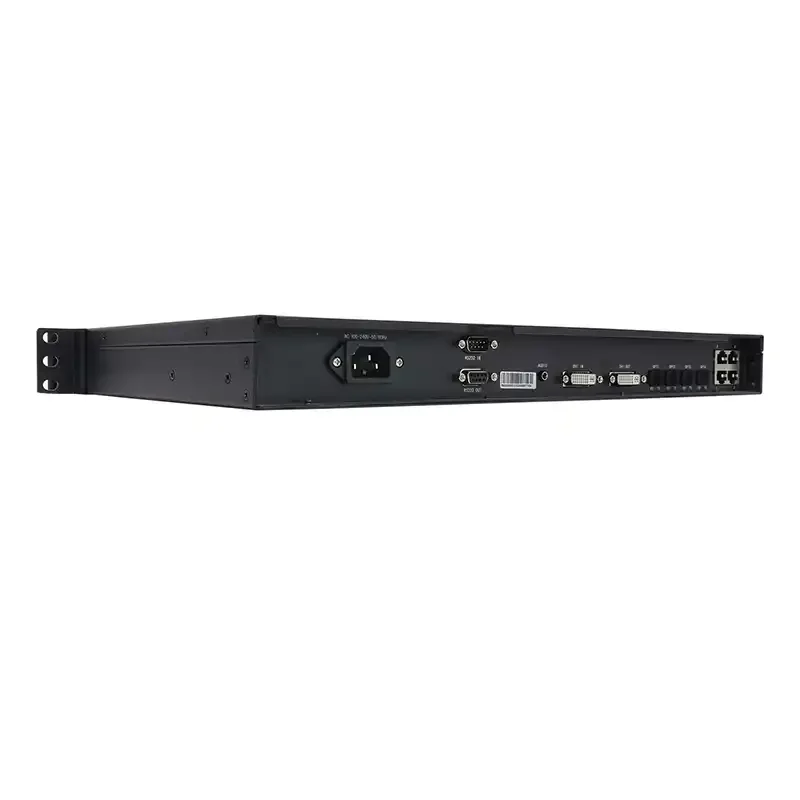
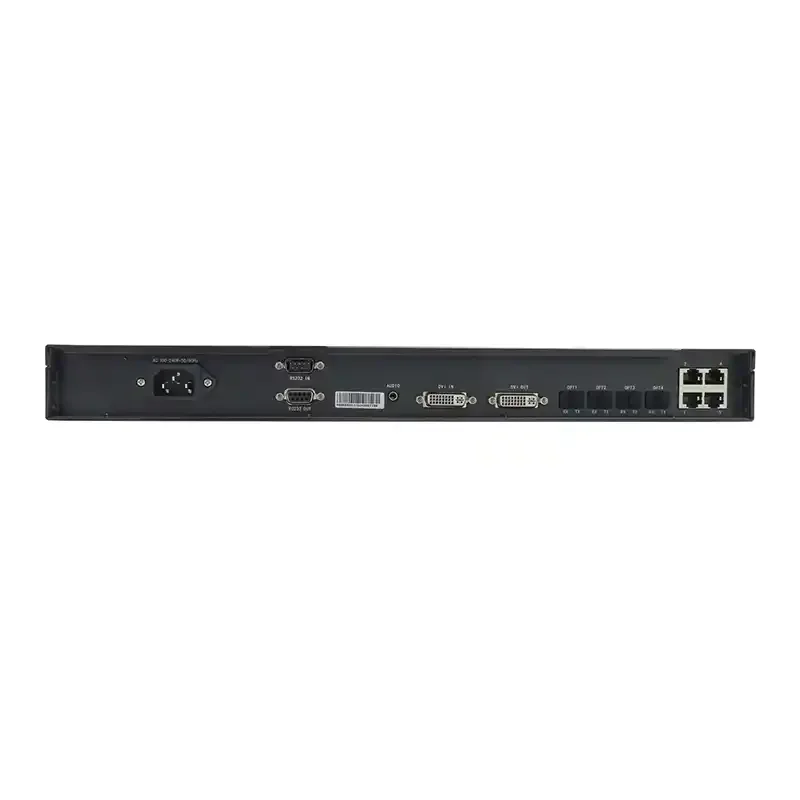
The rear-panel DVI output can continue the video signal to another part of the system, while RS232 IN and OUT are documented for cascading multiple controllers under integrated control. The DVI signal path and the RS232 control path do different jobs and should not be treated as interchangeable.
How MCTRL500 Ethernet and optical outputs work
The MCTRL500 provides four RJ45 Gigabit Ethernet outputs and four 1.25G optical outputs. The mapping is direct: OPT1 corresponds to OUT1, OPT2 to OUT2, OPT3 to OUT3 and OPT4 to OUT4. A cabinet chain assigned to Ethernet output 2 is therefore the same data channel carried by OPT2.
For shorter fiber runs, the specification lists 850 nm twin-core fiber with LC connectors, OM3 or OM4 cable and a maximum distance of 300 meters. For long-distance links, it lists 1310 nm single-mode twin-core fiber with LC connectors, OS1 or OS2 cable and a maximum distance of 10 kilometers.
The controller also supports redundancy between Ethernet ports. Redundancy uses output capacity differently from a four-port primary map, so the backup design should be checked in NovaLCT or SmartLCT before the rack and cabinet wiring are finalized.
NovaStar MCTRL500 specifications
Use these figures to check the source, output map, fiber path and rack requirements before ordering.
| Specification | MCTRL500 |
|---|---|
| Product role | LED display sending controller |
| Video input | 1x single-link DVI |
| Audio input | 1x audio |
| Video output | 1x single-link DVI |
| LED data outputs | 4x Gigabit Ethernet, up to 650,000 pixels per port |
| Optical outputs | 4x 1.25G, one-to-one with OUT1-4 |
| Maximum input canvas | 1920×1200@60Hz |
| Maximum custom width | 3840 pixels at 3840×600@60Hz |
| Maximum custom height | 2560 pixels at 800×2560@60Hz |
| 8-bit DVI source | RGB 4:4:4 up to 1920×1200@60Hz |
| 10/12-bit DVI source | RGB 4:4:4 up to 1440×900@60Hz |
| Optical distance | Up to 300 m on documented 850 nm OM3/OM4 path; up to 10 km on 1310 nm OS1/OS2 single-mode path |
| Control/cascade | RS232 IN and OUT |
| Input voltage | AC 100-240 V, 50/60 Hz |
| Rated power | 10 W |
| Dimensions | 482.0 x 268.5 x 44.4 mm |
| Net weight | 2.9 kg |
| Operating temperature | -20 C to +60 C |
| Operating humidity | 10% to 90% RH, non-condensing |
Technical values were checked against NovaStar's MCTRL500 Specifications V2.3.2. Use the linked MCTRL500 datasheet when the final port and fiber plan is approved.
MCTRL500 setup with NovaLCT and SmartLCT
Start with the system, not the software screen. Confirm the DVI timing, full canvas size, pixels assigned to each output, receiving-card files and the exact Ethernet or optical path. If the fiber system is already installed, also confirm that its transmit/receive hardware matches the MCTRL500's 1.25G optical format.
NovaLCT is used to configure the controller, receiving cards and screen connection. SmartLCT also lists the MCTRL500 as a supported controller and can be used to plan the cabinet map. However, the SmartLCT V3.4.2 manual specifically says Mac computers do not support the MCTRL500, so plan to commission this model from a compatible Windows system.
The MCTRL500 specification documents RS232 IN/OUT for device cascading; it does not show a USB or Ethernet management port. Do not arrive onsite assuming that a standard USB cable will connect directly to the controller. Confirm the correct serial connection method, software version and firmware with support before the service window, especially when the unit came from an older installation.
MCTRL500 manual, datasheet, software and firmware
The official MCTRL500 resources include its specification sheet, firmware and release notes. NovaStar did not publish a separate MCTRL500 hardware manual in the reviewed archive, but its genuine Nova M3 system manual names the MCTRL500 and covers the configuration workflow. The links below keep those two document types separate.
Firmware download: MCTRL500 firmware package. Match it to the exact hardware version, save the working configuration and read the release notes before updating.
Direct PDF links: MCTRL500 User Manual PDF · MCTRL500 Datasheet PDF
MCTRL500 applications
Existing 1.25G fiber installations
Use the MCTRL500 when the screen-side optical hardware and four-channel fiber map are already built around this controller. A matching replacement may involve less risk than redesigning both ends of the link.
Long-distance fixed LED screens
The documented single-mode path can reach up to 10 km when the correct LC optics and OS1/OS2 fiber are used. This suits a control room that is far from the display, provided every part of the optical chain is compatible.
Rental racks with a prepared DVI canvas
The controller fits a simple rental workflow where a media server or processor supplies the final DVI resolution and the rack already contains the required control and fiber hardware.
Legacy system spares
Keeping a tested MCTRL500 spare can be practical when several installed systems share the same controller, firmware and receiver-side equipment. Record the working configuration with the spare so it is useful during an actual service call.
Is the MCTRL500 right for your LED wall?
The MCTRL500 is a good fit when all of the following are true:
- the source can provide the finished canvas over single-link DVI;
- the full canvas stays within 1920×1200@60Hz;
- every output stays within 650,000 pixels;
- the system needs or already uses the four matching 1.25G optical channels;
- a compatible Windows commissioning computer and verified control connection are available.
It may not be the best starting point for a new HDMI or SDI workflow, a show that needs built-in scaling and switching, or a system designed around modern 10G optical links. In those cases, the MCTRL600 offers HDMI and direct USB computer control at a similar four-port scale, while the MCTRL660 Pro adds more inputs, Genlock, six Ethernet outputs and 10G optical transport.
MCTRL500 vs MCTRL600 vs MCTRL660 Pro
Use the comparison to choose the workflow, not simply the model with the largest number.
| Model | Best fit | Source and control | LED/fiber outputs | Main tradeoff |
|---|---|---|---|---|
| MCTRL500 | Existing DVI and 1.25G fiber systems | DVI source; legacy RS232 cascade/control workflow | 4x Ethernet plus 4x matching 1.25G optical | Native legacy fiber, but no HDMI and no documented USB management port |
| MCTRL600 | Four-port systems that need HDMI and easier PC connection | DVI or HDMI 1.3; USB Type-B control | 4x Ethernet; no onboard optical outputs | Easier modern source/control workflow, but external fiber conversion is required for long runs |
| MCTRL660 Pro | Live production, synchronized systems and modern fiber | DVI, HDMI 1.4 and 3G-SDI; Genlock and USB control | 6x Ethernet plus 2x 10G optical | More capable system, but not a drop-in replacement for a four-channel 1.25G optical installation |
The MCTRL500 and MCTRL600 both document a 1920×1200@60Hz source ceiling and four Ethernet outputs. The real choice is therefore not simply screen size: choose MCTRL500 for a compatible native 1.25G fiber chain, or MCTRL600 for HDMI and a clearer USB commissioning path.
MCTRL500 frequently asked questions
Can the MCTRL500 drive a 1920×1080 LED wall?
Yes. A 1920×1080 canvas contains 2,073,600 pixels, which is within the controller's 1920×1200@60Hz input limit. The cabinet map must still be divided so that no Ethernet output exceeds 650,000 pixels.
Does the MCTRL500 scale an HDMI or DVI source?
The official specification does not list scaling, source switching or layers. Send the finished resolution over DVI, or place a suitable processor before the controller.
How far can the MCTRL500 optical outputs run?
NovaStar documents up to 300 meters for the 850 nm OM3/OM4 path and up to 10 kilometers for the 1310 nm OS1/OS2 single-mode path. The receiver and optics at the screen must match the selected fiber system.
Does the MCTRL500 have a USB control port?
The official rear-panel connector list does not show a USB control port. It lists RS232 IN and OUT for device cascading. Confirm the required serial connection and software version before commissioning the unit.
Is there an MCTRL500 user manual?
NovaStar's reviewed archive does not provide a separate MCTRL500 hardware manual. Use the MCTRL500 setup manual, which hosts the genuine Nova M3 system guide, for configuration procedures and the MCTRL500 datasheet for model-specific hardware limits.
Is the MCTRL500 discontinued?
The MCTRL500 is a legacy model and several established distributors mark it discontinued or EOL. Confirm current stock, warranty and replacement support before ordering. For an existing installation, also confirm that a proposed newer controller will work with the current optical chain before changing models.
Confirm your MCTRL500 system before ordering
Send the screen width and height, cabinet pixel dimensions, number of cabinets, source format, required fiber distance and details of the screen-side optical receiver. We can check the total canvas, per-port load and signal path before the controller is added to the order.
Also tell us whether this is a new system or a replacement for an existing MCTRL500. That single detail often decides whether keeping the native 1.25G optical workflow is the safest choice or whether a newer controller will be easier to support.
Reviews
There are no reviews yet.