
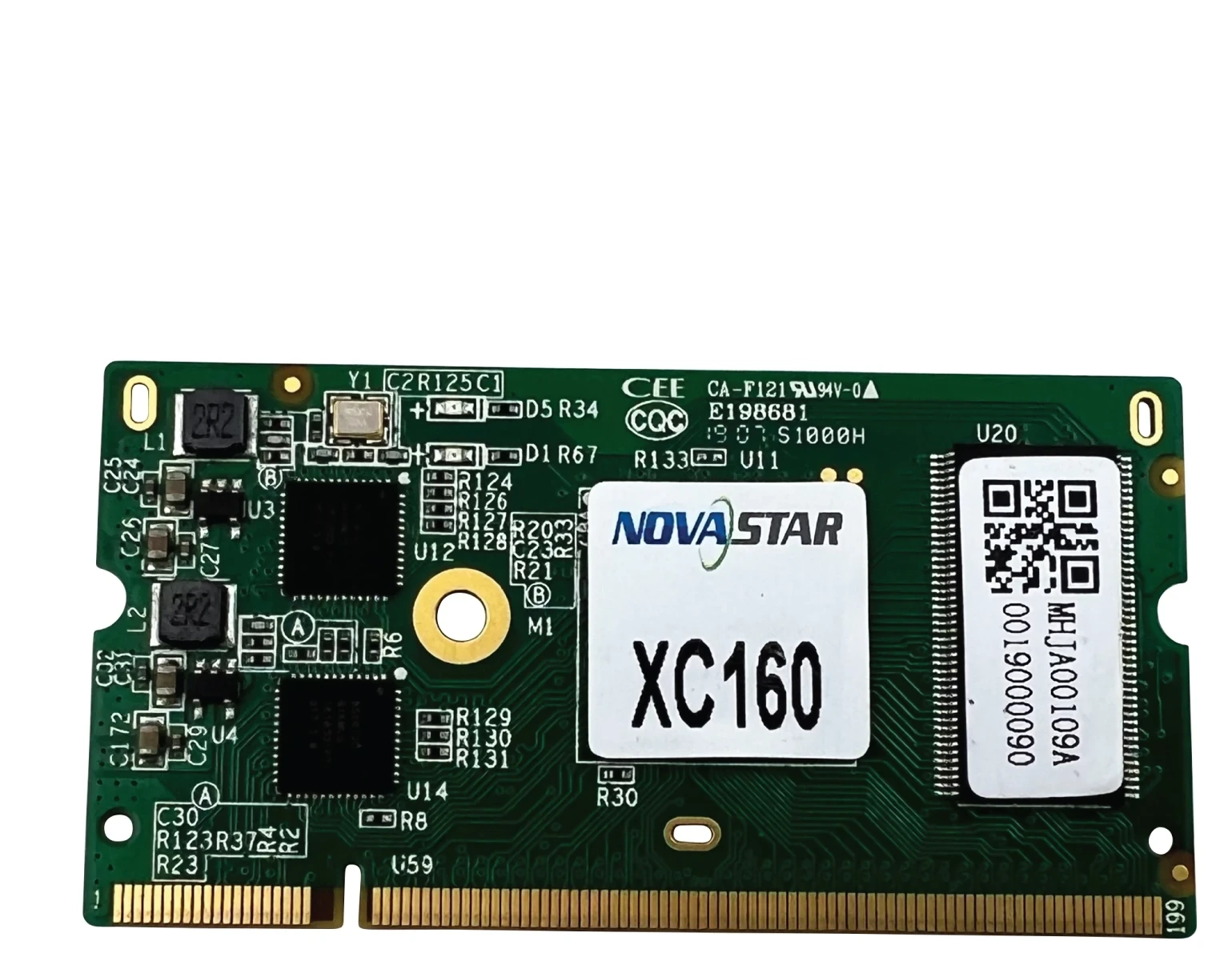
What is the NovaStar XC160 receiving card?
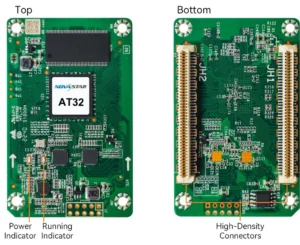
The NovaStar XC160 is a compact LED receiving card for cabinets that use its DDR2 connection. It sits behind the LED modules, receives the prepared image from the controller and sends the right pixels through the cabinet’s hub board.
Most buyers are replacing a card in an existing cabinet or checking XC160 for a new cabinet design. In both cases, the card must match the hub board, module wiring and saved cabinet configuration. A similar-looking receiver is not automatically a safe replacement.
XC160 key features
- Maps the prepared image inside the cabinet: the NovaStar XC160 receives data from the LED controller and passes each cabinet’s pixels through the hub board to the modules.
- Handles up to 256 × 256 pixels on one card: this gives a cabinet designer a clear whole-card limit when planning a compact LED display.
- Works with two module data layouts: the XC160 supports up to 32 parallel RGB groups or 64 serial groups. The module driver and ribbon wiring decide which layout the cabinet can use.
- Helps restore a matched picture: with compatible modules and saved calibration data, an XC160 replacement can be brought closer to the brightness and color of the cabinets beside it.
- Shows useful cabinet health data: temperature, voltage and Ethernet bit-error information help the operator decide whether to inspect power, network cabling or the receiving card first.
- Can hold a backup image: the XC160 can show a saved image when the normal source or Ethernet path is temporarily missing, instead of leaving one cabinet as a blank panel.
- Lets installers save a known-good setup: NovaLCT can read and save the XC160 program and cabinet parameters before a replacement, giving the installer a reliable starting point.
NovaStar XC160 specifications
These values are useful for the first fit check. The cabinet connection, module map and power rail still decide whether the card will work in the installed screen.
| Check | XC160 value | Why it matters before ordering |
|---|---|---|
| Cabinet connection | DDR2 connector | Match the hub board and mating connector, not only the PCB outline. |
| Whole-card load | Up to 256 × 256 pixels | Compare the installed cabinet map with the card ceiling. |
| Module data paths | Up to 32 parallel RGB groups or 64 serial groups | The module ribbons and driver arrangement decide the usable path. |
| Input voltage | DC 3.3–5.5 V | Check the cabinet rail before powering a new card. |
| Rated current / power | 0.5 A / 2.5 W | Leave the cabinet power supply and wiring within their own limits. |
| Board size / weight | 67.6 × 35.0 × 5.2 mm / 10.7 g | Useful for clearance, but connector and mounting fit remain decisive. |
| Operating environment | −20°C to +70°C; 10–90% RH, non-condensing | Check airflow, enclosure temperature and moisture exposure. |
Will one XC160 fit your LED cabinet?
Start with the cabinet, not the product title. Photograph the old card label, the DDR2 connection, the hub board, every module ribbon and the cabinet power input. Then compare the total cabinet map with the 256 × 256 card limit.
The 32 parallel RGB and 64 serial figures describe possible module data routes, not two settings that can be chosen after installation. The driver IC, scan arrangement and ribbon order decide which route the cabinet uses. If a working card is available, read its configuration before removing it. If no reference cabinet works, request the approved cabinet file from the screen maker before ordering several spares.
For a new cabinet, ask the maker to confirm XC160, the DDR2 hub board and the module data path in writing. For an existing wall, like-for-like replacement is normally safer than choosing a different receiver because its headline capacity is larger.
XC160 troubleshooting and cabinet recovery
If one cabinet looks different: check the saved calibration data and the module support first. With the documented calibration path, the replacement cabinet can be tuned closer to the cabinets around it instead of being left as a bright or dark patch.
If one cabinet goes dark or drops out: use the temperature, voltage and Ethernet bit-error information to choose the first check. That can narrow the fault to the power supply, network cable, module ribbon or receiving card before parts are replaced.
If the normal signal disappears: a stored image can keep the cabinet from becoming a black rectangle at startup, after a cable is disconnected or when the video source is lost. Loop backup, dual-card backup and dual-power monitoring still need the matching hub board, spare card, cables and power system; XC160 alone does not add those paths.
XC160 setup, datasheet, firmware and NovaLCT
Before removing a working XC160, use NovaLCT V5.2.0 or later where applicable to read back and save the receiving-card program and configuration parameters. Keep the cabinet file with the screen model, module and wiring notes. The file stores the cabinet map; it is not a replacement for card firmware.
Install the new card in one cabinet first. Restore the known-good configuration, check the image at normal brightness, compare it with neighboring cabinets and confirm the Ethernet path. Only then should the same verified process be used across the wall. Dedicated firmware is required for the documented LVDS mode, so do not update a working card until the module interface and exact firmware requirement are confirmed.
XC160 vs XC100 and XC190
Compare these cards by cabinet interface and the result you need, not by the largest number in a listing. XC160 is the DDR2, 256 × 256 option documented here. XC100 uses a different legacy cabinet interface, while XC190 follows a different capacity and cabinet-design path.
| Model | Consider it when | Do not assume |
|---|---|---|
| XC160 | The cabinet specifies the DDR2 interface and the 256 × 256/data-group limits fit its module map. | That any compact receiver with a similar outline will plug in. |
| XC100 | The installed cabinet is built for XC100’s own DDR3 SODIMM interface and saved program. | That XC100 and XC160 are interchangeable because both are compact cards. |
| XC190 | The cabinet maker has specified XC190 and its own connector, load and configuration path. | That a higher load rating proves a safe retrofit for an XC160 cabinet. |
NovaStar XC160 FAQ
What is the XC160 used for?
It is a compact NovaStar LED receiving card for a cabinet whose DDR2 connector, hub board and module wiring match the XC160 design. It can serve a matched existing cabinet or a new cabinet specified around its documented limits.
What is the XC160 maximum load?
NovaStar documents up to 256 × 256 pixels for one XC160. Confirm the cabinet’s module map and data path before using that figure as a replacement decision.
Can XC160 help match brightness after a card replacement?
When the modules support the documented calibration path, XC160 can work with NovaLCT and NovaCLB for pixel-level brightness and chroma calibration. Keep the original calibration data and verify module support first.
What should I save before replacing an XC160?
Use NovaLCT V5.2.0 or later where applicable to read back and save the card program and configuration parameters. Keep the cabinet map with the module and wiring notes, then test one cabinet before restoring the rest.
Does XC160 include a firmware download?
The verified resource here is the XC160 datasheet. No exact XC160 firmware package is currently verified in our library, so use the official NovaStar download center or contact us to confirm the correct card and PCB before updating.
Can XC160 add dual-card or power backup to any cabinet?
No. Those functions require the matching hub board, spare card, cables and power design. A single XC160 cannot add redundant hardware to a cabinet that was not built for it.
Reviews
There are no reviews yet.