
What is the NovaStar TU40 Pro?
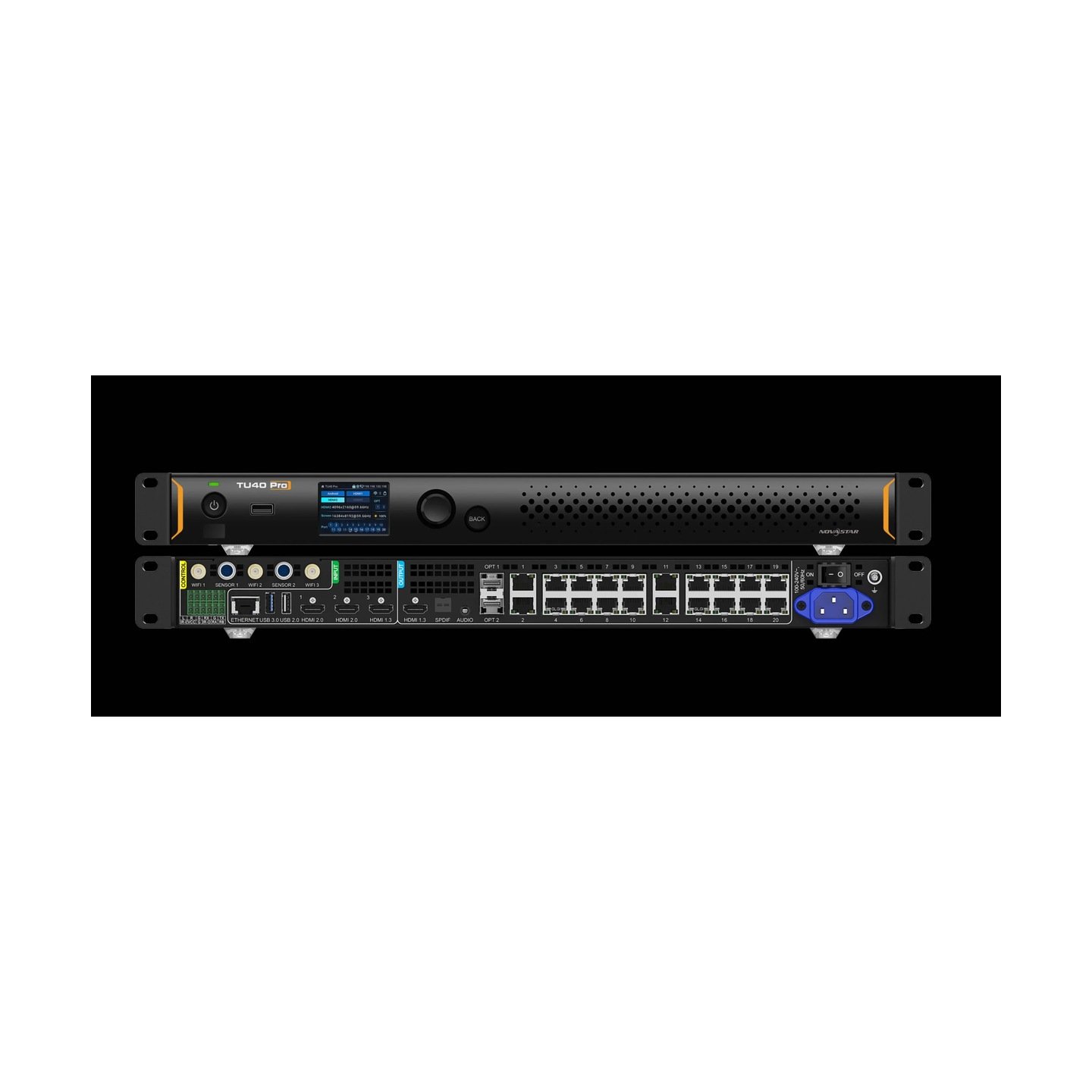
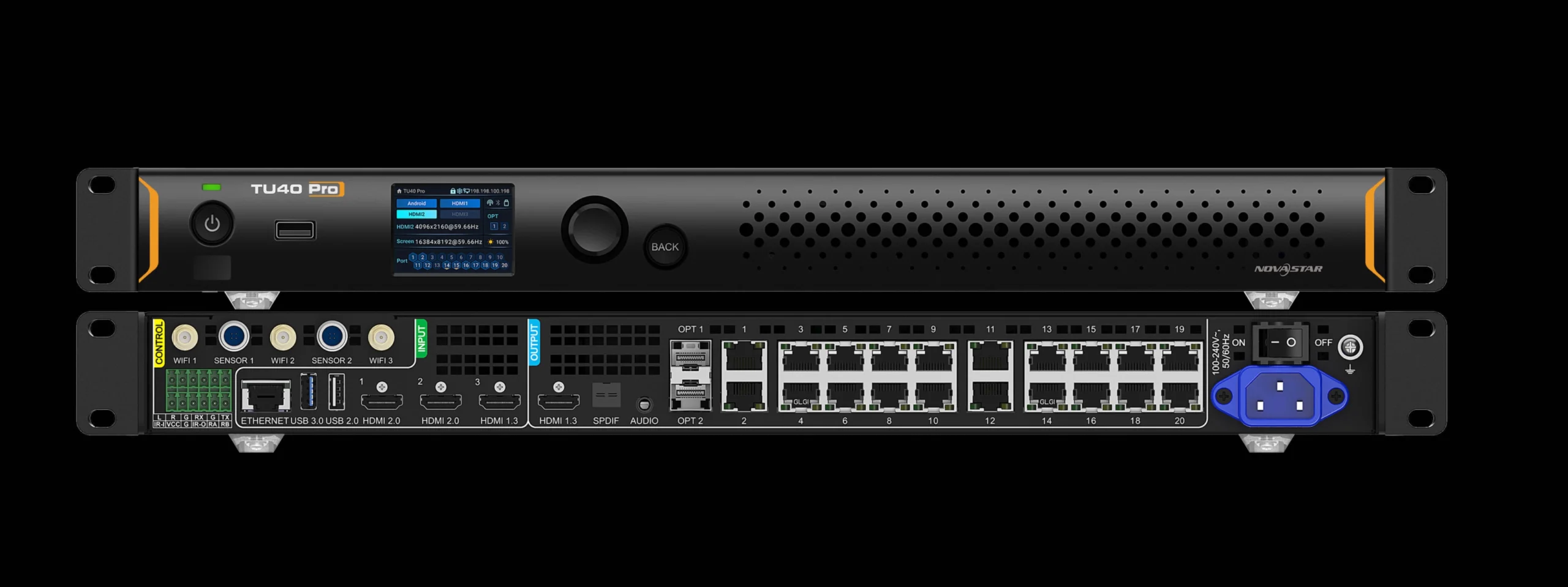
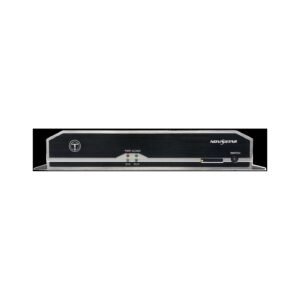
The NovaStar TU40 Pro is a large all-in-one LED processor: an Android computer, a source switcher, video processing and twenty screen outputs in one 4.54 kg chassis. It drives up to 13,000,000 pixels and is run from a screen and a knob on its own front panel.
Order one when your wall has outgrown a room processor but the job does not justify a separate server, switcher and controller. Auditoriums, corporate showrooms, large lobbies and standalone outdoor screens are where these end up.
Its close relative, the TU4K Pro, has the same chassis and the same port count. The differences are narrow and specific, and they are set out further down so you can choose between them quickly.
NovaStar TU40 Pro key features
The front panel runs the wall without a laptop
A two-inch screen and a knob sit on the front of the chassis, and between them you reach the menus, the parameters and the device status. On a rack in your plant room that means routine changes need nobody’s computer and nobody’s password.
The screen is not a touchscreen, so plan on the knob and the remote rather than reaching up to prod it.
It reads the picture and adjusts while it plays
Content recognition tunes color, saturation, brightness, sharpness and motion frame by frame. That is the difference between a wall that looks flat and one that holds detail in a dark scene.
Two conditions come with it. It works on the internal player and on your first HDMI input only, and only while a single window is on the screen. Put two sources side by side and it stops.
A rack of separate boxes becomes one
Playback, switching, scaling and screen driving all happen inside this chassis, so the media server, the presentation switcher and the LED controller come off your equipment list together.
What that saves you is not only money. It is three sets of updates, three power leads and three things to explain to whoever inherits your room.
NovaStar TU40 Pro specifications
Read the two capacity rows as a pair. The lower one applies whenever your picture is shown at its natural size, which is how most large walls are fed.
| Screen capacity, scaled | 13,000,000 pixels |
|---|---|
| Screen capacity, native | 8,800,000 pixels, which is also the cap on content played from internal storage |
| Output sizing range | 64 to 16,384 pixels wide, 64 to 8192 pixels high |
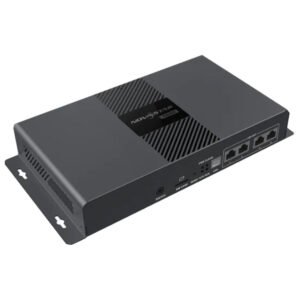
| Screen outputs | 20x Gigabit RJ45, plus 2x optical ports; optical modules not included |
| Live inputs | 1x HDMI 1.3 and 2x HDMI 2.0, plus 2x USB 2.0 and 1x USB 3.0 |
| Monitor output | 1x HDMI 1.3, for checking and setup |
| Sound outputs | SPDIF, 3.5 mm, HDMI return channel and a screw-terminal pair |
| Front panel | 2.0-inch 320×240 display and a knob; not a touchscreen |
| Processor and memory | Quad-core A73 plus quad-core A53 at 2.2 GHz, 8 GB RAM, Android 13 |
| Internal storage | 128 GB |
| Video it can play at once | 1x 8K, or 2x 4K, or 5x 1080p, or 9x 720p, or 14x 480p, or 15x 360p |
| Wireless sharing | Mirroring from Windows, macOS, iOS and Android, split four ways as supplied |
| Standby draw | Under 0.5 W, woken by the infrared remote |
| Power in | Mains; 2.5 A maximum |
| Size and weight | 445.0 mm × 383.0 mm × 49.9 mm; 4.54 kg |
| Operating range | −20°C to +50°C, non-condensing |
| Approvals listed | CQC, SRRC, CE, RoHS, FCC, IC |
| In the carton | Power cord, Bluetooth voice remote and two AAA batteries, Ethernet cable, HDMI cable, screw-terminal plugs, 3 antennas, 2 hanging brackets |
Figures come from NovaStar’s TU40 Pro LED Playback Control Processor Specifications V1.2.4, dated 10 May 2026.
Where this processor sits in your options
Three tiers cover most single-screen projects, and the jump between them is capacity rather than features. Knowing which tier your wall lands in saves you comparing boxes that were never in contention.
Below this sit the room processors, the TU15 Pro and TU20 Pro, at 2,600,000 and 3,900,000 pixels with four and six outputs. They are a third of the weight and run on a small power adapter.
This tier triples that and adds fiber, a front-panel display, an 8K file, and picture processing that a room box does not carry.
Above it, a wall fed by live production rather than by stored content is a different category again. At that point a dedicated controller with a video processor behind it does things no all-in-one box does, and the extra rack space stops being wasted.
TU40 Pro or TU4K Pro — what actually separates them
Capacity, outputs, processor, memory, storage and chassis are identical on these two, so most comparison tables tell you nothing. Three rows are where your money goes.
| Model | TU40 Pro · TU4K Pro |
|---|---|
| HDR10 | no · yes |
| Wireless sharing split | four, nine with a paid code · nine as standard |
| Approvals listed | CQC, SRRC, CE, RoHS, FCC, IC · UL, CE, FCC, IC, CB, PSE, MIC, RCM, SIRIM, KC, ANATEL, SABER |
| Screen capacity | 13,000,000 scaled, 8,800,000 native on both |
| Outputs | 20 copper and 2 optical on both |
| Weight | 4.54 kg · 4.60 kg |
Order the TU40 Pro when your content is standard dynamic range, four shared sources are enough, and the approvals on its list satisfy the job. That is the majority of installations, and it is the cheaper of the two.
Order the TU4K Pro if any of those three is a no. A UL requirement in particular is not something you can add later, and neither is high dynamic range.
TU40 Pro datasheet, manual and software
NovaStar publishes a manual and a software package specific to this model, so take the files with TU40 Pro in the name. The TU4K Pro documents look almost identical and will not describe the box in front of you.
Setting your wall up is quicker than it looks. The VNNOX Care app on a phone scans a code, builds the cabinet layout from your photographs, and has a typical screen running in about ten minutes.
NovaStar TU40 Pro FAQ
How many wireless sources can share the screen?
Four as supplied. Nine needs a separate activation code, NovaStar item 710010073, which is worth pricing with the processor rather than after handover.
Does the TU40 Pro support HDR?
No. High dynamic range is the main thing this model does not have, and the TU4K Pro in the same chassis does. If your content is graded for it, that decides the model.
Is 13 million pixels the number I should design to?
Only when the picture is scaled to the wall. At natural size the ceiling is 8,800,000, and content played from the processor’s own storage is capped there too.
When does the automatic picture tuning work?
On the internal player and the first HDMI input only, and only while a single window is on the screen. Put two sources side by side and it stops.
Can I run it without a computer?
Yes. The two-inch front panel and its knob reach the menus and the device status, and the infrared remote handles playback. The panel is not a touchscreen.
Do the optical ports come with modules?
No. Two are fitted and the modules are bought separately, matched to the fiber already installed on your site.
Is the TU40 Pro UL listed?
No. Its datasheet lists CQC, SRRC, CE, RoHS, FCC and IC. The TU4K Pro lists UL along with CB, PSE, MIC, RCM, SIRIM, KC and others, so choose that model where a mark is required.
Does it need a separate controller?
No. Its twenty Gigabit outputs drive the receiving cards in your cabinets directly, and the two optical ports cover the long runs.
What warranty covers a TU40 Pro?
Three years of serial-tracked manufacturer coverage, because these processors come through our authorized US NovaStar channel.
Can I get volume pricing or Net 30 terms?
Yes. Send the model and the quantity and we will quote. Purchase orders and Net 30 terms may be available for approved schools, government buyers, venues and established integrators.
How do I order a TU40 Pro?
This processor is quoted per project rather than listed at a fixed price. Send the wall resolution, whether you need the nine-way sharing code, and whether optical modules are required. We ship from Florida.
Reviews
There are no reviews yet.