
If you are building a broadcast rack, preparing rental inventory or standardizing an OEM LED package, the MCTRL660 Pro and VX1000 Pro may both appear in the proposal. They can both sit in front of an LED wall, but they do not play the same role in the rack.
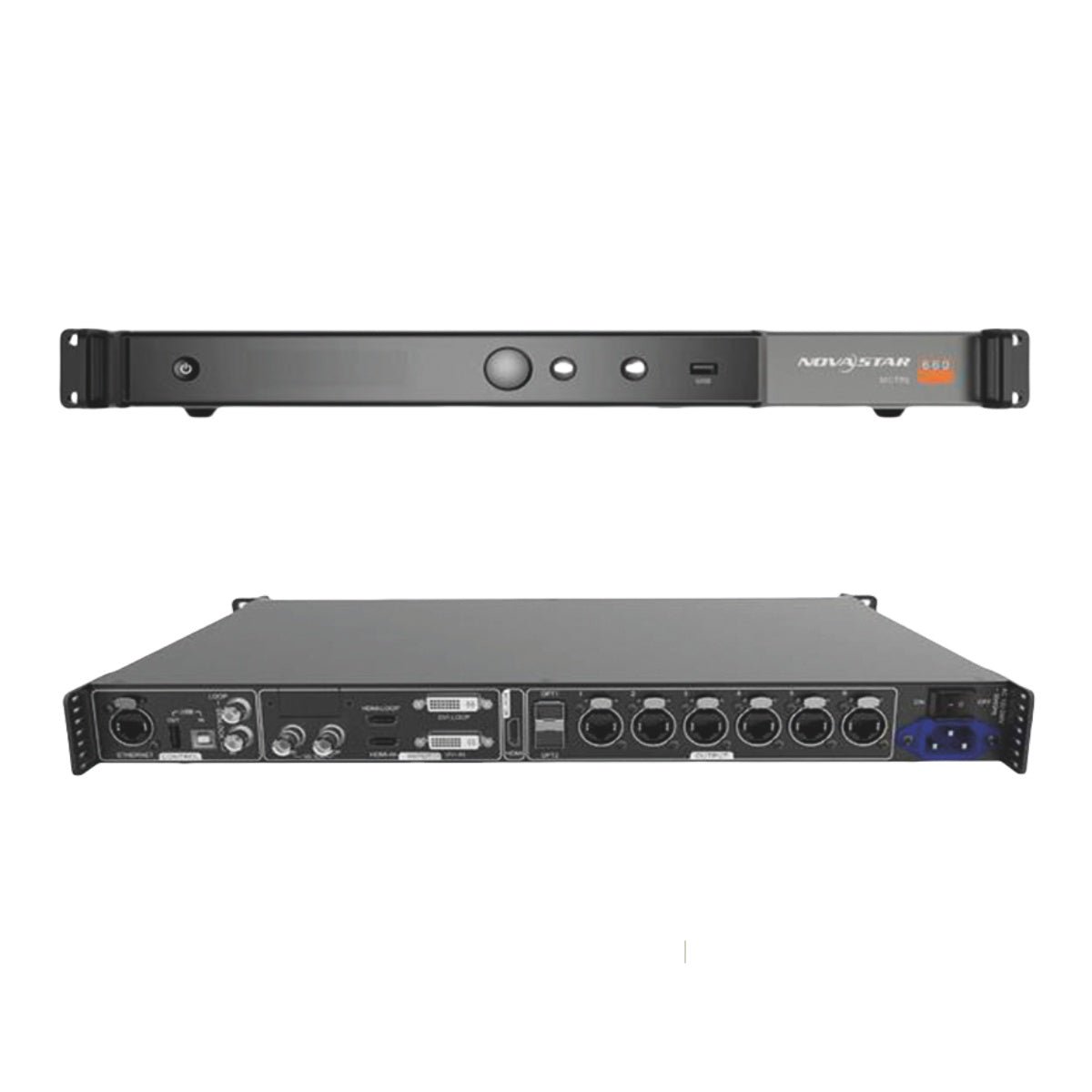
The MCTRL660 Pro is an independent sending controller: it takes a prepared canvas from a source, switcher or scaler and distributes that canvas to the receiving cards. The VX1000 Pro is an all-in-one video processor and LED controller: it can receive sources, scale and crop them, build a multi-window layout and then send the result to the wall.
That difference explains why the same wall can lead to different controller choices. A production company with a switcher, a fixed SDI workflow and a timing reference may value the MCTRL660 Pro’s low-latency path.
A rental company accepting different HDMI 2.0 laptops and media servers may save setup time with the VX1000 Pro’s built-in processing. An LED manufacturer needs to decide which complete signal chain it can test and support, not just which controller has the lower price.
So begin by locating the work in the rack: where will scaling, switching, synchronization and LED mapping happen? Once that is clear, the specification differences have a practical meaning.
What Is the Difference Between NovaStar MCTRL660 Pro and VX1000 Pro?
The simplest way to compare the two models is to draw the signal path, because their first difference is not the LED wall output. With an MCTRL660 Pro, the normal path is:
source or switcher -> prepared LED canvas -> MCTRL660 Pro -> receiving cards -> LED cabinets
With a VX1000 Pro, the path can be:
sources -> VX1000 Pro scaling and layers -> receiving cards -> LED cabinets
The first path can be very efficient when another device already does the processing. The second path is more self-contained when the controller must accept changing sources and create the final layout itself.
Is MCTRL660 Pro a sending controller or a video processor?
The MCTRL660 Pro is an independent sending controller. It can select a source, set a supported input canvas, map the finished image across six Gigabit Ethernet outputs and send that data through its optical path. It does not replace a multi-input switcher, a scaler or a live compositor.
That makes it a good fit for a camera or broadcast chain in which the switcher already outputs the exact canvas required by the LED wall. It can also be useful in a fixed installation where a media player or upstream processor always produces the same timing and resolution.
The VX1000 Pro combines video processing and LED control in one device. It accepts several source types, scales and crops the image, provides six shared 2K x 1K layer resources, stores 256 presets and sends the resulting canvas through ten Ethernet outputs. It is not merely a larger sending box; it removes some of the external processing that the MCTRL660 Pro assumes is already present.
What source formats does each model accept?
The MCTRL660 Pro accepts one 3G-SDI, one HDMI 1.4a and one single-link DVI input.
Its standard 8-bit HDMI and DVI canvas goes up to 1920 x 1200 at 60 Hz. For 10-bit or 12-bit HDMI and DVI, the documented maximum is 1920 x 1080 at 60 Hz. The 3G-SDI input supports up to 1920 x 1080 at 60 Hz and does not use the same input-resolution setting workflow as HDMI or DVI.
The VX1000 Pro has a different source profile: one HDMI 2.0 input with loop-through, two HDMI 1.3 inputs, one 3G-SDI input with loop-through, one 10G optical input and USB 3.0 playback.
Its HDMI 2.0 input supports documented 4K-class formats, subject to the specified frame rate, bit depth and color format. The VX1000 Pro can therefore be the center of a rack that receives a media server, presentation laptop, camera or switcher feed and local test content.
The input count alone does not decide the purchase. A production team that already owns a reliable switcher may prefer the MCTRL660 Pro’s focused input panel. A rental fleet that receives a different client source on every job may prefer not to depend on a separate converter or scaler for every changeover.
Does the wall need scaling, cropping or live layers?
The MCTRL660 Pro expects the upstream device to prepare the image. If the LED wall is 2560 x 960, the switcher or media server needs to produce a supported canvas and the operator needs to confirm the mapping before the signal reaches the sender. The MCTRL660 Pro can position and map the prepared image, but it is not a multi-window composition engine.
The VX1000 Pro can perform more of that work inside the controller. Its layer resources can be used for a main presentation, camera windows, logos, timers and playback content, as long as the layout stays within the resource and input limits.
Six shared 2K x 1K resources do not mean six full-size 4K windows, but they give the operator room to build a show layout without adding another processor.
This is the practical dividing line. If the signal arrives at the rack already finished, the MCTRL660 Pro may be all that is needed. If the operator must combine sources at the wall controller, the VX1000 Pro is the more complete starting point.
When do Genlock and low latency matter more than layers?
The MCTRL660 Pro is designed for workflows where timing and path length matter. It provides Genlock IN/LOOP for Bi-Level, Tri-Level or Black burst references. Its documented low-latency operation can reduce the delay between the input source and the receiving card to one frame when the required settings and cabinet arrangement are used.
There are important conditions. The manual says low latency cannot be used with Genlock, image mirroring or interlaced SDI. Each Ethernet port also has to load the cabinets in the required vertical arrangement, and the source, screen map and start position must fit the documented conditions. Low latency is therefore a system mode, not a permanent performance label attached to every signal path.
The VX1000 Pro is better suited to a show where the operator needs scaling, layers, presets and several input options. It may still be appropriate for live production, but it should not be selected on the assumption that it has the same low-latency behavior as an independent sender configured for that purpose.
How do the Ethernet and optical paths differ?
The MCTRL660 Pro provides six Gigabit Ethernet outputs and two 10G optical ports. In its sending mode, the optical path corresponds to the same six-port LED data.
In fiber-converter mode, the direction changes: optical can become the input and the six Ethernet ports can become outputs, or the six Ethernet ports can feed the optical output. OPT1 is the main path and OPT2 is the backup path.
The VX1000 Pro provides ten Gigabit Ethernet outputs and two optical output paths, alongside a 10G optical input. It can load up to 6.5 million pixels, with a maximum output width of 10,240 pixels and maximum height of 8,192 pixels.
The extra Ethernet ports are useful when the cabinet map is larger or needs more routing room, but they do not remove the need to check the load on each port.
An optical connector is not automatically a second independent LED canvas. Confirm the optical mode, converter model, SFP module, fiber type, receiving cards and port assignment as one design. This is especially important when the MCTRL660 Pro is being paired with another NovaStar controller or a remote fiber-converter box.
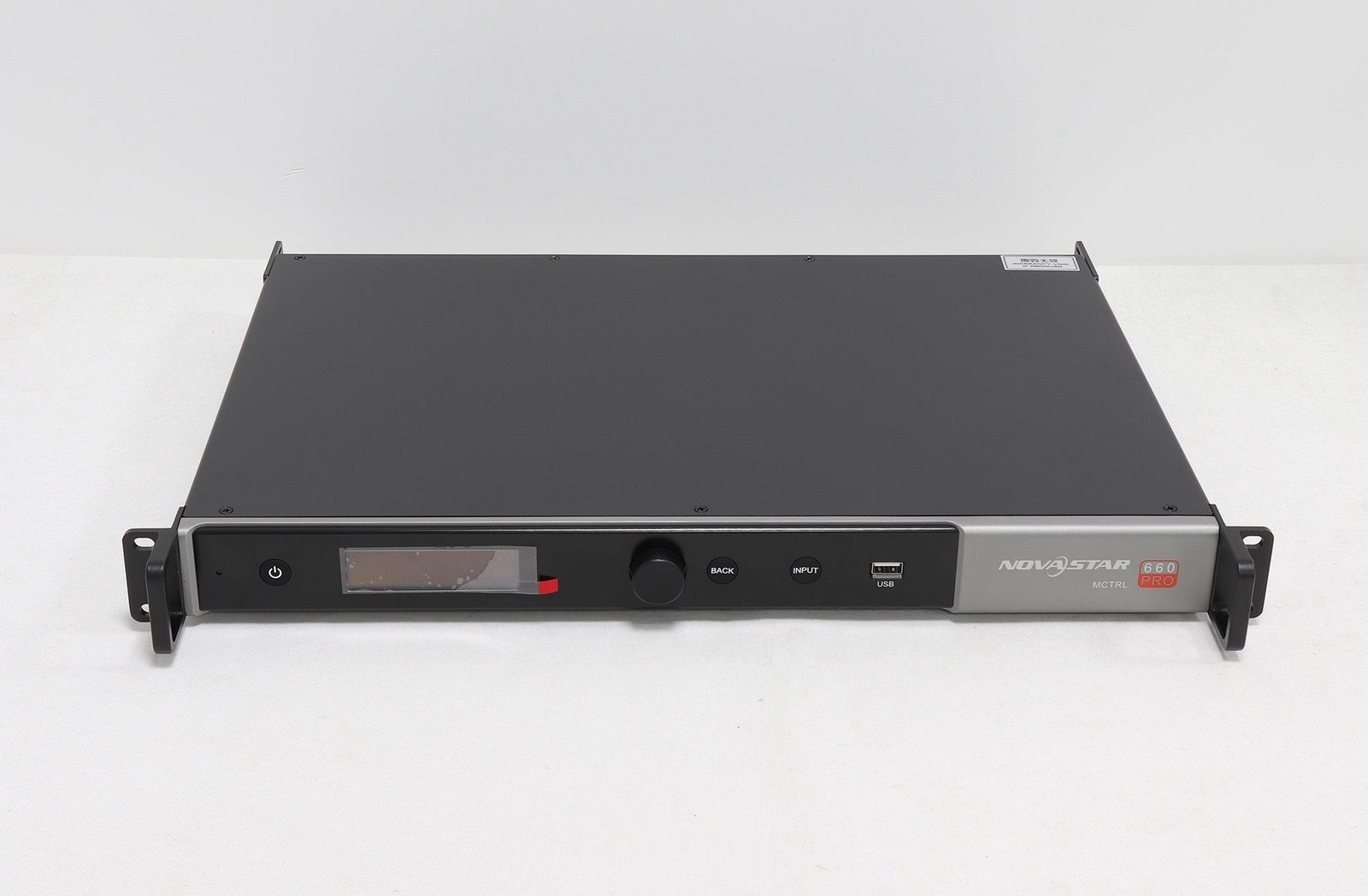
MCTRL660 Pro vs VX1000 Pro specification comparison
Use the table to identify where each controller belongs in the system. The canvas figures are not interchangeable: the MCTRL660 Pro’s standard input ceiling is a prepared 1920 x 1200-class signal, while the VX1000 Pro is built for a larger all-in-one processing and output workflow.
| Specification | NovaStar MCTRL660 Pro | NovaStar VX1000 Pro |
|---|---|---|
| Product role | Independent sending controller and fiber converter | All-in-one video processor and LED controller |
| Listed price | $1,174.00 | $2,067.00 |
| Price difference | $893.00 more than MCTRL660 Pro | |
| Main input connectors | 1 x 3G-SDI, 1 x HDMI 1.4a, 1 x single-link DVI | 1 x HDMI 2.0 IN/LOOP, 2 x HDMI 1.3, 1 x 3G-SDI IN/LOOP, 1 x 10G optical input, 1 x USB 3.0 |
| Standard input canvas | Up to 1920 x 1200 at 60 Hz for 8-bit HDMI/DVI | HDMI 2.0 supports documented 4K-class formats within connector limits |
| 10/12-bit HDMI/DVI | Up to 1920 x 1080 at 60 Hz | Supported on documented input formats; frame rate depends on format |
| Ethernet outputs | 6 x Gigabit Ethernet | 10 x Gigabit Ethernet |
| Optical ports | 2 x 10G optical, main and backup path | 2 x 10G optical output paths plus 1 x 10G optical input |
| Per-port reference | Up to 650,000 pixels at 8-bit; 325,000 at 10/12-bit | Check the model’s per-port and total loading conditions |
| Maximum LED loading | Sized around the documented 1920 x 1200-class canvas and six-port map | Up to 6.5 million pixels |
| Layers | No multi-layer composition engine | 6 shared 2K x 1K layer resources |
| Presets | No comparable VX-style layer preset system | 256 presets |
| Scaling and cropping | Upstream device must prepare the canvas | Built-in scaling and cropping functions |
| Genlock | Genlock IN/LOOP | Check the exact VX1000 Pro specification/firmware for the required synchronization workflow |
| Low-latency mode | Documented one-frame workflow under conditions | Different all-in-one processing path; do not assume MCTRL660 Pro latency |
| Working modes | Sending card and fiber converter | Video controller, fiber converter and ByPass |
| Control | Front panel, USB/Ethernet and web control; NovaLCT for screen setup | Front panel, NovaLCT, Unico and VICP where supported |
| Best starting point | Prepared source, SDI/Genlock, low-latency or long fiber path | Multiple sources, 4K-class input, layers, scaling and larger wall maps |
The MCTRL660 Pro is not “smaller VX1000 Pro.” It is a different type of tool. The VX1000 Pro’s higher price buys processing and output capacity that may replace a separate scaler, switcher or layer compositor. The MCTRL660 Pro’s lower price can be the better value when those upstream devices are already in the rack and the sender only needs to distribute a prepared image reliably.
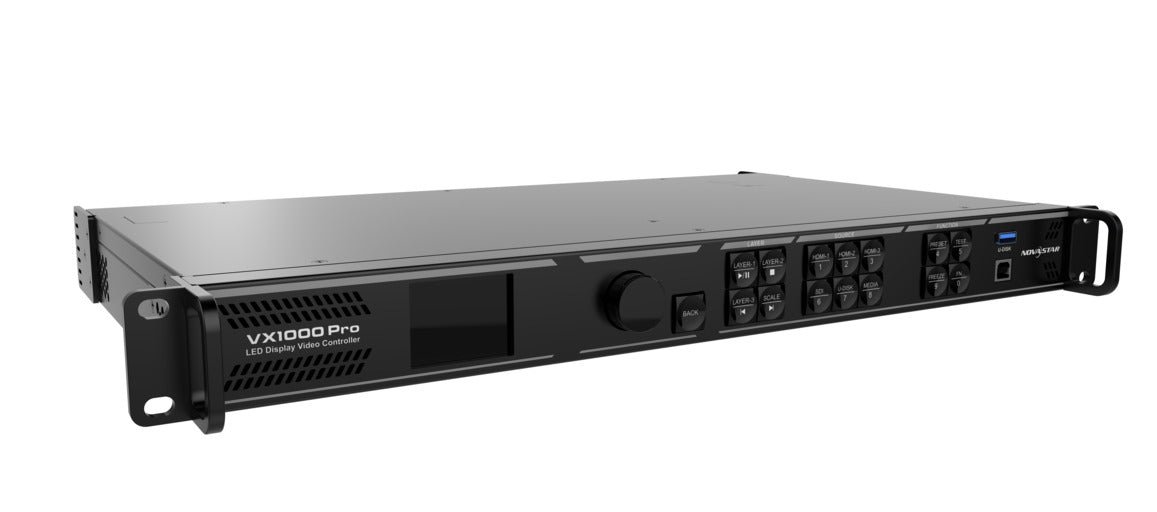
NovaStar MCTRL660 Pro vs VX1000 Pro: Which One Should You Choose?
The choice depends on where scaling, switching, synchronization and LED mapping happen. Start with the source chain already in the rack, then check the wall canvas, port map and operating workflow.
Do you already have a switcher or scaler that creates the final canvas?
Choose the MCTRL660 Pro when a switcher, media server or scaler already outputs the exact canvas required by the LED wall. This is common in a production rack where a vision mixer combines camera feeds and graphics before sending one finished program output to the LED controller.
The MCTRL660 Pro then has a focused job: accept the supported input, map it to the cabinets, distribute the LED data and provide the required fiber or timing path. You avoid paying for a second layer engine that the upstream system would not use.
Choose the VX1000 Pro when the source chain is less settled or the controller must create the layout itself. It can accept more source types, scale the content and store show looks in the controller. That can reduce the number of separate boxes a rental technician must carry and test.
Is the camera-to-screen delay the main requirement?
The MCTRL660 Pro is the candidate when the project has a real low-latency requirement and the signal path can follow the documented conditions. This is more likely in camera-facing LED work, live IMAG and some sports or broadcast-adjacent systems.
Before ordering, decide whether the system needs low latency or Genlock at the same time. On the MCTRL660 Pro, those functions are not simply additive. Confirm the source type, cabinet orientation, port width, start position and synchronization plan with the complete system.
Choose the VX1000 Pro when the show needs a flexible layout and the extra processing step is acceptable. A camera wall with several windows, graphics and playback sources may be easier to operate in the VX1000 Pro even if the MCTRL660 Pro can make one prepared camera feed arrive with less delay.
Do you need 4K input or multiple live windows?
Choose the VX1000 Pro when the source list includes a documented 4K-class HDMI 2.0 path, several inputs, USB playback or live windows built inside the controller. Its six shared 2K x 1K resources can support a more complex layout than a pure sending controller.
Do not choose the MCTRL660 Pro for a native 4K60 source. Its HDMI 1.4a, DVI and 3G-SDI inputs are in a lower source class. An upstream device can prepare a supported canvas, but that adds another part to configure and another point to test.
Is the LED wall within six MCTRL660 Pro ports?
For the MCTRL660 Pro, calculate three things:
- The complete input canvas width and height.
- The bit depth and refresh rate of the source.
- The number of pixels assigned to each of the six Ethernet ports.
At 8-bit, the current specification references up to 650,000 pixels per port. At 10/12-bit, the per-port figure is lower. A wall that looks small by physical size may still fail the port plan if the cabinet resolution is high or the rows cannot be divided vertically as required for low latency.
The VX1000 Pro is the better-sized choice when the wall exceeds the MCTRL660 Pro’s prepared-canvas and six-port design, or when ten outputs and 6.5 million pixels are part of the project requirement.
Is the $893 price difference worth it?
The MCTRL660 Pro is listed at $1,174.00 and the VX1000 Pro at $2,067.00. The difference is $893.00 before any volume terms, accessories or upstream equipment.
The MCTRL660 Pro is usually the better financial choice when the rack already includes a reliable scaler or switcher, the source format is stable and the wall fits the six-port plan. The VX1000 Pro can be the lower total-system cost when it replaces a separate processor, accepts changing client sources or avoids a second controller for a larger wall.
Compare the complete system cost rather than the box price:
- Upstream scaler or switcher.
- Fiber converter and optical modules.
- Rack space and power.
- Operator setup time.
- Backup equipment.
- Technician training and software support.
- Cost of changing the design when a client sends a different source.
NovaStar MCTRL660 Pro vs VX1000 Pro project examples
The same LED wall can justify different controllers depending on the upstream equipment and the operating requirements.
Broadcast camera wall with an external timing reference
A production company uses a camera chain and vision mixer that already creates a 1920 x 1080 program output. The wall is within six Ethernet ports, the system uses progressive 3G-SDI and the team has a defined timing-reference workflow.
Choose the MCTRL660 Pro if the team needs its dedicated SDI sending path and has confirmed the timing mode for the show. Treat low latency and Genlock as separate requirements: the documented low-latency mode cannot be used together with Genlock, so the production team must decide which matters for this signal path and test that mode with the actual receiving cards and cabinet arrangement.
Rental package with changing laptops and media servers
A rental company serves corporate events. One client brings a 4K-capable media server, another brings HDMI laptops, and a third needs a camera window, logo and holding slide at the same time. The source chain changes every week.
Choose the VX1000 Pro. Its HDMI 2.0 input, additional inputs, scaling, layers, presets and USB playback make the controller more self-contained. The rental company can standardize the controller and cabinet map instead of rebuilding an upstream signal chain for each job.
Fixed signage wall with one prepared media output
A fixed installation uses a media player that always outputs the same 1920 x 1080 canvas. The wall is comfortably within six ports, no live layers are required and the fiber run is part of the building design.
Choose the MCTRL660 Pro if the team does not need scaling or source switching in the controller. Its focused workflow may be easier to document and service than an all-in-one processor whose unused layer features add no benefit to the installation.
LED manufacturer building a standard OEM package
An LED manufacturer is packaging a wall with a known source, receiver-card model and cabinet map. One version is sold with a separate video processor; another version needs the controller to accept varied customer sources directly.
The first package can use the MCTRL660 Pro if the upstream processor is fixed, documented and supported. The second should evaluate the VX1000 Pro if the integrated source and layer workflow is part of the product promise. In both cases, the OEM documentation should name the firmware, receiving cards, port order, fiber modules and acceptance test.
NovaStar MCTRL660 Pro and VX1000 Pro software, manuals and datasheets
Start with the NovaStar MCTRL660 Pro product page for the current listing, price and controller/fiber-converter workflow. The MCTRL660 Pro datasheet and MCTRL660 Pro user manual cover the connector limits, screen mapping, Genlock, low latency and fiber modes.
For the integrated path, use the NovaStar VX1000 Pro product page, VX1000 Pro datasheet and VX1000 Pro user manual. The NovaLCT download is relevant to receiving-card and LED-wall configuration. The Unico download and VICP resource are related controller-operation resources; confirm support for the exact firmware before building a production workflow around them.
If the project needs a 4K-class sending controller without the same all-in-one decision, compare the NovaStar MCTRL4K separately. It belongs to a different output and source class and should not be treated as a simple MCTRL660 Pro upgrade.
NovaStar MCTRL660 Pro vs VX1000 Pro FAQs
Is MCTRL660 Pro a video processor?
It is an independent LED sending controller and fiber converter. It maps a prepared source canvas to NovaStar receiving cards, but it does not provide the same built-in scaling, multi-layer composition or source-management workflow as the VX1000 Pro.
Can MCTRL660 Pro accept a 4K60 input?
No. Its documented input class is HDMI 1.4a, single-link DVI and 3G-SDI, with standard limits up to 1920 x 1200 at 60 Hz for 8-bit HDMI/DVI and up to 1920 x 1080 at 60 Hz for 10/12-bit HDMI/DVI and 3G-SDI. An upstream processor can prepare a supported canvas, but it does not turn the MCTRL660 Pro into a native 4K60 input device.
Does VX1000 Pro replace a video switcher?
It can replace some basic scaling and layer-composition tasks, but a complex broadcast or live-production rack may still need a switcher. The VX1000 Pro is best understood as an all-in-one LED video processor with source inputs, scaling, layers and LED outputs, not as a universal replacement for every upstream production device.
Which model is better for camera and IMAG work?
MCTRL660 Pro is a strong candidate when the system prioritizes a documented low-latency path, progressive SDI and an external timing plan. VX1000 Pro is a better fit when the camera feed must be combined with presentations, graphics, playback or other windows inside the controller. Test the complete camera-to-screen chain before making a latency claim.
Can MCTRL660 Pro work as a fiber converter?
Yes. It has a sending mode and a fiber-converter mode. The optical ports and six Ethernet ports change direction according to the mode, so the far-end converter, SFP modules, fiber type and receiving-card path must all be checked together.
Are the two optical ports independent LED canvases?
No. They are a main/backup optical path for the same six-port data set in the documented arrangement. They do not create two separate canvases by themselves.
How many pixels can MCTRL660 Pro load?
Its standard 8-bit canvas is up to 1920 x 1200 at 60 Hz, or 2,304,000 pixels. For 10/12-bit HDMI or DVI, the standard maximum is 1920 x 1080 at 60 Hz. Each Ethernet port also has its own limit, so the full canvas and the per-port map both need to pass.
Does VX1000 Pro support Genlock?
Check the exact VX1000 Pro specification and firmware for the synchronization workflow required by the project. Do not assume that a VX1000 Pro has the same Genlock and low-latency behavior as the MCTRL660 Pro simply because both are NovaStar controllers.
Which model has more layers and presets?
The VX1000 Pro has six shared 2K x 1K layer resources and 256 presets. The MCTRL660 Pro is an independent sender and does not provide the same VX-style multi-layer composition and preset workflow.
Can I use MCTRL660 Pro after a video scaler?
Yes. This is one of its intended system patterns. The scaler or switcher must output a supported canvas and the complete wall must fit the MCTRL660 Pro’s six-port, bit-depth and receiving-card conditions.
Which one is better for rental inventory?
Choose MCTRL660 Pro when the rental package is built around prepared SDI/HDMI/DVI sources, low latency, Genlock or a repeatable fiber path. Choose VX1000 Pro when clients bring changing sources, need 4K-class HDMI, require live layers or expect the controller to handle more of the show layout.
Is the VX1000 Pro worth the extra $893?
It is worth considering when it replaces an upstream processor, adds source flexibility, provides scaling and layers, or gives the wall more output capacity. It is harder to justify when a stable upstream scaler already prepares one supported canvas and the wall fits comfortably within six MCTRL660 Pro ports.
Choose the architecture before the controller
The MCTRL660 Pro and VX1000 Pro solve different problems. The MCTRL660 Pro keeps the sender focused: prepare the canvas elsewhere, then use SDI, Genlock, low latency or fiber conversion where those features matter. The VX1000 Pro puts more of the show inside the controller: accept modern sources, scale and crop them, build layers, recall presets and send a larger wall.
Before ordering, draw the complete signal path, calculate the cabinet map, confirm the source format and decide which team will maintain the software and configuration files. Once those answers are clear, the $893 price difference becomes a system decision rather than a guess based on two product names.