
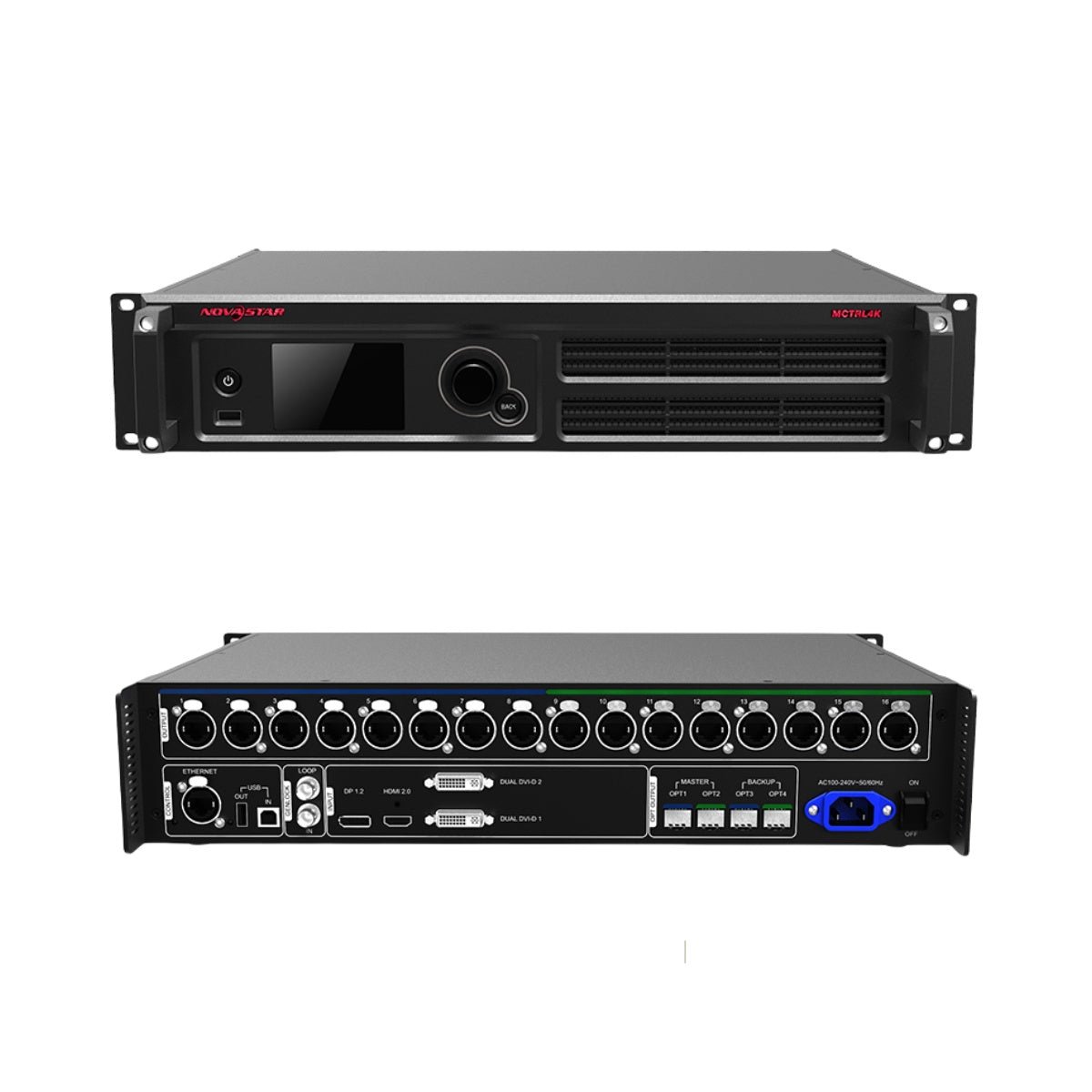
If you are specifying an LED wall for a broadcast or live event, renting a package to different clients, or building an OEM display system, you may see both the NovaStar MCTRL4K and VX2000 Pro in the same shortlist. They appear together because both can sit in a 4K-class LED system, but they do not do the same job in the signal chain. The MCTRL4K is a dedicated high-capacity LED display controller for a prepared 4K or ultra-wide canvas, with sixteen Neutrik Ethernet outputs and four optical output paths. The VX2000 Pro is an all-in-one video processor and LED controller that accepts multiple sources, builds the layout and sends the result to the wall through twenty Gigabit Ethernet outputs.
In practical terms, the MCTRL4K expects your media server, switcher or graphics system to prepare the canvas first. The VX2000 Pro can take on more of that work itself by scaling and cropping sources, arranging layers and recalling layouts. That difference is why you may find both models in the same proposal even though they serve different rack architectures.
As you compare them, keep one question in mind: is your controller receiving a finished program, or do you need it to help build the program? That answer will make the differences in inputs, output routing, HDR, 3D, low latency, layers and presets much easier to interpret.
What Is the Difference Between NovaStar MCTRL4K and VX2000 Pro?
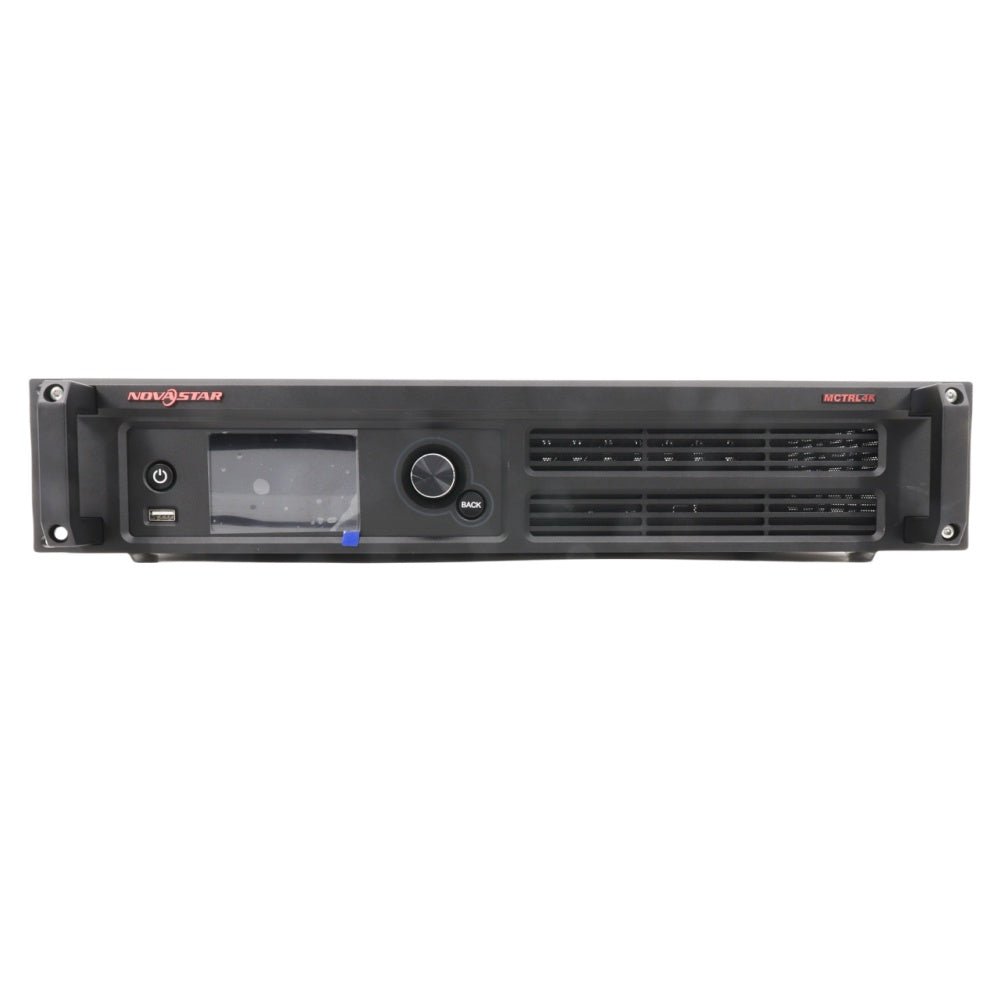
You can use both controllers in a professional LED system, but they organize the work differently. The MCTRL4K is centered on sending a high-resolution canvas with production-oriented output and timing features. The VX2000 Pro puts more of the video-processing workflow inside the controller.
That difference affects the source design you need, the tasks your operator handles, the optical cabling, the cabinet map and the rest of your rack.
Is the project built around a dedicated 4K controller or an all-in-one processor?
If your media server, switcher or graphics system already prepares the LED-wall image, the MCTRL4K is usually the better match. It receives that source, handles the supported input format and distributes the mapped image through its Ethernet or optical paths. Think of it as the dedicated sending stage, not as a general-purpose multi-layer compositor that replaces every upstream production device.
If you need the controller to handle source changes, scaling, cropping and basic composition, the VX2000 Pro puts more of that work in one chassis. You can connect several sources, create a layout and send the finished canvas to the wall without adding a separate scaler for every change. It will not eliminate the need for a production switcher in every show, but it can simplify a smaller rack.
This distinction matters especially if you run a rental company. An MCTRL4K package can be efficient when every job arrives with a prepared 4K canvas. A VX2000 Pro package may be easier for your team to dispatch when each client brings a different mix of laptops, media servers, cameras and playback sources.
How do the 4K input paths differ?
If your source rack is built around one DP 1.2 input, one HDMI 2.0 input and two dual-link DVI inputs, the MCTRL4K gives you a dedicated 4K-class path. Its DP and HDMI input path supports up to 8.8 million pixels under the documented conditions, including 4096 x 2160 at 60 Hz for the supported 8-bit 4K path. The dual-link DVI inputs have a separate loading limit of up to 8.3 million pixels and support mosaic and multi-card working modes.
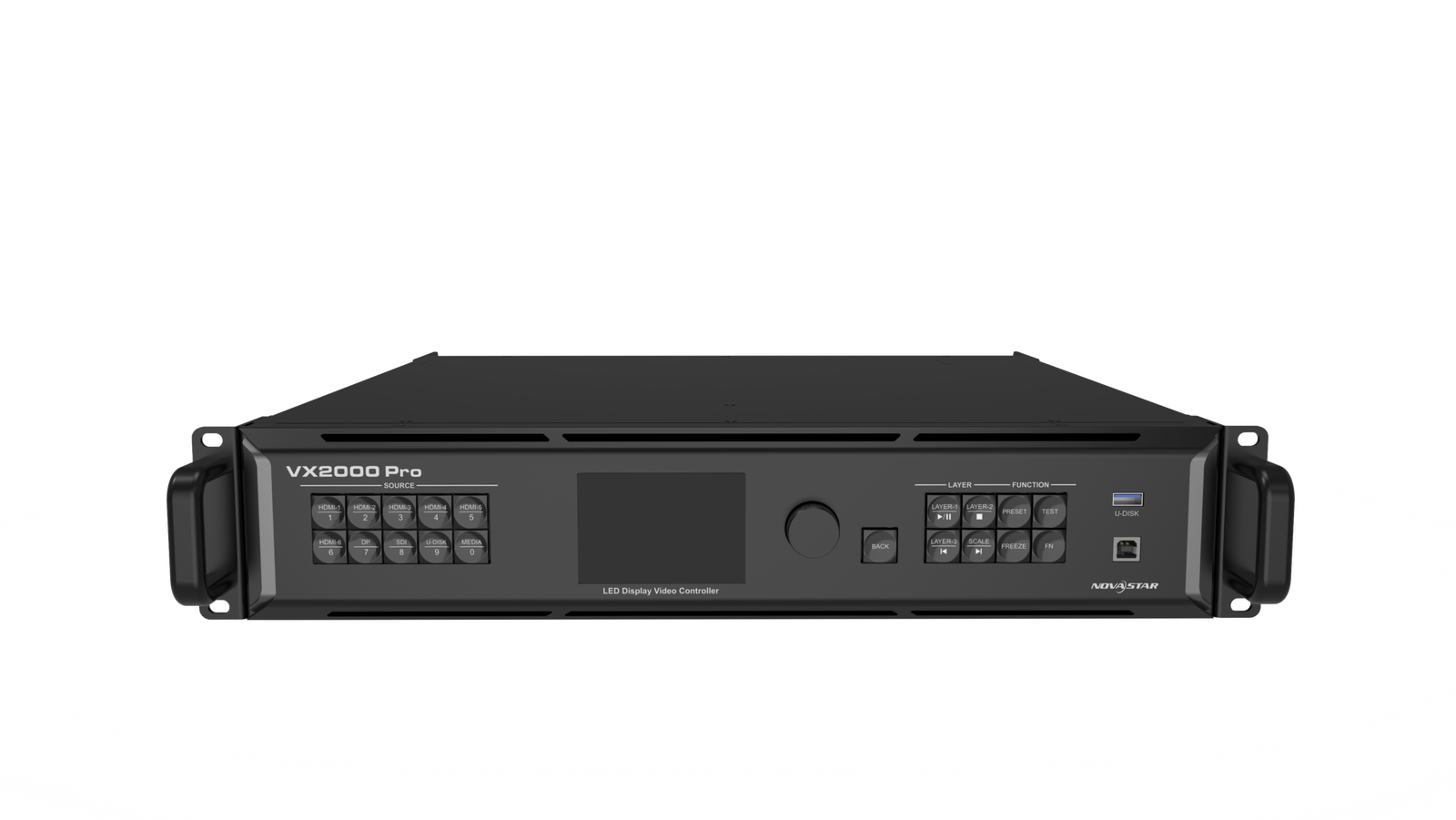
The VX2000 Pro accepts one DP 1.2 input, two HDMI 2.0 inputs, four HDMI 1.3 inputs, one 12G-SDI input with loop-through, two 10G optical input ports and one USB 3.0 port. That gives you more options when your source chain includes a DisplayPort workstation, several HDMI devices, a 12G-SDI camera or switcher and local USB playback.
The two models do not have the same 4K input table. Bit depth, color sampling and frame rate change the supported resolution. When you specify a source path for a client, check the exact connector table instead of treating a 4K label as permission to assume 4K60 on every input.
What do 16 Neutrik ports and 20 Gigabit ports change?
The MCTRL4K provides 16 Neutrik Gigabit Ethernet outputs. If you are building a touring or rental package, that can give you a dense physical patch, clear port grouping and the rugged Neutrik connector format your crew may already use. Each port still has its own loading limit: NovaStar documents up to 650,000 pixels for 8-bit sources and 320,000 pixels for 10-bit or 12-bit sources.
The VX2000 Pro provides 20 Gigabit Ethernet outputs and supports up to 13 million pixels. Its extra four ports give you more room for a larger cabinet map, side screens or separate wall sections. Its maximum output width also reaches 16,384 pixels, compared with the MCTRL4K’s documented maximum single width or height of 7,680 pixels for custom settings.
More ports do not mean more independent video canvases. You still need to assign cabinets to ports, check the receiving-card load and confirm that your source canvas fits the controller. Your wall can be under the total pixel limit and still fail because one port has too many pixels or the cabinet rows cannot be divided cleanly.
Is the project about HDR, 3D and low latency or layers and scaling?
If your production specification explicitly calls for HDR10 or HLG, 8/10/12-bit input, 3D, RGB gamma adjustment, pixel-level calibration or low latency, the MCTRL4K deserves a close look. These functions matter in a large stage, sports, broadcast or camera-facing wall, but you still need compatible receiving cards, source formats and the correct operating mode.
The VX2000 Pro is attractive when your show needs twelve shared 2K x 1K layer resources, scaling, cropping, 256 presets and a wider mix of source connectors. Those features matter when your operator changes the layout during an event or needs several live windows at once.
The difference is not that one model produces a good image and the other does not. It is where the production work is done and which functions the project must control during the show.
How do the optical output banks and backup paths work?
The MCTRL4K has four 10G optical ports. OPT1 carries the data from Ethernet ports 1-8, OPT2 carries ports 9-16, and OPT3 and OPT4 duplicate those two groups for backup. For your rack, that means two main optical banks and two matching duplicate paths.
The VX2000 Pro also has four optical ports, but its current architecture is based on two ten-port Ethernet banks. OPT1 and OPT2 send the two banks, while OPT3 and OPT4 can copy or back up the corresponding output groups.
The port numbers are different, so a fiber plan designed around an MCTRL4K is not automatically transferable to a VX2000 Pro. Before you order, confirm the optical converter, SFP module, fiber type, receiving-card path and failover test as one complete system. Four optical connectors do not create four independent LED canvases.
MCTRL4K vs VX2000 Pro specification comparison
Use this table when you are comparing a prepared-source rack with an all-in-one rack. MCTRL4K’s input loading and VX2000 Pro’s LED loading are related, but they are not interchangeable headline figures.
| Specification | NovaStar MCTRL4K | NovaStar VX2000 Pro |
|---|---|---|
| Product role | Dedicated high-capacity LED display controller | All-in-one video processor and LED controller |
| Listed price | $5,288.00 | $4,064.00 |
| Price difference | $1,224.00 more | Lower listed price |
| Main inputs | 1 x DP 1.2, 1 x HDMI 2.0, 2 x dual-link DVI | 1 x DP 1.2, 2 x HDMI 2.0, 4 x HDMI 1.3, 1 x 12G-SDI, 2 x 10G optical input, 1 x USB 3.0 |
| DP/HDMI loading | Up to 8.8M pixels within documented input limits | Connector-specific 4K-class input limits; check bit depth and frame rate |
| DVI loading | Up to 8.3M pixels | Not applicable |
| Ethernet outputs | 16 x Neutrik Gigabit Ethernet | 20 x Gigabit Ethernet |
| Per-port reference | 650,000 pixels at 8-bit; 320,000 at 10/12-bit | Check the VX2000 Pro output and receiving-card conditions |
| Optical ports | 4 x 10G; OPT1/2 main banks, OPT3/4 duplicate banks | 4 optical ports; two main ten-port banks and two copy/backup paths |
| Maximum LED loading | DP/HDMI up to 8.8M; DVI up to 8.3M | Up to 13M pixels |
| Custom width or height | Up to 7,680 pixels within documented timing limits | Maximum output width 16,384 pixels; height 8,192 pixels |
| Layer resources | No comparable VX-style multi-layer engine | 12 shared 2K x 1K resources |
| Presets | Dedicated controller workflow | 256 presets |
| HDR and HLG | Supported | HDR10/HLG supported |
| Bit depth | 8-bit, 10-bit and 12-bit input | Connector- and format-specific 8/10/12-bit support |
| 3D | Supported with the required 3D emitter | Check the current VX2000 Pro 3D workflow and emitter requirements |
| Low latency | Below 1 ms under documented conditions | Different all-in-one processing path; do not assume the same result |
| Scaling and cropping | Source or upstream processor should prepare the canvas | Built-in scaling and cropping |
| Software and control | Front panel, web control and NovaLCT workflow | Front panel, NovaLCT, Unico and VICP where supported |
| Best starting point | Prepared 4K/ultra-wide canvas, HDR/3D, low latency and two output banks | Larger wall, more inputs, layers, scaling and flexible rental operation |
When you read the table, keep the two capacity figures separate. MCTRL4K’s 8.8-million-pixel DP/HDMI figure describes the loading class of its input path. VX2000 Pro’s 13 million pixels describes the LED output capacity of its all-in-one controller. The figures answer different parts of your system design.
The same caution applies to output ports. Sixteen Neutrik ports on MCTRL4K and twenty Gigabit ports on VX2000 Pro are not the same physical patch, and the optical grouping is different. Before you select the controller, draw the cabinet map and mark every output path.
NovaStar MCTRL4K vs VX2000 Pro: Which One Should You Choose?
To choose between them, start with your source path, wall map, production features and expansion plan. The word “4K” appears in both product descriptions, but your operator’s job after the source enters the unit is different.
Is the source already a finished 4K canvas?
Choose the MCTRL4K when your media server, switcher or graphics system already creates the exact LED-wall canvas. If you run a production company with a dedicated playback and switching rack, MCTRL4K can focus on sending, output grouping, calibration, HDR and timing.
Choose the VX2000 Pro when your controller must accept sources with different resolutions and build the final layout. Its scaling and cropping functions can simplify a smaller production rack, especially when your operator needs to move a camera window or presentation source without rebuilding the upstream canvas.
Neither model removes every need for a switcher. Your complex broadcast show may still need a vision mixer even when the LED controller has layers. The key question is whether your LED controller is receiving a finished program or helping create it.
Does the source canvas or output map exceed MCTRL4K’s limits?
Choose the VX2000 Pro when your source canvas is beyond the MCTRL4K’s documented DP/HDMI input class, when your LED system needs up to 13 million pixels or when your cabinet map requires more than sixteen Ethernet output paths. Its twenty outputs and 16,384-pixel maximum width provide more room for a very wide cabinet map or multiple wall sections. These are separate checks: the input canvas describes what the controller can receive, while the pixel and output figures describe what it can send to your LED wall.
Choose the MCTRL4K when your source canvas fits its DP/HDMI or DVI loading limit and the sixteen-port Neutrik layout matches your cabinet design. A 4K wall does not automatically require thirteen million pixels. A 4096 x 2160 canvas is about 8.85 million pixels, so treat the 8.8-million figure as a documented input class and verify the exact timing, bit depth and color format instead of assuming that every 4K60 signal is accepted.
Check the full calculation, including bit depth and per-port loading. HDR and 10/12-bit operation can reduce the pixels assigned to each Ethernet port, so the normal 8-bit wall map may not work unchanged.
Are HDR, 3D or low latency part of the show requirement?
Evaluate MCTRL4K when your production specification names HDR10, HLG, 3D or a low-latency sender path. Confirm that your source, receiving cards, calibration workflow and 3D emitter support the required mode. For low latency, follow the documented start-position and cabinet-connection conditions rather than relying on a generic feature badge.
The VX2000 Pro also supports advanced video functions, but it is not an identical substitute for MCTRL4K’s dedicated production path. Choose the VX2000 Pro when your show values source flexibility and built-in composition more than the shortest possible sending path.
Do you need many live windows or fast preset recall?
Choose the VX2000 Pro when your operator needs the controller to combine a main image with camera feeds, presentations, logos, timers and playback. Its twelve shared 2K x 1K resources provide more composition room than a dedicated sender, and 256 presets help your rental or touring team recall known layouts.
Choose MCTRL4K when those windows are already composed upstream. Your media server or production switcher can feed one finished canvas, leaving MCTRL4K to handle output and display control. In that system, paying for a second layer engine may add complexity without adding a useful function.
Is the $1,224 price difference justified?
LED Control Depot lists MCTRL4K at $5,288.00 and VX2000 Pro at $4,064.00. MCTRL4K’s higher price can make sense when your project specifically needs its 4K controller architecture, sixteen Neutrik ports, HDR/HLG, 3D, low latency or four optical output grouping.
The VX2000 Pro can offer a lower total system cost when it replaces a separate scaler or basic compositor, accepts more client source types or avoids adding a second controller for a larger wall. When you compare the two, include your upstream rack, optical converters, operator time and backup equipment, not just the product prices.
NovaStar MCTRL4K vs VX2000 Pro project examples
The two controllers can both appear in your professional 4K project while solving different parts of it. The examples below show how the answer changes with your source chain, wall map and operating team.
4K stage wall with a media server and fixed canvas
If you run a production company, you may have a media server that creates a 4096 x 2160 program canvas. The wall fits MCTRL4K’s DP/HDMI loading class, your team wants HDR and low-latency options, and the cabinet map is organized across sixteen Neutrik outputs.
Choose the MCTRL4K. The source is already prepared, and the controller’s value is in the 4K input path, output grouping, optical backup, HDR and production features. Validate the receiving-card HDR workflow and the actual per-port map before the event.
Rental wall with different client sources
If you run a rental company, you may send the same wall to corporate events, concerts and product launches. Your clients bring HDMI 2.0 laptops, DisplayPort workstations, 12G-SDI camera feeds and local test content, while your operators need to change layouts and recall presets without rebuilding the media-server canvas.
Choose the VX2000 Pro. Its broader input panel, scaling, layers, USB playback and twenty-port output class fit the changing rental workflow. MCTRL4K could work if an upstream switcher handled all of those tasks, but that would make the rental package less self-contained.
Ultra-wide fixed installation with two output banks
If you are integrating a fixed wall, it may be very wide while remaining within MCTRL4K’s custom-resolution and loading limits. You may want a known 1-8 and 9-16 output grouping, matching duplicate optical paths and a source that always arrives at the same timing.
Choose the MCTRL4K if the exact source and cabinet map fit. Its 7,680-pixel maximum custom dimension may be sufficient, but the integrator must check the actual width, height, refresh rate, bit depth and per-port load. A visually wide wall is not automatically a VX2000 Pro project.
OEM package with a fixed 4K signal path
If you are an LED manufacturer building a repeatable OEM package, decide whether your customers will receive a finished canvas or a controller that must handle their source changes. A fixed media-server output, approved cabinet map and tested optical plan make the MCTRL4K easier to standardize across units. A VX2000 Pro may be the better package when customers expect direct laptop, camera, USB and multi-window input without an additional processor.
Choose the controller you can document and support consistently. Your OEM specification should name the source formats, receiving cards, cabinet files, firmware, port order, optical modules and acceptance test rather than relying on “4K” as the product definition.
Broadcast or virtual-production wall with several sources
If your production team needs a camera feed, graphics, a presentation source and playback at the same time, the LED wall may still be below 13 million pixels while the layout changes during the show.
Choose the VX2000 Pro when the controller is expected to build that composition. Choose MCTRL4K only when the upstream production system already handles source switching, layout and timing, and the dedicated 4K sender features are the priority.
NovaStar MCTRL4K and VX2000 Pro software, manuals and datasheets
Before you order, use the NovaStar MCTRL4K product page for the current product record, price and purchase path. The MCTRL4K datasheet documents the input loading, 16 Ethernet ports, optical bank mapping, HDR, 3D and low-latency conditions. The MCTRL4K user manual covers screen configuration, custom resolutions, redundancy and operating modes.
If you are evaluating the all-in-one path, use the NovaStar VX2000 Pro product page, VX2000 Pro datasheet and VX2000 Pro user manual. The NovaLCT download is relevant to receiving-card and screen configuration, while the VX2000 Pro’s controller workflow also depends on the exact firmware and supported Unico/VICP resources.
If the project actually needs a smaller dedicated sender with SDI and Genlock, compare the MCTRL660 Pro separately. It is a different architecture and should not be selected just because it shares the MCTRL name.
NovaStar MCTRL4K vs VX2000 Pro FAQs
Is MCTRL4K better than VX2000 Pro for a 4K LED wall?
Not automatically. MCTRL4K is better suited to a prepared 4K canvas, dedicated sending, HDR/HLG, 3D, low latency and its sixteen-port/four-optical architecture. VX2000 Pro is better suited to multiple sources, scaling, layers, presets and a larger 13-million-pixel output plan.
Which controller has the higher pixel capacity?
VX2000 Pro is rated up to 13 million pixels. MCTRL4K supports up to 8.8 million pixels for its DP/HDMI input path and up to 8.3 million for DVI, within the documented input and output conditions.
Does MCTRL4K support 4K60?
Yes, its documented DP/HDMI input path supports 4096 x 2160 at 60 Hz under the applicable 8-bit conditions. Other bit depths, color formats, DVI modes and output assignments have separate limits.
Does VX2000 Pro support 4K60 on every input?
No. Its DP, HDMI 2.0, HDMI 1.3 and 12G-SDI inputs have different supported resolutions, frame rates, bit depths and color formats. Check the exact connector table for the source you plan to use.
How do the 16 MCTRL4K ports compare with 20 VX2000 Pro ports?
MCTRL4K has sixteen Neutrik Gigabit Ethernet outputs grouped into two eight-port optical banks. VX2000 Pro has twenty Gigabit Ethernet outputs grouped into two ten-port banks. The number of ports, connector type and optical mapping all affect the cabinet and fiber plan.
Are the four optical ports independent on both models?
No. MCTRL4K uses OPT1 and OPT2 for the two main eight-port groups, while OPT3 and OPT4 duplicate them. VX2000 Pro uses two main ten-port banks and two copy/backup paths. Neither arrangement means four independent full canvases.
Which model has more layers and presets?
VX2000 Pro has twelve shared 2K x 1K layer resources and 256 presets. MCTRL4K is a dedicated controller and does not provide the same VX-style multi-layer composition workflow.
Does MCTRL4K support HDR10, HLG and 3D?
Yes. MCTRL4K documents HDR10, HLG and 3D support, but the source, receiving cards, emitter and output capacity must all support the selected mode. Higher bit depth and HDR can reduce per-port loading.
Which controller is better for low latency?
MCTRL4K documents low latency below 1 ms under specific conditions, including the source start position and configured screen path. That does not mean every MCTRL4K setup has the same result, and it should not be compared with a generic VX2000 Pro feature claim without testing the full system.
Can MCTRL4K be used with a CVT10 or fiber converter?
It can be used in a compatible optical system, but verify the supported port range, optical module, fiber path, receiving cards and configuration. A fiber converter does not remove the MCTRL4K’s per-port and total loading limits.
Is VX2000 Pro cheaper because it is less capable?
No. Its lower listed price reflects a different product architecture. VX2000 Pro provides more total pixels, more Ethernet outputs, more layers and more source flexibility, while MCTRL4K carries a specialized 4K controller feature set and a different output/optical design.
Can I replace MCTRL4K with VX2000 Pro without changing the rack?
Do not assume so. The models have different Ethernet connector layouts, optical bank mapping, input panels, software workflows and cabinet-map requirements. If you are planning a replacement, prepare a new wiring diagram and complete commissioning test before you move the rack.
Choose the 4K architecture before the model
MCTRL4K and VX2000 Pro are both serious LED-wall controllers, but they earn their place in different systems. Choose MCTRL4K when your team already prepares the canvas and needs dedicated 4K/ultra-wide sending, production timing and specialized output features. Choose VX2000 Pro when you need a more flexible all-in-one platform for a larger wall, varied sources and live layout work.
Before you order, document the source format, bit depth, canvas, cabinet map, per-port load, optical route, receiving cards and operator workflow. Once those are fixed, the price difference becomes a technical decision instead of a guess based on the word “4K.”