
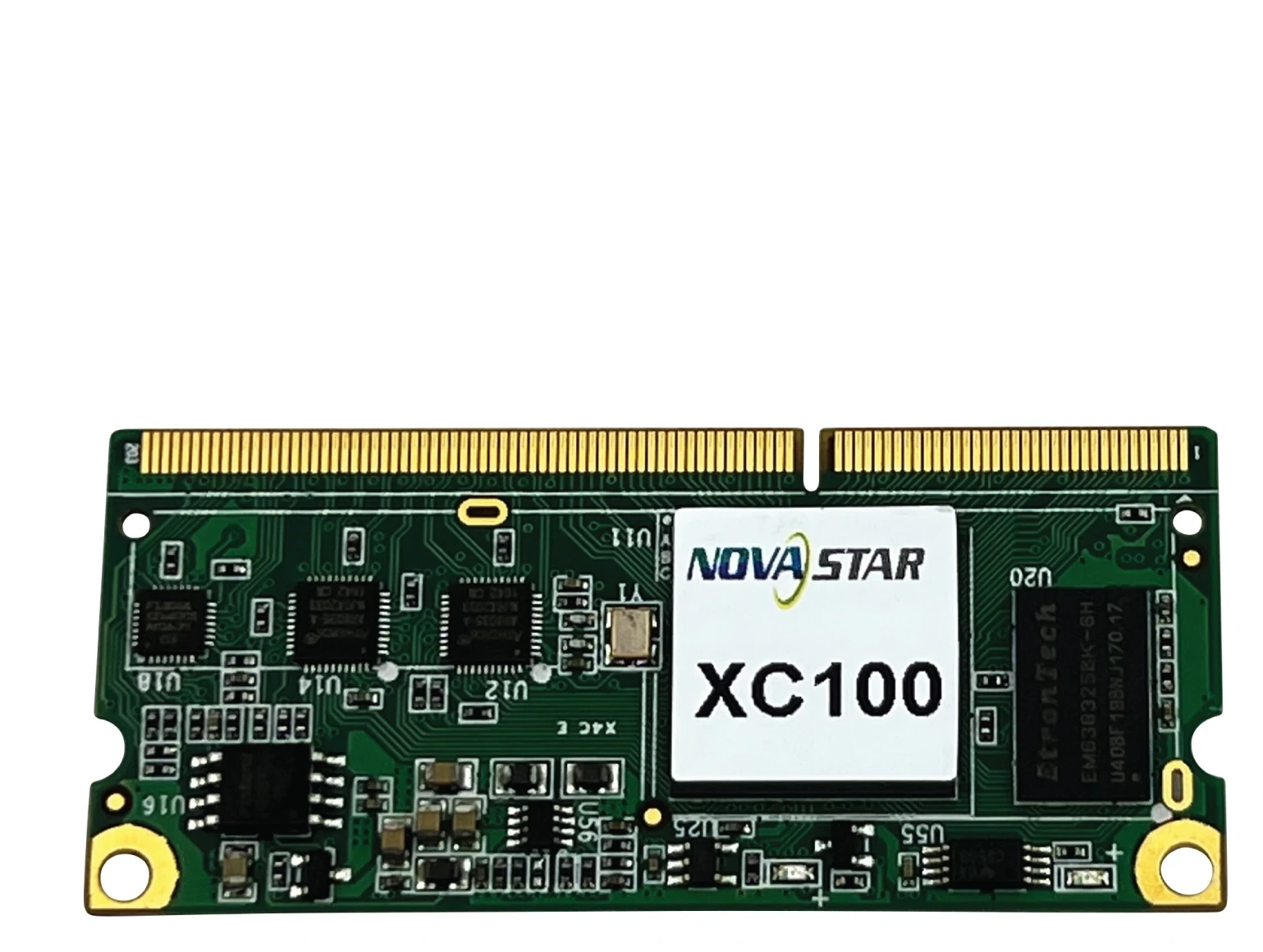
What is the NovaStar XC100 receiving card?
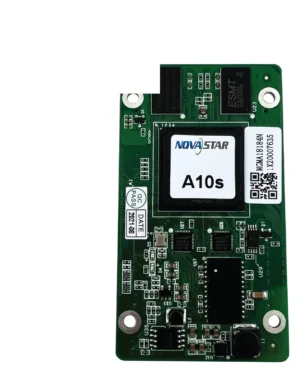
The NovaStar XC100 is a compact LED receiving card made for an older cabinet that uses its DDR3 SODIMM connection. It sits inside the cabinet, receives image data from the controller or the previous cabinet, and passes the right pixel data to the modules through the matching hub board.
XC100 is an end-of-life model, so it is usually bought to restore an existing wall rather than to design a new one. The label on the old card, the DDR3 connector and hub board, the module wiring and the saved cabinet file matter more than a newer card’s larger capacity headline. A card that looks close can still leave one cabinet scrambled, dark or at the wrong brightness.
XC100 key features
- Compact DDR3 SODIMM cabinet interface: the XC100 is 67.6 × 30.2 × 4.2 mm, but its size is only one part of the fit. The mating connector and hub board must be the right type too.
- One-card load up to 256 × 256 pixels: this is the documented whole-card ceiling, useful for checking the original cabinet design. It does not make XC100 interchangeable with another 256 × 256 receiver.
- Existing-cabinet data paths: the card supports 24 parallel RGB groups, with up to 48 through data extension, plus the scan and driver choices used by the cabinet. Those paths are set by the module and wiring already in the screen.
- Conditional service tools: a compatible smart module can retain calibration and module information and help locate row-line or LED faults. That depends on the cabinet’s modules and configuration; it is not a promise that every XC100 wall has the same diagnostics.
NovaStar XC100 specifications
These V1.2.2 values are useful when checking an installed cabinet. Read the last column before using a number as a replacement decision.
| Check | XC100 V1.2.2 | Why it matters before ordering |
|---|---|---|
| Cabinet connection | DDR3 SODIMM | Match the actual connector and hub-board arrangement, not only the card’s outline. |
| Whole-card load | Up to 256 × 256 pixels | Compare it with the existing cabinet map; do not borrow XC160 or XC190 figures. |
| Parallel RGB data | 24 groups; up to 48 with data extension | The module ribbon and scan design decide which path is actually in use. |
| Scan and driver support | 1/1 to 1/32 scan, 595 serial decoding, regular and PWM driver ICs | Check the original module and driver combination before changing card or program. |
| Input and power | DC 3.3–5.0 V; 0.4 A; 2.0 W | Confirm the cabinet power rail instead of assuming all compact receivers share one voltage range. |
| Board size | 67.6 × 30.2 × 4.2 mm | Useful for clearance, but never enough on its own to prove compatibility. |
Is XC100 the right replacement for your LED cabinet?
For a cabinet that already has an XC100 label, the answer can be yes, provided the connector, hub board, module wiring and power rail also match. Start with a clear photo of the old card and its two mating sides. Then compare the cabinet’s hub board and the module ribbons before ordering several spares.
Do not substitute an XC160, XC190, MRV or A-series card because it fits in the same space or advertises more pixels. A receiving card is part of a cabinet design. The wrong interface or configuration can make a single cabinet show a wrong scan, wrong color order, missing rows or no image at all. If an old wall has no working reference cabinet, obtain the original cabinet file from its maker before choosing a different model.
XC100 capacity, RGB data groups and scan types
The XC100’s 256 × 256 figure answers one question only: the maximum pixel load documented for one card. It does not describe the physical shape of every cabinet, the number of modules, or whether a replacement will match the original output order.
Think of the 24 RGB groups and optional data extension as the routes the cabinet was designed to use. A wide module layout, a special-shaped cabinet or a 595 serial-decoding design may use those routes in a very specific order. Copy that order from a working cabinet or its approved file. Do not create a new map from a similar-looking panel just because the total pixel count matches.
XC100 smart-module monitoring and fault checks
On a compatible smart-module cabinet, XC100 can help preserve calibration coefficients and module information, and support row-line or LED-error checks. That can turn a vague “one cabinet looks different” call into a more focused inspection of a module, ribbon or configuration before parts are swapped.
The important word is compatible. NovaStar documents smart-module monitoring for XC100 as a customized function, and hub-product monitoring as optional. Do not buy XC100 expecting a diagnostic feature that the installed modules or hub board were never built to use. When it is available, use it to narrow down the fault; when it is not, the replacement decision still rests on the original cabinet hardware and saved configuration.
XC100 backup options depend on the cabinet design
The XC100 specification lists loop backup, dual-card backup and dual-power backup. These protect a screen only when the cabinet, hub board, cabling and power system were designed around them. They are not features that appear when a single spare XC100 is installed.
For an existing high-availability wall, replace an XC100 like for like and keep the original input/output order. Before the wall returns to service, test one cabinet and the planned backup path. For a standard cabinet with one card and one data route, treat the new card as a restoration part, not as a way to add redundancy after the fact.
XC100 setup with NovaLCT and cabinet files
Before removing a working card, use NovaLCT to record the screen connection and save the cabinet configuration that is known to work. If the particular card supports program readback, save that program as well. The cabinet file describes scan, wiring and pixel mapping; the card program is a separate item. One cannot replace the other.
Install and restore one cabinet first. Check the cabinet at normal brightness, compare it with its neighbors, then inspect the screen connection before sending anything across the full wall. This sequence is slower than copying a file everywhere, but it avoids turning one failed card into a full-wall configuration recovery.
XC100 vs XC160 and XC190
These models should be compared as cabinet interfaces and installation decisions, not as a simple speed ladder. The XC100 is the choice for an existing XC100/DDR3 cabinet that needs its original receiver restored. Use another model only when a new cabinet design has confirmed its own connector, hub board, module map and configuration path.
| Model | Use it when | Do not assume |
|---|---|---|
| XC100 | The installed cabinet is built for the XC100’s DDR3 interface and needs a like-for-like legacy spare. | That every compact or 256 × 256 receiver will restore it. |
| XC160 | A new or existing cabinet explicitly specifies XC160 and its own documented interface. | That its familiar compact form makes it an XC100 spare. |
| XC190 | A cabinet was designed for XC190’s higher documented load and matching hardware. | That a larger load figure proves a safe retrofit. |
XC100 datasheet, firmware and NovaLCT
Use these routes to preserve and check an installed XC100 system. An original V1.2.2 specification exists, but no current independent XC100 PDF or firmware package has yet been verified for our download library, so this page does not disguise another model’s file as an XC100 download.
NovaStar XC100 FAQ
Is XC100 still a good choice for a new LED cabinet?
No. XC100 is an end-of-life model. It is most useful as an exact replacement for a cabinet already designed around it; a new cabinet should use the receiver specified for its current module and hub-board design.
Can one XC100 load 256 × 256 pixels?
Yes. V1.2.2 documents up to 256 × 256 pixels for one card. Confirm the module map, scan and RGB data path before treating that number as an installed-cabinet limit.
Can XC160 or XC190 replace XC100?
No, not automatically. A similar shape or a larger capacity figure does not prove that the connector, hub board, voltage, module wiring and cabinet file will match.
What should I save before replacing an XC100?
Save the known-working cabinet configuration in NovaLCT. If the installed card supports program readback, save its program too. Restore and check one cabinet before updating the rest of the wall.
Does every XC100 cabinet have smart-module monitoring?
No. NovaStar documents the smart-module path as customized and hub monitoring as optional. Confirm the installed modules and hub board before relying on those functions.
Can a new XC100 add loop or dual-card backup?
No. Backup depends on the cabinet’s original card, hub, cable and power design. A single spare receiver cannot create redundant hardware in a standard cabinet.
Should I install any XC100 firmware package I find online?
No. Confirm the exact XC100 PCB, module driver and current working program first. Keep a known-working file and test one cabinet before changing a live wall.
Why can a replacement cabinet be brighter or show a wrong image?
A mismatched program, cabinet file, calibration data, scan setting or module path can change the result. Start with the exact card and a saved working configuration instead of copying a file from an unrelated panel.
Reviews
There are no reviews yet.