
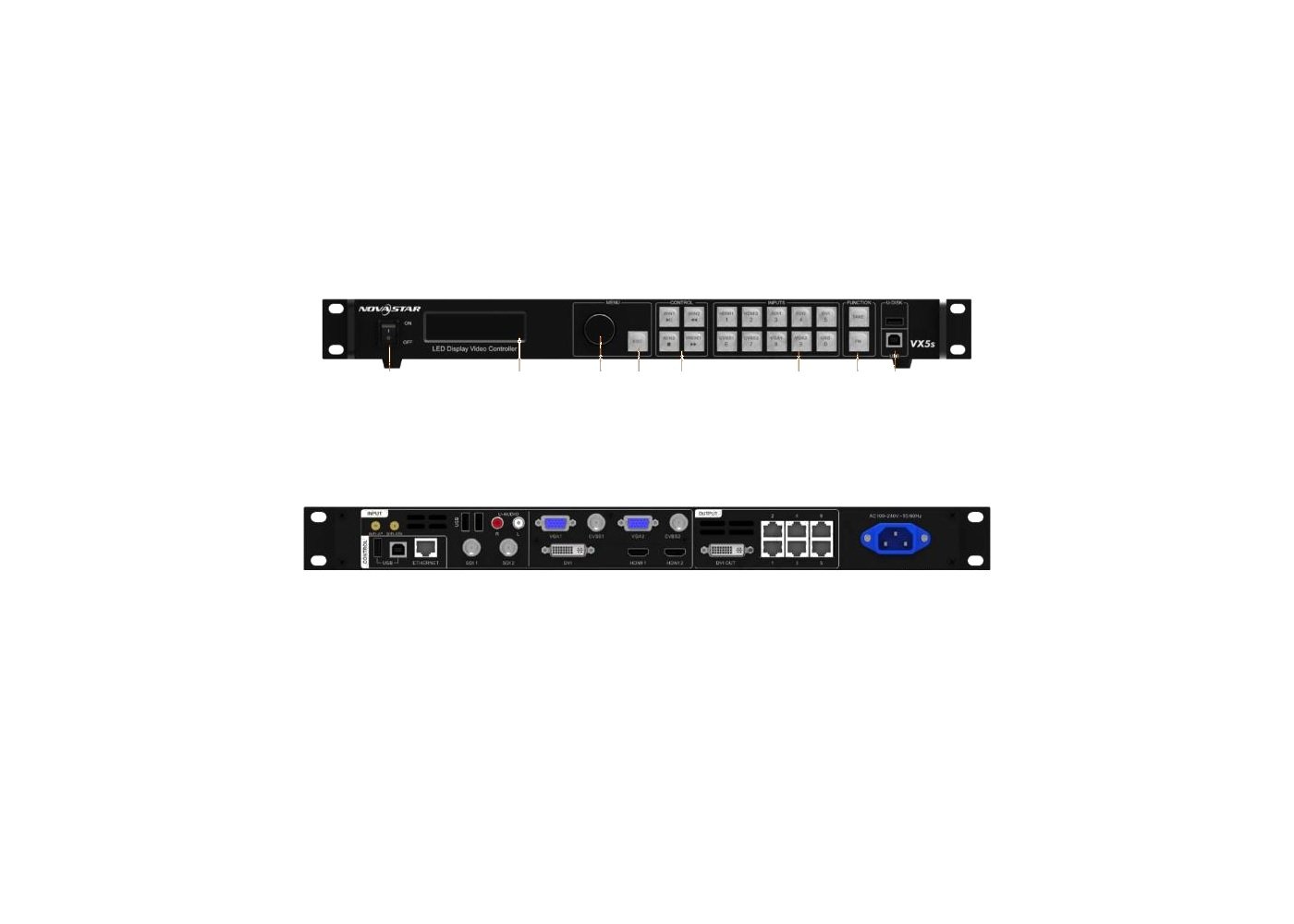
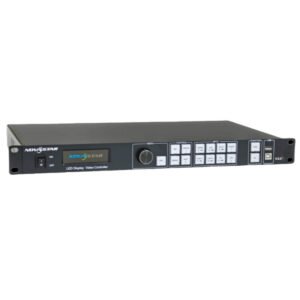
What is the NovaStar VX5s legacy video controller?
The VX5s belongs in an existing LED system where its hardware, cabinet map and operating routine are already known. Protect that working system instead of treating mixed search results as a new technical specification.
NovaStar’s V-Can documentation still lists VX5s as a supported device and describes Direct and Switcher operating modes. The practical question is simple: does the next show need a prepared change to go straight to the screen, or does it need an operator to review the change before it reaches the audience?
VX5s key features
- Direct and Switcher modes: choose whether a prepared change goes straight to the LED wall or is reviewed before the audience sees it.
- V-Can support context: NovaStar’s V-Can documentation lists VX5s, which helps an operator identify the control workflow of an installed unit.
- Preserve a working system: record the controller label, hardware version and cabinet configuration before changing a legacy rack.
- Replacement-aware support: when the source, screen or control need has changed, compare a current processor instead of guessing at a nearby-model file.
VX5s verified specifications
| Product role | Legacy all-in-one LED controller for an existing system. |
|---|---|
| Documented operating modes | Direct mode and Switcher mode in NovaStar V-Can documentation. |
| Exact hardware documentation | No exact VX5s hardware manual or datasheet was verified in the current official archive. |
| Firmware status | No exact public VX5s firmware package was verified; do not use a nearby model's file. |
VX5s Direct mode and Switcher mode explained
Direct mode is the simple route: an operator changes the selected output arrangement and the LED wall follows that change. It suits a rehearsed system with one clear source path. Switcher mode is more cautious: prepare the next look, review it, then send the approved change to the display. That is useful when an audience is already watching the wall.
These are operating choices, not a promise that every old VX5s system has the same connected sources, layer count or software version. Confirm the actual controller, rear panel and installed configuration before building a show around either mode.
| Operating need | Useful mode | What the operator should check |
|---|---|---|
| Simple, rehearsed source change | Direct | Confirm the selected source and saved display setup before it goes live. |
| Prepare a change while the screen stays live | Switcher | Review the next arrangement before moving it to the LED wall. |
| Unknown legacy system | Neither until identified | First record the model label, existing screen file and the current source path. |
VX5s source planning starts with the real rear panel
Do not plan from a reseller feature list. Older VX-series names are commonly mixed with nearby models, and unverified listings may describe a different input set, capacity or local-playback feature. Start with a clear rear-panel photo and the product label. Then list every source that must appear on the LED wall during the event.
For each source, record its connector, resolution, frame rate and whether it must be seen live or can be prepared in advance. That simple record shows whether the existing controller can remain in place or whether a current processor is the safer way to meet the show requirement.
| Record | Why it matters |
|---|---|
| Controller label and rear panel | Prevents a VX5s from being confused with a related VX model. |
| Source list and formats | Shows whether the event has changed beyond the original rack design. |
| LED canvas and cabinet file | Keeps the screen map separate from the incoming video source. |
| Current operating routine | Helps the operator choose a tested Direct or Switcher workflow. |
VX5s pre-show checks for an existing LED wall
A calm show begins with a known screen, then a known source. First display a controller test pattern or other known image and make sure the cabinet order is correct. Next confirm the saved configuration, selected source and the intended operating mode. Only then rehearse the actual content change.
This sequence is useful because three different faults can look alike from the audience: a bad cabinet map, an unsupported source format or a wrong operating setting. Testing the screen before the live source gives the operator a smaller problem to solve.
- Save or record the known-good screen configuration.
- Check the physical LED data path and cabinet order.
- Use a known image to confirm the wall looks correct.
- Connect and test each real event source at its intended format.
- Rehearse the selected Direct or Switcher workflow before doors open.
VX5s setup and V-Can connection
V-Can lists VX5s among its supported devices and documents device connection, synchronization, self-test, reset and network settings. Use it to inspect the connected system only after the controller identity and working configuration have been recorded. A current software download is not proof that every old hardware and firmware combination is safe to change.
Keep the decision clear. The controller and receiving cards define the working LED screen. The operator’s source and mode define what appears on it. If the screen is already correct, do not reset or remap it simply because a new source needs a different image setting.
VX5s applications for established operator-led LED systems
These are practical situations for supporting a known VX5s installation. They do not turn the product into a current 4K or HDR processor.
Rehearsed presentations
Use a tested Direct-mode workflow when the source path and existing LED screen configuration are already known.
Operator-led changes
Use the documented Switcher workflow when the next display arrangement should be reviewed before it reaches the audience.
Existing LED racks
Support a known installation by keeping the cabinet file, source list and working controller details together.
Planned upgrades
Use the current source and canvas record to decide whether a newer processor answers a changed event requirement more safely.
VX5s manual search, software and legacy support
No exact VX5s hardware manual, datasheet or firmware package was verified in the official archive. Do not use a third-party PDF or nearby-model firmware under the VX5s name. The official V-Can manual is useful software context because it explicitly lists VX5s, but it is not a VX5s hardware manual.
Before any update, record the controller label, hardware version, current firmware version, receiving-card model and a copy of the working screen configuration. A firmware file must match the exact device; a guessed package can leave a working legacy system harder to recover.
V-Can user manual
Open the official V-Can User Manual PDF; it lists VX5s and explains the Direct and Switcher software workflow.
V-Can software
Use the V-Can download page only after recording the exact VX5s hardware and current configuration.
Current processors
Browse current video processors when the source, canvas or operating needs have outgrown the legacy system.
Compatibility review
Request a compatibility review with rear-panel photos, the hardware version, current firmware, receiving-card model, cabinet file and source list.
When an installed VX5s should move to a current video processor
Keep the VX5s only when the real system is documented, stable and adequate for the actual sources and LED canvas. Move to a current processor when the event needs an unverified source type, 4K or HDR, more complex screen composition, a larger output plan or a current support path.
Choose a replacement from the source list, full LED canvas, receiving-card setup and operating workflow. The current video processor range is a starting point for that comparison, not a promise of a like-for-like port map.
VX5s frequently asked questions
Can I download a VX5s firmware file from this page?
No. No exact verified VX5s firmware package was found. Use only a file matched to the actual device after its hardware and existing configuration are recorded.
Is V-Can a VX5s hardware manual?
No. Its official manual lists VX5s as a supported device and explains the software workflow, but it is not a model-specific hardware manual.
Why does the existing cabinet file matter when the source changes?
The cabinet map tells the LED wall where image data goes. It is separate from the video source. Preserve the map before changing source or control settings.
Reviews
There are no reviews yet.