
What is the NovaStar MRV208-N LED receiving card?
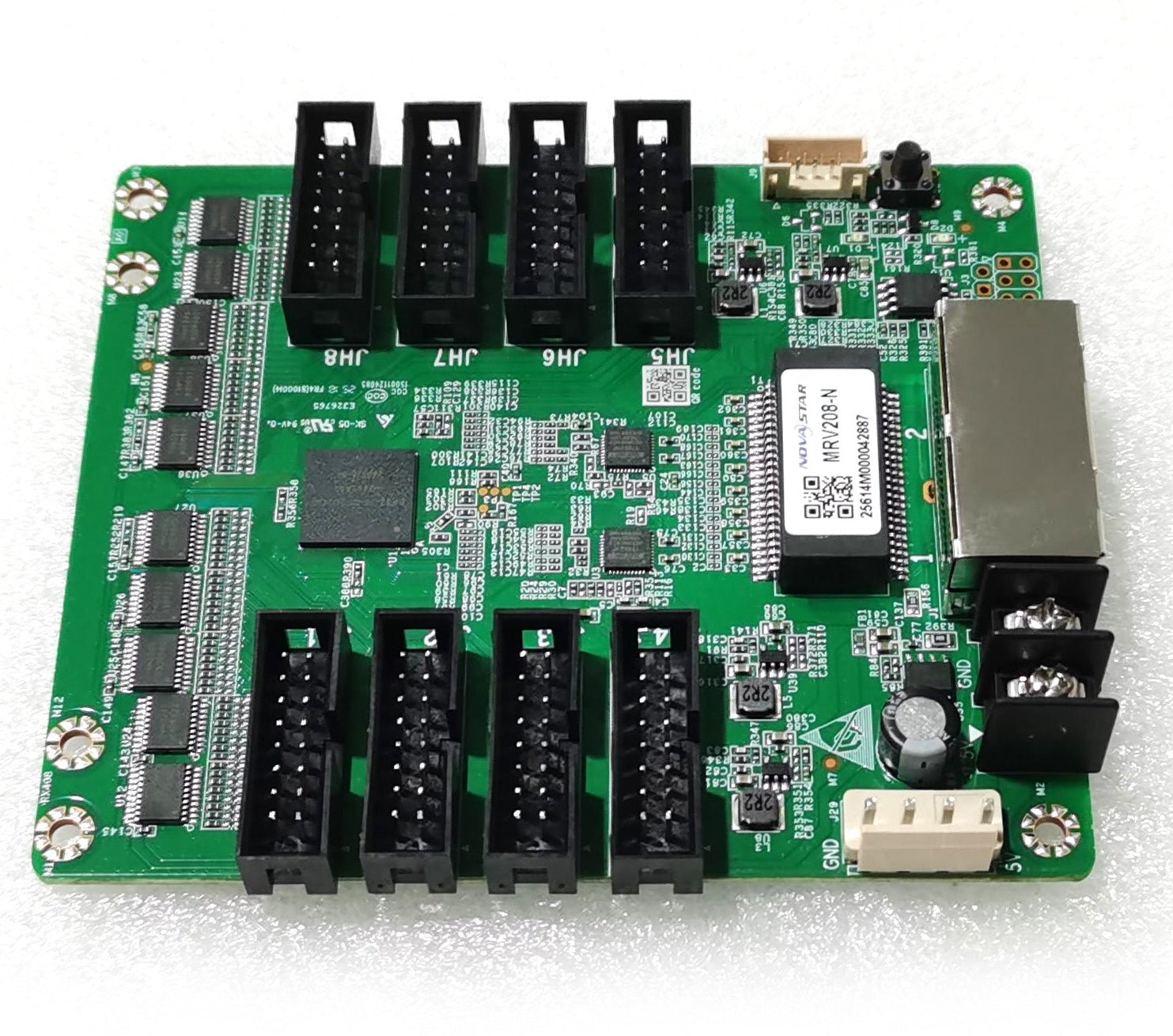
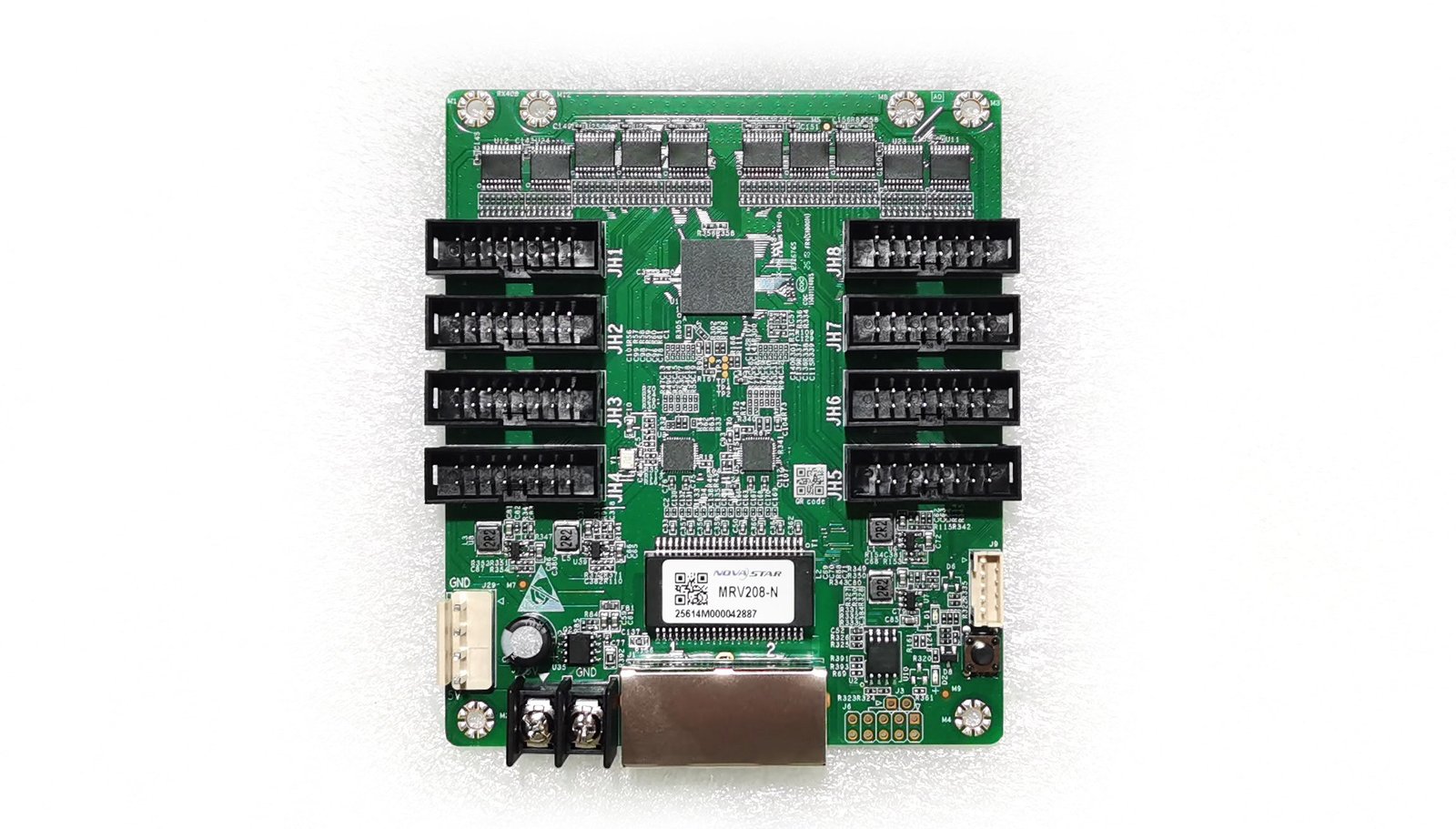
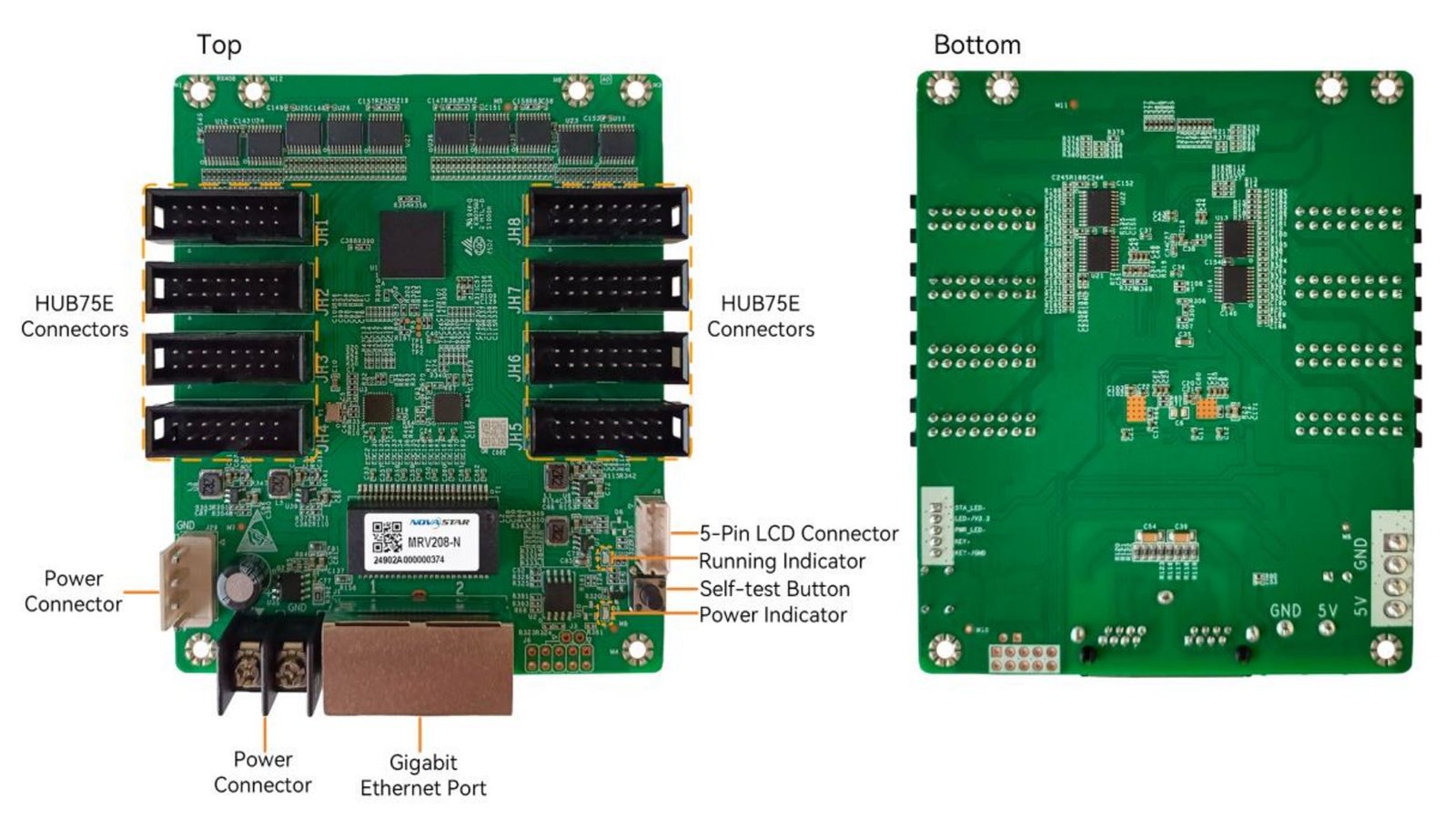
The NovaStar MRV208-N is the card inside an LED cabinet that receives the mapped signal from the controller and sends it to the cabinet’s LED modules. It is for a cabinet built around eight HUB75E outputs, not a universal substitute for every card that happens to fit in the same space.
It suits two different buying situations. In a new cabinet, its published PWM load can reduce the number of cards required. In an existing wall, it is often bought as an exact replacement. Those are not the same decision: capacity helps plan a new build, while an installed wall must still match its hub board, driver ICs, scan, wiring and saved configuration.
MRV208-N key features
- Smoother low-brightness images: 18bit+ is intended to keep dark gradients from breaking into visible steps when a screen is dimmed for an indoor room, stage or broadcast background.
- More even cabinets: color management, pixel calibration, quick bright/dark-line adjustment and multi-batch adjustment give a technician ways to bring cabinet color and seams closer together. The cabinet still needs compatible modules and the correct calibration data.
- Live-video option: the receiving-card stage can reduce latency to one frame when the modules use driver ICs with built-in RAM. It is a condition to confirm, not a promise for every controller and cabinet combination.
- System-aware image control: 3D and 90-degree rotation work only with a controller and workflow that support those functions. RGB gamma adjustment also depends on NovaLCT and a compatible controller.
- Service visibility: Mapping 1.1, voltage/temperature monitoring and Ethernet bit-error detection help identify a cabinet or a connection issue before a crew starts swapping working parts.
NovaStar MRV208-N specifications
These are the fit checks that matter before a card is added to a cabinet order. The four load figures are expanded in the next section because the driver IC and bit depth change the answer.
| Card role | LED receiving card for cabinet-level data and image control |
|---|---|
| Module connections | 8 × standard HUB75E |
| Parallel RGB data | Up to 16 groups |
| Published capacity context | M3 controllers; varies by PWM/common driver IC and 8-/10-bit source |
| Input power | DC 3.8 V to 5.5 V; 0.5 A rated current; 2.5 W rated power |
| Board size | 95.3 × 109.4 × 19.3 mm |
| Operating range | −20°C to +70°C; 10% to 90% RH, non-condensing |
MRV208-N load capacity for PWM and common-driver cabinets
“512 × 512” is not the full answer. NovaStar publishes that top figure only for an 8-bit source, PWM driver ICs and an M3 controller. The table lets a cabinet designer choose the right row before using the number for card count.
| Module driver | Source depth | Published load per card | Planning meaning |
|---|---|---|---|
| PWM | 8-bit | 512 × 512 @ 60 Hz | The headline maximum; leave headroom for the finished cabinet design. |
| PWM | 10-bit | 512 × 256 @ 60 Hz | Higher bit depth halves the published vertical capacity in this case. |
| Common driver | 8-bit | 512 × 384 @ 60 Hz | Use this row only after the cabinet maker confirms the common-driver design. |
| Common driver | 10-bit | 512 × 192 @ 60 Hz | The most conservative published row; do not quote the PWM maximum instead. |
Scan mode, folded ribbon paths, skipped pixels and unusual module wiring can lower the practical limit further. For a new wall, ask for the final cabinet pixel map and driver-IC type before committing to a one-card design. For a repair, preserve the existing card count unless the cabinet maker has approved a redesign.
Is the MRV208-N right for your LED cabinet?
An MRV208-N is a good fit when the cabinet was designed for its eight HUB75E connections and the original card/configuration support the same module arrangement. A matching board size or a larger capacity number is not enough to prove a replacement will work.
- Read the whole label: confirm MRV208-N, not only “MRV208.” The suffix can indicate a different generation and feature set.
- Check the hub board and ribbons: count the connections and confirm HUB75E layout, pinout and the module’s data-group requirement.
- Keep the working configuration: read the receiving-card program and the cabinet RCFGX/NCP configuration from a working card before removal whenever possible.
- Confirm the cabinet power: verify the 3.8–5.5 V input range and the cabinet’s power wiring before energizing the replacement.
If you have the old card label, a clear hub-board photo and the cabinet configuration file, send them for an MRV208-N compatibility and quantity check. That gives you a concrete answer before ordering parts that cannot be used together.
MRV208-N image quality and low-latency conditions
The MRV208-N makes the most sense where a receiving card has to do more than simply light a cabinet. In a dim indoor lobby, showroom or studio, the 18bit+ and gamma controls can help retain smoother shadow detail. In a wall built from panels from more than one batch, calibration and batch adjustment give the installer a path to a more consistent surface.
For a camera-facing stage or a live program feed, low latency is the relevant feature. The card can reduce latency at its own stage to one frame only with modules whose driver IC includes RAM. The upstream source, controller and screen configuration still contribute to what a viewer sees, so confirm the complete signal path before buying for IMAG or interactive use.
MRV208-N applications
Indoor fine-pitch walls
For displays where dark gradients, white balance and cabinet-to-cabinet consistency are visible at close range.
Live camera and event screens
When the cabinet driver IC and the whole signal chain are planned for the card’s low-latency condition.
Portrait and rotated layouts
For systems whose controller and configuration workflow support the card’s 90-degree rotation modes.
Serviceable fixed installations
For walls where mapping, monitoring, stored-image behavior and loop backup can shorten a service visit.
MRV208-N monitoring, mapping and signal recovery
When a single cabinet is wrong in a large screen, the useful question is usually “where is it and what changed?” Mapping 1.1 can show controller, Ethernet-port and receiving-card numbers on the display. Data-group mapping can show how module data is arranged inside the cabinet. Together, those tools turn an anonymous panel into a location a technician can find.
The card can also report temperature, voltage and Ethernet bit errors, provided the cabinet hardware supports the connection. A stored image can be chosen for startup, signal loss or a disconnected Ethernet cable, so one cabinet does not have to become a black rectangle while the source path is checked.
Loop backup protects the display path only when primary and backup lines are planned as a loop. It is not a substitute for a matching cabinet configuration.
MRV208-N datasheet, firmware and NovaLCT
Use the MRV208-N datasheet to confirm cabinet fit and the four published load cases. Before replacing a working card, use NovaLCT to save both the receiving-card program and the cabinet configuration file. The program tells the card how to communicate with the module chips; the RCFGX or NCP file holds the cabinet’s scan, wiring and pixel map. One cannot replace the other.
The current official MRV208-N firmware is V1.3.0.0. Use it only after matching the card PCB, module driver and current working version. If the existing wall works, retain the known-good program unless the release notes address a real compatibility or fault issue.
MRV208-N vs MRV208-1
The older MRV208-1 is not simply the lower-capacity version of the MRV208-N. If an existing cabinet carries an MRV208-1, preserve that exact model unless a cabinet maker has verified the complete electrical and hub-board conversion. For a new cabinet that needs the current MRV208-N image and service functions, select the model from the cabinet design rather than trying to create an upgrade by card name alone.
| Check | MRV208-N | MRV208-1 | Order decision |
|---|---|---|---|
| Published PWM load at 8-bit | 512 × 512 @ 60 Hz with M3 controller | 256 × 256 @ 60 Hz | Useful for a new design, but not proof of retrofit compatibility. |
| Module interface | 8 × HUB75E | 8 × HUB75E | Connector count alone does not confirm pinout, scan or configuration match. |
| Replacement approach | Match the exact N card and cabinet files | Match the exact -1 card and cabinet files | Use the original SKU for a repair unless the cabinet maker confirms otherwise. |
NovaStar MRV208-N FAQ
What does the MRV208-N do?
It receives the LED signal inside a compatible cabinet and sends the mapped data to the cabinet’s modules through eight HUB75E outputs.
What is the MRV208-N maximum load?
It depends on driver type and bit depth. The largest published case is 512 × 512 at 60 Hz with PWM driver ICs, an 8-bit source and an M3 controller.
Can an MRV208-N replace an MRV208-1?
Do not assume it can. Confirm the full card label, hub board, pinout, module driver/scan design, power and saved cabinet configuration before changing models.
Does MRV208-N low latency work in every cabinet?
No. NovaStar’s one-frame receiving-card condition requires modules with driver ICs that include RAM. The controller and the rest of the signal path also matter.
What should I save before replacing an MRV208-N?
Use NovaLCT to read and save the working receiving-card program plus the RCFGX or NCP cabinet configuration. Keep both files with the cabinet record.
Should I update MRV208-N firmware before installation?
Only if V1.3.0.0 matches the card PCB and module chips and addresses a real need. Save the working program first; newer is not automatically safer for a working wall.
Can I request MRV208-N compatibility, quantity and volume pricing?
Yes. Send the full card label, a hub-board photo, cabinet pixel size and any existing configuration file. We can check the fit, quote the number of cards you need and provide volume pricing where applicable.
Reviews
There are no reviews yet.