
What is NovaStar H_4x Fiber Input Card?
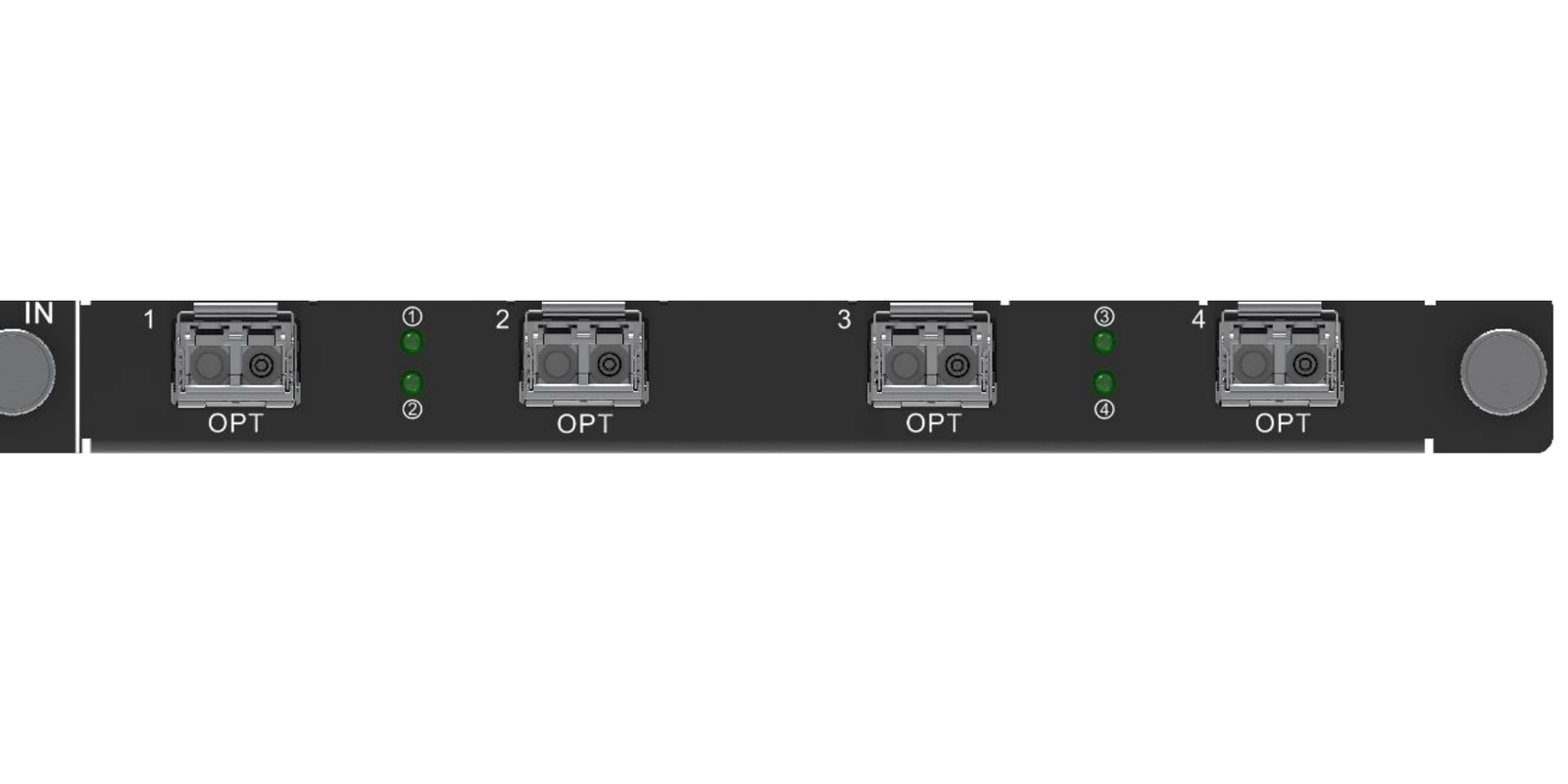
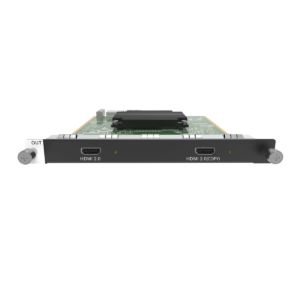
The NovaStar™ H Series 4x Fiber Input Card is the source-side card for an H Series video wall splicer. Choose it when a compatible 10G optical video feed already reaches the LED rack. The card brings that feed into the H Series chassis; the chassis places it on the LED layout, and a separate LED output card sends the finished image toward the cabinets.
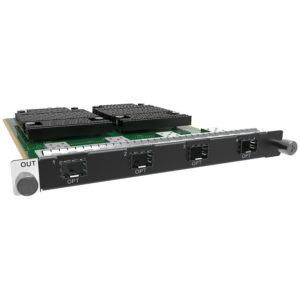
That direction matters. This is not the splicer itself, and it is not an LED sending card. It is the right purchase when the source needs to arrive at the H Series chassis over fiber; if the completed LED image must leave the chassis on fiber, use an H Series fiber output card instead.
Request H_4x Fiber Input Card bulk pricing →
For confirmed multi-card H Series or project quantities.
NovaStar H_4x Fiber Input Card key features: what makes it different?
- Bring the optical source into the right place: four 10G OPT inputs let a compatible program feed reach the chassis where the LED composition is made. This suits a venue or control room where the source side is already built around optical transport.
- Receive the standard single-mode card ready for its matching fiber: the standard H_4xfiber Input Card includes four installed LR single-mode modules. NovaStar’s separately named H_4xfiber Input Card-M includes SR multi-mode modules, so the card variant must match the fiber that is already in the building.
- Keep sources separate or join a deliberate wide image: Independent mode makes eligible source inputs available separately. Mosaic mode turns compatible feeds into one larger source before the chassis places it on the LED canvas.
- Make the source plan explicit before rack day: each OPT input is specified up to 4096 × 2160@30, but source grouping changes with the SL, DL or 4K transport plan. Four front-panel ports do not mean four unrestricted, unrelated optical sources.
- See the incoming signal as delivered: the card automatically identifies input resolution and color space. It does not create a new source format, so upstream equipment still has to supply a supported signal.
NovaStar H_4x Fiber Input Card specifications
These are source-input limits, not LED-wall pixel capacity. The installed H Series chassis, selected LED output card and cabinet design determine the final display layout.
Which optical source arrangement fits NovaStar H_4x Fiber Input Card?
Decide this from the upstream optical transmitter, not by the number of ports on the card. In NovaStar’s terminology, SL and DL describe how that source is divided across optical links. The source documentation should state which arrangement it uses.
Selection rule: choose Independent mode when the operator needs individual source choices. Choose Mosaic mode only when the upstream system has already created one wide picture. Neither mode adds LED cabinet outputs.
How NovaStar H_4x Fiber Input Card fits into an H Series LED system
- Bring the program feed to the LED rack: compatible optical source equipment sends the planned SL, DL or 4K signal over matching fiber to this input card.
- Build the visible layout: the card makes that source available to the H Series chassis. The chassis then sizes and positions it on the LED canvas; the NovaStar H15 video wall splicer is one example of that chassis role.
- Deliver the completed image to cabinets: a separately selected H Series LED output card creates the cabinet-side path. The receiving-card settings, cabinet files and screen mapping are then configured in NovaLCT.
NovaStar H_4x Fiber Input Card applications
Each situation starts with a compatible source arriving at the H Series chassis on fiber. The card does not replace the separate LED-output and cabinet-mapping stage.
Live-event control room
Bring a compatible program source from the production position to the LED rack without changing the source-side optical route just to reach the splicer.
Central equipment room
Keep the H Series rack at the center of the display system while the source equipment remains in its own technical room.
Extra-wide program image
Use Mosaic mode when an upstream system deliberately presents one larger picture across compatible optical feeds and that whole picture belongs on the LED canvas.
Multi-source display system
Keep eligible optical sources available independently when a venue needs the operator to place different program views on one or more LED screens.
NovaStar H_4x Fiber Input Card compatibility and configuration
- Confirm the signal direction: the card receives source video into a compatible H Series chassis. For fiber delivery of the finished LED image, review the H_4x Fiber Output Card instead.
- Match card variant and installed fiber: this standard card has LR single-mode modules. The separately named -M version has SR multi-mode modules. The module and the installed physical fiber must match.
- Match the source plan before cabling: confirm whether the upstream equipment supplies SL, DL or 4K input, then select Independent or Mosaic mode according to the documented port rules. Input resolution is identified automatically rather than set manually on the card.
- Configure the display side separately: install a suitable LED output card, then use NovaLCT for cabinet receiving-card configuration, cabinet files and screen mapping. See the H Series collection for the compatible system components.
NovaStar H_4x Fiber Input Card manual, datasheet and H Series firmware
NovaStar documents this modular card inside the current H20 specification rather than in a separate public card-only PDF. The first resource is the official reference containing this card; the remaining files are clearly labelled H Series family resources.
NovaStar H_4x Fiber Input Card specifications (PDF)
Official H20 V1.8.0 card reference: ports, modes, module types, dimensions and power.
NovaStar H Series user manual (PDF)
Family installation, input-card configuration and operating procedures.
NovaStar H Series firmware (ZIP)
Verified V2.2.0.0 H Series family package, not card-only firmware.
NovaStar H Series release notes (TXT)
V2.2.0.0 changes and update notes for the family package.
NovaStar H_4x Fiber Input Card FAQs
Is H_4x Fiber Input Card a video wall splicer?
No. It is an installed source-input card. A compatible H Series chassis creates the LED layout, and a separately selected LED output card sends that finished layout to the cabinet side.
Does the standard card include optical modules?
Yes. NovaStar specifies four installed LR single-mode modules for the standard H_4xfiber Input Card. Confirm that the site uses matching single-mode fiber before ordering.
How does the standard card differ from H_4xfiber Input Card-M?
The standard card has LR single-mode modules; the separately named -M card has SR multi-mode modules. Select the card version that matches the installed fiber rather than treating this as a software setting.
Does each OPT input accept 4K60?
No. NovaStar specifies each OPT input up to 4096 × 2160@30. Confirm the source timing before ordering rather than assuming a 4K60 source will be accepted.
Can all four OPT ports be used as unrestricted independent sources?
No. In Independent mode, the permitted ports depend on the upstream source type. SL and 4K plans use either OPT 1–2 or OPT 3–4; a DL plan can use all four ports together.
What does Mosaic mode do?
It combines compatible optical feeds into one larger source before the H Series chassis places it on the LED layout. It does not make more cabinet outputs, and a Mosaic source cannot be used as a backup source.
Can the card send fiber LED data to cabinets?
No. It receives source video into the chassis. Use a suitable H Series LED output card to create the finished cabinet-side path.
Do I configure receiving cards with this input card?
No. This input card only brings fiber sources into the H Series chassis. Configure receiving cards on the LED cabinet side in NovaLCT after the compatible LED output card has been selected.
Is the linked firmware a card-only update?
No. The linked ZIP is a verified H Series family firmware package. Read its release notes and the chassis documentation before applying an update.
Reviews
There are no reviews yet.