
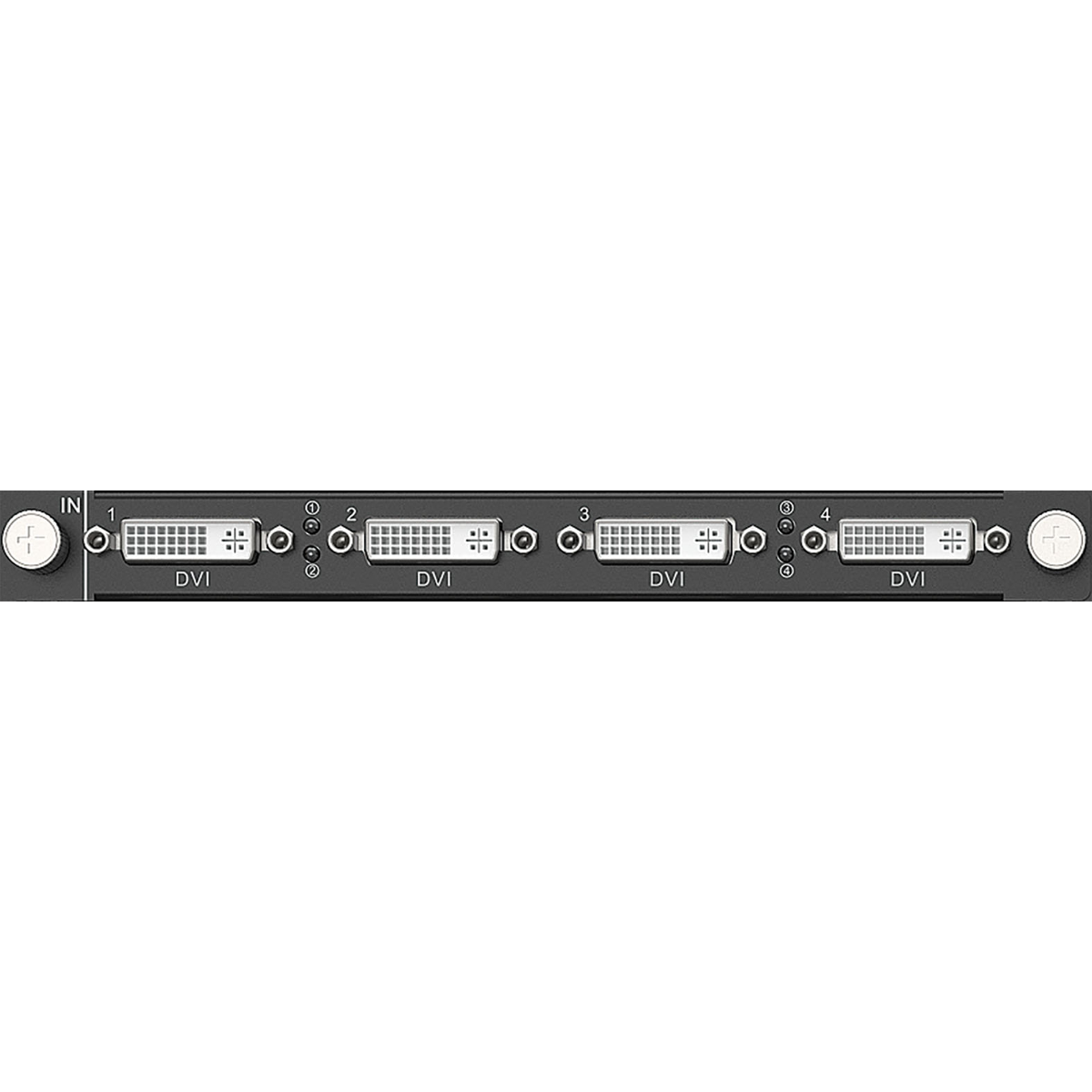
What is NovaStar H_4x DVI input card?
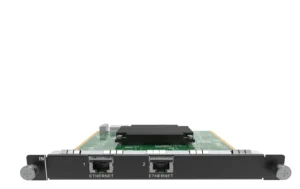
The NovaStar™ H Series 4x DVI Input Card is a DVI source-input card for a compatible H Series chassis. It is useful when existing graphics workstations, presentation computers or playback systems still use DVI: the card receives their sources, the chassis builds the LED layout, and a separately selected LED output card carries the finished picture to the cabinets.
This is a source-input card, not the H Series chassis, a DVI output card or an LED cabinet sending card. Its two operating modes create a real purchase decision: single link keeps all four DVI inputs available, while dual link gives two wider source positions through inputs 2 and 4 and makes inputs 1 and 3 unavailable.
Before ordering, list the active sources before counting physical connectors: decide between four conventional DVI sources or two wider sources, confirm every source is progressive, and reserve a compatible H Series input-card slot. If the source hardware is HDMI rather than DVI, compare the H_4x HDMI Input Card.
Request H_4x DVI input card bulk pricing →
For confirmed multi-card H Series or volume quantities.
NovaStar H_4x DVI input card key features: four sources or two wide sources
- Keep four existing DVI sources in the plan: Single-link mode keeps all four connectors active, each up to 2048 × 1152 at 60 Hz. It suits an installation where several workstations or playback machines each need a place on the LED layout.
- Use two wider source positions when the canvas needs them: Dual-link mode activates only connectors 2 and 4, each up to 3840 × 1080 at 60 Hz. It is a two-input plan, not a four-input plan at a higher resolution.
- Keep the high-refresh statement within its real scope: NovaStar lists 10-bit input, HDCP 1.4 and supported source frame rates through 144 Hz. Every source still needs to fit the selected mode’s resolution and timing limit.
- Plan for progressive sources: Interlaced input is not supported. Verify the source output setting before the system is installed instead of assuming a DVI connector alone guarantees compatibility.
NovaStar H_4x DVI input card specifications
These are the source-entry limits for this card. The installed H Series chassis still makes the layout, while the selected LED output card and receiving-card path carry the final picture to the cabinets.
How NovaStar H_4x DVI source inputs reach the LED wall
The sequence starts with the source plan. The card receives DVI sources first; it does not make the LED layout or send cabinet data.
- Set the source mode before you assign connectors. Choose four DVI sources in single link or two wider sources in dual link, then confirm each source is progressive and within the documented limit.
- Bring the active DVI sources into the H Series chassis. The chassis can crop, scale and position those sources across the required LED screen layout.
- Use a selected LED output card for the cabinet path. That output card, not this source card, carries the completed layout toward the receiving cards and LED cabinets.
- Configure the cabinet side separately. Use NovaLCT for receiving-card configuration, cabinet files and port mapping after the chassis and LED output path are confirmed.
NovaStar H_4x DVI input card modes: four inputs or two wide sources?
Select the mode from the number and shape of the sources—not merely from the four physical connectors on the front of the card. Dual link increases the maximum for two active inputs, but it gives up inputs 1 and 3. It is not a four-input higher-resolution mode.
For four HDMI sources instead, see the H_4x HDMI Input Card.
NovaStar H_4x DVI input card applications
These are source-led situations where retaining DVI equipment is a practical choice. The chassis and chosen LED output card still determine the final LED layout and cabinet connection.
Existing graphics workstations
Keep several DVI workstations feeding one large LED canvas while the H Series chassis puts each source in the planned screen position.
Lecture and presentation systems
Use single link when documents, playback and a presenter computer must each remain available as separate DVI sources.
Wide source canvas
Use dual link when two wider DVI inputs are genuinely required and the source plan can operate without inputs 1 and 3.
Legacy-system refresh
Update the LED processing and output side without forcing every compatible DVI source to change at the same time.
NovaStar H_4x DVI input card compatibility and setup
This card occupies a compatible H Series input-card slot. First set the source plan as single link or dual link, then confirm the active connectors, progressive source timing and resolution before assigning the feeds to the layout. This card only receives the sources; the H chassis and a separately selected LED output card complete the route to the cabinets.
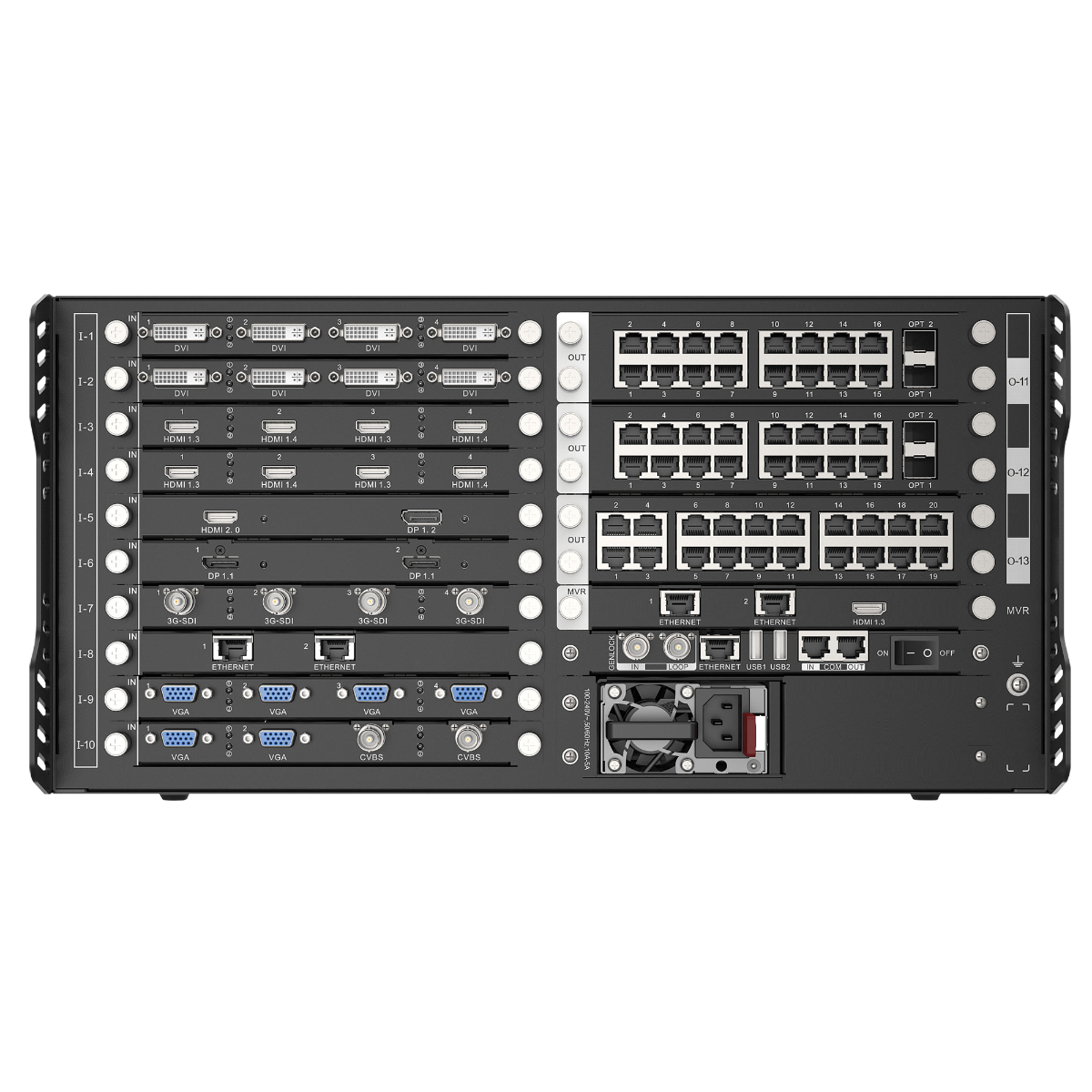
For the larger system context, see the NovaStar H15 video wall splicer and browse the H Series collection. Use NovaLCT for receiving cards, cabinet files and screen mapping after the LED output path is in place.
NovaStar H_4x DVI input card manual, specifications and H Series firmware
The first PDF contains the official H_4x DVI Input Card section inside NovaStar’s H2 specification. The manual, firmware and release notes are verified H Series family resources; their labels make the scope clear.
NovaStar H_4x DVI specifications (PDF, H2 V1.16)
Exact H_4x DVI connector, mode, source-format, dimension and power details inside NovaStar’s H2 specification.
NovaStar H Series user manual (PDF, V1.15.0)
Verified H Series family manual for source connection, card installation and screen configuration; it is not an H_4x DVI-only manual.
NovaStar H Series firmware (ZIP, V2.2.0.0)
Verified H Series family firmware package; it is not an H_4x DVI-only file.
NovaStar H Series firmware release notes (TXT, V2.2.0.0)
Version changes and update notes for the same verified H Series family firmware package.
NovaStar H_4x DVI input card FAQs
Can this card use all four DVI inputs at the same time?
Yes, in single-link mode. Each input is specified up to 2048 × 1152 at 60 Hz.
What changes in dual-link mode?
Only inputs 2 and 4 are available. Inputs 1 and 3 cannot be used, while each active input supports up to 3840 × 1080 at 60 Hz.
Does it accept an interlaced DVI source?
No. The official specification states that interlaced input is not supported. Confirm each source output is progressive before installation.
Does it support 144 Hz or 10-bit input?
NovaStar lists both 144 Hz input and 10-bit input support. Confirm the actual source timing and the complete H Series configuration before finalizing the system.
Does it support HDCP-protected sources?
NovaStar documents HDCP 1.4 support. Confirm the source and content-protection requirement before ordering; newer protection requirements are a separate compatibility decision.
Is this card an LED output card?
No. It receives DVI sources into the H Series chassis. A separate LED output card carries the finished H Series layout toward the LED cabinets.
Should I choose the DVI card or the H_4x HDMI Input Card?
Choose this card when the installed source hardware uses DVI and its documented mode limits fit. Choose the H_4x HDMI Input Card when the source hardware is HDMI.
Can this card create the LED layout by itself?
No. The H Series chassis creates the layout after this card receives the source. The card is only the source-entry stage.
Is the firmware download a card-only update?
No. The available file is an H Series chassis/family firmware package. Read its release notes and the selected chassis documentation before any update.
Does 144 Hz support mean every DVI source can run at 144 Hz?
No. NovaStar lists supported source frame rates through 144 Hz, but each source must still fit the selected single-link or dual-link mode. Do not treat the 144 Hz listing as a higher-resolution or four-input dual-link claim.
Reviews
There are no reviews yet.