
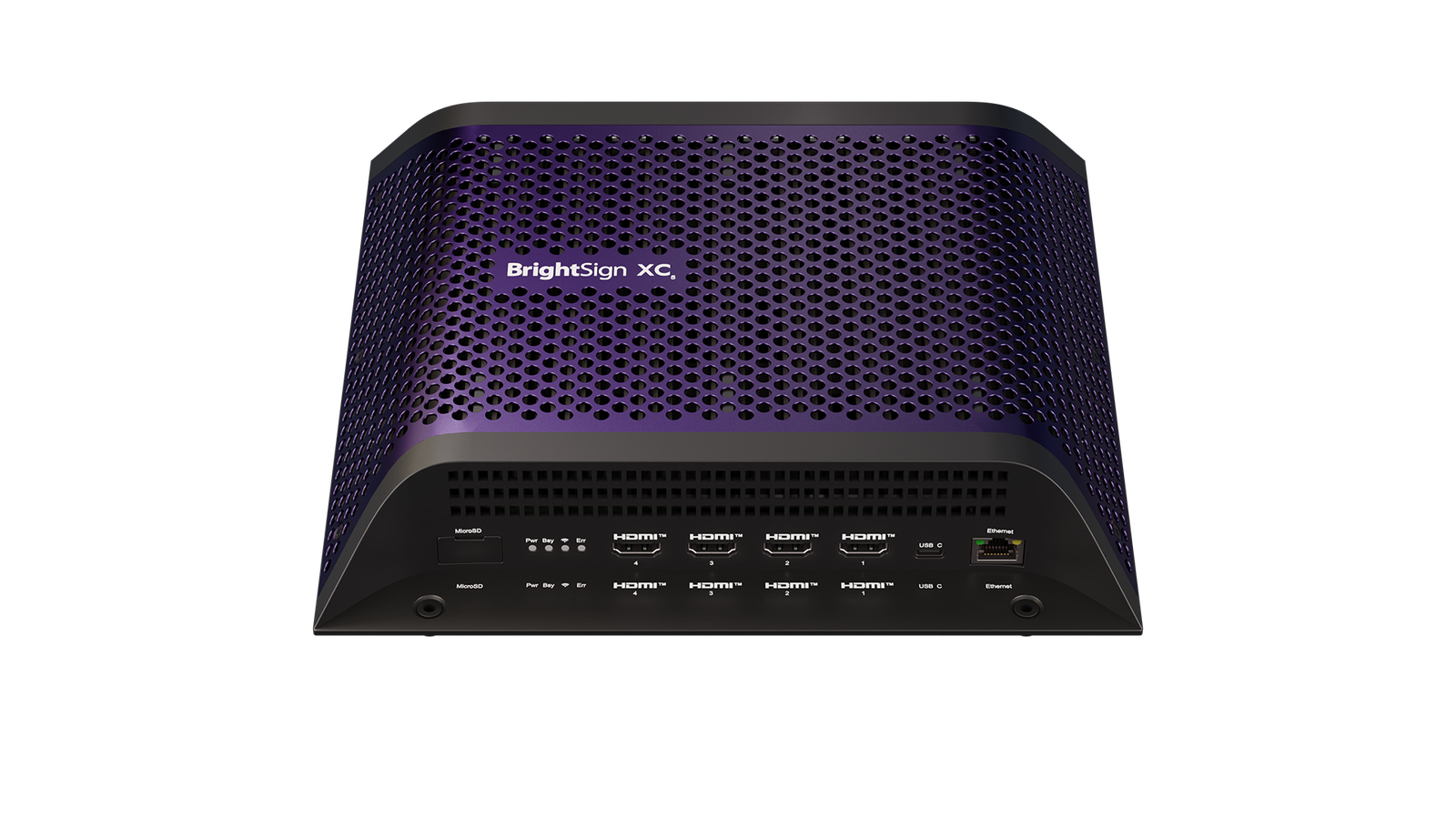
BrightSign XC2055 is a multi-output digital signage player for DVLED, video wall and multi-screen playback that needs two HDMI outputs and PC-class graphics. Choose the XC2055 when one BrightSign player must run two HDMI outputs, a single 8K-class canvas or dual 4K-style screens with stronger HTML and graphics performance than XT.
What is BrightSign XC2055?
The BrightSign XC2055 is the two-output XC5 player for multi-screen digital signage, DVLED source playback and video wall content. It supports multi-headed output, PC-class graphics performance, BrightSignOS or Windows IoT options, and a full multiplex I/O package with HDMI outputs, USB, serial, GPIO, IR, Ethernet and local storage.
BrightSign XC2055 key features
- Two HDMI outputs for dual-screen signage, two-output video walls and wide-canvas content paths
- XC5 graphics platform for PC-class HTML, OpenGL and richer visual workloads than standard signage players
- Single 8K-class or dual-output 4K-style planning, depending on the presentation design and downstream hardware
- BrightSignOS or Windows IoT configuration options, selected according to the project software environment
- USB-A, USB-C, serial, GPIO, IR, Ethernet and local storage for enterprise AV and signage integration
Where the BrightSign XC2055 makes sense
BrightSign XC2055 specifications
| Processor | Intel Gen 11 Celeron with 8GB RAM |
|---|---|
| Storage | Optional 256GB PCIe NVMe M.2 SSD |
| Operating System | Choice of BrightSignOS, Windows 11 IoT or Windows 10 IoT |
| Video Decoding | Single 8K60p (8-bit), Dual 4K60p (10-bit), Full HD; HDR10, HLG & Rec.2020/BT.2020 support |
Can the BrightSign XC2055 be used with an LED wall?
Yes, but its role is specific: the BrightSign XC2055 is the signage player that supplies the content signal. It stores and plays scheduled media, so a lobby screen, menu board or informational LED display does not need a computer left on-site just to keep content running.
For an LED wall, the BrightSign player’s HDMI output still needs to go into hardware that accepts and processes that signal. The NovaStar control system handles the LED-display work: a video processor or all-in-one controller accepts and scales the HDMI source, sending hardware outputs LED data, and receiving cards map that data to the LED modules. BrightSign handles the playlist, publishing method and playback reliability.
Move to XC4055 when the project needs four HDMI outputs or more graphics headroom. Stay with XT2145 when two outputs are needed but PC-class XC graphics and OS flexibility are not required.
BrightSign XC5 model comparison
Start with output resolution and I/O. Those two choices usually decide the right BrightSign model faster than a long feature list.
| Model | Best for | Output tier | Platform | Choose it when |
|---|---|---|---|---|
| XC2055 | Two-output enterprise signage | Two HDMI outputs | Intel Celeron / 8GB RAM | You need two outputs and OS flexibility. |
| XC4055 | Four-output enterprise signage | Four HDMI outputs | Intel i5 / 8GB RAM | You need four outputs from one player. |


Reviews
There are no reviews yet.