
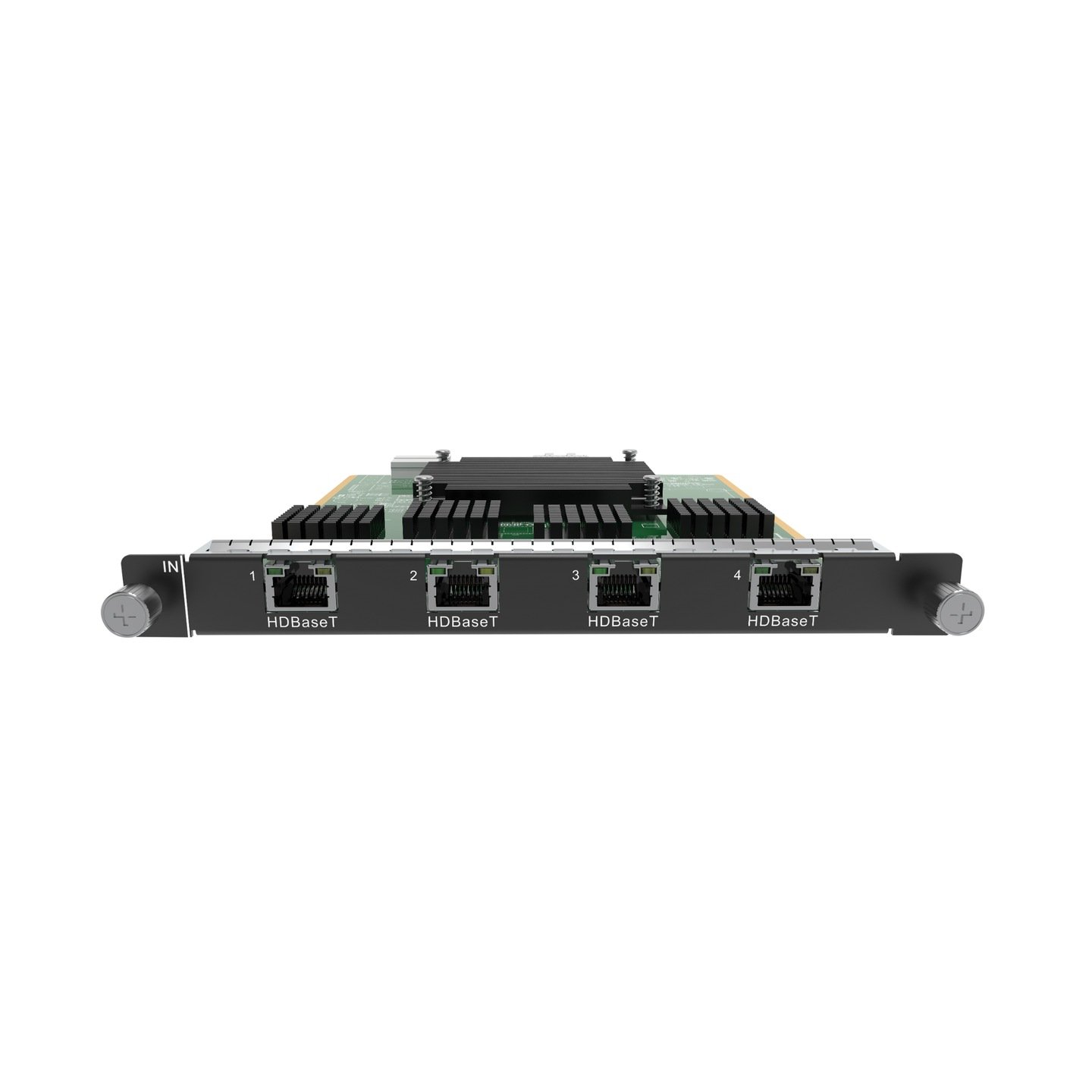
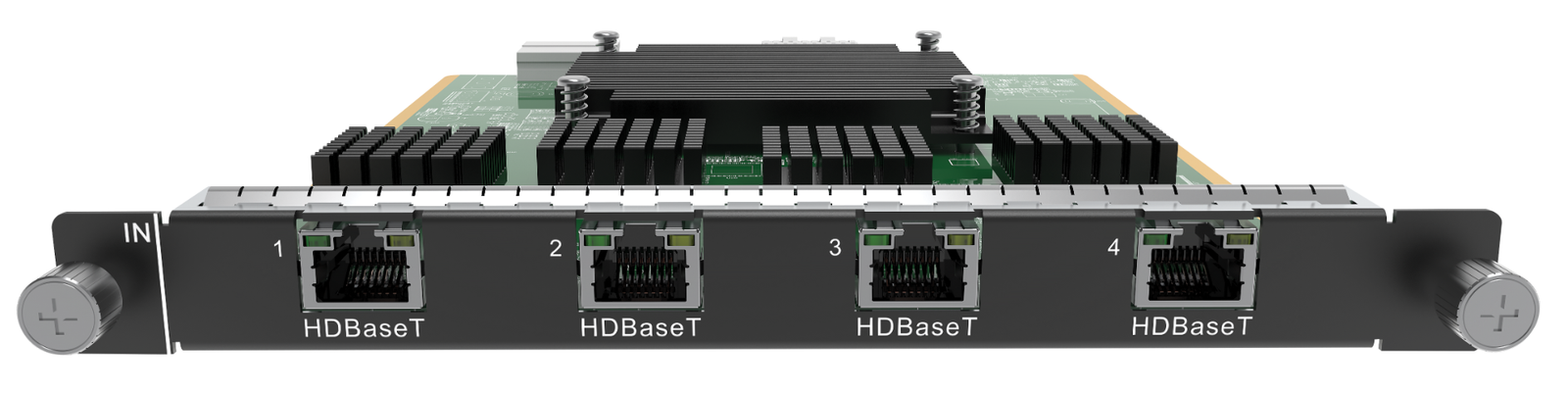
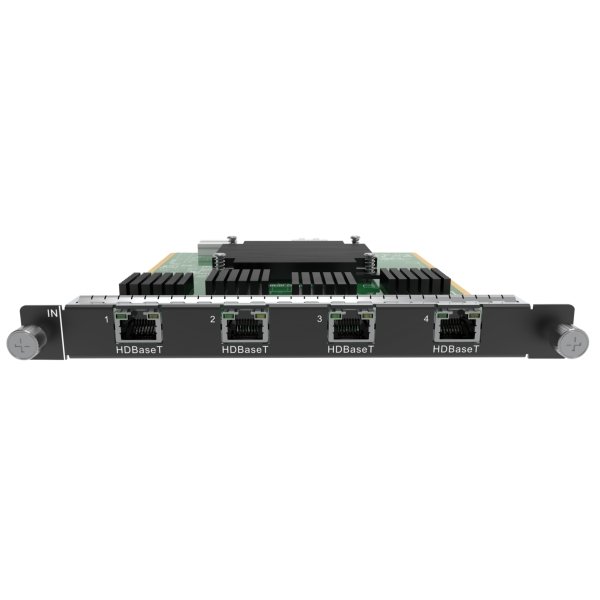
What is NovaStar H_4x HDBaseT input card?
The NovaStar™ H Series 4x HDBaseT Input Card brings video from compatible HDBaseT source locations into an H Series chassis. A laptop position, presentation switcher or remote media source sends video over its HDBaseT link to this card. Although it uses RJ45 jacks, they receive HDBaseT video rather than ordinary network traffic or LED cabinet data. The chassis then arranges those sources on the LED canvas, and a separately selected LED output card carries the finished picture to the cabinets.
It is an input card, so its main decision is the source plan. In single-link mode, all four RJ45 inputs are available for 1080p60 sources. In dual-link mode, connectors 2 and 4 each accept up to 4K30, while connectors 1 and 3 are unavailable.
Before ordering, confirm: whether the installation needs four 1080p60 sources or two 4K30 sources; compatible HDBaseT source-side equipment; and an open H Series input-card slot. If the H Series layout needs to travel out over HDBaseT, choose the H_4 HDBaseT Output Card instead.
Request H_4x HDBaseT input card bulk pricing →
For confirmed multi-card H Series or project quantities.
NovaStar H_4x HDBaseT input card key features: what makes it different?
- Bring compatible HDBaseT sources into the LED system: the card is used at the source end of an H Series installation, before the chassis creates the LED layout.
- Keep four HD sources live when source count matters: single-link mode makes all four connectors available, each up to 1920 × 1080 at 60 Hz.
- Prioritize two detailed sources when resolution matters more: dual-link mode uses connectors 2 and 4, each up to 3840 × 2160 at 30 Hz. Connectors 1 and 3 are not available in this mode.
- Bring embedded audio with the documented video path: NovaStar lists embedded audio and HDCP 1.4. Confirm the transmitter, source timing and content-protection requirement across the full HDBaseT link.
- Make the mode decision before cabling and commissioning: four front-panel jacks do not mean four 4K inputs. The selected source plan determines which connectors can be used.
NovaStar H_4x HDBaseT input card specifications
These figures define what can enter the H Series chassis through this card. They do not describe the LED cabinet capacity, which depends on the selected output card and cabinet configuration.
| System role | One-slot H Series source-input card for compatible HDBaseT links |
|---|---|
| Input connectors | 4 × RJ45 Gigabit Ethernet HDBaseT ports |
| Single-link mode | Connectors 1–4 active; each up to 1920 × 1080 at 60 Hz |
| Dual-link mode | Connectors 2 and 4 active; 1 and 3 unavailable; each up to 3840 × 2160 at 30 Hz |
| Minimum input | 800 × 600 at 59.94 Hz in either mode |
| Custom-resolution boundary | Single link: maximum width or height 2560 pixels. Dual link: maximum width or height 4096 pixels. |
| Documented source support | Embedded audio and HDCP 1.4 |
| Card power / size / weight | 39 W; 193 × 247.12 × 21.15 mm; 500 g |
NovaStar H_4x HDBaseT input card modes: four 1080p60 sources or two 4K30 sources?
Choose the mode from the source list, not from the four physical RJ45 jacks. This single decision determines both the maximum source resolution and the inputs that remain usable.
| Mode | Usable inputs | Maximum per active input | Choose it when |
|---|---|---|---|
| Single link | Connectors 1, 2, 3 and 4 | 1920 × 1080 at 60 Hz | Four remote HDBaseT source positions each need their own place in the LED layout. |
| Dual link | Connectors 2 and 4; 1 and 3 unavailable | 3840 × 2160 at 30 Hz | Two remote 4K30 sources matter more than keeping four inputs active. |
If the source arrives locally over HDMI, compare the H_4x HDMI Input Card.
How NovaStar H_4x HDBaseT input card brings remote AV sources into an LED layout
The input card is one part of a complete H Series system. Its role ends once the selected source signals reach the chassis.
- Choose the remote sources and their HDBaseT source-side equipment. Confirm resolution, frame rate, audio needs and the required number of active inputs.
- Select the input mode and connect the active ports. Single link uses connectors 1–4; dual link uses 2 and 4 only.
- Arrange the source images in the H Series chassis. The chassis crops, scales and positions them on the required LED canvas. See the NovaStar H15 video wall splicer.
- Send that completed layout to the LED cabinets through a selected output card. Use NovaLCT to configure the receiving cards, cabinet files and screen map.
NovaStar H_4x HDBaseT input card applications
Choose this card when the video sources are located away from the H Series rack and arrive through compatible HDBaseT equipment.
Boardroom LED presentation walls
Bring a room PC, presentation switcher or remote media source into the H Series rack so the operator can place it on the same LED canvas as the rest of the program.
Auditoriums and training rooms
Single-link mode suits rooms that need four active HD sources, such as a lectern computer, playback machine, presentation switcher and confidence-feed source.
Two-source 4K30 LED layouts
Choose dual link when two detailed remote sources matter more than four active inputs—for example, two 4K30 presentation or media sources placed side by side on the LED wall.
AV rooms with sources away from the rack
Use the card when source equipment is installed at presentation positions while the H Series chassis stays in a central rack and the cabinet connection is handled separately.
NovaStar H_4x HDBaseT input card compatibility and setup
Check the source path before placing the order: compatible HDBaseT source-side equipment, one available H Series input-card slot, the mode that matches the source list and the right active connector numbers. Then confirm that every source stays within the documented timing limit. Browse the H Series collection when you are choosing the chassis and the rest of the system.
This card handles source entry. The chassis creates the LED layout, and a separate LED output card carries that layout toward the cabinets. Use NovaLCT for the cabinet-side receiving-card settings, cabinet files and screen mapping.
NovaStar H_4x HDBaseT input card manual, specifications and H Series firmware
NovaStar documents this modular input card inside H Series chassis specifications rather than in a separate card-only PDF. The first resource is the current official specification that contains the card; the remaining files are clearly labelled as H Series family resources.
NovaStar H_4x HDBaseT Input Card specifications (PDF, H20 V1.8.0)
Official reference for connector modes, source limits, embedded audio, size and power.
NovaStar H Series user manual (PDF, V1.15.0)
Official H Series input-card setup and operating guidance.
NovaStar H Series firmware (ZIP, V2.2.0.0)
Verified H Series chassis/family package; it is not presented as card-only firmware.
NovaStar H Series firmware release notes (TXT, V2.2.0.0)
Official changes and update notes for the H Series family package.
NovaStar H_4x HDBaseT input card FAQs
Is the NovaStar H_4x HDBaseT Input Card a video wall splicer?
No. It is an input card that installs in a compatible H Series chassis. The chassis creates the LED layout, and a separate LED output card sends the finished layout toward cabinets.
When should I choose the H_4 HDBaseT Output Card instead?
Choose the H_4 HDBaseT Output Card when a completed H Series layout must travel out to remote HDBaseT display equipment. Choose the H_4x HDBaseT Input Card when compatible HDBaseT source signals must enter the chassis.
Can it use all four HDBaseT inputs at the same time?
Yes, in single-link mode. Each connector is specified up to 1920 × 1080 at 60 Hz.
What changes in dual-link mode?
Only connectors 2 and 4 are available, each up to 3840 × 2160 at 30 Hz. Connectors 1 and 3 cannot be used in that mode.
Does it accept four 4K HDBaseT sources?
No. The 4K30 option is a two-input dual-link plan using connectors 2 and 4. Choose single link when the installation requires four active HD sources.
Does the card support embedded audio?
Yes. NovaStar lists embedded audio support. Confirm the complete source-side HDBaseT equipment and intended audio path.
Does it support HDCP-protected sources?
NovaStar documents HDCP 1.4 compliance. Confirm the source’s actual content-protection requirement before ordering.
Does the card guarantee a particular HDBaseT cable distance?
The official H2 card specification does not state a distance guarantee for this card. Confirm the transmitter, endpoint and cabling plan for the complete source path.
Is the firmware download a card-only update?
No. The listed file is a verified H Series chassis/family firmware package. Read its release notes and the chassis documentation before any update.
Reviews
There are no reviews yet.